Campus apps by department
Admissions, orientation, student life, and more — one campus app that works across departments.

Campus apps by department
Admissions, orientation, student life, and more — one campus app that works across departments.
Build unlimited event apps on one license
One partnership for unlimited campus events — orientation, tours, student life, and everything in between.
Build unlimited event apps on one license
One partnership for unlimited campus events — orientation, tours, student life, and everything in between.
Compare event app platforms
See how Guidebook stacks up against other event app and registration platforms.
Compare event app platforms
See how Guidebook stacks up against other event app and registration platforms.
Event apps for nonprofit and community programs
Give members, volunteers, and donors one branded app for conferences, fundraisers, and year-round community.
Event apps for nonprofit and community programs
Give members, volunteers, and donors one branded app for conferences, fundraisers, and year-round community.
Campus integrations and an open API
Connect Guidebook with the campus systems, APIs, and tools your team already uses.
Campus integrations and an open API
Connect Guidebook with the campus systems, APIs, and tools your team already uses.
Event apps for corporate and enterprise teams
Internal meetings, offsites, and large-scale corporate events — with the branding and control enterprise teams need.
Event apps for corporate and enterprise teams
Internal meetings, offsites, and large-scale corporate events — with the branding and control enterprise teams need.
Create a branded event app with no coding
Put schedules, maps, resources, and updates in every attendee's pocket — built for campus events and programs.
Create a branded event app with no coding
Put schedules, maps, resources, and updates in every attendee's pocket — built for campus events and programs.
Launch a branded, white-label event app
A white-label event app with your branding, your content, and your attendee experience — no coding required.
Launch a branded, white-label event app
A white-label event app with your branding, your content, and your attendee experience — no coding required.
Everything in the Guidebook platform
Explore the features event teams use to engage attendees before, during, and after the event.
Everything in the Guidebook platform
Explore the features event teams use to engage attendees before, during, and after the event.
One app for in-person and virtual attendees
The same schedule, networking, and updates whether people are in the room or joining remotely.
One app for in-person and virtual attendees
The same schedule, networking, and updates whether people are in the room or joining remotely.
Event apps built for associations
Annual meetings, chapter events, and member engagement — without rebuilding a new app every year.
Event apps built for associations
Annual meetings, chapter events, and member engagement — without rebuilding a new app every year.
A branded event website that matches the app
Promote the event, collect interest, and keep branding consistent from the first click to check-in.
A branded event website that matches the app
Promote the event, collect interest, and keep branding consistent from the first click to check-in.
Plan, run, and measure events on one platform
App, registration, badges, and websites in one workflow — so planning isn't a pile of disconnected tools.
Plan, run, and measure events on one platform
App, registration, badges, and websites in one workflow — so planning isn't a pile of disconnected tools.
Keep members engaged between events
One branded app for the conference and everything that happens the other 51 weeks of the year.
Keep members engaged between events
One branded app for the conference and everything that happens the other 51 weeks of the year.
The conference app attendees actually use
Schedules, maps, networking, and live updates for annual meetings, summits, and multi-day conferences.
The conference app attendees actually use
Schedules, maps, networking, and live updates for annual meetings, summits, and multi-day conferences.
Registration that feeds your app and badges
Collect registrations, payments, and attendee data in the same platform as your event app.
Registration that feeds your app and badges
Collect registrations, payments, and attendee data in the same platform as your event app.
Design and print event badges in one place
Custom badges, QR check-in, and on-site printing — without a separate badge vendor.
Design and print event badges in one place
Custom badges, QR check-in, and on-site printing — without a separate badge vendor.
A Smaller School?
Deliver a polished, branded event experience without a large team or a big budget.

A Smaller School?
Deliver a polished, branded event experience without a large team or a big budget.
Running Family Programs?
Give families everything they need, from schedules and maps to real-time updates, all in one place.

Running Family Programs?
Give families everything they need, from schedules and maps to real-time updates, all in one place.
Coordinating Move-In Day?
Share updates, manage events, and keep students informed from move-in through the academic year.

Coordinating Move-In Day?
Share updates, manage events, and keep students informed from move-in through the academic year.
Offering Campus Tours?
Deliver branded, self-guided tour experiences with interactive maps and rich media, available 24/7.

Offering Campus Tours?
Deliver branded, self-guided tour experiences with interactive maps and rich media, available 24/7.
Organising a Career Fair?
Simplify logistics for students, employers, and Career Services staff with one easy-to-use app.

Organising a Career Fair?
Simplify logistics for students, employers, and Career Services staff with one easy-to-use app.
Managing Alumni Events?
Plan reunions, regional events, and fundraising campaigns with an app built for alumni engagement.

Managing Alumni Events?
Plan reunions, regional events, and fundraising campaigns with an app built for alumni engagement.
Boost Student Engagement
One hub for schedules, resources, and events that keeps students connected throughout the academic year.

Boost Student Engagement
One hub for schedules, resources, and events that keeps students connected throughout the academic year.
Planning Orientation?
Help new students feel prepared from day one with schedules, campus resources, and real-time updates in one app.

Planning Orientation?
Help new students feel prepared from day one with schedules, campus resources, and real-time updates in one app.
Running Admissions Events?
Manage open houses, tours, and yield events with a branded app that saves time and engages prospective students.

Running Admissions Events?
Manage open houses, tours, and yield events with a branded app that saves time and engages prospective students.
Get a custom Sponsorship Package Template
Stop starting from scratch. Grab free templates that helWe'll build a tailored sponsorship package with suggested pricing, tiers, and benefits..for your specific event.p you build professional sponsorship packages and close deals faster.

Get a custom Sponsorship Package Template
Stop starting from scratch. Grab free templates that helWe'll build a tailored sponsorship package with suggested pricing, tiers, and benefits..for your specific event.p you build professional sponsorship packages and close deals faster.
Plan Your Next Event Without Missing a Beat.
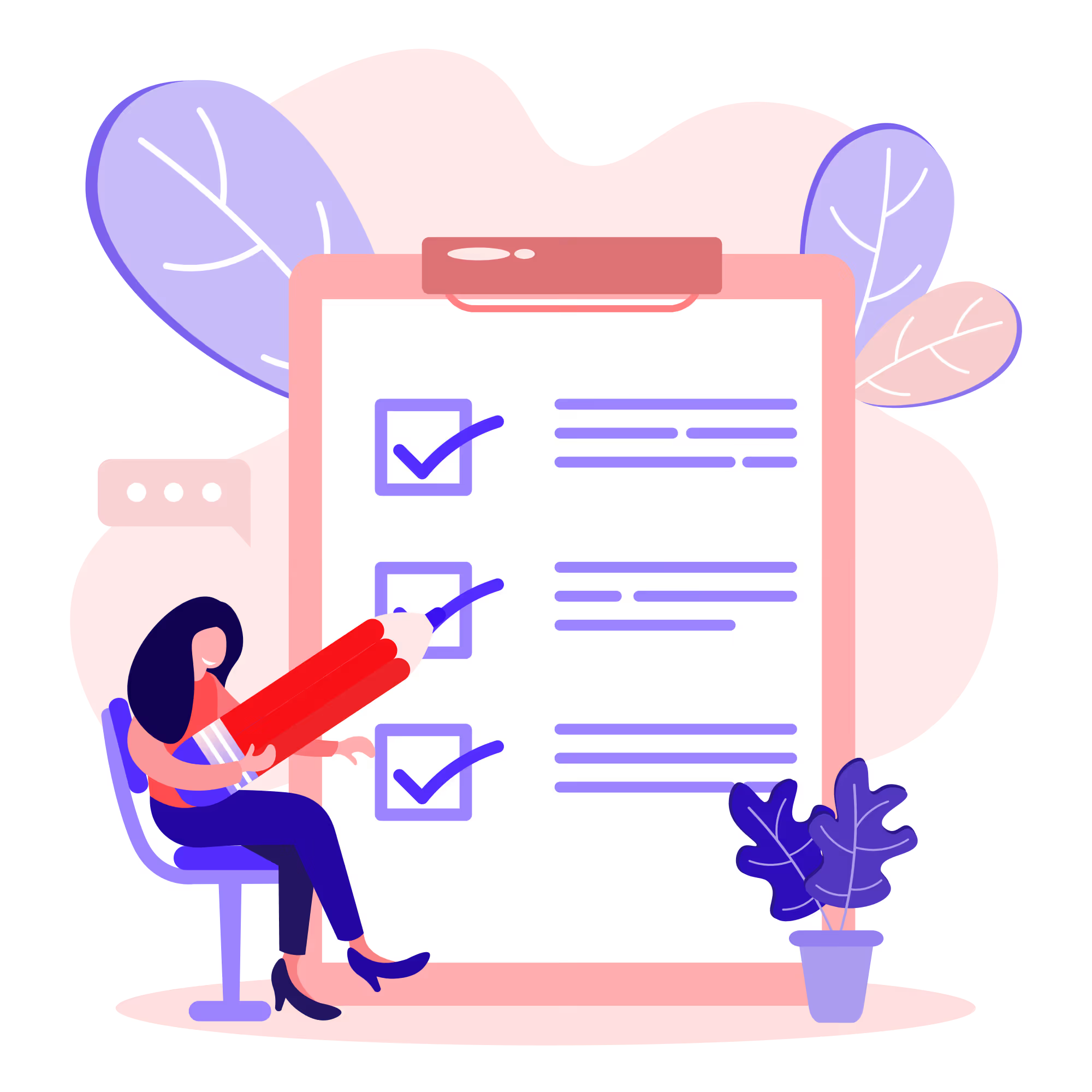
From venue selection to post-event wrap-up, this free checklist walks you through every step (so nothing falls through the cracks).
.avif)
Plan Your Next Event Without Missing a Beat.
From venue selection to post-event wrap-up, this free checklist walks you through every step (so nothing falls through the cracks).
Real Results From Real Events
100,000+ organizations trust Guidebook. See exactly how universities, associations, enterprises, and more put it to work.

Real Results From Real Events
100,000+ organizations trust Guidebook. See exactly how universities, associations, enterprises, and more put it to work.
Flexible pricing for every event size
Find the perfect plan for your needs, from intimate gatherings to large-scale conferences.

Flexible pricing for every event size
Find the perfect plan for your needs, from intimate gatherings to large-scale conferences.
Join our event experts
Watch on-demand webinars and join live sessions with industry leaders sharing best practices for event success.
.avif)
Join our event experts
Watch on-demand webinars and join live sessions with industry leaders sharing best practices for event success.
Guidebook in Action
Book a personalized walkthrough and discover how we help event teams create better attendee experiences.
Guidebook in Action
Book a personalized walkthrough and discover how we help event teams create better attendee experiences.
How Early Should You Launch Your Admitted Student App?
%20(1).avif)




How Early Should You Launch Your Admitted Student App?
It's 8am on Admitted Student Day. Your team has been in the building since 6:30. The schedule is live, the coffee is hot, and somewhere on your laptop is the Guidebook dashboard showing download numbers.
About half your admitted students are walking through the door in an hour. They haven't opened the app yet.
This isn't a technology problem. It's a timing problem. And it's one of the most common, and most fixable, mistakes admissions teams make every yield season.
Here's what the right timeline looks like, what it changes, and how to get there before your next admitted student event.
What does "launching your admitted student app" actually mean?
What is an admitted student app launch?
An admitted student app launch is the moment you make your event guide publicly available and begin actively directing admitted students to download it. Publishing the guide is not a launch. A launch includes a deliberate communication touchpoint (an email, a text, a portal message) that tells students the app exists, why it matters, and how to get it. Without that communication layer, most students won't find it until they're standing in your lobby.
The distinction matters because "it's live" and "students know about it and are using it" are two very different things. Everything in this post is about the gap between those two.
The question nobody asks until it's too late
Most admissions teams treat app timing as a logistics question. You build the guide, you publish it when it's ready, you send the download link in the confirmation email. Done.
The problem is that "when it's ready" is usually the week of the event. Sometimes the night before. And that decision, made quietly, without much thought, shapes the entire student experience before admitted students ever set foot on campus.
Timing your app launch isn't a logistics step. It's a yield strategy.
When you launch determines whether admitted students arrive curious or confused. Whether your team spends the morning of the event answering navigation questions or welcoming students. Whether the app becomes something students share with each other in the weeks before they arrive, or something they try to download while looking for parking.
The admitted student day is one of the highest-stakes moments in your enrollment cycle. Your app should be working for you long before that day starts.
Three launch patterns, and what each one produces
Not all launches are equal. Here's what the data and experience from admissions teams consistently shows across three common approaches.
The day-of launch
The guide goes live the morning of the event. A QR code appears at check-in. Staff mention the app during the welcome session.
This is the most common pattern. It's also the highest-stress, lowest-engagement approach.
Students who encounter your app for the first time at check-in are managing three things simultaneously: finding parking, figuring out where to go, and downloading something they didn't know existed. That's not a belonging moment. That's friction. Many simply won't bother. They'll navigate by paper or by asking staff, which is exactly the experience you were trying to replace.
Staff absorb the cost. When the app isn't pre-loaded, the questions come anyway. They just come in person, at volume, right when the event starts.
The one-week-out launch
The guide goes live seven to ten days before the event. A download link goes out in the reminder email.
This is better. Students have time to download and explore. A portion will open it in advance. Your day-of download scramble shrinks.
But a week isn't enough to make the app feel like something they own. It's enough time to get it onto their phone. It's not enough time for it to become part of how they're thinking about the day.
Many admissions teams stop here and consider the problem solved. The teams seeing the strongest results push the window out further.
The 3–4 week launch
The guide goes live 21–28 days before the event. Students receive a deliberate, warm communication, not a logistics notice, but an invitation.
This is where the dynamic changes.
Students who've had the app for three weeks have explored it. They've looked at the schedule, poked around the map, maybe built a personal agenda. Some have texted a friend who's also coming. The app has become part of how they're mentally picturing the day, and by extension, how they're picturing themselves at your institution.
That's a yield effect. It's quiet, but it's real.
Many admissions teams describe a version of this shift: the first year they launched early, day-of download questions dropped significantly. Students arrived already oriented to the schedule. Staff spent less time pointing people to rooms and more time having actual conversations. The event felt different: calmer, more connected.
What happens when you launch early
There are two things an early launch does that a late launch can't.
The first is practical. Students who've downloaded and opened the app before arrival are more comfortable using it on the day. They know where to find the schedule. They're not squinting at a QR code in a lobby. That reduces friction for them and call volume for your office in the days leading up to the event.
Many admissions teams tell us that an earlier launch cuts inbound "what should I bring / what should I wear / where do I go" questions noticeably, not because the information changed, but because students found it on their own, at their own pace, when they were ready.
The second effect is less tangible but more important for yield. An app that arrives three weeks before Admitted Student Day is three weeks of contact with your institution. Every time a student opens it to check the schedule, they're spending time inside your campus experience. They're seeing your branding. They're reading session descriptions written in your voice. They're building a mental picture of what the day will feel like, and by extension, what the next four years might feel like.
This is the window when summer melt starts. Students don't disappear in August. The drift begins in the spring, in the silence between deposit and move-in. An app that gives them something real to engage with is a direct counter to that silence.
The 3-week launch window: a practical framework
Here's how to structure the 21 days before your admitted student event if you're shifting to an earlier launch.
Week 3 out: soft open
Your guide is live. The schedule doesn't need to be perfect. It needs to be navigable. Publish what you know. Students can handle a session with "details to follow" far better than they can handle no app at all.
Send one warm communication. Not "here's a link to download our app." Something closer to: "Your Admitted Student Day guide is ready. Take a look. Your full schedule, campus map, and everything you need to know is right there."
The tone matters. This isn't a logistics notice. It's an invitation to start picturing the day.
Week 2 out: deepen the content
Add anything that wasn't ready at launch. Personal schedule suggestions. Faculty bios for sessions students can choose. FAQs your office answers on repeat every spring.
Send a second touchpoint, ideally via text or your enrollment portal, not just email. This reaches students who missed or ignored the first message. It also signals that this is a resource you're actively maintaining, not a static PDF.
Week 1 out: drive downloads
This is your push week. Embed QR codes in your confirmation email. Brief your front-line staff on the most common questions so they can point students to the app with confidence. Identify students who haven't opened their invite link and send a targeted nudge.
For families: don't forget them. The download link should appear in every parent communication this week. Families who are informed are families who are advocating for deposit, and families who can navigate the app are families who feel good about the institution.
Day of: plan for some first-timers
Even with the best pre-launch comms, some students will arrive without the app. Build two minutes into your opening session to walk through it. Show the screen. Point to the schedule. Let students who already have it feel like insiders helping their neighbors get set up. That's community. That's belonging. It costs you two minutes.
What to put in the app at each stage
One reason teams launch late is that they wait until the guide is "complete." The guide is never complete until 48 hours before the event, and by then, the launch window has closed.
Here's the minimum viable guide for a 3-week launch:
- Full event schedule (even if some session details are TBD)
- Campus map with key locations marked
- Parking and arrival information
- A welcome message from an admissions staff member (first-person, warm, not institutional)
- FAQs: at least the top five questions your office answers every year
Everything else (speaker bios, personalized tracks, family-specific content, real-time push notifications) can be added as the event approaches. Students will notice the updates. Watching the guide fill in is itself a form of engagement.
The standard to aim for: if a student opens the app three weeks out, can they answer the three questions they actually have? Where do I go? What's happening? Is this worth my time? If yes, you're ready to launch.
The belonging connection
Andrea Crilly, Assistant Director of Admissions for Campus Experience at Indiana Tech, knows what the before-and-after looks like. Before Guidebook, her team of five spent roughly 400 hours preparing print materials for admitted student events. Yield sat at 40%. After building a connected admitted student experience around the app (rethinking not just the event content but how and when students encountered it), yield climbed to 82%. Her team shrank to two. Prep time dropped to 25 hours.
The numbers are striking. But what they represent is a shift in how Indiana Tech thinks about the pre-arrival window. The app isn't a schedule delivery mechanism. It's a relationship, a recurring touchpoint that extends your institution's presence into the weeks when admitted students are still making up their minds.
Every notification they receive. Every time they open the schedule. Every session description they read. That's your institution showing up in their life between deposit and decision. That's the window where yield is won or lost, and it starts three weeks before they arrive.
Earlier launch. Stronger yield.
If you're building toward an admitted student experience that performs at that level, the Indiana Tech case study is the place to start. And if you want to understand how Guidebook fits into the full student journey (from admitted student day through orientation and welcome week), the Every Moment, Connected piece explains how the pieces fit together.
[faq]
Q: How early should you launch your admitted student app before an admitted student day?
A: The sweet spot is 3–4 weeks before your first admitted student event. That's enough time for students to download, explore, and build a mental picture of the day before they arrive. A one-week launch is better than nothing, but it doesn't give students enough time to feel ownership over the experience. Day-of launches create friction at exactly the moment you want students to feel welcomed.
Q: Does the app guide need to be complete before you launch it?
A: No. Waiting for it to be complete is the most common reason teams launch too late. You need a navigable guide, not a perfect one. That means a full schedule (even if some session details are still TBD), a campus map, parking information, arrival details, and a warm welcome message. Everything else (speaker bios, personalized tracks, push notifications) can be added in the weeks before the event. Students will notice the updates, and that ongoing activity is itself a form of engagement.
Q: What should you include in the first communication when you launch the app?
A: Don't lead with "here's a link to download our app." Lead with why the app matters to the student. Something like: "Your Admitted Student Day guide is ready. Your schedule, campus map, and everything you need to know is right there." The tone should feel like an invitation, not a logistics notice. Students are more likely to download something that sounds like it was made for them than something that sounds like an IT announcement.
Q: How do you get admitted students to actually download the app before the event?
A: Layered communication over the 3-week window works better than a single push. Send the first invite by email at launch. Follow up via text or portal message in week two. This reaches students who missed or ignored email. In week one, embed QR codes directly in confirmation emails and brief front-line staff so they can answer questions confidently. Many admissions teams also include the download link in every family-facing communication, since families asking about the app often prompt students to download it.
Q: Should the app include content for families as well as admitted students?
A: Yes, and setting up separate tracks for students and families is worth the effort. Students want quick, scannable answers: where do I go, what's happening, what do I need. Families want more context and reassurance. A family-facing track can include parking details, what to expect during sessions where students are separated, and information about the institution that helps them feel confident in their student's choice. Teams that design for both audiences report fewer day-of questions from families at check-in.
Q: How do you measure whether an early app launch is working?
A: Track download numbers in the days after each communication touchpoint. A healthy early-launch pattern shows a meaningful spike after the week-3 invite, a second lift after the week-2 follow-up, and a smaller bump in the final week. If downloads are flat until the day before the event, the communication cadence isn't landing, not the launch timing. Also watch day-of inbound questions to your office: teams that launch early consistently report fewer navigation and logistics calls as the event approaches.
Q: Can the same app guide work for multiple admitted student events across the spring yield season?
A: Yes. Reusing guide content year-over-year (or event-over-event within a season) is one of the biggest time savings teams find. You can duplicate a guide, update the schedule and dates, and have a new event ready in a fraction of the original build time. Some teams maintain a standing admitted student guide that they refresh for each event rather than rebuilding from scratch. Indiana Tech went from 400 hours of prep time to 25 hours after moving to this model.
[/faq]

Get the Mobile App Playbook
A short guide to running the whole student journey in one app. No fluff, just what works.
for higher ed
Campus
Playbook
A practical guide to building a connected campus experience.
Free playbook
The Mobile App Playbook for Universities
Students decide if they belong long before they set foot on campus. This playbook shows how to win them over from the first visit through graduation.
- Grow enrollment and boost recruitment
- Increase belonging and retention
- Run every event from one branded app
By submitting, you agree to our Privacy Policy.
You're in.
.png)


.avif)