Campus apps by department
Admissions, orientation, student life, and more — one campus app that works across departments.

Campus apps by department
Admissions, orientation, student life, and more — one campus app that works across departments.
Build unlimited event apps on one license
One partnership for unlimited campus events — orientation, tours, student life, and everything in between.
Build unlimited event apps on one license
One partnership for unlimited campus events — orientation, tours, student life, and everything in between.
Compare event app platforms
See how Guidebook stacks up against other event app and registration platforms.
Compare event app platforms
See how Guidebook stacks up against other event app and registration platforms.
Event apps for nonprofit and community programs
Give members, volunteers, and donors one branded app for conferences, fundraisers, and year-round community.
Event apps for nonprofit and community programs
Give members, volunteers, and donors one branded app for conferences, fundraisers, and year-round community.
Campus integrations and an open API
Connect Guidebook with the campus systems, APIs, and tools your team already uses.
Campus integrations and an open API
Connect Guidebook with the campus systems, APIs, and tools your team already uses.
Event apps for corporate and enterprise teams
Internal meetings, offsites, and large-scale corporate events — with the branding and control enterprise teams need.
Event apps for corporate and enterprise teams
Internal meetings, offsites, and large-scale corporate events — with the branding and control enterprise teams need.
Create a branded event app with no coding
Put schedules, maps, resources, and updates in every attendee's pocket — built for campus events and programs.
Create a branded event app with no coding
Put schedules, maps, resources, and updates in every attendee's pocket — built for campus events and programs.
Launch a branded, white-label event app
A white-label event app with your branding, your content, and your attendee experience — no coding required.
Launch a branded, white-label event app
A white-label event app with your branding, your content, and your attendee experience — no coding required.
Everything in the Guidebook platform
Explore the features event teams use to engage attendees before, during, and after the event.
Everything in the Guidebook platform
Explore the features event teams use to engage attendees before, during, and after the event.
One app for in-person and virtual attendees
The same schedule, networking, and updates whether people are in the room or joining remotely.
One app for in-person and virtual attendees
The same schedule, networking, and updates whether people are in the room or joining remotely.
Event apps built for associations
Annual meetings, chapter events, and member engagement — without rebuilding a new app every year.
Event apps built for associations
Annual meetings, chapter events, and member engagement — without rebuilding a new app every year.
A branded event website that matches the app
Promote the event, collect interest, and keep branding consistent from the first click to check-in.
A branded event website that matches the app
Promote the event, collect interest, and keep branding consistent from the first click to check-in.
Plan, run, and measure events on one platform
App, registration, badges, and websites in one workflow — so planning isn't a pile of disconnected tools.
Plan, run, and measure events on one platform
App, registration, badges, and websites in one workflow — so planning isn't a pile of disconnected tools.
Keep members engaged between events
One branded app for the conference and everything that happens the other 51 weeks of the year.
Keep members engaged between events
One branded app for the conference and everything that happens the other 51 weeks of the year.
The conference app attendees actually use
Schedules, maps, networking, and live updates for annual meetings, summits, and multi-day conferences.
The conference app attendees actually use
Schedules, maps, networking, and live updates for annual meetings, summits, and multi-day conferences.
Registration that feeds your app and badges
Collect registrations, payments, and attendee data in the same platform as your event app.
Registration that feeds your app and badges
Collect registrations, payments, and attendee data in the same platform as your event app.
Design and print event badges in one place
Custom badges, QR check-in, and on-site printing — without a separate badge vendor.
Design and print event badges in one place
Custom badges, QR check-in, and on-site printing — without a separate badge vendor.
A Smaller School?
Deliver a polished, branded event experience without a large team or a big budget.
A Smaller School?
Deliver a polished, branded event experience without a large team or a big budget.
Running Family Programs?
Give families everything they need, from schedules and maps to real-time updates, all in one place.
Running Family Programs?
Give families everything they need, from schedules and maps to real-time updates, all in one place.
Coordinating Move-In Day?
Share updates, manage events, and keep students informed from move-in through the academic year.

Coordinating Move-In Day?
Share updates, manage events, and keep students informed from move-in through the academic year.
Offering Campus Tours?
Deliver branded, self-guided tour experiences with interactive maps and rich media, available 24/7.

Offering Campus Tours?
Deliver branded, self-guided tour experiences with interactive maps and rich media, available 24/7.
Organising a Career Fair?
Simplify logistics for students, employers, and Career Services staff with one easy-to-use app.
Organising a Career Fair?
Simplify logistics for students, employers, and Career Services staff with one easy-to-use app.
Managing Alumni Events?
Plan reunions, regional events, and fundraising campaigns with an app built for alumni engagement.
Managing Alumni Events?
Plan reunions, regional events, and fundraising campaigns with an app built for alumni engagement.
Boost Student Engagement
One hub for schedules, resources, and events that keeps students connected throughout the academic year.
Boost Student Engagement
One hub for schedules, resources, and events that keeps students connected throughout the academic year.
Planning Orientation?
Help new students feel prepared from day one with schedules, campus resources, and real-time updates in one app.
Planning Orientation?
Help new students feel prepared from day one with schedules, campus resources, and real-time updates in one app.
Running Admissions Events?
Manage open houses, tours, and yield events with a branded app that saves time and engages prospective students.

Running Admissions Events?
Manage open houses, tours, and yield events with a branded app that saves time and engages prospective students.
Get a custom Sponsorship Package Template
Stop starting from scratch. Grab free templates that helWe'll build a tailored sponsorship package with suggested pricing, tiers, and benefits..for your specific event.p you build professional sponsorship packages and close deals faster.
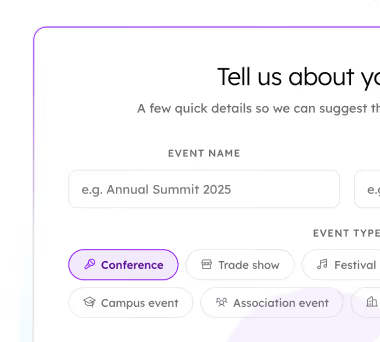
Get a custom Sponsorship Package Template
Stop starting from scratch. Grab free templates that helWe'll build a tailored sponsorship package with suggested pricing, tiers, and benefits..for your specific event.p you build professional sponsorship packages and close deals faster.
Plan Your Next Event Without Missing a Beat.
From venue selection to post-event wrap-up, this free checklist walks you through every step (so nothing falls through the cracks).
.avif)
Plan Your Next Event Without Missing a Beat.
From venue selection to post-event wrap-up, this free checklist walks you through every step (so nothing falls through the cracks).
Real Results From Real Events
100,000+ organizations trust Guidebook. See exactly how universities, associations, enterprises, and more put it to work.

Real Results From Real Events
100,000+ organizations trust Guidebook. See exactly how universities, associations, enterprises, and more put it to work.
Flexible pricing for every event size
Find the perfect plan for your needs, from intimate gatherings to large-scale conferences.

Flexible pricing for every event size
Find the perfect plan for your needs, from intimate gatherings to large-scale conferences.
Join our event experts
Watch on-demand webinars and join live sessions with industry leaders sharing best practices for event success.
.avif)
Join our event experts
Watch on-demand webinars and join live sessions with industry leaders sharing best practices for event success.
Guidebook in Action
Book a personalized walkthrough and discover how we help event teams create better attendee experiences.
Guidebook in Action
Book a personalized walkthrough and discover how we help event teams create better attendee experiences.
Campus event app vs. orientation app: are they the same thing?




.avif)
Campus event app vs. orientation app: are they the same thing?
- One coordinator at The New School built and manages 30+ personalized orientation schedules across 5 colleges without a technical background
- Before Guidebook, students navigated orientation via a static webpage and regularly showed up confused or asked staff to confirm their schedule
- Custom schedules mean students open the app on day one and see only their sessions. The confusion disappears before it starts
- The biggest time investment is content, not the tool: getting sessions from stakeholders once, then reusing them as evergreen building blocks each year
- Build light in spring, refine for fall. That sequencing is what makes the workload manageable for a small team
Five colleges. Multiple degree programs, admission pathways, and student populations. One orientation coordinator building the entire digital experience.
That's Deric Ford's reality. As Associate Director of Orientation and Transition Experience at The New School in New York City, Deric is responsible for onboarding students across five distinct schools into one coherent orientation program. The institution is known for progressive thinking: Parsons School of Design sits under the same umbrella as schools of performing arts, social research, liberal arts, and jazz. Their students arrive with radically different needs.
Here's how Deric manages 30+ personalized orientation schedules without a technical background, a large team, or a rebuild every semester.
When the schedule lives on a webpage, students get lost
Before Guidebook, The New School's orientation schedules lived on a website. Students were expected to navigate to the page, find their college, locate their program, and figure out where they needed to be.
In theory, that works. In practice, students showed up holding printouts from the webpage and asked staff the same question over and over: "My schedule says 3:15 in this building. Is this correct?"
Deric describes it plainly: students simply didn't know where they needed to be. The question got repeated enough that it became the signal. The old system wasn't failing because it was poorly designed. It was failing because it was built for a simpler institution than the one trying to use it.
Five schools with overlapping degree programs, undeclared students with no major to map to a session, and rolling admissions adding new students right up to orientation day. A static webpage couldn't hold all of that without losing people.
The feature that changed everything
Deric joined The New School about two years before he brought Guidebook in. He knew the problem existed from day one. What stopped him from solving it sooner wasn't reluctance. It was time.
His team at the time owned both orientation and commencement. Orientation ran in August, family weekend followed in October, spring orientation in January, then commencement planning from February through May. There was no window. By the time one event ended, the next one was already close.
When his team split responsibilities and he moved to orientation exclusively, he finally had the breathing room to act. He did his due diligence, compared options, and made the call: the feature that decided it was custom schedules.
"The custom schedule is the defining moment for us," Deric said in a Guidebook webinar. "The current experience was that students had to go on to this website to find their college and to find their program. But in Guidebook, from day one when they loaded into the experience, it provided their schedule for them."
That shift (from students hunting for their schedule to their schedule finding them) is what the whole build is in service of.
What is a custom orientation schedule?
A custom orientation schedule is a personalized view of orientation events assigned directly to an individual student based on their college, program, or student type. Rather than showing every student the full session list and asking them to filter it themselves, a custom schedule surfaces only the sessions relevant to that student the moment they open the app. For institutions running orientation across multiple colleges or student populations, custom schedules eliminate the confusion that comes from a one-size-fits-all agenda.
Why the previous tool couldn't keep up
Before committing to Guidebook, Deric evaluated Splash, a tool his institution was already using through a partnership. Splash works well for one or two discrete events. You set up a page, list your sessions, and attendees scroll through.
The problem at The New School is that equitable experience is a stated institutional value. The provost's office wanted every school's students to have the same quality of experience, the same visual consistency, the same access to information. Splash made that difficult. Its page-based format meant each college's orientation could look and feel different depending on who built it. And critically, Splash couldn't assign a unique schedule to a specific student.
Guidebook could. A student logs in and sees exactly what they need. Nothing more, nothing less.
The workflow: 30+ schedules, built by one person
The scale sounds unwieldy: 30 to 40 custom schedules representing every variation of student type across five colleges. In practice, Deric built it by breaking the problem into pieces.
Start with the student attributes. When uploading students into Guidebook, Deric tagged each one with every relevant attribute: undergraduate, graduate, first-generation, international, veteran, and more. Those tags are what make the custom schedule assignment possible downstream.
Map schedule to student type. Each of the 30+ schedules represents a distinct population: a nursing student in the health sciences college has different required sessions than an undeclared student or a transfer student in Parsons. The schedule does the sorting so the student doesn't have to.
Launch in spring, not fall. This is Deric's strongest piece of advice. The spring orientation cohort is smaller. Stakes are lower. Build the bare bones there, test what the core experience looks like, and refine before the larger fall intake arrives. Trying to build and launch something this layered for the first time in August (when enrollment is higher and everything is happening at once) is how you create unnecessary pressure for yourself.
Treat session content as evergreen. The biggest time cost in building a personalized orientation app isn't the tool. It's the content: meeting with every stakeholder from every college who runs a session, understanding which students need to attend it, and getting the session details right. Deric's solution is to make that work compound over time rather than repeat. He asks every stakeholder to keep their session title and description consistent from orientation to orientation. If nothing has fundamentally changed, they're done before they start. The sessions are already in the system. The schedule reuses them automatically.
"Are you doing the same sessions that you did last time?" Deric describes asking stakeholders. "If you are, great. Do you want to do any updates? If not, great. You're done."
That shift in how stakeholders relate to orientation content is what makes the model sustainable for a team of one.
The lesson from the fall rebuild
The fall after the spring pilot, Deric ran into a specific edge case worth knowing about.
The New School uses rolling admissions. Students kept being added right up to orientation day. Some of them didn't have assigned schedules yet, having come in through the admissions pipeline after the initial upload. Deric's team assigned those students to schedules on the fly, on-site.
The problem: every time a schedule was published after a new assignment, it triggered a system-wide refresh. Students who already had their schedules would suddenly find them gone. Staff were assigning new schedules every few minutes. Each assignment caused another refresh. For about thirty minutes, schedules were appearing and disappearing for students across the whole cohort.
The fix is simple once you know it: assign all schedules in batches ahead of time, and don't publish schedule updates during the peak moments of orientation day itself. The rolling admissions edge case is real, but it's manageable with a pre-orientation batch assignment process rather than on-the-fly adjustments mid-event.
What changed for students
After the spring launch, something stopped.
Students stopped asking whether their schedule was correct. The question that had defined orientation staff interactions across every previous session simply didn't come up. The only navigation question that remained was where a specific building was located.
Deric's colleagues across the institution noticed the shift too. Students arrived at orientation feeling more informed. They knew what was expected of them. They had ownership of where they were going and when, not because anyone told them to, but because the app showed them exactly what was theirs from the moment they opened it.
Less confusion. More belonging.
That's what a custom schedule actually does. Not just logistical clarity (though it delivers that), but the early signal to a new student that this institution knows who they are.
Advice for coordinators running multiple session formats
If you're running orientation across multiple session formats, colleges, or student populations and you're still on a static webpage or a single shared agenda, here's what Deric's experience points to:
- Don't wait for the fall to build. Spring is your pilot. Smaller cohort, lower stakes, room to learn.
- The tool is not the hard part. Content is. Spend your energy getting stakeholders to think about their sessions as evergreen assets, not annual rebuilds.
- Assign schedules before orientation day. Whatever your admissions pipeline looks like, build in a batch assignment step so you're not publishing updates in real time when students are standing in front of you.
- The 30+ schedules look intimidating from the outside. Inside the system, each one is a mapped population with a set of tagged sessions. The complexity is real, but it's organized complexity.
Deric's full story is on the Guidebook blog. For a closer look at how custom schedules work across multiple colleges, the orientation app for new student programs page is a good place to start, or book a demo and we'll walk through it with you.
[faq]
Q: How do you manage orientation schedules for multiple colleges?
A: The most effective approach is to tag each student on upload with every relevant attribute (college, program, student type) and then build a custom schedule for each distinct population. Thirty to forty schedules sounds like a lot, but each one is just a mapped set of tagged sessions. Students log in and see only what applies to them. The key to keeping it manageable is treating session content as evergreen: if a session title and description haven't changed from the previous year, it's already done.
Q: What is a custom orientation schedule in Guidebook?
A: A custom schedule is a personalized view of orientation sessions assigned to an individual student based on their attributes (college, program, year, student type, and so on). Rather than showing every student the full session list, a custom schedule surfaces only the sessions relevant to that specific person from the moment they open the app. For institutions running orientation across multiple colleges or student populations, this removes the navigation burden from students entirely.
Q: Can one person build and manage a multi-college orientation app?
A: Yes. Deric Ford, Associate Director of Orientation and Transition Experience at The New School, built and manages a Guidebook app serving five colleges with 30 to 40 custom schedules. He has no technical background. The biggest time investment is content (meeting with stakeholders to get sessions right), not the tool itself. His advice: if you can get stakeholders to keep session titles and descriptions consistent from year to year, the rebuild time drops dramatically.
Q: How long does it take to build an orientation app in Guidebook?
A: It depends on how much personalization you want. A standard experience with a shared session list takes significantly less time than a highly personalized one with custom schedules for each student population. The design work (matching your institution's colors, branding, and visual identity) adds time too. Deric's recommendation is to treat it as a slow build, not a sprint. Launch a bare-bones version for a smaller spring cohort first, refine it, and go deeper for the fall.
Q: What's the difference between tracks and custom schedules in Guidebook?
A: Tracks let students opt into a filtered view of sessions that match a particular interest or identity. They choose which track to follow, and the schedule adjusts accordingly. Custom schedules are assigned by the builder: a student logs in and their schedule is already set for them, with no filtering required. For orientation programs where session attendance is required and varies by college or program, custom schedules remove the decision entirely. Tracks work well for elective or interest-based sessions on top of a core schedule.
Q: How do you handle last-minute schedule changes during orientation?
A: The most important lesson is to avoid publishing schedule updates at peak moments of orientation day. For institutions with rolling admissions, students added late to the system may not yet have assigned schedules, and assigning and publishing schedules on the fly triggers a system-wide refresh that temporarily clears everyone's schedule. The fix is a batch assignment process before orientation begins, so no schedule assignments need to happen once students are on campus and actively using the app.
[/faq]

Get the Mobile App Playbook
A short guide to running the whole student journey in one app. No fluff, just what works.
for higher ed
Campus
Playbook
A practical guide to building a connected campus experience.
Free playbook
The Mobile App Playbook for Universities
Students decide if they belong long before they set foot on campus. This playbook shows how to win them over from the first visit through graduation.
- Grow enrollment and boost recruitment
- Increase belonging and retention
- Run every event from one branded app
By submitting, you agree to our Privacy Policy.
You're in.
.png)

%20(1).avif)