
Campus apps by department
Admissions, orientation, student life, and more — one campus app that works across departments.

Campus apps by department
Admissions, orientation, student life, and more — one campus app that works across departments.
Build unlimited event apps on one license
One partnership for unlimited campus events — orientation, tours, student life, and everything in between.
Build unlimited event apps on one license
One partnership for unlimited campus events — orientation, tours, student life, and everything in between.
Compare event app platforms
See how Guidebook stacks up against other event app and registration platforms.
Compare event app platforms
See how Guidebook stacks up against other event app and registration platforms.
Event apps for nonprofit and community programs
Give members, volunteers, and donors one branded app for conferences, fundraisers, and year-round community.
Event apps for nonprofit and community programs
Give members, volunteers, and donors one branded app for conferences, fundraisers, and year-round community.
Campus integrations and an open API
Connect Guidebook with the campus systems, APIs, and tools your team already uses.
Campus integrations and an open API
Connect Guidebook with the campus systems, APIs, and tools your team already uses.
Event apps for corporate and enterprise teams
Internal meetings, offsites, and large-scale corporate events — with the branding and control enterprise teams need.
Event apps for corporate and enterprise teams
Internal meetings, offsites, and large-scale corporate events — with the branding and control enterprise teams need.
Create a branded event app with no coding
Put schedules, maps, resources, and updates in every attendee's pocket — built for campus events and programs.
Create a branded event app with no coding
Put schedules, maps, resources, and updates in every attendee's pocket — built for campus events and programs.
Launch a branded, white-label event app
A white-label event app with your branding, your content, and your attendee experience — no coding required.
Launch a branded, white-label event app
A white-label event app with your branding, your content, and your attendee experience — no coding required.
Everything in the Guidebook platform
Explore the features event teams use to engage attendees before, during, and after the event.
Everything in the Guidebook platform
Explore the features event teams use to engage attendees before, during, and after the event.
One app for in-person and virtual attendees
The same schedule, networking, and updates whether people are in the room or joining remotely.
One app for in-person and virtual attendees
The same schedule, networking, and updates whether people are in the room or joining remotely.
Event apps built for associations
Annual meetings, chapter events, and member engagement — without rebuilding a new app every year.
Event apps built for associations
Annual meetings, chapter events, and member engagement — without rebuilding a new app every year.
A branded event website that matches the app
Promote the event, collect interest, and keep branding consistent from the first click to check-in.
A branded event website that matches the app
Promote the event, collect interest, and keep branding consistent from the first click to check-in.
Plan, run, and measure events on one platform
App, registration, badges, and websites in one workflow — so planning isn't a pile of disconnected tools.
Plan, run, and measure events on one platform
App, registration, badges, and websites in one workflow — so planning isn't a pile of disconnected tools.
Keep members engaged between events
One branded app for the conference and everything that happens the other 51 weeks of the year.
Keep members engaged between events
One branded app for the conference and everything that happens the other 51 weeks of the year.
The conference app attendees actually use
Schedules, maps, networking, and live updates for annual meetings, summits, and multi-day conferences.
The conference app attendees actually use
Schedules, maps, networking, and live updates for annual meetings, summits, and multi-day conferences.
Registration that feeds your app and badges
Collect registrations, payments, and attendee data in the same platform as your event app.
Registration that feeds your app and badges
Collect registrations, payments, and attendee data in the same platform as your event app.
Design and print event badges in one place
Custom badges, QR check-in, and on-site printing — without a separate badge vendor.
Design and print event badges in one place
Custom badges, QR check-in, and on-site printing — without a separate badge vendor.
A Smaller School?
Deliver a polished, branded event experience without a large team or a big budget.

A Smaller School?
Deliver a polished, branded event experience without a large team or a big budget.
Running Family Programs?
Give families everything they need, from schedules and maps to real-time updates, all in one place.

Running Family Programs?
Give families everything they need, from schedules and maps to real-time updates, all in one place.
Coordinating Move-In Day?
Share updates, manage events, and keep students informed from move-in through the academic year.

Coordinating Move-In Day?
Share updates, manage events, and keep students informed from move-in through the academic year.
Offering Campus Tours?
Deliver branded, self-guided tour experiences with interactive maps and rich media, available 24/7.

Offering Campus Tours?
Deliver branded, self-guided tour experiences with interactive maps and rich media, available 24/7.
Organising a Career Fair?
Simplify logistics for students, employers, and Career Services staff with one easy-to-use app.

Organising a Career Fair?
Simplify logistics for students, employers, and Career Services staff with one easy-to-use app.
Managing Alumni Events?
Plan reunions, regional events, and fundraising campaigns with an app built for alumni engagement.

Managing Alumni Events?
Plan reunions, regional events, and fundraising campaigns with an app built for alumni engagement.
Boost Student Engagement
One hub for schedules, resources, and events that keeps students connected throughout the academic year.

Boost Student Engagement
One hub for schedules, resources, and events that keeps students connected throughout the academic year.
Planning Orientation?
Help new students feel prepared from day one with schedules, campus resources, and real-time updates in one app.

Planning Orientation?
Help new students feel prepared from day one with schedules, campus resources, and real-time updates in one app.
Running Admissions Events?
Manage open houses, tours, and yield events with a branded app that saves time and engages prospective students.

Running Admissions Events?
Manage open houses, tours, and yield events with a branded app that saves time and engages prospective students.
Get a custom Sponsorship Package Template
Stop starting from scratch. Grab free templates that helWe'll build a tailored sponsorship package with suggested pricing, tiers, and benefits..for your specific event.p you build professional sponsorship packages and close deals faster.

Get a custom Sponsorship Package Template
Stop starting from scratch. Grab free templates that helWe'll build a tailored sponsorship package with suggested pricing, tiers, and benefits..for your specific event.p you build professional sponsorship packages and close deals faster.
Plan Your Next Event Without Missing a Beat.
From venue selection to post-event wrap-up, this free checklist walks you through every step (so nothing falls through the cracks).
.avif)
Plan Your Next Event Without Missing a Beat.
From venue selection to post-event wrap-up, this free checklist walks you through every step (so nothing falls through the cracks).
Real Results From Real Events
100,000+ organizations trust Guidebook. See exactly how universities, associations, enterprises, and more put it to work.

Real Results From Real Events
100,000+ organizations trust Guidebook. See exactly how universities, associations, enterprises, and more put it to work.
Flexible pricing for every event size
Find the perfect plan for your needs, from intimate gatherings to large-scale conferences.

Flexible pricing for every event size
Find the perfect plan for your needs, from intimate gatherings to large-scale conferences.
Join our event experts
Watch on-demand webinars and join live sessions with industry leaders sharing best practices for event success.
.avif)
Join our event experts
Watch on-demand webinars and join live sessions with industry leaders sharing best practices for event success.
Guidebook in Action
Book a personalized walkthrough and discover how we help event teams create better attendee experiences.
Guidebook in Action
Book a personalized walkthrough and discover how we help event teams create better attendee experiences.

What makes digital wayfinding effective at large conferences?
Digital wayfinding enhances attendee experience at large conferences by providing real-time navigation, interactive maps, and personalized guidance. Discover key features, implementation tips, and success metrics.

Digital Wayfinding at Conferences is the use of mobile apps, interactive maps, and digital signage to help attendees navigate event venues with ease and confidence. It covers everything from turn-by-turn directions to session locations to real-time updates about room changes. When done right, digital wayfinding transforms confused wandering into smooth, stress-free navigation.
Here's the thing: traditional paper maps and static signage can't keep up with modern conferences. Rooms change. Sessions move. Attendees get lost in sprawling convention centers. Digital wayfinding solves these problems by putting a smart, responsive guide in every attendee's pocket. It's the difference between asking five people for directions and knowing exactly where you're going.
Key Characteristics of Digital Wayfinding at Conferences
- Real-Time Updates: Information changes instantly when sessions move or rooms become unavailable. No more outdated printed maps leading people to the wrong place.
- Interactive Maps: Attendees can zoom, search, and tap on locations to get details. They're not squinting at a tiny legend on a folded paper map.
- Personalized Routes: The system calculates the best path based on an attendee's current location and destination. It accounts for accessibility needs too.
- Multi-Platform Access: Works on smartphones, tablets, kiosks, and digital signage throughout the venue. Everyone can access directions their preferred way.
- Integration with Event Schedules: Wayfinding connects directly to session information. Tap a session in your schedule, and you'll see exactly how to get there.
- Indoor Positioning Technology: Uses Bluetooth beacons, WiFi, or other tech to pinpoint locations inside buildings where GPS doesn't work.
- Accessibility Features: Includes options for wheelchair-accessible routes, audio directions, and high-contrast displays for those who need them.
Digital Wayfinding vs. Traditional Navigation Methods
Paper Maps and Printed Programs
- Scope: Static information printed before the event
- Focus: General venue layout and room locations
- Timeline: Fixed at print time, can't be updated
- Channels: Physical handouts only
- Goal: Basic orientation to the venue
Static Digital Signage
- Scope: Fixed displays at key locations
- Focus: Directional arrows and room labels
- Timeline: Can be updated but requires manual changes
- Channels: Screens mounted throughout venue
- Goal: Point-of-decision guidance
Interactive Digital Wayfinding
- Scope: Complete navigation system with real-time data
- Focus: Personalized, turn-by-turn directions
- Timeline: Updates instantly as conditions change
- Channels: Mobile apps, kiosks, and connected signage
- Goal: Seamless attendee experience from arrival to departure
Each method has its place. But digital wayfinding offers something the others can't: a responsive, personalized experience that adapts to each attendee's needs. When you're managing a large conference with multiple tracks, that flexibility becomes essential for event planning success.
Essential Components of Conference Wayfinding Systems
Mobile App Integration
Your event app is the heart of digital wayfinding. It lives on the device attendees already carry everywhere.
A good wayfinding app includes:
- Searchable venue maps
- One-tap directions from schedule items
- Offline functionality for poor WiFi areas
- Push notifications for location-based alerts
Indoor Positioning Technology
GPS doesn't work well inside buildings. That's where indoor positioning comes in.
Common technologies include:
- Bluetooth beacons: Small devices placed throughout the venue that communicate with smartphones
- WiFi triangulation: Uses existing WiFi networks to estimate location
- Visual positioning: Camera-based systems that recognize landmarks
The right choice depends on your venue, budget, and accuracy needs.
Digital Signage Networks
Not everyone wants to use their phone. Digital signs placed at decision points help attendees who prefer to look up rather than down.
Effective signage includes:
- Interactive touchscreen kiosks
- Dynamic directional displays
- Room signs that update automatically
- Large-format maps at entrances
Backend Management System
Someone needs to control all this technology. A good management system lets your team:
- Update room assignments instantly
- Push emergency notifications
- Monitor system performance
- Analyze traffic patterns
This connects directly to your broader event management platform for seamless operations.
How Digital Wayfinding Works at Events
Pre-Event Setup and Configuration
Wayfinding starts long before attendees arrive. Your team uploads venue floor plans and marks key locations. You'll define walking paths, note stairs and elevators, and set accessibility routes.
This is also when you integrate wayfinding with your event registration system. That connection lets you personalize the experience based on attendee profiles.
Attendee Onboarding and Adoption
The best wayfinding system fails if nobody uses it. Smart event planners promote the app early and often.
Effective tactics include:
- QR codes on registration confirmations
- Demo stations at check-in
- Staff trained to help with downloads
- Incentives for app adoption
Check out these proven ways to increase event app downloads for more ideas.
Real-Time Navigation During the Event
Once the conference starts, wayfinding runs continuously. Attendees open the app, search for their destination, and follow the route.
Behind the scenes, your team monitors everything. They push updates when rooms change. They respond to bottlenecks by suggesting alternate routes. They answer questions through in-app messaging.
Post-Event Analysis and Improvement
After the event, wayfinding data tells a story. You'll see which areas caused confusion. You'll identify popular routes and unexpected shortcuts. This information improves your next event's layout and signage placement.
This analysis feeds into your overall event ROI calculations too.
Why Digital Wayfinding Matters
For Event Success:
- Reduced Attendee Frustration: People find sessions on time instead of wandering lost. Happy attendees engage more with content.
- Higher Session Attendance: When navigation is easy, people attend more sessions. They don't skip talks because they can't find the room.
- Better Traffic Flow: Smart routing prevents bottlenecks at popular locations. The venue feels less crowded even at peak times.
- Improved Accessibility: Attendees with mobility needs get routes that work for them. Everyone can participate fully.
- Enhanced Safety: Emergency notifications reach everyone instantly. Evacuation routes display automatically when needed.
For Business Objectives:
- Sponsor Visibility: Wayfinding can highlight sponsor booths and guide traffic to exhibit areas. That's valuable for your sponsorship packages.
- Data Collection: Movement patterns reveal attendee interests and behavior. Use this for future event digital marketing.
- Cost Savings: Digital maps replace expensive printed materials. Updates don't require reprinting.
- Brand Differentiation: Modern wayfinding signals a tech-forward, attendee-focused event. It sets you apart from competitors.
- Scalability: The same system works whether you have 500 or 5,000 attendees. Growth doesn't mean proportionally more staff.
Platforms like Guidebook make implementing digital wayfinding straightforward. You get interactive maps, schedule integration, and real-time updates in one package.
Digital Wayfinding Best Practices
- Start with Accurate Floor Plans: Your wayfinding is only as good as your maps. Get detailed, up-to-date venue layouts before building anything else.
- Test Indoor Positioning Thoroughly: Walk every route yourself. Check accuracy in different areas. Identify dead zones before attendees find them.
- Design for the Worst-Case Scenario: Assume WiFi will fail. Build offline functionality. Have backup signage ready.
- Make Search Intuitive: Attendees search for "coffee" not "Refreshment Station B." Use natural language in your location names.
- Include Landmarks in Directions: "Turn left at the giant blue sculpture" works better than "proceed 47 meters northwest." People navigate by what they see.
- Train Your Staff: Every team member should know how the wayfinding works. They're your backup system when technology fails.
- Promote Early and Often: Send app download reminders before the event. Put QR codes everywhere on-site. Make adoption easy.
- Plan for Accessibility from Day One: Don't add wheelchair routes as an afterthought. Build inclusive navigation into your core system.
- Connect Wayfinding to Your Schedule: One-tap navigation from session listings removes friction. Integration matters more than fancy features.
- Gather Feedback and Iterate: Ask attendees what worked and what didn't. Use that input to improve your next event.
Common Digital Wayfinding Mistakes
Overcomplicating the Interface: Some wayfinding apps try to do too much. They bury navigation under layers of menus and features. Keep it simple. Attendees want directions, not a geography lesson.
Ignoring Offline Functionality: Convention center WiFi is notoriously unreliable. If your wayfinding requires constant connectivity, it will fail when people need it most. Always include offline maps.
Forgetting About Signage: Digital wayfinding doesn't replace physical signs. It complements them. Attendees need both options, especially in areas with poor cell service.
Launching Without Testing: Walking the venue once isn't enough. Test during setup when the space is full of equipment. Test with real users who don't know the layout. Find problems before opening day.
Neglecting Updates During the Event: Wayfinding isn't "set it and forget it." Rooms change. Sessions move. Someone needs to monitor and update the system throughout your conference.
Skipping Accessibility Features: Routes that work for most people don't work for everyone. Failing to include accessible options excludes attendees and may violate regulations.
Poor Integration with Event Schedule: Wayfinding that exists separately from your agenda creates extra steps. Attendees shouldn't have to copy room numbers from one app to another. Follow solid event management tips and integrate everything.
Final Thoughts
Digital wayfinding has become essential for modern conferences. Attendees expect to find their way easily. They don't want to ask for directions or study paper maps. They want to tap a button and go.
The technology keeps improving too. Indoor positioning gets more accurate. Maps become more interactive. Integration with other event systems grows tighter. What seemed futuristic five years ago is now standard practice for event trends.
Think about your own experience at conferences. Remember the frustration of arriving late to a session because you couldn't find the room? Remember missing a networking opportunity because you got turned around in a maze of hallways? Good wayfinding eliminates those moments.
Ready to upgrade your conference navigation? Guidebook's platform includes interactive maps, real-time updates, and seamless schedule integration. Whether you're planning a team building event or a major industry conference, the right wayfinding tools make every attendee's experience smoother. Check out our case studies to see how other event planners have transformed their navigation experience.
Because nobody should miss a great session just because they couldn't find the room.
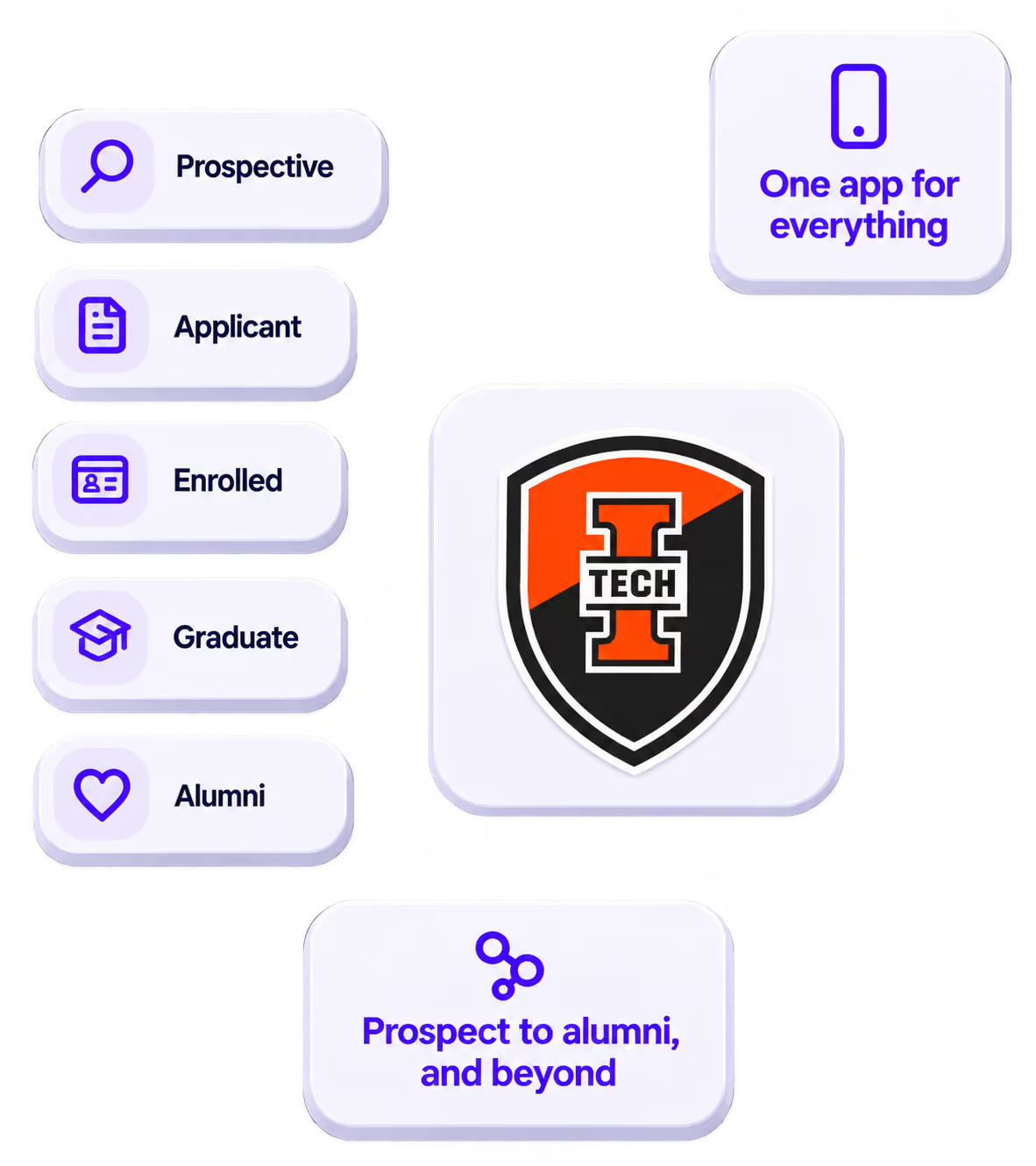
The power of your brand in your app, from first visit to alumni.
Build trust
Attendees download your app, not ours. Your name, colors, and crest in the stores.
.avif)
One place for the whole event
Schedules, maps, registration, and updates in one branded hub - not five tools.
Stand out
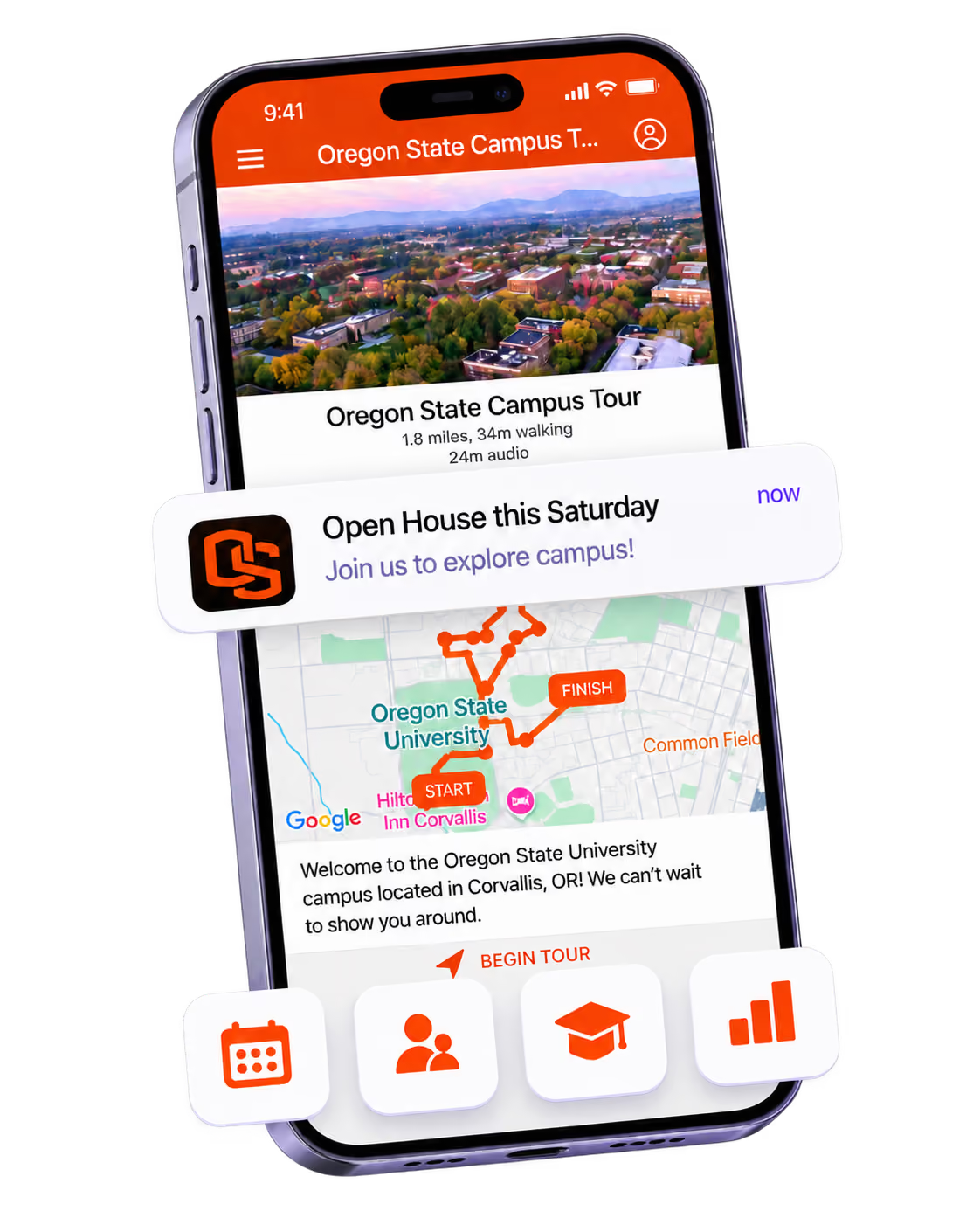
A branded app is what people keep on their phone after the printed program is in the recycling.

Get the Mobile App Playbook
A short guide to running the whole student journey in one app. No fluff, just what works.
for higher ed
Campus
Playbook
A practical guide to building a connected campus experience.
Free playbook
The Mobile App Playbook for Universities
Students decide if they belong long before they set foot on campus. This playbook shows how to win them over from the first visit through graduation.
- Grow enrollment and boost recruitment
- Increase belonging and retention
- Run every event from one branded app
By submitting, you agree to our Privacy Policy.
You're in.
.png)