Campus apps by department
Admissions, orientation, student life, and more — one campus app that works across departments.

Campus apps by department
Admissions, orientation, student life, and more — one campus app that works across departments.
Build unlimited event apps on one license
One partnership for unlimited campus events — orientation, tours, student life, and everything in between.
Build unlimited event apps on one license
One partnership for unlimited campus events — orientation, tours, student life, and everything in between.
Compare event app platforms
See how Guidebook stacks up against other event app and registration platforms.
Compare event app platforms
See how Guidebook stacks up against other event app and registration platforms.
Event apps for nonprofit and community programs
Give members, volunteers, and donors one branded app for conferences, fundraisers, and year-round community.
Event apps for nonprofit and community programs
Give members, volunteers, and donors one branded app for conferences, fundraisers, and year-round community.
Campus integrations and an open API
Connect Guidebook with the campus systems, APIs, and tools your team already uses.
Campus integrations and an open API
Connect Guidebook with the campus systems, APIs, and tools your team already uses.
Event apps for corporate and enterprise teams
Internal meetings, offsites, and large-scale corporate events — with the branding and control enterprise teams need.
Event apps for corporate and enterprise teams
Internal meetings, offsites, and large-scale corporate events — with the branding and control enterprise teams need.
Create a branded event app with no coding
Put schedules, maps, resources, and updates in every attendee's pocket — built for campus events and programs.
Create a branded event app with no coding
Put schedules, maps, resources, and updates in every attendee's pocket — built for campus events and programs.
Launch a branded, white-label event app
A white-label event app with your branding, your content, and your attendee experience — no coding required.
Launch a branded, white-label event app
A white-label event app with your branding, your content, and your attendee experience — no coding required.
Everything in the Guidebook platform
Explore the features event teams use to engage attendees before, during, and after the event.
Everything in the Guidebook platform
Explore the features event teams use to engage attendees before, during, and after the event.
One app for in-person and virtual attendees
The same schedule, networking, and updates whether people are in the room or joining remotely.
One app for in-person and virtual attendees
The same schedule, networking, and updates whether people are in the room or joining remotely.
Event apps built for associations
Annual meetings, chapter events, and member engagement — without rebuilding a new app every year.
Event apps built for associations
Annual meetings, chapter events, and member engagement — without rebuilding a new app every year.
A branded event website that matches the app
Promote the event, collect interest, and keep branding consistent from the first click to check-in.
A branded event website that matches the app
Promote the event, collect interest, and keep branding consistent from the first click to check-in.
Plan, run, and measure events on one platform
App, registration, badges, and websites in one workflow — so planning isn't a pile of disconnected tools.
Plan, run, and measure events on one platform
App, registration, badges, and websites in one workflow — so planning isn't a pile of disconnected tools.
Keep members engaged between events
One branded app for the conference and everything that happens the other 51 weeks of the year.
Keep members engaged between events
One branded app for the conference and everything that happens the other 51 weeks of the year.
The conference app attendees actually use
Schedules, maps, networking, and live updates for annual meetings, summits, and multi-day conferences.
The conference app attendees actually use
Schedules, maps, networking, and live updates for annual meetings, summits, and multi-day conferences.
Registration that feeds your app and badges
Collect registrations, payments, and attendee data in the same platform as your event app.
Registration that feeds your app and badges
Collect registrations, payments, and attendee data in the same platform as your event app.
Design and print event badges in one place
Custom badges, QR check-in, and on-site printing — without a separate badge vendor.
Design and print event badges in one place
Custom badges, QR check-in, and on-site printing — without a separate badge vendor.
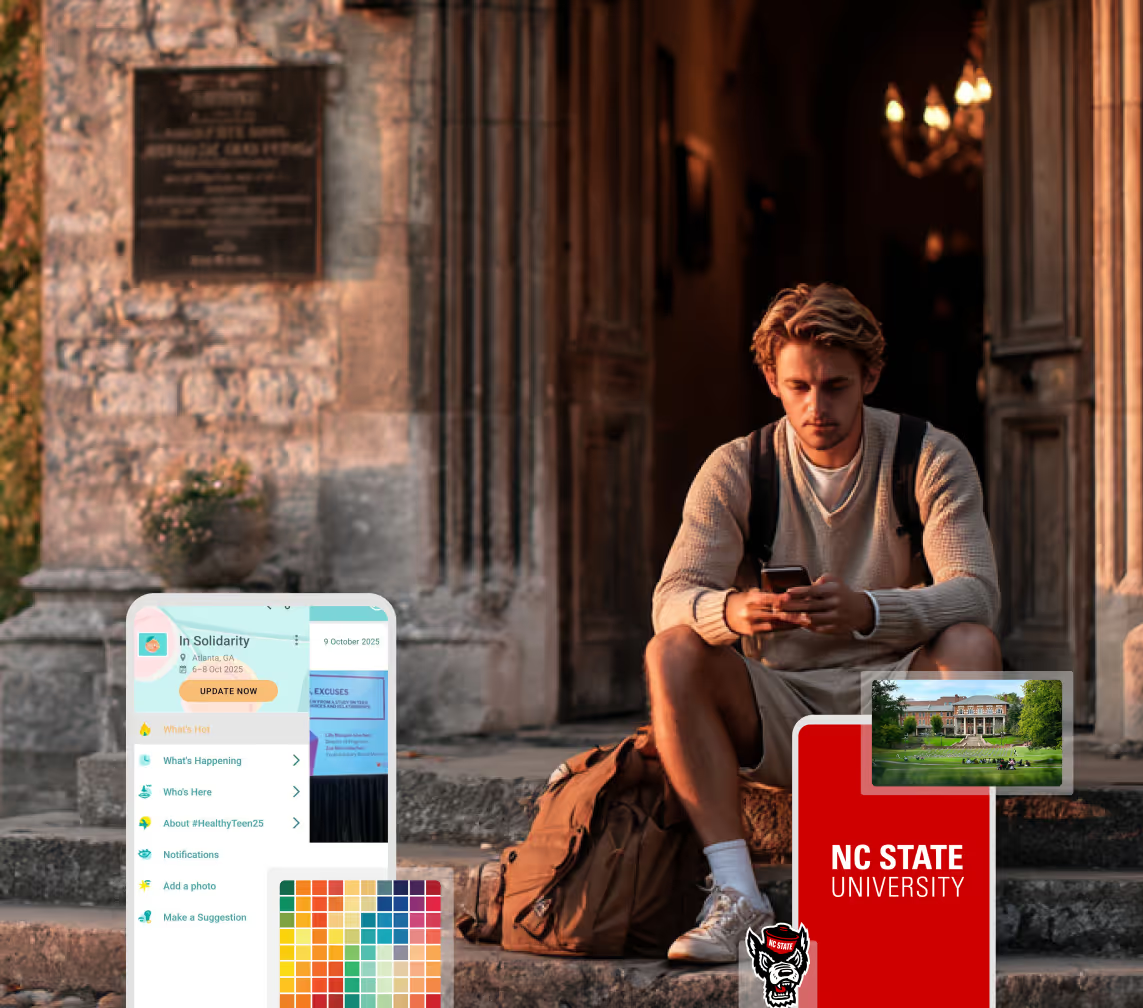
A Smaller School?
Deliver a polished, branded event experience without a large team or a big budget.
A Smaller School?
Deliver a polished, branded event experience without a large team or a big budget.
Running Family Programs?
Give families everything they need, from schedules and maps to real-time updates, all in one place.
Running Family Programs?
Give families everything they need, from schedules and maps to real-time updates, all in one place.
Coordinating Move-In Day?
Share updates, manage events, and keep students informed from move-in through the academic year.

Coordinating Move-In Day?
Share updates, manage events, and keep students informed from move-in through the academic year.
Offering Campus Tours?
Deliver branded, self-guided tour experiences with interactive maps and rich media, available 24/7.

Offering Campus Tours?
Deliver branded, self-guided tour experiences with interactive maps and rich media, available 24/7.
Organising a Career Fair?
Simplify logistics for students, employers, and Career Services staff with one easy-to-use app.
Organising a Career Fair?
Simplify logistics for students, employers, and Career Services staff with one easy-to-use app.
Managing Alumni Events?
Plan reunions, regional events, and fundraising campaigns with an app built for alumni engagement.
Managing Alumni Events?
Plan reunions, regional events, and fundraising campaigns with an app built for alumni engagement.
Boost Student Engagement
One hub for schedules, resources, and events that keeps students connected throughout the academic year.
Boost Student Engagement
One hub for schedules, resources, and events that keeps students connected throughout the academic year.
Planning Orientation?
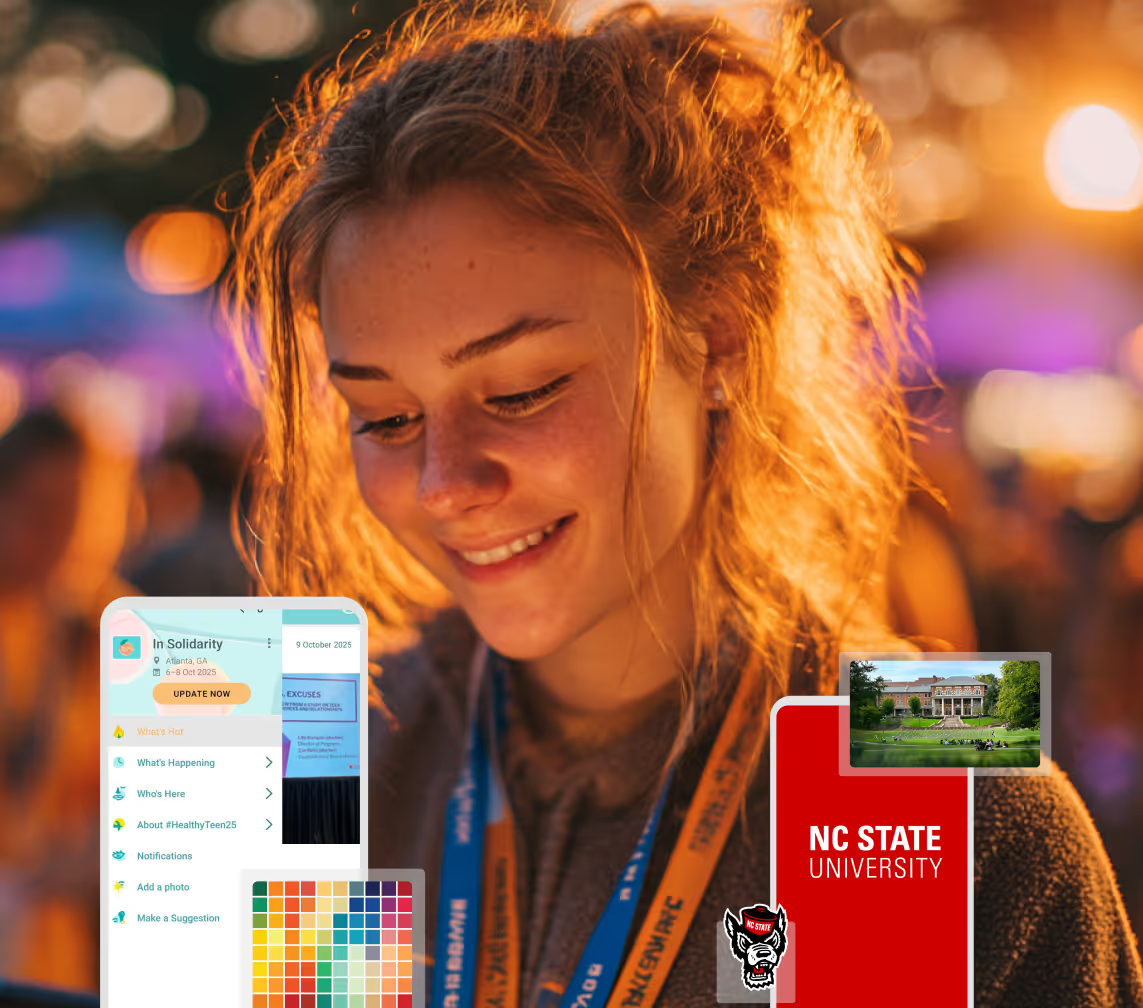
Help new students feel prepared from day one with schedules, campus resources, and real-time updates in one app.
Planning Orientation?
Help new students feel prepared from day one with schedules, campus resources, and real-time updates in one app.
Running Admissions Events?
Manage open houses, tours, and yield events with a branded app that saves time and engages prospective students.

Running Admissions Events?
Manage open houses, tours, and yield events with a branded app that saves time and engages prospective students.
Get a custom Sponsorship Package Template
Stop starting from scratch. Grab free templates that helWe'll build a tailored sponsorship package with suggested pricing, tiers, and benefits..for your specific event.p you build professional sponsorship packages and close deals faster.
Get a custom Sponsorship Package Template
Stop starting from scratch. Grab free templates that helWe'll build a tailored sponsorship package with suggested pricing, tiers, and benefits..for your specific event.p you build professional sponsorship packages and close deals faster.
Plan Your Next Event Without Missing a Beat.
From venue selection to post-event wrap-up, this free checklist walks you through every step (so nothing falls through the cracks).
.avif)
Plan Your Next Event Without Missing a Beat.
From venue selection to post-event wrap-up, this free checklist walks you through every step (so nothing falls through the cracks).
Real Results From Real Events
100,000+ organizations trust Guidebook. See exactly how universities, associations, enterprises, and more put it to work.

Real Results From Real Events
100,000+ organizations trust Guidebook. See exactly how universities, associations, enterprises, and more put it to work.
Flexible pricing for every event size
Find the perfect plan for your needs, from intimate gatherings to large-scale conferences.

Flexible pricing for every event size
Find the perfect plan for your needs, from intimate gatherings to large-scale conferences.
Join our event experts
Watch on-demand webinars and join live sessions with industry leaders sharing best practices for event success.
.avif)
Join our event experts
Watch on-demand webinars and join live sessions with industry leaders sharing best practices for event success.
Guidebook in Action
Book a personalized walkthrough and discover how we help event teams create better attendee experiences.
Guidebook in Action
Book a personalized walkthrough and discover how we help event teams create better attendee experiences.
How to Build a Student Orientation Schedule
%20(1).avif)





How to Build a Student Orientation Schedule
- This guide is for the orientation lead building the session grid. Students and families are on the schedule. They are not the reader.
- First-year students, transfers, graduate students, and families do not share one grid.
- Required sessions are advising, safety, money, and how to get around. Everything else has to earn its hour.
- The 90-day playbook covers the calendar and the emails. The app guide covers how to publish. This page is the schedule itself.
- Build the schedule before you promote a download. An empty app does not answer a parent.
This guide is for orientation coordinators and new-student program leads who are building the session grid. First-year students, transfer students, graduate students, and families are the people on that grid. They are not the people this page is written for, and neither is a department that simply wants an hour on day one.
If you run orientation, the schedule is the event. A welcome speech, a campus tour, and a block called "student life" can fill a morning and still leave a first-year student without advising, because every office used its slot to introduce itself. The months of prep, and the emails that go out in the spring, are in the orientation coordinator's first 90 days. How a finished grid lives in an app is in apps for new student orientations. What orientation is, in one definition, is in the glossary.
One grid is how people miss advising
New students do not arrive as one group, so one shared schedule hides the thing each group actually came for. A first-year student needs the sequence. A transfer student needs credit, not a repeat of the first-year social. A graduate student needs their program, not an undergraduate tour. A parent needs the hours they are apart from their student, and how to get back to the right door.
Florida Gulf Coast University's orientation app, described on Guidebook's platform page, uses separate tracks for families, students, and guests. You can publish that split later. The split has to exist on paper before you choose a tool.
| Track | Required | Leave it off |
|---|---|---|
| First-year | Advising, safety, money, a map, a person to ask | A second welcome from every office |
| Transfer | Credit, registration holds, who their advisor is | The first-year tradition talk |
| Graduate | Program check-in, funding, the building they will actually use | Undergraduate social programming |
| Families | Where the student is, when you reunite, safety, the bill | The student's small-group icebreaker |
If you cannot name which of those four groups a session is for, it belongs in a staff meeting. Leave it off the student track and the family track.
A summer of waves can reuse the same order every week. Change the rooms when the building changes, and change the clock only when check-in cannot clear the last cart before advising starts. Size the rooms for the largest wave. A quiet Tuesday will not show you whether the plan holds.
The sessions the day owes them
Four kinds of sessions have to be on the day. Everything else is competing with lunch, and lunch usually wins, so those other offices need a reason to be there.
Advising that changes a registration hold. A presentation about advising does not release a hold. The student needs the appointment, the hold cleared, or the next step with a person's name on it. If that appointment is next week, the schedule can say so in one line instead of filling forty minutes with a speech.
Safety in the places they will actually be. Cover the residence hall, the walk after dark, and the number to call. A policy slide deck loses to one map and one phone number, because that is what someone will use at 10 p.m.
Money. Put the bill, the refund date, and where to ask a question on the student track, and put a shorter version on the family track. Families will ask. Give them the answer once, so they do not pull their student out of advising to get it.
How to get around. The first time a student crosses campus should not be the hunt for advising. A tour can do this once, and a map they can open later does it again when the tour is over.
A self-guided visit for prospective students is a different route, on campus tours. The new student programs page describes schedules, maps, and separate tracks for students and families, which is the job of this block.
Wayfinding also has to include a route a guest can actually use. If the tour climbs a stair and the accessible door is somewhere else, the schedule should name both. Asking someone to follow the group is not a route for the person who cannot take the stairs.
What departments will ask you to add
Financial aid, recreation, the library, student government, and the career center can all be useful on a new student's first day. They cannot all be required, because the morning is already carrying advising, safety, money, and a way across campus.
Use one test when an office asks for a required slot. Will the student be blocked from a class, a residence hall, or a refund if they miss it? If yes, it is required for that track. If no, it can be optional, in a place they can choose without missing advising.
Optional blocks work when they are specific. "Meet the college" works, because there is a building and a person. "Campus resources" for 90 minutes does not, because students remember the person and the building, and they do not remember a panel of six offices.
Two required blocks cannot share a clock
If advising and the bill are both required for the same student, they have to happen in sequence. A student cannot be in two rooms, so when both rows say 9:00, one of them becomes optional by accident, and it will be the one with the longer line.
Put the block that can change a hold first. Money can follow, once the student knows whether they are registered. Families can hear the bill during that same hour, while the student is in advising. That is two tracks running at once, which is fine. One student booked into two rooms is not.
Read each track down the clock before you publish. If two rows on the same track overlap, move one of them, or make the second optional after the hold is handled. Opening a third room does not help a student who is already seated somewhere else.
Downtime is a session
A schedule with no gap produces a line at the wrong building, and a family that never gets to eat. Put the gap on the grid and name it. A labeled break is a plan. A blank half hour looks like you forgot them, and that is when a parent comes looking.
Put the reunion on the grid for the same reason. Families will tolerate a student-only block when they know the clock time you will be back at the same door. If that time is missing, they will come find the student in the middle of advising.
Name the place as well as the time. "Break" does not tell anyone where to stand. "Break, dining hall, back at this door at 11:40" does. If food is a tent, say which tent, because a student who has never crossed this campus will not guess the right lawn.
When move-in is the same morning
If keys and carts are the same day as orientation, the schedule has to say which one owns the morning. A student who is still in a residence hall line at 9:00 is not in advising. Either move-in finishes before the required block, or advising starts when the hall can actually clear a cart.
Write that handoff on the student track in one line: keys by a clock time, advising at the next clock time, and a makeup advising row for anyone still in line at the cutoff. "Try to make it" leaves the student choosing between a key and a hold, and they will choose the key.
Commuters need the end time in the first line they see, and a parking rule that lasts until that time. A reunion at 12:45 does not help a parent whose pass expired at noon, so put the pass time on the family track next to the reunion door.
What stays on day one when orientation is longer
Some campuses spread orientation across two or three days. Day one still has to include advising that can change a hold, safety, money, and wayfinding. The college fair, recreation, and student government can move to day two, where they are no longer competing with a registration hold.
A second day that opens with another welcome from every office repeats the problem. If you only have one day, use the order in the six-hour pattern below. If you have three days, keep hold-release advising on day one, so the student has that outcome before the rest of the program asks them to enjoy themselves.
Welcome week is a different calendar. Orientation is the introduction they cannot skip, and the rest of the year is student engagement. Keep those events off this grid, and off day one, unless missing one of them blocks a class, a hall, or a refund.
A six-hour day, written out
This is a pattern you can restyle, not a campus's real grid. Change the clock times to match your buildings, and keep the tracks separate.
8:30. Arrival, split. Students go to check-in. Families go to a room that already has parking, the bill, and the reunion time on the wall. If families and students share this half hour, the student misses the start of advising while a parent asks about a refund.
9:00. Required, by track. First-year students are in advising that can change a hold, rather than a speech about advising. Transfers are on credit and registration holds. Graduate students are with their program. Families are on safety, the bill, and where the student is until noon. That is four rooms, because it is four jobs.
10:15. Wayfinding. The first crossing of campus is a tour or a map, and it happens before anyone has to find a second building alone. A family tour can be shorter, as long as it ends at the reunion door you already published.
If the tour is outside, name the rain room on the same line. A text at 10:10 is how half the group still walks to the lawn.
11:15. Named break. Put food, a bench, and a door on the grid. An unlabeled gap is when people assume they have been forgotten.
11:45. Optional, and only if advising is done. Offer one specific block, such as a college, the library, or recreation, rather than "campus resources" for ninety minutes. A student who still has a hold goes back to advising instead of this block.
12:45. Reunion. Use the same door you named at 8:30. Families tolerate a student-only morning when this time was on their track from the start.
If your day is four hours or eight, keep that order: arrival split, required track, wayfinding, a named break, optional only after the hold is handled, then reunion. Dropping the reunion to fit one more office is how parents end up walking into advising.
How to refuse an hour
A department will ask for a required slot, and you can answer with the same test, in their words. Will the student be blocked from a class, a residence hall, or a refund if they miss this? If yes, it is required for that track, and it has to replace something, because the clock is already full. If no, offer an optional block after advising, or a page they can open later.
"Meet the college" can stay when it names a building and a person. A "campus resources" panel with six offices cannot, for the reason above: students remember the person, not the panel.
Write the refusal down, for example "Not required on day one. Optional at 11:45, or a page they can open after." A verbal no turns back into a required session when the office adds itself to the PDF the night before.
Name the session the way a student would look for it
"College meeting" does not tell a student what will happen or where to stand. "Business advising, hold release, Room 210" does. The title should carry the track, the job, and the place, and if the room changes, you change this line. A second email with the new room, while the grid still shows the old one, is how people go to the wrong building.
Orientation leaders need a run of show, and that document should stay with staff. If you publish the staff briefing on the student grid, families will follow the leaders into a room that was never for them. The student track shows only the rooms a student or a family is invited to enter.
What you hand a family before they leave the car
Families get one track, on paper or on a phone, and it can be four lines:
- Where the student is until the reunion.
- The reunion door and the clock time.
- Safety: the number, and the walk you actually mean.
- The bill, and where to ask without calling the student out of advising.
They do not need the icebreaker, the first-year tradition talk, or a 40-minute office fair. Florida Gulf Coast's pattern, separate tracks for families, students, and guests, is the shape to copy. Some families will never open an app, so the reunion time still has to be on the page they will look at in the car.
Iowa State's orientation app lists schedules, a personal schedule, parking, and campus navigation in the same menu.
.png)
Read the grid out loud before you publish it
Sit with one track and read it from arrival to reunion. If you stumble, a student will too.
On the first-year track, you should hear advising that can change a hold, safety in a real place, money, wayfinding, a break with a name, and only then an optional block. If you hear six offices before advising, the day is still the welcome-speech version.
On the transfer track, you should not hear the first-year tradition. On the graduate track, you should hear the program and the building they will use. On the family track, you should hear where the student is, the reunion time, safety, and the bill. If the family track includes the icebreaker, move it to the student track.
Then read the gaps, because every gap needs a name and a place. A blank thirty minutes is where the family comes to find the student. Then read the overlaps. Two rows on the same track at the same time means that student is booked into two rooms, and that has to be fixed before anyone else sees the grid.
If a department adds itself to the file after the read-through, that session is not on the schedule yet. The grid you read out loud is the grid you publish. Send the department the optional slot, or a later day, in writing, the same day.
Build it, then invite people in
The orientation event app is where a finished grid gets published as tracks, rather than as a PDF attached to an email. Tracks and a personal schedule are on the features page, and the app sits on the same event app the campus uses for the rest of the year.
NC State's new student app keeps August orientation schedules and a new student checklist in the same guide.
.png)
Publish after the sessions exist. A download of an empty schedule teaches students to ignore the next message, because the first open did not answer a parent.
Education pricing is the quote to match if the app is the channel. A branded app, your name in the stores, is its own package on that page. Small Event caps at 200 attendees. A dedicated account manager is on Event, Year-Round, and Unlimited.
A summer orientation that runs in waves may fall under or over that cap depending on the wave. Read the plan name against the largest wave, not against a single advising section.
Cut the grid to the sessions the day owes them
List every session a department has requested. Mark the four required kinds, assign a track, and move the rest to optional or to a later day. When the grid is real, publish it with the orientation app or book a demo and bring the track list with you. The welcome video can wait until the sessions are decided.
Frequently asked questions

Get the Mobile App Playbook
A short guide to running the whole student journey in one app. No fluff, just what works.
for higher ed
Campus
Playbook
A practical guide to building a connected campus experience.
Free playbook
The Mobile App Playbook for Universities
Students decide if they belong long before they set foot on campus. This playbook shows how to win them over from the first visit through graduation.
- Grow enrollment and boost recruitment
- Increase belonging and retention
- Run every event from one branded app
By submitting, you agree to our Privacy Policy.
You're in.
.png)