
Campus apps by department
Admissions, orientation, student life, and more — one campus app that works across departments.

Campus apps by department
Admissions, orientation, student life, and more — one campus app that works across departments.
Build unlimited event apps on one license
One partnership for unlimited campus events — orientation, tours, student life, and everything in between.
Build unlimited event apps on one license
One partnership for unlimited campus events — orientation, tours, student life, and everything in between.
Compare event app platforms
See how Guidebook stacks up against other event app and registration platforms.
Compare event app platforms
See how Guidebook stacks up against other event app and registration platforms.
Event apps for nonprofit and community programs
Give members, volunteers, and donors one branded app for conferences, fundraisers, and year-round community.
Event apps for nonprofit and community programs
Give members, volunteers, and donors one branded app for conferences, fundraisers, and year-round community.
Campus integrations and an open API
Connect Guidebook with the campus systems, APIs, and tools your team already uses.
Campus integrations and an open API
Connect Guidebook with the campus systems, APIs, and tools your team already uses.
Event apps for corporate and enterprise teams
Internal meetings, offsites, and large-scale corporate events — with the branding and control enterprise teams need.
Event apps for corporate and enterprise teams
Internal meetings, offsites, and large-scale corporate events — with the branding and control enterprise teams need.
Create a branded event app with no coding
Put schedules, maps, resources, and updates in every attendee's pocket — built for campus events and programs.
Create a branded event app with no coding
Put schedules, maps, resources, and updates in every attendee's pocket — built for campus events and programs.
Launch a branded, white-label event app
A white-label event app with your branding, your content, and your attendee experience — no coding required.
Launch a branded, white-label event app
A white-label event app with your branding, your content, and your attendee experience — no coding required.
Everything in the Guidebook platform
Explore the features event teams use to engage attendees before, during, and after the event.
Everything in the Guidebook platform
Explore the features event teams use to engage attendees before, during, and after the event.
One app for in-person and virtual attendees
The same schedule, networking, and updates whether people are in the room or joining remotely.
One app for in-person and virtual attendees
The same schedule, networking, and updates whether people are in the room or joining remotely.
Event apps built for associations
Annual meetings, chapter events, and member engagement — without rebuilding a new app every year.
Event apps built for associations
Annual meetings, chapter events, and member engagement — without rebuilding a new app every year.
A branded event website that matches the app
Promote the event, collect interest, and keep branding consistent from the first click to check-in.
A branded event website that matches the app
Promote the event, collect interest, and keep branding consistent from the first click to check-in.
Plan, run, and measure events on one platform
App, registration, badges, and websites in one workflow — so planning isn't a pile of disconnected tools.
Plan, run, and measure events on one platform
App, registration, badges, and websites in one workflow — so planning isn't a pile of disconnected tools.
Keep members engaged between events
One branded app for the conference and everything that happens the other 51 weeks of the year.
Keep members engaged between events
One branded app for the conference and everything that happens the other 51 weeks of the year.
The conference app attendees actually use
Schedules, maps, networking, and live updates for annual meetings, summits, and multi-day conferences.
The conference app attendees actually use
Schedules, maps, networking, and live updates for annual meetings, summits, and multi-day conferences.
Registration that feeds your app and badges
Collect registrations, payments, and attendee data in the same platform as your event app.
Registration that feeds your app and badges
Collect registrations, payments, and attendee data in the same platform as your event app.
Design and print event badges in one place
Custom badges, QR check-in, and on-site printing — without a separate badge vendor.
Design and print event badges in one place
Custom badges, QR check-in, and on-site printing — without a separate badge vendor.
A Smaller School?
Deliver a polished, branded event experience without a large team or a big budget.

A Smaller School?
Deliver a polished, branded event experience without a large team or a big budget.
Running Family Programs?
Give families everything they need, from schedules and maps to real-time updates, all in one place.

Running Family Programs?
Give families everything they need, from schedules and maps to real-time updates, all in one place.
Coordinating Move-In Day?
Share updates, manage events, and keep students informed from move-in through the academic year.

Coordinating Move-In Day?
Share updates, manage events, and keep students informed from move-in through the academic year.
Offering Campus Tours?
Deliver branded, self-guided tour experiences with interactive maps and rich media, available 24/7.

Offering Campus Tours?
Deliver branded, self-guided tour experiences with interactive maps and rich media, available 24/7.
Organising a Career Fair?
Simplify logistics for students, employers, and Career Services staff with one easy-to-use app.

Organising a Career Fair?
Simplify logistics for students, employers, and Career Services staff with one easy-to-use app.
Managing Alumni Events?
Plan reunions, regional events, and fundraising campaigns with an app built for alumni engagement.

Managing Alumni Events?
Plan reunions, regional events, and fundraising campaigns with an app built for alumni engagement.
Boost Student Engagement
One hub for schedules, resources, and events that keeps students connected throughout the academic year.

Boost Student Engagement
One hub for schedules, resources, and events that keeps students connected throughout the academic year.
Planning Orientation?
Help new students feel prepared from day one with schedules, campus resources, and real-time updates in one app.

Planning Orientation?
Help new students feel prepared from day one with schedules, campus resources, and real-time updates in one app.
Running Admissions Events?
Manage open houses, tours, and yield events with a branded app that saves time and engages prospective students.

Running Admissions Events?
Manage open houses, tours, and yield events with a branded app that saves time and engages prospective students.
Get a custom Sponsorship Package Template
Stop starting from scratch. Grab free templates that helWe'll build a tailored sponsorship package with suggested pricing, tiers, and benefits..for your specific event.p you build professional sponsorship packages and close deals faster.

Get a custom Sponsorship Package Template
Stop starting from scratch. Grab free templates that helWe'll build a tailored sponsorship package with suggested pricing, tiers, and benefits..for your specific event.p you build professional sponsorship packages and close deals faster.
Plan Your Next Event Without Missing a Beat.
From venue selection to post-event wrap-up, this free checklist walks you through every step (so nothing falls through the cracks).
.avif)
Plan Your Next Event Without Missing a Beat.
From venue selection to post-event wrap-up, this free checklist walks you through every step (so nothing falls through the cracks).
Real Results From Real Events
100,000+ organizations trust Guidebook. See exactly how universities, associations, enterprises, and more put it to work.

Real Results From Real Events
100,000+ organizations trust Guidebook. See exactly how universities, associations, enterprises, and more put it to work.
Flexible pricing for every event size
Find the perfect plan for your needs, from intimate gatherings to large-scale conferences.

Flexible pricing for every event size
Find the perfect plan for your needs, from intimate gatherings to large-scale conferences.
Join our event experts
Watch on-demand webinars and join live sessions with industry leaders sharing best practices for event success.
.avif)
Join our event experts
Watch on-demand webinars and join live sessions with industry leaders sharing best practices for event success.
Guidebook in Action
Book a personalized walkthrough and discover how we help event teams create better attendee experiences.
Guidebook in Action
Book a personalized walkthrough and discover how we help event teams create better attendee experiences.

What is Event Planning Software?
Event planning software streamlines event organization with tools for scheduling, budgeting, and collaboration. Discover key features, top platforms, and expert tips.

Key Characteristics of Event Planning Software
- Centralized Dashboard: All your event data lives in one place. No more hunting through folders or switching between apps to find what you need.
- Registration Management: Built-in tools handle event registration, ticket sales, and attendee tracking without third-party integrations.
- Schedule Building: Drag-and-drop interfaces let you create and update agendas in minutes. Changes sync instantly across all platforms.
- Communication Tools: Send targeted emails, push notifications, and updates to specific attendee segments based on their interests or sessions.
- Mobile Accessibility: Most platforms include mobile apps or responsive designs so attendees can access everything from their phones. : Track registrations, engagement, and attendance as they happen. Make data-driven decisions on the fly.
- Integration Capabilities: Connect with CRMs, payment processors, and marketing tools you already use.
Event Planning Software vs. Related Tools
Project Management Software
- Scope: General task and team management across any project type
- Focus: Deadlines, assignments, and workflow tracking
- Timeline: Ongoing projects without specific event dates
- Channels: Internal team communication only
- Goal: Complete tasks efficiently
Event Check-In Software
- Scope: Day-of attendance tracking and badge printing
- Focus: Event check-in speed and accuracy
- Timeline: Event day only
- Channels: On-site kiosks and mobile devices
- Goal: Fast, accurate attendee verification
Event Marketing Platforms
- Scope: Promotion and audience acquisition
- Focus: Event digital marketing and lead generation
- Timeline: Pre-event promotional period
- Channels: Email, social media, paid advertising
- Goal: Drive registrations and awareness
Event planning software combines elements of all these tools. It's the hub that connects your marketing efforts to your registration system to your day-of operations. Think of it as the operating system for your entire event.
Essential Features to Look For
Registration and Ticketing Tools
Your registration system is often an attendee's first impression. Look for customizable forms that capture the data you actually need. Skip platforms that force you into rigid templates.
The best tools offer tiered pricing, early-bird discounts, and group registration options. They should also handle payment processing securely without sending attendees to sketchy third-party sites.
Schedule and Agenda Management
Building schedules shouldn't require a computer science degree. Modern platforms use visual builders where you drag sessions into time slots. Need to swap two speakers? It takes seconds.
Look for features like:
- Session capacity limits and waitlists
- Speaker and room assignment tracking
- Attendee-facing schedule builders
- Automatic conflict detection
Communication and Engagement Features
Great event software keeps attendees informed without overwhelming them. Segment your audience and send targeted messages based on their sessions, interests, or ticket types.
Push notifications are gold for day-of updates. Room change? Send a notification. Session starting in 10 minutes? Remind them. This kind of real-time communication used to require a team of volunteers with walkie-talkies.
Mobile App Capabilities
Today's attendees expect mobile access. Some platforms offer branded apps that put your event in attendees' pockets. Others provide mobile-responsive web experiences.
Either way, attendees should be able to view schedules, receive updates, and connect with other participants from their phones. Bonus points for offline functionality when WiFi gets spotty.
event ROI and make smarter decisions for future events.Track metrics like:
- Registration conversion rates
- Session attendance and popularity
- App engagement and usage patterns
- Survey responses and satisfaction scores
How Event Planning Software Works
Set Up Your Event Framework
Start by creating your event in the platform. Add basic details like dates, location, and event type. Most tools walk you through this with setup wizards.
This is also when you configure your registration forms. Decide what information you need from attendees. Keep forms short—every extra field reduces completion rates.
Build Your Content and Schedule
Next, add your sessions, speakers, and venues. The event planning process gets easier when you can visualize your entire agenda in one view.
Upload speaker photos and bios. Add session descriptions that help attendees choose what to attend. Include room maps and venue information so nobody gets lost.
Launch Registration and Promote
Once your event framework is ready, open registration. Share your registration link through email campaigns, social media, and your website. Learn how to advertise your event effectively to maximize reach.
Most platforms provide embeddable widgets for your website. Some integrate directly with Facebook event keywords and other social platforms.
Manage Day-Of Operations
Event day is where software really shines. Check attendees in with mobile devices. Send real-time updates when things change. Monitor attendance across sessions.
Your team can access everything from their phones. No more running back to a registration desk to answer questions or check attendee lists.
Analyze Results and Follow Up
After your event, dive into the data. Which sessions were most popular? Where did attendees spend their time? Use an event debrief template to capture insights while they're fresh.
Export attendee lists for follow-up campaigns. Share reports with stakeholders to demonstrate value. Apply lessons learned to your next event.
Why Event Planning Software Matters
For Event Success:
- Reduced Manual Errors: Automated systems catch double-bookings, capacity issues, and scheduling conflicts before they become problems.
- Better Attendee Experience: Mobile access, personalized schedules, and real-time updates keep attendees informed and engaged.
- Streamlined Communication: Reach the right people with the right message at the right time without managing multiple email lists.
- Faster Problem Resolution: When issues arise, you have all the information you need to fix them quickly.
- Professional Presentation: Branded apps and polished registration pages make even small events look world-class.
For Business Objectives:
- Time Savings: Automate repetitive tasks and free your team to focus on strategy and attendee experience.
- Cost Reduction: Digital schedules and mobile apps eliminate printing costs. One university saved thousands by ditching paper packets.
- Data-Driven Decisions: Track what works and what doesn't. Prove ROI to stakeholders with concrete numbers.
- Scalability: Handle 100 or 10,000 attendees without proportionally increasing your team size.
- Competitive Advantage: Modern event experiences attract more attendees and sponsors than outdated approaches.
Event Planning Software Best Practices
- Start Planning Early: Give yourself time to learn the platform before crunch time. Most tools have learning curves, even intuitive ones.
- Keep Registration Forms Short: Only ask for information you'll actually use. Every extra field reduces completion rates by 5-10%.
- Test Everything Before Launch: Register as a test attendee. Click every link. Send test notifications. Find problems before your attendees do.
- Train Your Team Thoroughly: Everyone who touches the event should know how to use the software. Schedule training sessions well before event day.
- Promote Your Mobile App Aggressively: Follow proven ways to increase event app downloads. Put QR codes everywhere—on badges, signage, even stadium scoreboards.
- Segment Your Communications: Don't blast everyone with every message. Speakers need different information than general attendees.
- Use Push Notifications Wisely: They're powerful but annoying if overused. Save them for important updates and time-sensitive information. : Check your dashboard throughout the event. Spot trends and adjust on the fly.
- Gather Feedback Immediately: Send surveys while the experience is fresh. Response rates drop dramatically after 48 hours.
- Document What Worked: Create a post-event report with screenshots, data, and lessons learned. Future you will thank present you.
Common Event Planning Software Mistakes
Choosing Based on Price Alone: The cheapest option often costs more in the long run. Hidden fees, missing features, and poor support add up. Evaluate total value, not just sticker price.
Ignoring Mobile Experience: If your platform doesn't work well on phones, you're frustrating most of your attendees. Test the mobile experience thoroughly before committing.
Overcomplicating Registration: Asking for too much information upfront kills conversions. Collect essentials at registration and gather additional details later.
Skipping the Training: Powerful software is useless if your team doesn't know how to use it. Invest time in proper training before your event.
Waiting Too Long to Set Up: Rushing setup leads to errors and missed opportunities. Start building your event in the platform at least 6-8 weeks out.
Not Having a Backup Plan: Technology fails sometimes. Know how to access critical information if the app goes down or WiFi disappears.
Forgetting Post-Event Follow-Up: The software's job isn't done when the event ends. Use it to send thank-you messages, share recordings, and nurture relationships.
Final Thoughts
Event planning software has transformed how organizers work. Tasks that once required spreadsheets, sticky notes, and crossed fingers now happen automatically. The right platform doesn't just save time—it makes better events possible.
The industry continues to evolve rapidly. Event trends point toward more personalization, better data integration, and smarter automation. Platforms that embrace these changes help organizers stay ahead.
Whether you're planning a team building event, a virtual event, or a massive conference, the fundamentals remain the same. Know your audience. Communicate clearly. Measure what matters. Good software makes all of this easier.
Ready to see what modern event planning software can do? Explore Guidebook's templates to get started quickly, or request a demo to see the full platform in action. Check out our case studies to see how organizations like yours have transformed their events. Your next event deserves better than spreadsheets and stress.
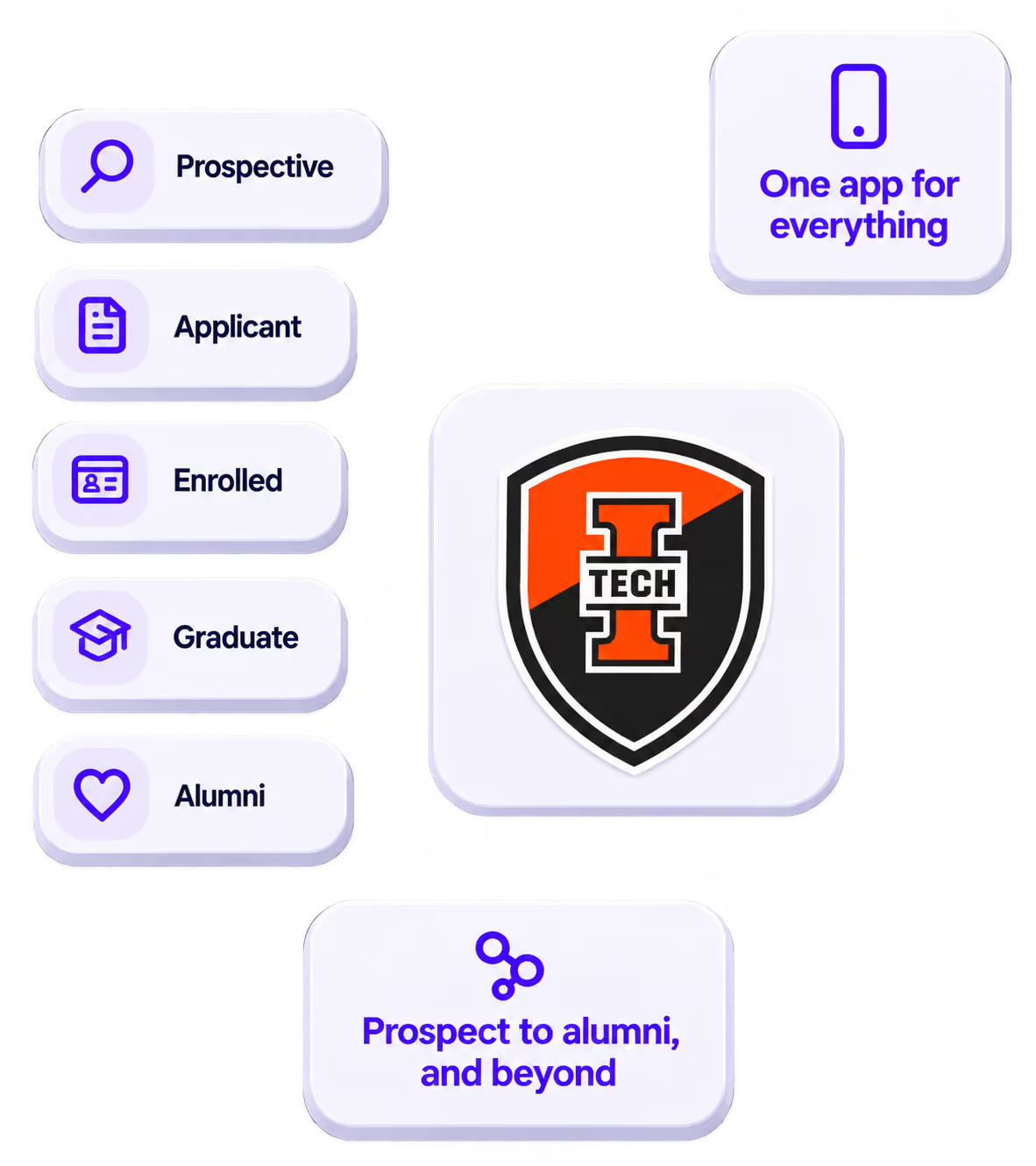
The power of your brand in your app, from first visit to alumni.
Build trust
Attendees download your app, not ours. Your name, colors, and crest in the stores.
.avif)
One place for the whole event
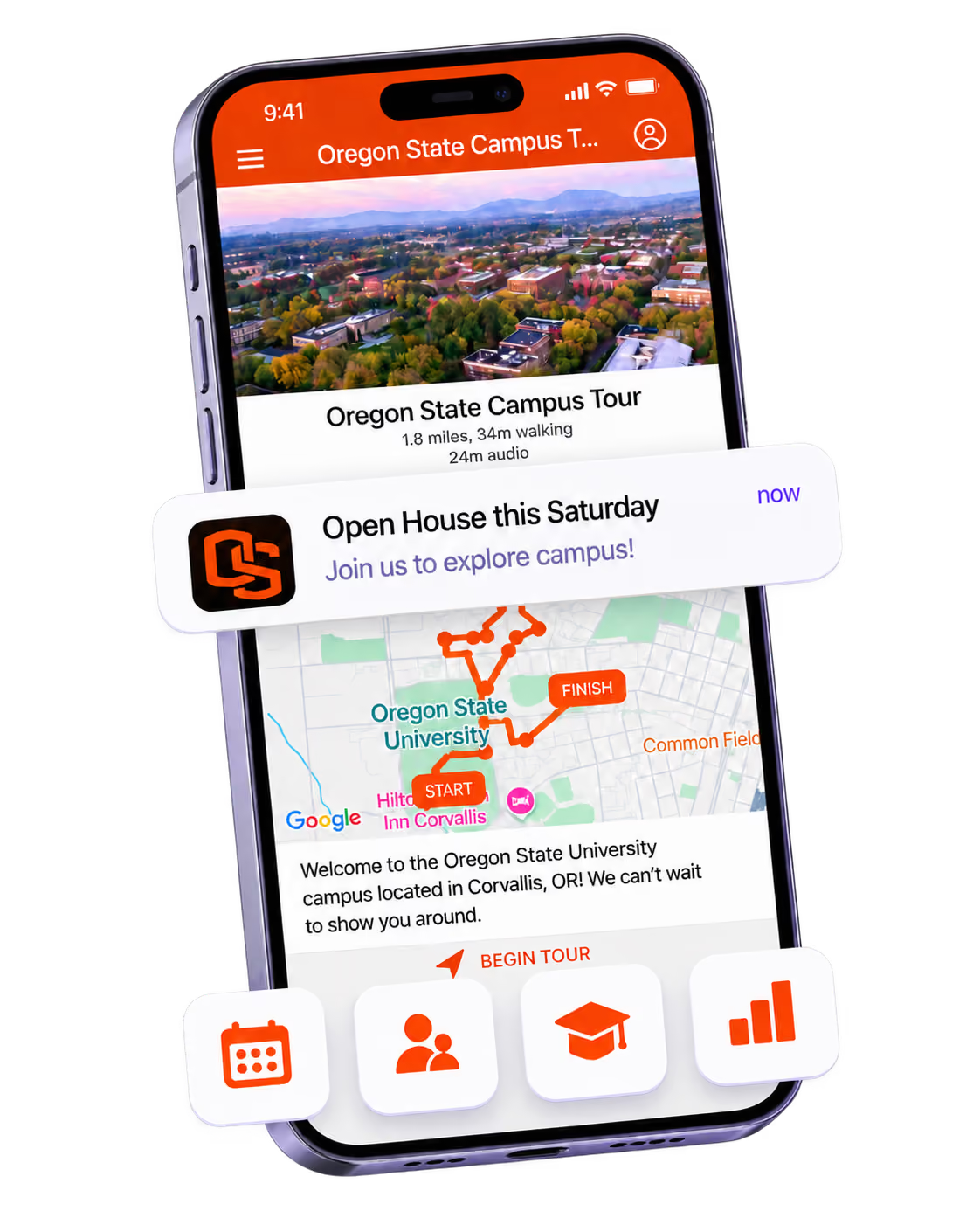
Schedules, maps, registration, and updates in one branded hub - not five tools.
Stand out
A branded app is what people keep on their phone after the printed program is in the recycling.

Get the Mobile App Playbook
A short guide to running the whole student journey in one app. No fluff, just what works.
for higher ed
Campus
Playbook
A practical guide to building a connected campus experience.
Free playbook
The Mobile App Playbook for Universities
Students decide if they belong long before they set foot on campus. This playbook shows how to win them over from the first visit through graduation.
- Grow enrollment and boost recruitment
- Increase belonging and retention
- Run every event from one branded app
By submitting, you agree to our Privacy Policy.
You're in.
.png)