
Campus apps by department
Admissions, orientation, student life, and more — one campus app that works across departments.

Campus apps by department
Admissions, orientation, student life, and more — one campus app that works across departments.
Build unlimited event apps on one license
One partnership for unlimited campus events — orientation, tours, student life, and everything in between.
Build unlimited event apps on one license
One partnership for unlimited campus events — orientation, tours, student life, and everything in between.
Compare event app platforms
See how Guidebook stacks up against other event app and registration platforms.
Compare event app platforms
See how Guidebook stacks up against other event app and registration platforms.
Event apps for nonprofit and community programs
Give members, volunteers, and donors one branded app for conferences, fundraisers, and year-round community.
Event apps for nonprofit and community programs
Give members, volunteers, and donors one branded app for conferences, fundraisers, and year-round community.
Campus integrations and an open API
Connect Guidebook with the campus systems, APIs, and tools your team already uses.
Campus integrations and an open API
Connect Guidebook with the campus systems, APIs, and tools your team already uses.
Event apps for corporate and enterprise teams
Internal meetings, offsites, and large-scale corporate events — with the branding and control enterprise teams need.
Event apps for corporate and enterprise teams
Internal meetings, offsites, and large-scale corporate events — with the branding and control enterprise teams need.
Create a branded event app with no coding
Put schedules, maps, resources, and updates in every attendee's pocket — built for campus events and programs.
Create a branded event app with no coding
Put schedules, maps, resources, and updates in every attendee's pocket — built for campus events and programs.
Launch a branded, white-label event app
A white-label event app with your branding, your content, and your attendee experience — no coding required.
Launch a branded, white-label event app
A white-label event app with your branding, your content, and your attendee experience — no coding required.
Everything in the Guidebook platform
Explore the features event teams use to engage attendees before, during, and after the event.
Everything in the Guidebook platform
Explore the features event teams use to engage attendees before, during, and after the event.
One app for in-person and virtual attendees
The same schedule, networking, and updates whether people are in the room or joining remotely.
One app for in-person and virtual attendees
The same schedule, networking, and updates whether people are in the room or joining remotely.
Event apps built for associations
Annual meetings, chapter events, and member engagement — without rebuilding a new app every year.
Event apps built for associations
Annual meetings, chapter events, and member engagement — without rebuilding a new app every year.
A branded event website that matches the app
Promote the event, collect interest, and keep branding consistent from the first click to check-in.
A branded event website that matches the app
Promote the event, collect interest, and keep branding consistent from the first click to check-in.
Plan, run, and measure events on one platform
App, registration, badges, and websites in one workflow — so planning isn't a pile of disconnected tools.
Plan, run, and measure events on one platform
App, registration, badges, and websites in one workflow — so planning isn't a pile of disconnected tools.
Keep members engaged between events
One branded app for the conference and everything that happens the other 51 weeks of the year.
Keep members engaged between events
One branded app for the conference and everything that happens the other 51 weeks of the year.
The conference app attendees actually use
Schedules, maps, networking, and live updates for annual meetings, summits, and multi-day conferences.
The conference app attendees actually use
Schedules, maps, networking, and live updates for annual meetings, summits, and multi-day conferences.
Registration that feeds your app and badges
Collect registrations, payments, and attendee data in the same platform as your event app.
Registration that feeds your app and badges
Collect registrations, payments, and attendee data in the same platform as your event app.
Design and print event badges in one place
Custom badges, QR check-in, and on-site printing — without a separate badge vendor.
Design and print event badges in one place
Custom badges, QR check-in, and on-site printing — without a separate badge vendor.
A Smaller School?
Deliver a polished, branded event experience without a large team or a big budget.

A Smaller School?
Deliver a polished, branded event experience without a large team or a big budget.
Running Family Programs?
Give families everything they need, from schedules and maps to real-time updates, all in one place.

Running Family Programs?
Give families everything they need, from schedules and maps to real-time updates, all in one place.
Coordinating Move-In Day?
Share updates, manage events, and keep students informed from move-in through the academic year.

Coordinating Move-In Day?
Share updates, manage events, and keep students informed from move-in through the academic year.
Offering Campus Tours?
Deliver branded, self-guided tour experiences with interactive maps and rich media, available 24/7.

Offering Campus Tours?
Deliver branded, self-guided tour experiences with interactive maps and rich media, available 24/7.
Organising a Career Fair?
Simplify logistics for students, employers, and Career Services staff with one easy-to-use app.

Organising a Career Fair?
Simplify logistics for students, employers, and Career Services staff with one easy-to-use app.
Managing Alumni Events?
Plan reunions, regional events, and fundraising campaigns with an app built for alumni engagement.

Managing Alumni Events?
Plan reunions, regional events, and fundraising campaigns with an app built for alumni engagement.
Boost Student Engagement
One hub for schedules, resources, and events that keeps students connected throughout the academic year.

Boost Student Engagement
One hub for schedules, resources, and events that keeps students connected throughout the academic year.
Planning Orientation?
Help new students feel prepared from day one with schedules, campus resources, and real-time updates in one app.

Planning Orientation?
Help new students feel prepared from day one with schedules, campus resources, and real-time updates in one app.
Running Admissions Events?
Manage open houses, tours, and yield events with a branded app that saves time and engages prospective students.

Running Admissions Events?
Manage open houses, tours, and yield events with a branded app that saves time and engages prospective students.
Get a custom Sponsorship Package Template
Stop starting from scratch. Grab free templates that helWe'll build a tailored sponsorship package with suggested pricing, tiers, and benefits..for your specific event.p you build professional sponsorship packages and close deals faster.

Get a custom Sponsorship Package Template
Stop starting from scratch. Grab free templates that helWe'll build a tailored sponsorship package with suggested pricing, tiers, and benefits..for your specific event.p you build professional sponsorship packages and close deals faster.
Plan Your Next Event Without Missing a Beat.
From venue selection to post-event wrap-up, this free checklist walks you through every step (so nothing falls through the cracks).
.avif)
Plan Your Next Event Without Missing a Beat.
From venue selection to post-event wrap-up, this free checklist walks you through every step (so nothing falls through the cracks).
Real Results From Real Events
100,000+ organizations trust Guidebook. See exactly how universities, associations, enterprises, and more put it to work.

Real Results From Real Events
100,000+ organizations trust Guidebook. See exactly how universities, associations, enterprises, and more put it to work.
Flexible pricing for every event size
Find the perfect plan for your needs, from intimate gatherings to large-scale conferences.

Flexible pricing for every event size
Find the perfect plan for your needs, from intimate gatherings to large-scale conferences.
Join our event experts
Watch on-demand webinars and join live sessions with industry leaders sharing best practices for event success.
.avif)
Join our event experts
Watch on-demand webinars and join live sessions with industry leaders sharing best practices for event success.
Guidebook in Action
Book a personalized walkthrough and discover how we help event teams create better attendee experiences.
Guidebook in Action
Book a personalized walkthrough and discover how we help event teams create better attendee experiences.

What is Event Check In Software?
Event check-in software streamlines guest registration and entry at events. Learn about key features, benefits, setup tips, and how it enhances attendee experience.

Event check in software is digital technology that transforms chaotic registration lines into smooth, professional arrival experiences while capturing valuable attendee data in real-time. These platforms replace paper lists and manual processes with streamlined digital solutions. The right check in system sets the tone for your entire event.
Here's the thing: event check in software does more than scan badges. It creates first impressions, tracks attendance patterns, and feeds data directly into your event management platform. When attendees breeze through registration in seconds, they start your event feeling positive and engaged.
Key Characteristics of Event Check In Software
- Real-Time Syncing: Updates attendance data instantly across all devices. Your team sees who's arrived the moment they check in.
- Multiple Check In Methods: Supports QR codes, name search, badge scanning, and facial recognition. Attendees choose what works best for them.
- Offline Functionality: Works without internet connection and syncs when connectivity returns. No WiFi? No problem.
- Self-Service Kiosks: Allows attendees to check themselves in without staff assistance. This speeds up lines dramatically.
- Badge Printing Integration: Prints professional name badges on demand at check in. No more pre-printed badges that go to waste.
- Session Tracking: Monitors attendance at individual sessions, not just the main event. You'll know exactly which workshops drew crowds. : Displays arrival patterns, peak times, and no-show rates. Data drives better decisions for future events.
Event Check In Software vs. Related Tools
- Scope: Handles pre-event sign-ups and ticket purchases
- Focus: Collecting attendee information and payments
- Timeline: Used weeks or months before the event
- Channels: Primarily web-based forms and landing pages
- Goal: Maximize registrations and capture attendee data
Event Check In Software
- Scope: Manages day-of arrival and attendance verification
- Focus: Speed, accuracy, and attendee experience
- Timeline: Used during the event itself
- Channels: Mobile apps, tablets, kiosks, and scanners
- Goal: Create smooth arrivals and track actual attendance
Access Control Systems
- Scope: Restricts entry to authorized areas only
- Focus: Security and credential verification
- Timeline: Throughout the entire event duration
- Channels: Physical barriers, scanners, and security checkpoints
- Goal: Prevent unauthorized access and ensure safety
These tools work best together. Registration captures who plans to attend. Check in software confirms who actually shows up. Access control manages where they can go. Smart event planning integrates all three.
Essential Features to Look For
Speed and Efficiency Tools
Your check in software should process attendees in under 10 seconds. Look for quick-search functionality that finds names with just a few keystrokes. QR code scanning should be instant, not laggy.
The best platforms let you check in groups together. This matters for corporate teams or families arriving at once.
Customization Options
Every event has different needs. Your software should adapt to them:
- Custom fields for collecting additional information
- Branded check in screens matching your event design
- Flexible badge templates with your logo and colors
- Configurable workflows for VIPs vs. general admission
Integration Capabilities
Standalone tools create data silos. Your check in software should connect with:
- CRM systems like Salesforce or HubSpot
- Email marketing platforms
- Event marketing tools
- Payment processors
- Mobile event apps
Hardware Flexibility
Good software runs on devices you already own. It should work on iPads, Android tablets, and smartphones. Some events need dedicated kiosks. Others work fine with staff holding tablets.
Badge printers add professionalism but aren't always necessary. Choose software that supports them without requiring them.
How Event Check In Software Works
Pre-Event Setup
Setup starts with importing your registration data. Most platforms accept CSV files or connect directly to your registration system. You'll configure check in stations, assign staff permissions, and design badges.
Test everything before event day. Run through the check in process yourself. Identify bottlenecks before attendees arrive.
Day-Of Operations
Staff log into the system on their assigned devices. As attendees arrive, they're checked in through one of several methods:
- Scanning a QR code from their confirmation email
- Searching by name or email address
- Self-service kiosk check in
- Facial recognition (for high-security events)
The system instantly updates attendance records. Managers can monitor arrival rates from a central dashboard.
Real-Time Problem Solving
Issues happen at every event. Someone's not on the list. A badge won't print. The WiFi goes down.
Quality check in software handles these gracefully:
- On-site registration for walk-ins
- Manual override options for staff
- Offline mode that syncs later
- Instant support chat or phone line
After the event, your software should generate detailed reports. You'll see peak arrival times, no-show rates, and session attendance. This data improves your event planning process for next time.
Why Event Check In Software Matters
For Event Success:
- First Impressions: Smooth check in sets a positive tone. Attendees feel welcomed, not frustrated.
- Accurate Headcounts: Know exactly who attended, not just who registered. This matters for catering, seating, and safety.
- Session Management: Track which breakouts fill up. Redirect attendees to less crowded options in real-time.
- Staff Efficiency: Free your team from clipboard duty. They can focus on hospitality instead of paperwork.
- Professional Image: Digital check in signals a well-organized event. It builds confidence in your brand.
For Business Objectives:
- Data Accuracy: Capture verified attendance for sponsors and stakeholders. No more guessing at numbers.
- ROI Measurement: Connect attendance data to outcomes. See which attendees became customers.
- Lead Qualification: Identify engaged attendees who checked into multiple sessions. Prioritize follow-up accordingly.
- Compliance Documentation: Maintain records for continuing education credits or regulatory requirements.
- Sponsor Value: Provide accurate attendance data to justify sponsorship packages.
Platforms like Guidebook combine check in capabilities with full event management features. This creates a seamless experience from registration through post-event follow-up.
Event Check In Software Best Practices
- Test Your Setup the Day Before: Run through the entire check in process with real devices. Catch problems before attendees arrive.
- Train All Staff Thoroughly: Everyone working check in should know the software inside and out. Include backup procedures for common issues.
- Create Express Lanes: Separate lines for pre-registered attendees with QR codes. They'll move faster than walk-ins or those with issues.
- Have Backup Plans Ready: Print a paper list just in case. Charge extra devices overnight. Know your offline procedures.
- Position Stations Strategically: Place check in where attendees naturally enter. Avoid bottlenecks near doors or stairs.
- Send Pre-Event Instructions: Email attendees their QR codes and check in instructions. Tell them what to expect when they arrive.
- Monitor Wait Times Actively: Assign someone to watch lines and open additional stations when needed. Five minutes feels like forever when you're waiting.
- Collect Feedback at Check In: Add a quick question about how attendees heard about your event. This data helps your event marketing efforts.
- Use Check In for Engagement: Hand out swag, share the event app download link, or highlight key sessions. Make check in more than transactional.
- Review Data Immediately After: Don't wait weeks to analyze attendance patterns. Fresh insights lead to better event debriefs.
Common Event Check In Software Mistakes
Relying Solely on WiFi: Event venues often have unreliable internet. If your software requires constant connectivity, you're asking for trouble. Always choose platforms with robust offline modes.
Underestimating Peak Arrival Times: Most attendees arrive in the 15 minutes before start time. One check in station might handle 200 people over two hours. It can't handle 200 people in 15 minutes. Plan for peaks, not averages.
Skipping the Rehearsal: "We'll figure it out" leads to chaos. Staff need hands-on practice with the actual devices and software they'll use. Schedule a full run-through.
Ignoring the Attendee Experience: Efficient check in isn't enough. Consider signage, greeting scripts, and the physical comfort of people waiting in line. First impressions matter.
Forgetting About Walk-Ins: Even invite-only events get unexpected guests. Have a clear process for on-site registration that doesn't slow down pre-registered attendees.
Not Syncing with Your Event App: Check in data should flow into your event app automatically. Attendees shouldn't need to check in twice—once at the door and again in the app.
Overcomplicating the Process: Collecting too much information at check in creates delays. Get people through the door quickly. Gather additional data later through surveys or app interactions.
Final Thoughts
Event check in software has evolved from a nice-to-have into an essential tool. Today's attendees expect quick, professional arrivals. They've experienced seamless check in at hotels, airports, and concerts. Your event should meet that standard.
The industry continues moving toward contactless, self-service options. QR codes became mainstream during the pandemic and aren't going away. Facial recognition is gaining ground for high-security events. Mobile-first check in through virtual and hybrid platforms keeps expanding.
The best check in experiences feel almost invisible. Attendees arrive, confirm their identity in seconds, and move into your event feeling welcomed. That smooth start creates momentum that carries through the entire experience.
Ready to upgrade your check in process? Guidebook's platform combines powerful check in tools with comprehensive event management features. From new student orientations to association conferences, we help events of all sizes create memorable first impressions. Because every great event deserves a great beginning.
The power of your brand in your app, from first visit to alumni.
Build trust
Your brand, front and center in your own app, downloaded directly from the app stores.
.avif)
Deliver continuity
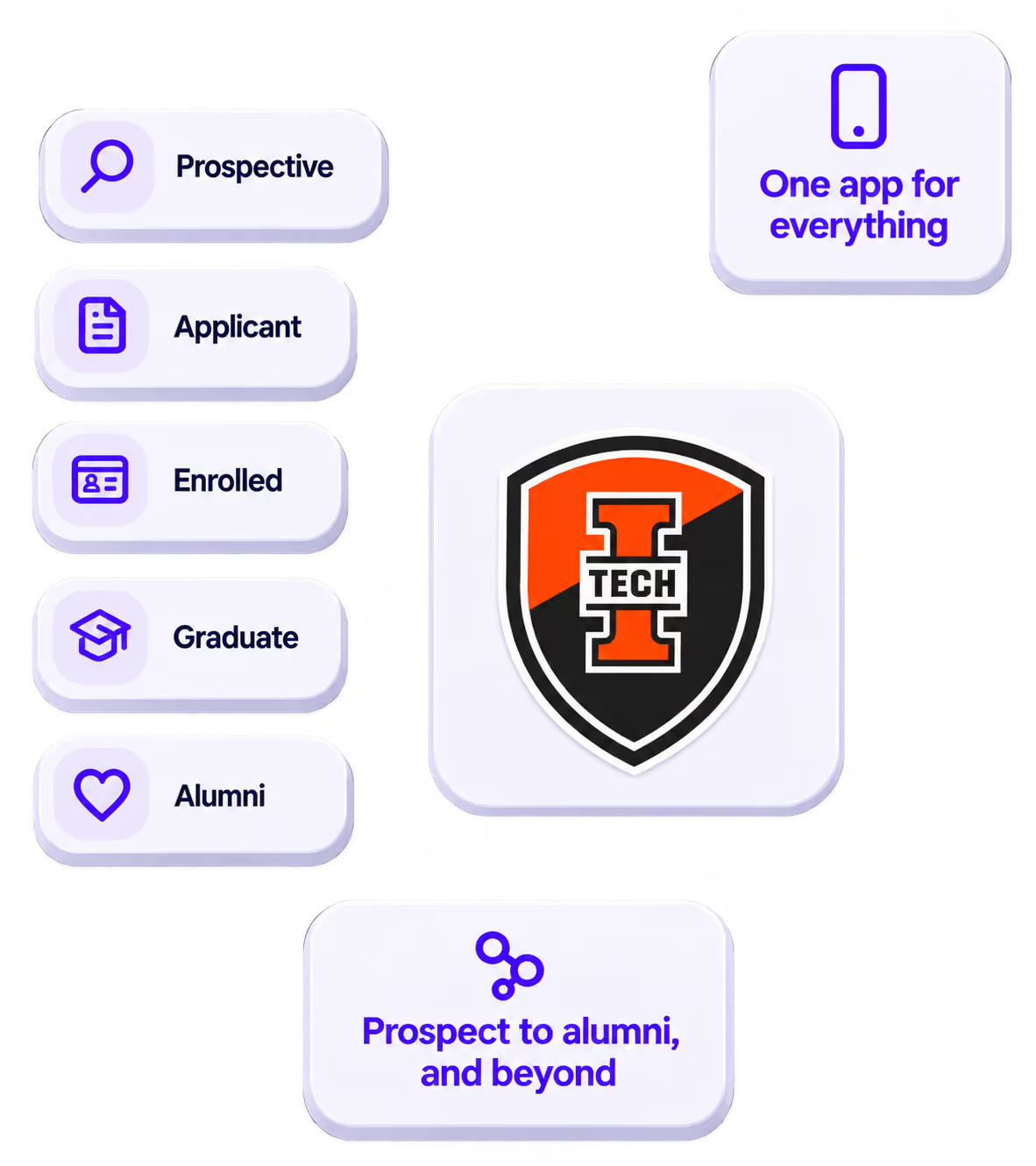
One app for everything a student needs. From being a prospective student through to graduation and beyond.
Stand out
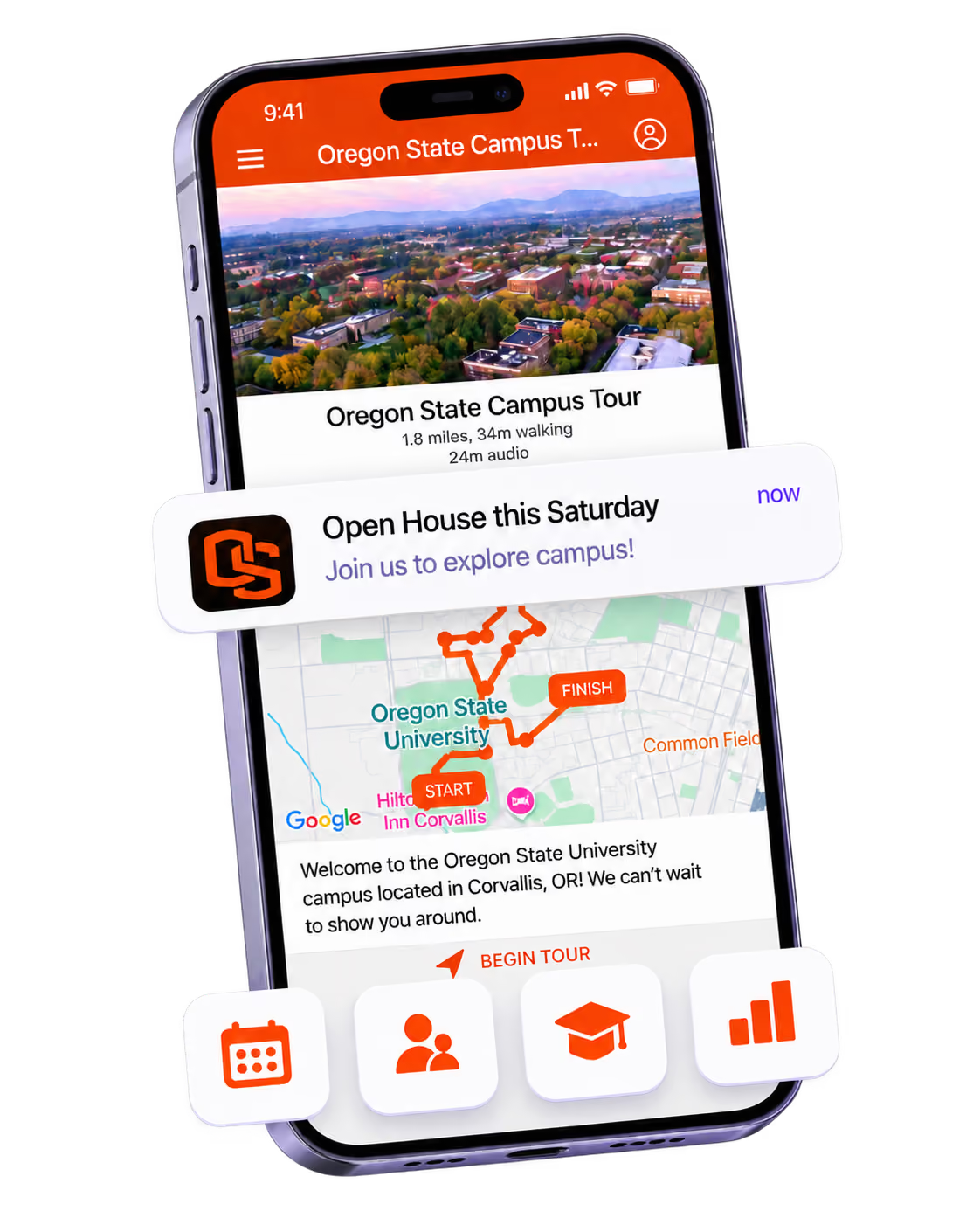
Your own app helps you to stand out from the competition, stay top of mind, and be remembered.

Get the Mobile App Playbook
A short guide to running the whole student journey in one app. No fluff, just what works.
for higher ed
Campus
Playbook
A practical guide to building a connected campus experience.
Free playbook
The Mobile App Playbook for Universities
Students decide if they belong long before they set foot on campus. This playbook shows how to win them over from the first visit through graduation.
- Grow enrollment and boost recruitment
- Increase belonging and retention
- Run every event from one branded app
By submitting, you agree to our Privacy Policy.
You're in.
.png)