
Campus apps by department
Admissions, orientation, student life, and more — one campus app that works across departments.

Campus apps by department
Admissions, orientation, student life, and more — one campus app that works across departments.
Build unlimited event apps on one license
One partnership for unlimited campus events — orientation, tours, student life, and everything in between.
Build unlimited event apps on one license
One partnership for unlimited campus events — orientation, tours, student life, and everything in between.
Compare event app platforms
See how Guidebook stacks up against other event app and registration platforms.
Compare event app platforms
See how Guidebook stacks up against other event app and registration platforms.
Event apps for nonprofit and community programs
Give members, volunteers, and donors one branded app for conferences, fundraisers, and year-round community.
Event apps for nonprofit and community programs
Give members, volunteers, and donors one branded app for conferences, fundraisers, and year-round community.
Campus integrations and an open API
Connect Guidebook with the campus systems, APIs, and tools your team already uses.
Campus integrations and an open API
Connect Guidebook with the campus systems, APIs, and tools your team already uses.
Event apps for corporate and enterprise teams
Internal meetings, offsites, and large-scale corporate events — with the branding and control enterprise teams need.
Event apps for corporate and enterprise teams
Internal meetings, offsites, and large-scale corporate events — with the branding and control enterprise teams need.
Create a branded event app with no coding
Put schedules, maps, resources, and updates in every attendee's pocket — built for campus events and programs.
Create a branded event app with no coding
Put schedules, maps, resources, and updates in every attendee's pocket — built for campus events and programs.
Launch a branded, white-label event app
A white-label event app with your branding, your content, and your attendee experience — no coding required.
Launch a branded, white-label event app
A white-label event app with your branding, your content, and your attendee experience — no coding required.
Everything in the Guidebook platform
Explore the features event teams use to engage attendees before, during, and after the event.
Everything in the Guidebook platform
Explore the features event teams use to engage attendees before, during, and after the event.
One app for in-person and virtual attendees
The same schedule, networking, and updates whether people are in the room or joining remotely.
One app for in-person and virtual attendees
The same schedule, networking, and updates whether people are in the room or joining remotely.
Event apps built for associations
Annual meetings, chapter events, and member engagement — without rebuilding a new app every year.
Event apps built for associations
Annual meetings, chapter events, and member engagement — without rebuilding a new app every year.
A branded event website that matches the app
Promote the event, collect interest, and keep branding consistent from the first click to check-in.
A branded event website that matches the app
Promote the event, collect interest, and keep branding consistent from the first click to check-in.
Plan, run, and measure events on one platform
App, registration, badges, and websites in one workflow — so planning isn't a pile of disconnected tools.
Plan, run, and measure events on one platform
App, registration, badges, and websites in one workflow — so planning isn't a pile of disconnected tools.
Keep members engaged between events
One branded app for the conference and everything that happens the other 51 weeks of the year.
Keep members engaged between events
One branded app for the conference and everything that happens the other 51 weeks of the year.
The conference app attendees actually use
Schedules, maps, networking, and live updates for annual meetings, summits, and multi-day conferences.
The conference app attendees actually use
Schedules, maps, networking, and live updates for annual meetings, summits, and multi-day conferences.
Registration that feeds your app and badges
Collect registrations, payments, and attendee data in the same platform as your event app.
Registration that feeds your app and badges
Collect registrations, payments, and attendee data in the same platform as your event app.
Design and print event badges in one place
Custom badges, QR check-in, and on-site printing — without a separate badge vendor.
Design and print event badges in one place
Custom badges, QR check-in, and on-site printing — without a separate badge vendor.
A Smaller School?
Deliver a polished, branded event experience without a large team or a big budget.

A Smaller School?
Deliver a polished, branded event experience without a large team or a big budget.
Running Family Programs?
Give families everything they need, from schedules and maps to real-time updates, all in one place.

Running Family Programs?
Give families everything they need, from schedules and maps to real-time updates, all in one place.
Coordinating Move-In Day?
Share updates, manage events, and keep students informed from move-in through the academic year.

Coordinating Move-In Day?
Share updates, manage events, and keep students informed from move-in through the academic year.
Offering Campus Tours?
Deliver branded, self-guided tour experiences with interactive maps and rich media, available 24/7.

Offering Campus Tours?
Deliver branded, self-guided tour experiences with interactive maps and rich media, available 24/7.
Organising a Career Fair?
Simplify logistics for students, employers, and Career Services staff with one easy-to-use app.

Organising a Career Fair?
Simplify logistics for students, employers, and Career Services staff with one easy-to-use app.
Managing Alumni Events?
Plan reunions, regional events, and fundraising campaigns with an app built for alumni engagement.

Managing Alumni Events?
Plan reunions, regional events, and fundraising campaigns with an app built for alumni engagement.
Boost Student Engagement
One hub for schedules, resources, and events that keeps students connected throughout the academic year.

Boost Student Engagement
One hub for schedules, resources, and events that keeps students connected throughout the academic year.
Planning Orientation?
Help new students feel prepared from day one with schedules, campus resources, and real-time updates in one app.

Planning Orientation?
Help new students feel prepared from day one with schedules, campus resources, and real-time updates in one app.
Running Admissions Events?
Manage open houses, tours, and yield events with a branded app that saves time and engages prospective students.

Running Admissions Events?
Manage open houses, tours, and yield events with a branded app that saves time and engages prospective students.
Get a custom Sponsorship Package Template
Stop starting from scratch. Grab free templates that helWe'll build a tailored sponsorship package with suggested pricing, tiers, and benefits..for your specific event.p you build professional sponsorship packages and close deals faster.

Get a custom Sponsorship Package Template
Stop starting from scratch. Grab free templates that helWe'll build a tailored sponsorship package with suggested pricing, tiers, and benefits..for your specific event.p you build professional sponsorship packages and close deals faster.
Plan Your Next Event Without Missing a Beat.
From venue selection to post-event wrap-up, this free checklist walks you through every step (so nothing falls through the cracks).
.avif)
Plan Your Next Event Without Missing a Beat.
From venue selection to post-event wrap-up, this free checklist walks you through every step (so nothing falls through the cracks).
Real Results From Real Events
100,000+ organizations trust Guidebook. See exactly how universities, associations, enterprises, and more put it to work.

Real Results From Real Events
100,000+ organizations trust Guidebook. See exactly how universities, associations, enterprises, and more put it to work.
Flexible pricing for every event size
Find the perfect plan for your needs, from intimate gatherings to large-scale conferences.

Flexible pricing for every event size
Find the perfect plan for your needs, from intimate gatherings to large-scale conferences.
Join our event experts
Watch on-demand webinars and join live sessions with industry leaders sharing best practices for event success.
.avif)
Join our event experts
Watch on-demand webinars and join live sessions with industry leaders sharing best practices for event success.
Guidebook in Action
Book a personalized walkthrough and discover how we help event teams create better attendee experiences.
Guidebook in Action
Book a personalized walkthrough and discover how we help event teams create better attendee experiences.

What is a campus wayfinding app?
A campus wayfinding app helps students and visitors navigate campus with interactive maps, real-time directions, and location-based services. Learn key features, benefits, and implementation tips.

Campus wayfinding app is a mobile navigation tool that helps students, visitors, and staff find their way around college and university grounds using interactive maps and real-time directions. These apps transform confusing campus layouts into intuitive, tap-and-go experiences. When students can find their classes without stress, everything else falls into place.
Here's the thing: a campus wayfinding app isn't just a digital map. It's a confidence builder. New students often feel overwhelmed by sprawling campuses with dozens of buildings. A good wayfinding app turns that anxiety into excitement. It's the difference between a student who shows up late and flustered versus one who arrives calm and ready to learn.
Key Characteristics of Campus Wayfinding Apps
- Interactive Campus Maps: Users can zoom, pan, and tap on buildings to see details like hours, accessibility features, and available services.
- Turn-by-Turn Navigation: Step-by-step directions guide users from their current location to any destination on campus.
- Indoor Mapping Capabilities: Advanced apps show floor plans for multi-story buildings, helping users find specific rooms or offices.
- Search Functionality: Students can search by building name, department, professor, or service type to quickly locate what they need.
- Offline Access: Maps and routes remain available without internet connection—crucial for areas with spotty campus WiFi.
- Accessibility Routing: Alternative routes highlight wheelchair-accessible paths, elevators, and automatic doors.
- Real-Time Updates: Construction zones, closed buildings, and temporary changes appear instantly in the app.
Campus Wayfinding App vs. Related Navigation Tools
Google Maps
- Scope: Global navigation covering streets, businesses, and general locations worldwide
- Focus: Getting users to a campus address, not within campus grounds
- Timeline: Real-time traffic and transit updates for city navigation
- Channels: Web and mobile app available to anyone
- Goal: General-purpose navigation for everyday travel needs
Campus Portal Maps
- Scope: Static maps embedded in university websites
- Focus: Basic building identification without navigation features
- Timeline: Updated manually, often outdated
- Channels: Desktop-focused web pages
- Goal: Provide general campus overview for planning purposes
Campus Wayfinding App
- Scope: Detailed navigation within campus boundaries, including indoor spaces
- Focus: Helping users reach specific rooms, offices, and campus services
- Timeline: Real-time updates for events, closures, and schedule changes
- Channels: Mobile-first design optimized for on-the-go use
- Goal: Create seamless campus experiences that boost student success
While Google Maps gets visitors to campus and portal maps show what's there, a dedicated wayfinding app bridges the gap. It picks up where general navigation ends and guides users to their exact destination.
Essential Campus Wayfinding App Features
Location-Based Services
GPS technology pinpoints user location in real time. This powers the "you are here" marker that makes navigation intuitive. Without accurate location services, wayfinding becomes guesswork.
Bluetooth beacons enhance indoor positioning. They help users navigate inside buildings where GPS signals weaken. This technology is especially valuable for large lecture halls and library complexes.
Points of Interest Database
Every searchable location needs detailed information. This includes:
- Building names and common nicknames
- Department offices and faculty locations
- Dining halls, cafes, and vending machines
- Study spaces and computer labs
- Health services and counseling centers
- Parking lots and bike racks
Event Integration Capabilities
The best wayfinding apps connect with event planning systems. When a campus hosts orientation, career fairs, or athletic events, the app should reflect those activities. Users can tap an event and get directions instantly.
This integration proves especially valuable during new student programs. Incoming freshmen can navigate from session to session without asking for help.
Customization and Branding
A branded app reinforces school identity. Custom colors, logos, and mascots make the app feel like part of the campus community. Generic navigation tools can't deliver that sense of belonging.
How Campus Wayfinding Apps Work
Map Data Collection
Creating accurate campus maps starts with data. Schools provide building footprints, pathways, and geographic coordinates. Some institutions use drone photography or LiDAR scanning for precision.
Indoor mapping requires floor plans from facilities management. Each room gets tagged with its purpose, accessibility features, and relevant departments.
Route Calculation Algorithms
When a user requests directions, the app calculates the optimal path. It considers:
- Shortest walking distance
- Accessibility requirements
- Current construction or closures
- Time of day (some buildings lock after hours)
- Weather conditions (covered walkways preferred in rain)
User Interface Design
Great wayfinding apps prioritize simplicity. Users should find their destination within three taps. Search bars appear prominently. Maps load quickly. Directions display clearly.
Following proven design tips ensures the app works for everyone. This includes students rushing between classes and parents visiting for the first time.
Backend Management Systems
Administrators need tools to update information easily. When a department moves or a building closes for renovation, changes should go live immediately. The best platforms offer intuitive dashboards that don't require technical expertise.
Why Campus Wayfinding Apps Matter
For Student Success
- Reduced First-Day Anxiety: Students arrive confident instead of stressed, setting a positive tone for the semester.
- Better Class Attendance: When students can find classrooms easily, they show up on time and ready to learn.
- Increased Campus Engagement: Students discover services and spaces they didn't know existed, from tutoring centers to quiet study spots.
- Improved Accessibility: Students with mobility challenges navigate independently without asking for help repeatedly.
- Stronger Sense of Belonging: Mastering campus geography helps students feel at home faster.
For Institutional Goals
- Higher Retention Rates: Students who feel comfortable on campus are more likely to stay enrolled.
- Better Event Attendance: When finding venues is easy, more students show up to team building events and campus activities.
- Reduced Staff Burden: Fewer students stopping to ask for directions means staff can focus on higher-value tasks.
- Enhanced Campus Tours: Prospective students and families navigate campus tours smoothly, improving yield rates.
- Measurable ROI: Analytics show how students use campus spaces, informing facilities planning and event ROI calculations.
Guidebook's event management platform helps schools create wayfinding experiences that integrate with orientation schedules, career fairs, and daily campus life.
Campus Wayfinding App Best Practices
- Start with Accurate Data: Audit every building, pathway, and point of interest before launch. Inaccurate maps destroy user trust instantly.
- Prioritize Mobile-First Design: Students use phones, not laptops, while walking across campus. Every feature should work flawlessly on small screens.
- Include Indoor Navigation: Getting to a building is only half the battle. Help users find specific rooms, especially in large complexes.
- Update Information Regularly: Construction, renovations, and department moves happen constantly. Build update workflows into your process.
- Promote the App Aggressively: Follow proven strategies to increase app downloads. QR codes on move-in materials, orientation emails, and campus signage all help.
- Integrate with Campus Events: Connect wayfinding to your event registration system so users can navigate to sessions they've signed up for.
- Test with Real Users: Have students, parents, and visitors try the app before launch. Their feedback reveals problems you'll never spot internally.
- Provide Offline Functionality: Campus WiFi isn't always reliable. Core maps and saved routes should work without internet.
- Make Accessibility a Priority: Wheelchair-accessible routes, audio descriptions, and high-contrast modes serve all users better.
- Track Usage Analytics: Monitor which destinations get searched most. This data informs signage placement and event management decisions.
Common Campus Wayfinding App Mistakes
Launching with Incomplete Data: Schools sometimes rush to launch before mapping every building. Students quickly lose trust when they search for a location and get no results. Complete your database before going live.
Ignoring Indoor Navigation: Many apps stop at building entrances. But students need to find Room 347 in a building with confusing hallways. Indoor mapping takes extra effort but delivers massive value.
Forgetting About Updates: A wayfinding app isn't a one-time project. Without regular updates, information becomes stale. Budget for ongoing maintenance from day one.
Overcomplicating the Interface: Adding too many features clutters the experience. Students want directions, not a Swiss Army knife. Keep the core navigation simple and fast.
Skipping Accessibility Features: Apps that only show standard routes exclude students with mobility challenges. Accessible routing should be a core feature, not an afterthought.
Poor Promotion Strategy: Even the best app fails if nobody downloads it. Coordinate with admissions, housing, and orientation teams to promote the app at every touchpoint.
Not Integrating with Other Systems: Standalone wayfinding apps miss opportunities. Integration with event schedules, class registration, and campus resources creates a unified experience.
Final Thoughts
A campus wayfinding app does more than show directions. It shapes how students experience their school from day one. When navigation feels effortless, students focus on what matters: learning, connecting, and growing.
Higher education faces real challenges with student retention and engagement. Small friction points—like getting lost on the way to class—add up. Smart schools remove these barriers with technology that meets students where they are: on their phones.
The best wayfinding solutions don't exist in isolation. They connect with event planning processes, parent and family programs, and alumni events. This integration creates a seamless campus experience that supports students throughout their journey.
Ready to transform how people navigate your campus? Guidebook helps schools create apps that combine wayfinding with event management, schedules, and campus resources. Request a demo to see how it works. Because when students can find their way, they find their place.
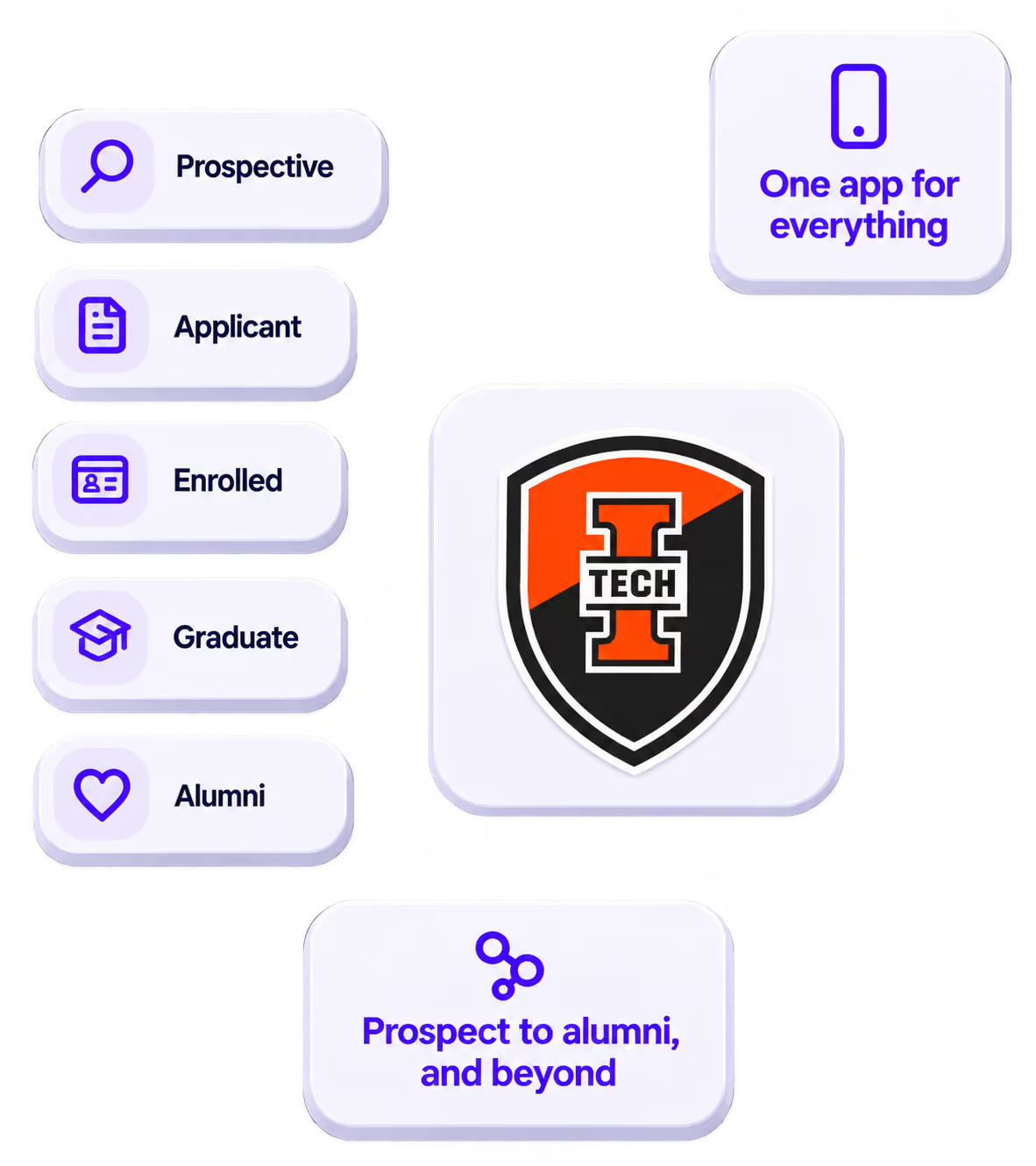
The power of your brand in your app, from first visit to alumni.
Build trust
Attendees download your app, not ours. Your name, colors, and crest in the stores.
.avif)
One place for the whole event
Schedules, maps, registration, and updates in one branded hub - not five tools.
Stand out
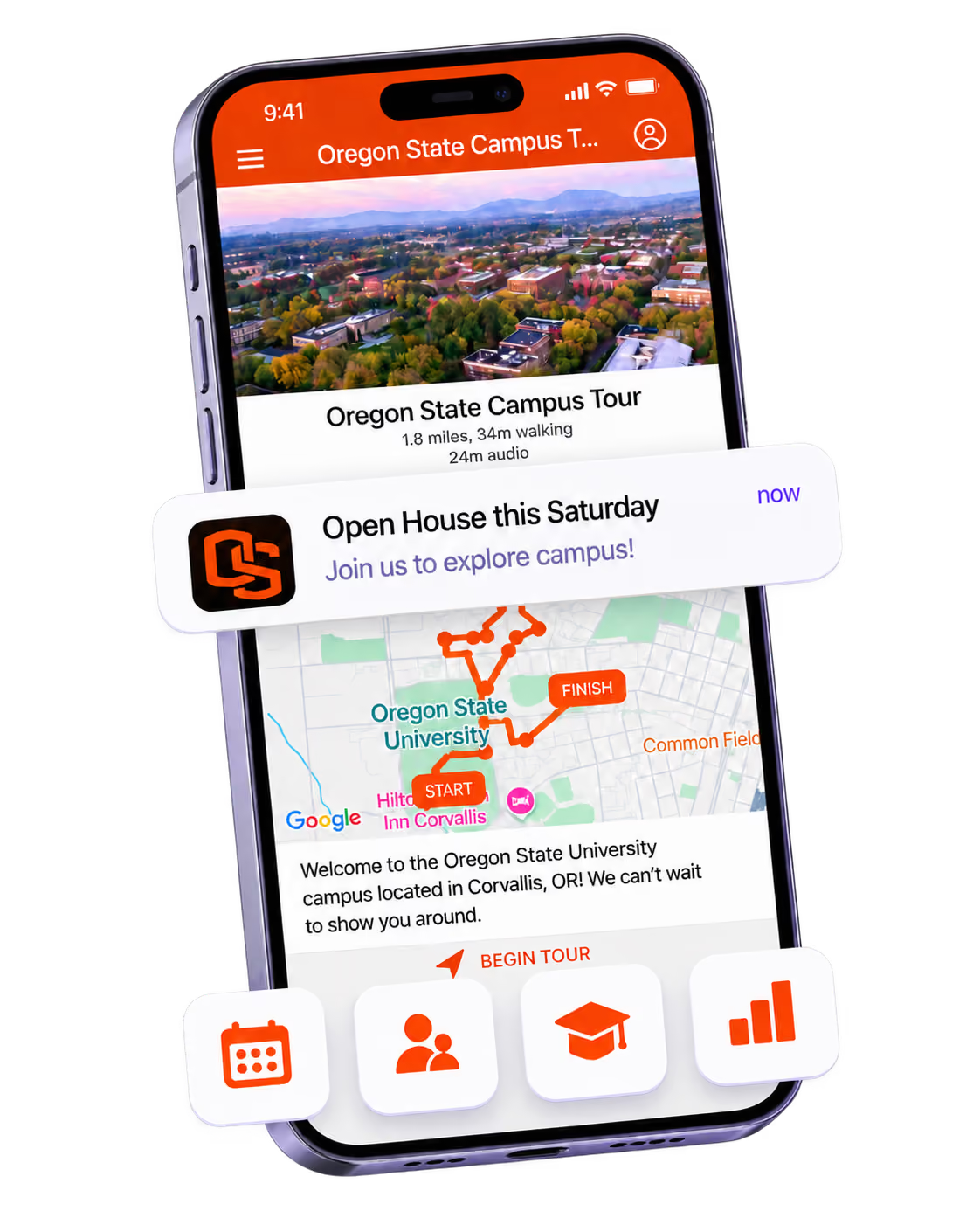
A branded app is what people keep on their phone after the printed program is in the recycling.

Get the Mobile App Playbook
A short guide to running the whole student journey in one app. No fluff, just what works.
for higher ed
Campus
Playbook
A practical guide to building a connected campus experience.
Free playbook
The Mobile App Playbook for Universities
Students decide if they belong long before they set foot on campus. This playbook shows how to win them over from the first visit through graduation.
- Grow enrollment and boost recruitment
- Increase belonging and retention
- Run every event from one branded app
By submitting, you agree to our Privacy Policy.
You're in.
.png)