Campus apps by department
Admissions, orientation, student life, and more — one campus app that works across departments.

Campus apps by department
Admissions, orientation, student life, and more — one campus app that works across departments.
Build unlimited event apps on one license
One partnership for unlimited campus events — orientation, tours, student life, and everything in between.
Build unlimited event apps on one license
One partnership for unlimited campus events — orientation, tours, student life, and everything in between.
Compare event app platforms
See how Guidebook stacks up against other event app and registration platforms.
Compare event app platforms
See how Guidebook stacks up against other event app and registration platforms.
Event apps for nonprofit and community programs
Give members, volunteers, and donors one branded app for conferences, fundraisers, and year-round community.
Event apps for nonprofit and community programs
Give members, volunteers, and donors one branded app for conferences, fundraisers, and year-round community.
Campus integrations and an open API
Connect Guidebook with the campus systems, APIs, and tools your team already uses.
Campus integrations and an open API
Connect Guidebook with the campus systems, APIs, and tools your team already uses.
Event apps for corporate and enterprise teams
Internal meetings, offsites, and large-scale corporate events — with the branding and control enterprise teams need.
Event apps for corporate and enterprise teams
Internal meetings, offsites, and large-scale corporate events — with the branding and control enterprise teams need.
Create a branded event app with no coding
Put schedules, maps, resources, and updates in every attendee's pocket — built for campus events and programs.
Create a branded event app with no coding
Put schedules, maps, resources, and updates in every attendee's pocket — built for campus events and programs.
Launch a branded, white-label event app
A white-label event app with your branding, your content, and your attendee experience — no coding required.
Launch a branded, white-label event app
A white-label event app with your branding, your content, and your attendee experience — no coding required.
Everything in the Guidebook platform
Explore the features event teams use to engage attendees before, during, and after the event.
Everything in the Guidebook platform
Explore the features event teams use to engage attendees before, during, and after the event.
One app for in-person and virtual attendees
The same schedule, networking, and updates whether people are in the room or joining remotely.
One app for in-person and virtual attendees
The same schedule, networking, and updates whether people are in the room or joining remotely.
Event apps built for associations
Annual meetings, chapter events, and member engagement — without rebuilding a new app every year.
Event apps built for associations
Annual meetings, chapter events, and member engagement — without rebuilding a new app every year.
A branded event website that matches the app
Promote the event, collect interest, and keep branding consistent from the first click to check-in.
A branded event website that matches the app
Promote the event, collect interest, and keep branding consistent from the first click to check-in.
Plan, run, and measure events on one platform
App, registration, badges, and websites in one workflow — so planning isn't a pile of disconnected tools.
Plan, run, and measure events on one platform
App, registration, badges, and websites in one workflow — so planning isn't a pile of disconnected tools.
Keep members engaged between events
One branded app for the conference and everything that happens the other 51 weeks of the year.
Keep members engaged between events
One branded app for the conference and everything that happens the other 51 weeks of the year.
The conference app attendees actually use
Schedules, maps, networking, and live updates for annual meetings, summits, and multi-day conferences.
The conference app attendees actually use
Schedules, maps, networking, and live updates for annual meetings, summits, and multi-day conferences.
Registration that feeds your app and badges
Collect registrations, payments, and attendee data in the same platform as your event app.
Registration that feeds your app and badges
Collect registrations, payments, and attendee data in the same platform as your event app.
Design and print event badges in one place
Custom badges, QR check-in, and on-site printing — without a separate badge vendor.
Design and print event badges in one place
Custom badges, QR check-in, and on-site printing — without a separate badge vendor.
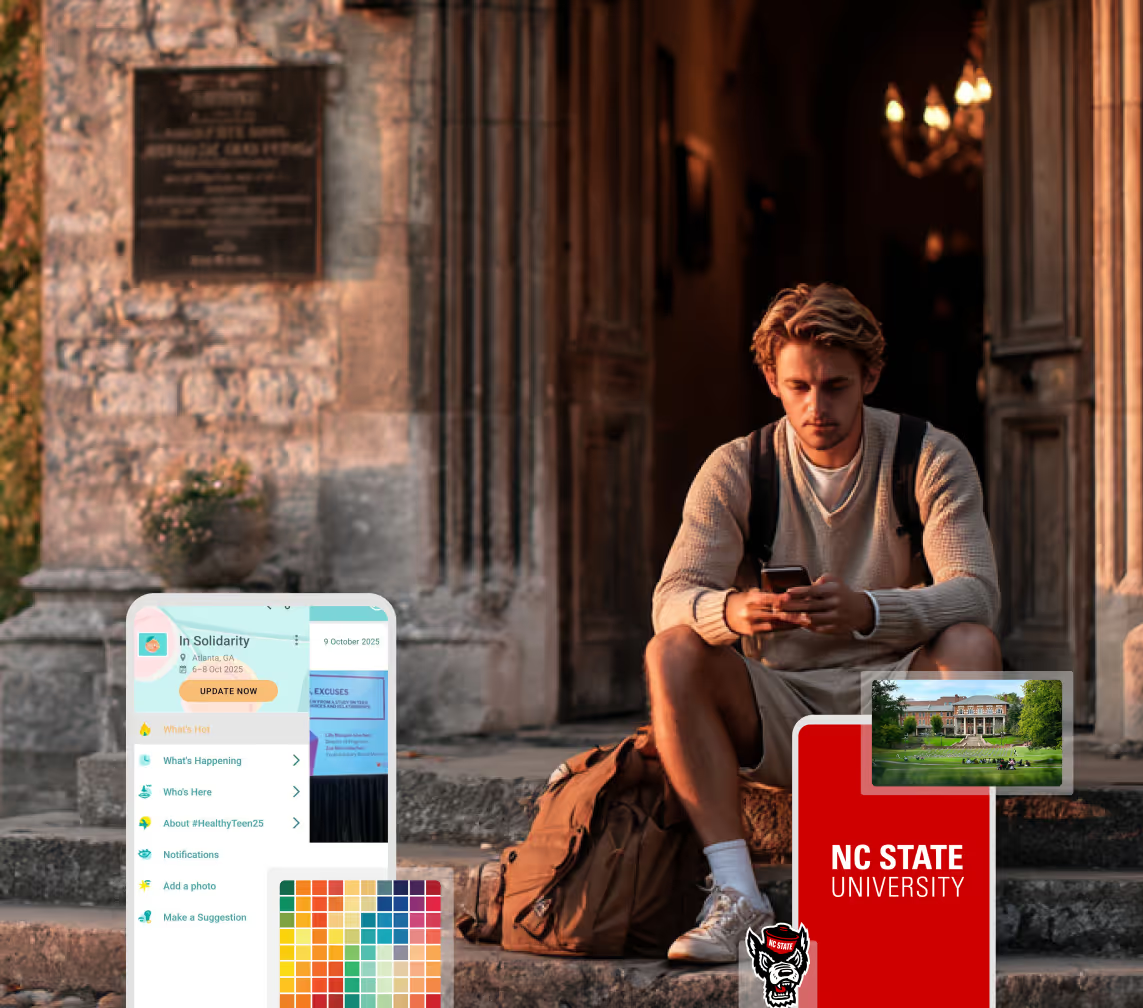
A Smaller School?
Deliver a polished, branded event experience without a large team or a big budget.
A Smaller School?
Deliver a polished, branded event experience without a large team or a big budget.
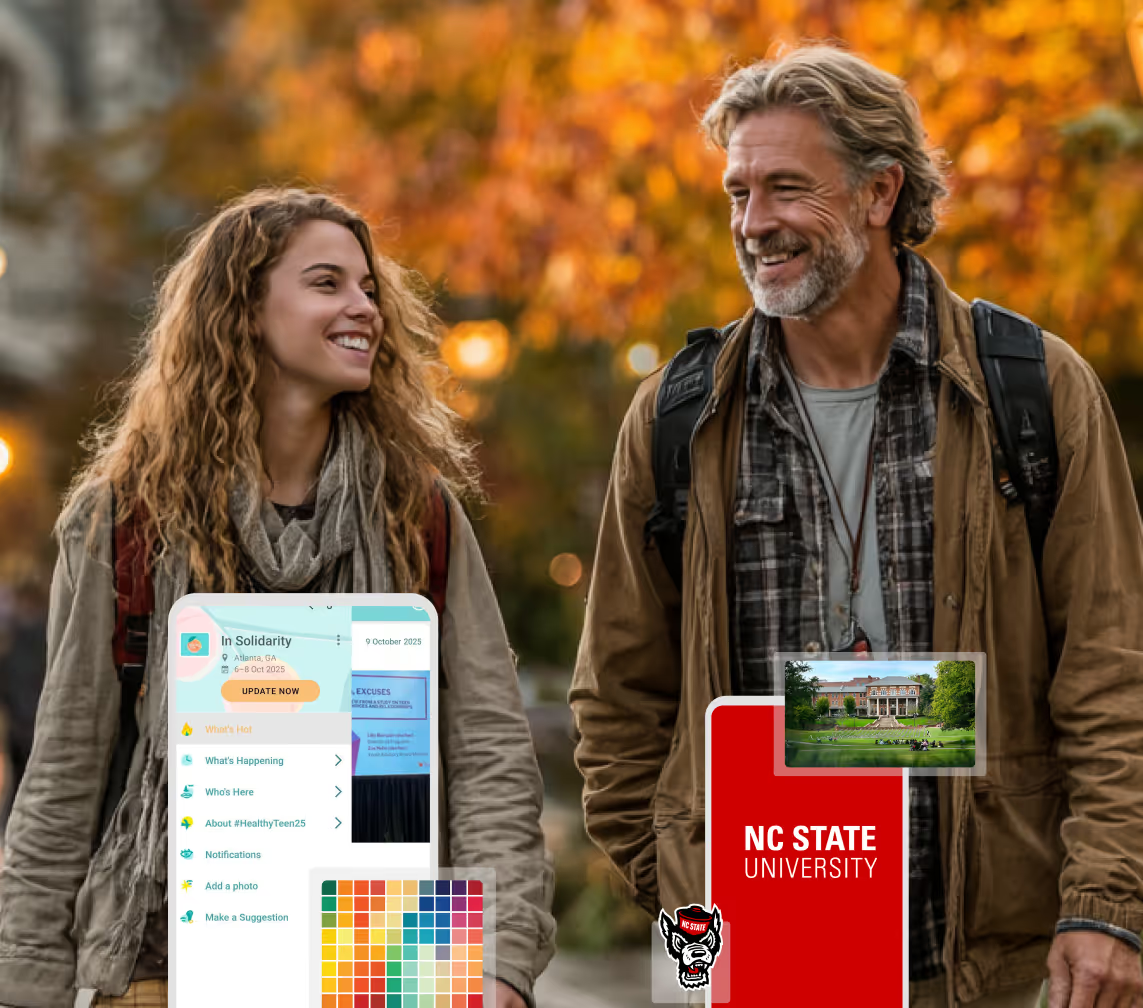
Running Family Programs?
Give families everything they need, from schedules and maps to real-time updates, all in one place.
Running Family Programs?
Give families everything they need, from schedules and maps to real-time updates, all in one place.
Coordinating Move-In Day?
Share updates, manage events, and keep students informed from move-in through the academic year.

Coordinating Move-In Day?
Share updates, manage events, and keep students informed from move-in through the academic year.
Offering Campus Tours?
Deliver branded, self-guided tour experiences with interactive maps and rich media, available 24/7.

Offering Campus Tours?
Deliver branded, self-guided tour experiences with interactive maps and rich media, available 24/7.
Organising a Career Fair?
Simplify logistics for students, employers, and Career Services staff with one easy-to-use app.
Organising a Career Fair?
Simplify logistics for students, employers, and Career Services staff with one easy-to-use app.
Managing Alumni Events?
Plan reunions, regional events, and fundraising campaigns with an app built for alumni engagement.
Managing Alumni Events?
Plan reunions, regional events, and fundraising campaigns with an app built for alumni engagement.
Boost Student Engagement
One hub for schedules, resources, and events that keeps students connected throughout the academic year.
Boost Student Engagement
One hub for schedules, resources, and events that keeps students connected throughout the academic year.
Planning Orientation?
Help new students feel prepared from day one with schedules, campus resources, and real-time updates in one app.
Planning Orientation?
Help new students feel prepared from day one with schedules, campus resources, and real-time updates in one app.
Running Admissions Events?
Manage open houses, tours, and yield events with a branded app that saves time and engages prospective students.

Running Admissions Events?
Manage open houses, tours, and yield events with a branded app that saves time and engages prospective students.
Get a custom Sponsorship Package Template
Stop starting from scratch. Grab free templates that helWe'll build a tailored sponsorship package with suggested pricing, tiers, and benefits..for your specific event.p you build professional sponsorship packages and close deals faster.
Get a custom Sponsorship Package Template
Stop starting from scratch. Grab free templates that helWe'll build a tailored sponsorship package with suggested pricing, tiers, and benefits..for your specific event.p you build professional sponsorship packages and close deals faster.
Plan Your Next Event Without Missing a Beat.
From venue selection to post-event wrap-up, this free checklist walks you through every step (so nothing falls through the cracks).
.avif)
Plan Your Next Event Without Missing a Beat.
From venue selection to post-event wrap-up, this free checklist walks you through every step (so nothing falls through the cracks).
Real Results From Real Events
100,000+ organizations trust Guidebook. See exactly how universities, associations, enterprises, and more put it to work.

Real Results From Real Events
100,000+ organizations trust Guidebook. See exactly how universities, associations, enterprises, and more put it to work.
Flexible pricing for every event size
Find the perfect plan for your needs, from intimate gatherings to large-scale conferences.

Flexible pricing for every event size
Find the perfect plan for your needs, from intimate gatherings to large-scale conferences.
Join our event experts
Watch on-demand webinars and join live sessions with industry leaders sharing best practices for event success.
.avif)
Join our event experts
Watch on-demand webinars and join live sessions with industry leaders sharing best practices for event success.
Guidebook in Action
Book a personalized walkthrough and discover how we help event teams create better attendee experiences.
Guidebook in Action
Book a personalized walkthrough and discover how we help event teams create better attendee experiences.
How to Create a Health Guide for your Campus App





How to Create a Health Guide for your Campus App
How can mobile tech aid student communications during times of despair?
As we're all finding out in real-time, a global pandemic like COVID-19 can carry confusion, fear, and even hysteria alongside it. At times like this, it's important we maintain level-headed, relax students, faculty, and staff, and minimize the risk of infection on (and off) campus. For schools and universities trying their best to keep up-to-date with recent news and simultaneously maintain strong communication with all parties, it's important to look beyond just email and student portals. The purpose of this post is to help you envision how you might leverage Guidebook's Builder platform to improve communications with your school staff and students during hectic times like this. We'll walk you through each of the features you see below that we feel are most appropriate for a health guide in a campus app. Feel free to replicate any bits and pieces you like!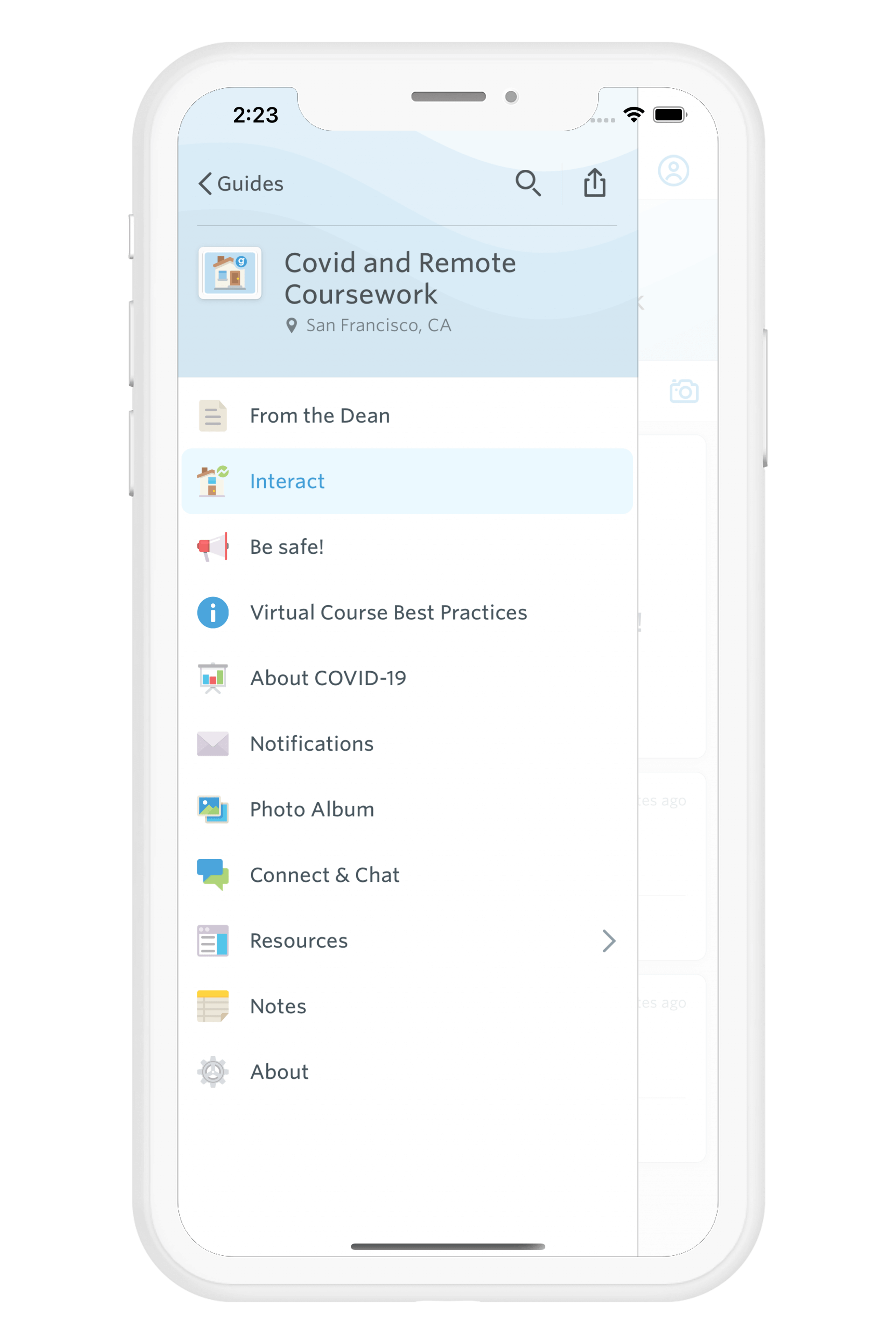 First, start by building a new guide. We'll walk through exactly which features we think are worth adding so you can go ahead and start from a blank template. However, if you’d like to browse through our template library of pre-populated guides, you’re welcome to do so! Next, enter in the basic guide details, like name and description. In our case, we chose "COVID and Remote Coursework." Be sure to set your guide as a Year-round guide.** Once the basic details are built out, let's start the fun part: editing our guide. In this screenshot, you can see where we add features to our guide. This button will be your best friend while we build out the guide.
 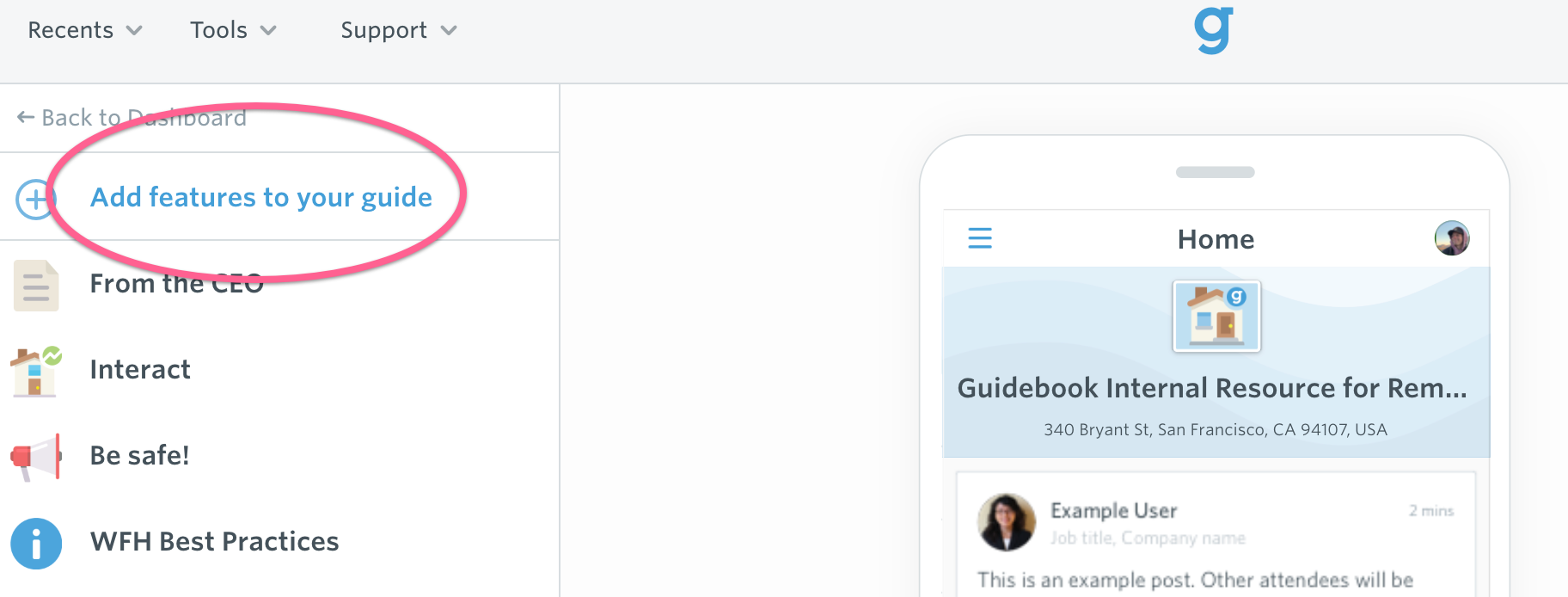 Take a look at our recommended features below. Then, click the "Add features to your guide" button in the top left-hand corner, find the feature you’re interested in, add it, and start filling out the app with your content.
Interact (feature name: Interact)
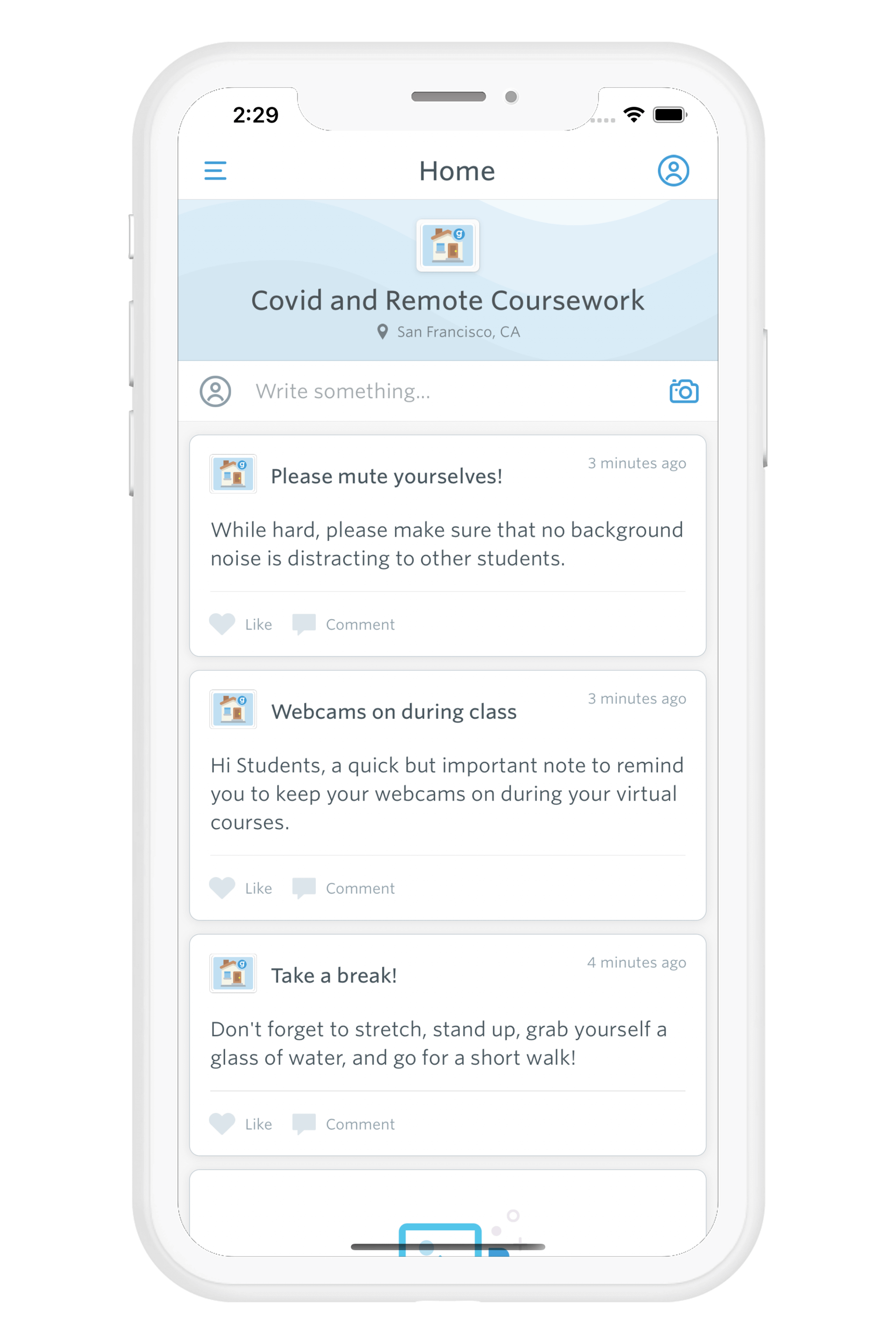 This is a live social feed. We also set it as the home screen of the guide because it's kind of the life blood of the app. Here you could share updates regarding COVID-19, health and wellness tips, or share software advice for students who are now working remote.
Be Safe! (feature name: Custom List)
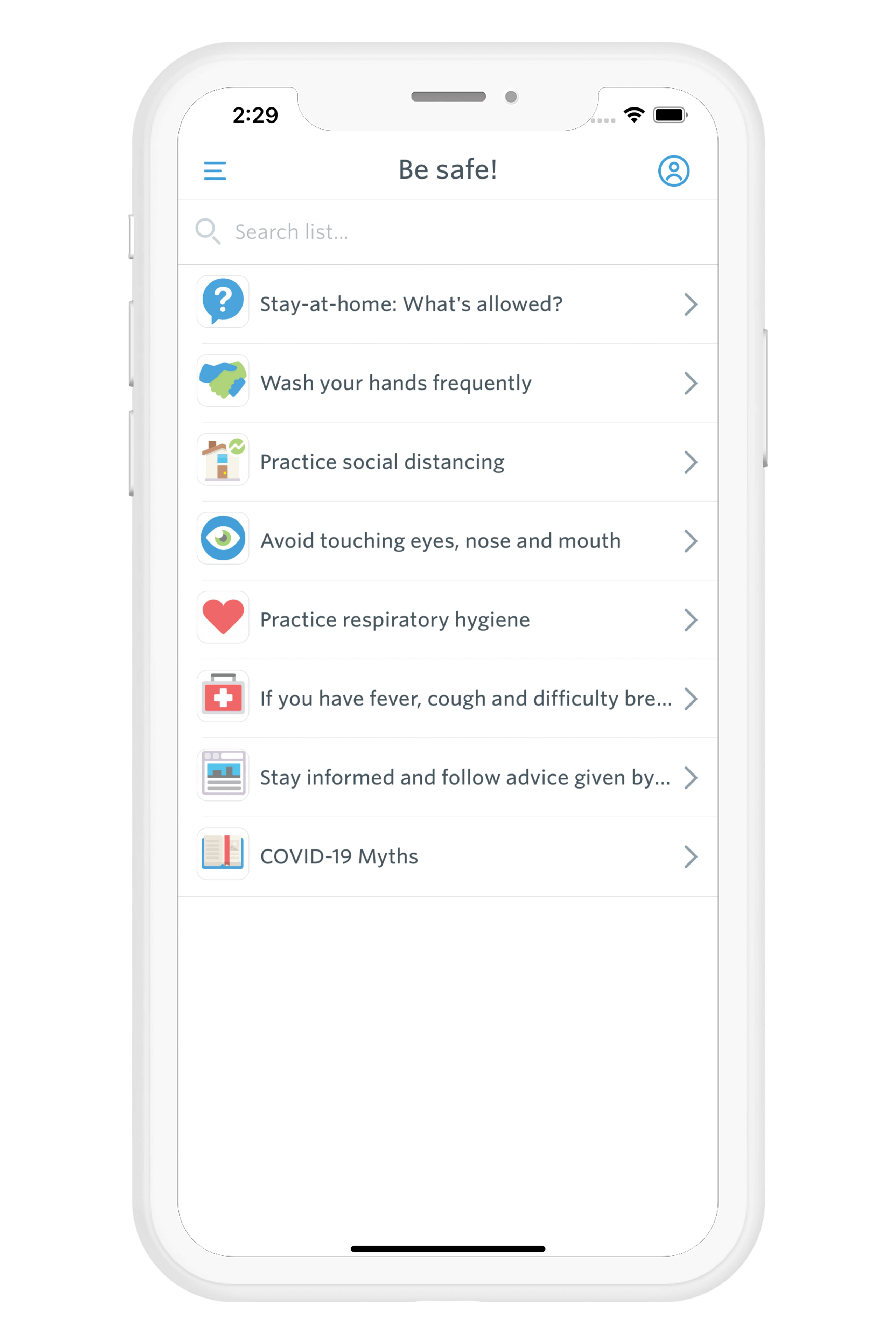 This feature is a simple Custom List used to share health and safety tips with students while COVID-19 runs rampant. Each item in the list also opens up to additional info, if you feel the need to elaborate on any.
Virtual Courses - Best Practices (feature name: Custom List)
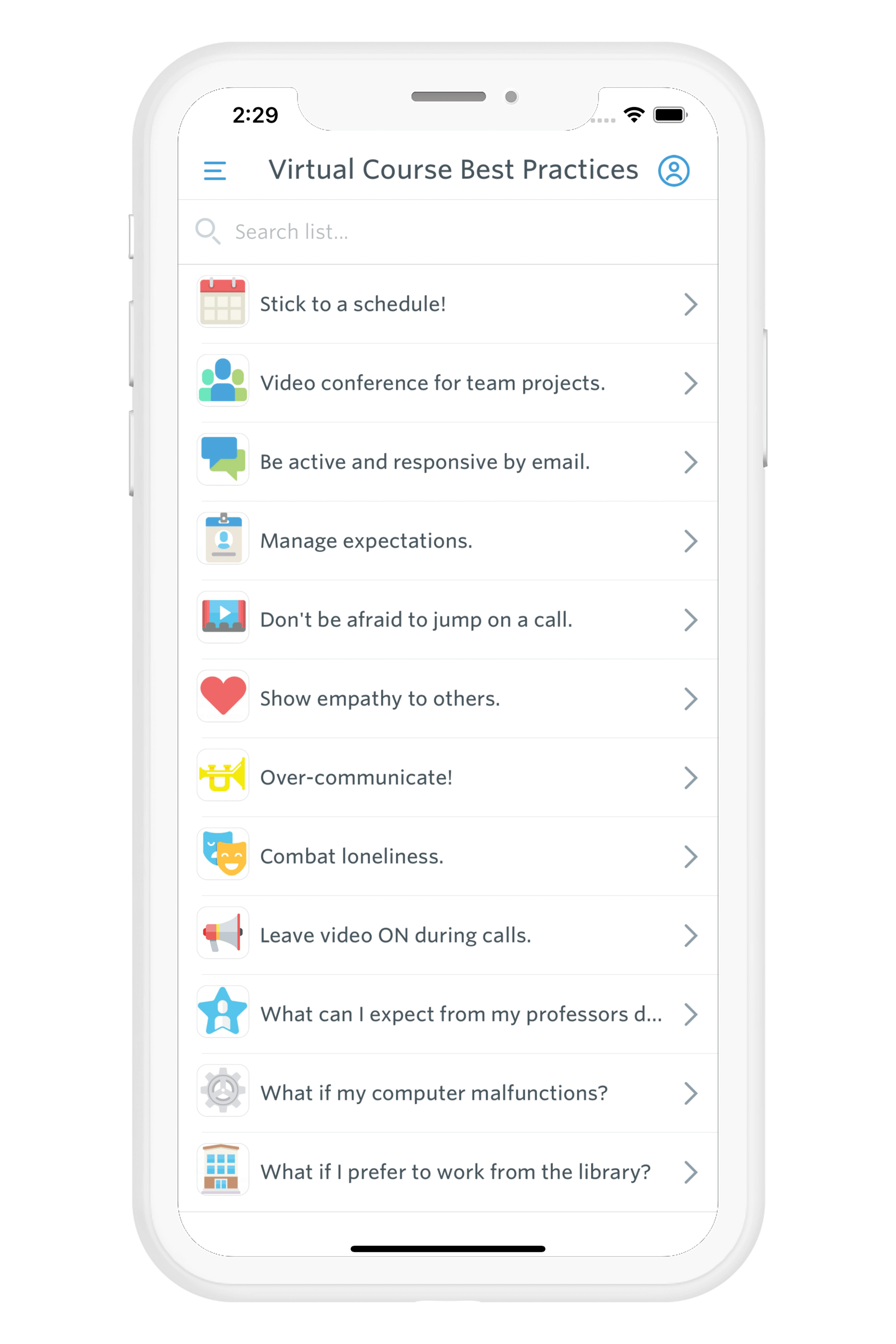 As was just the case with the "Be Safe!" section, custom lists offer the perfect way to serve up quick pieces of advice. If you take a look at the list here, you can see how we offer up easy pieces of advice that are short but sweet. And again — if you feel to need to elaborate on any, you can. Not only that, but as students resume their courses virtually, you can also set them up for success with time management tips, remote work best practices, and rules around calling into class over video.
About COVID-19 (feature name: FAQs)
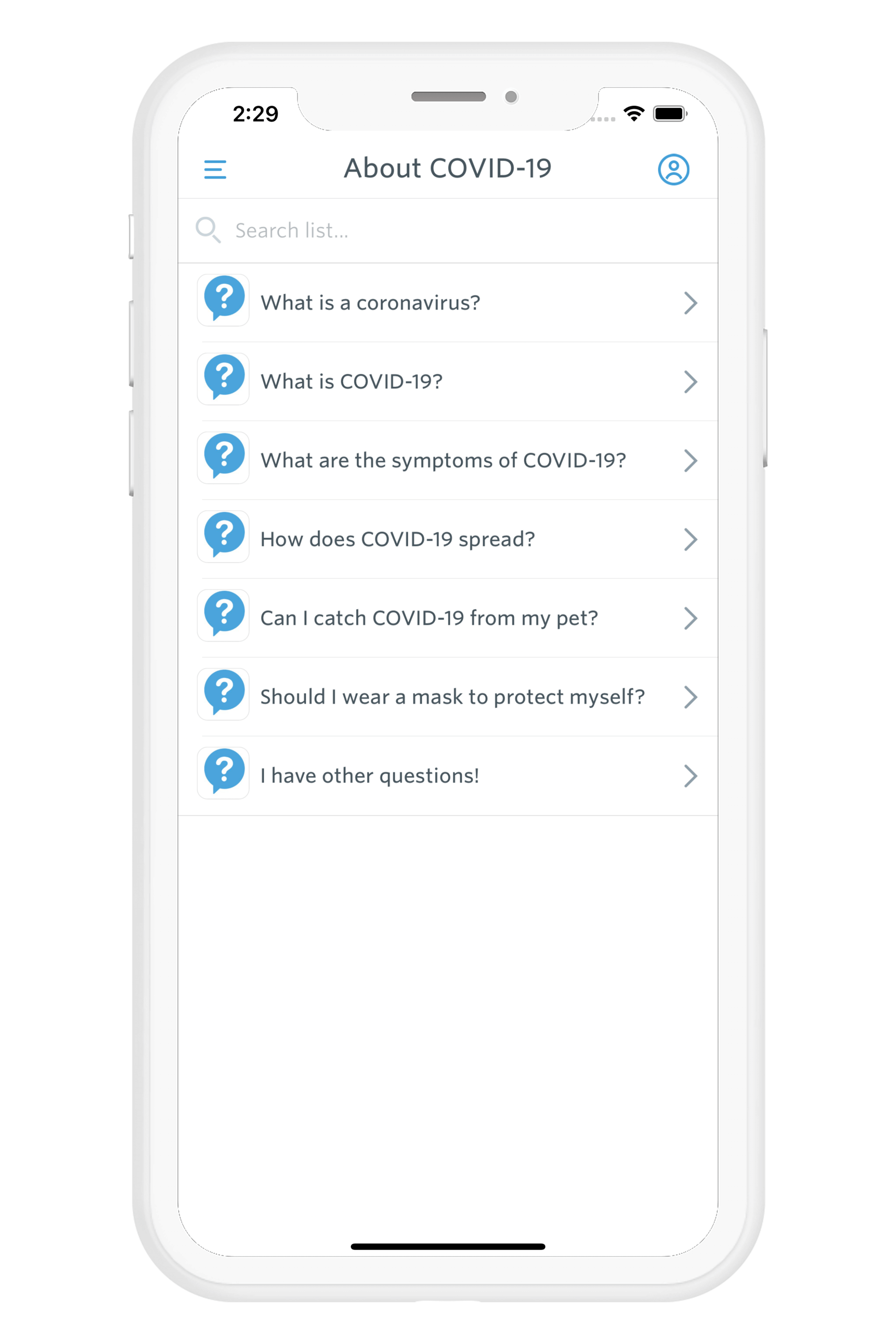 What sorts of questions have you heard students and faculty asking, and what do you envision they might be wondering? Put some of them here in the comment section below! No one expects you to be a subject matter expert on infectious diseases all of a sudden, and you should absolutely leave that to the professionals, but think about questions that you can answer. Just as is the case with Custom List items, each FAQ opens up to display additional, longer-form descriptions when tapped.
Notifications (feature name: Notifications)
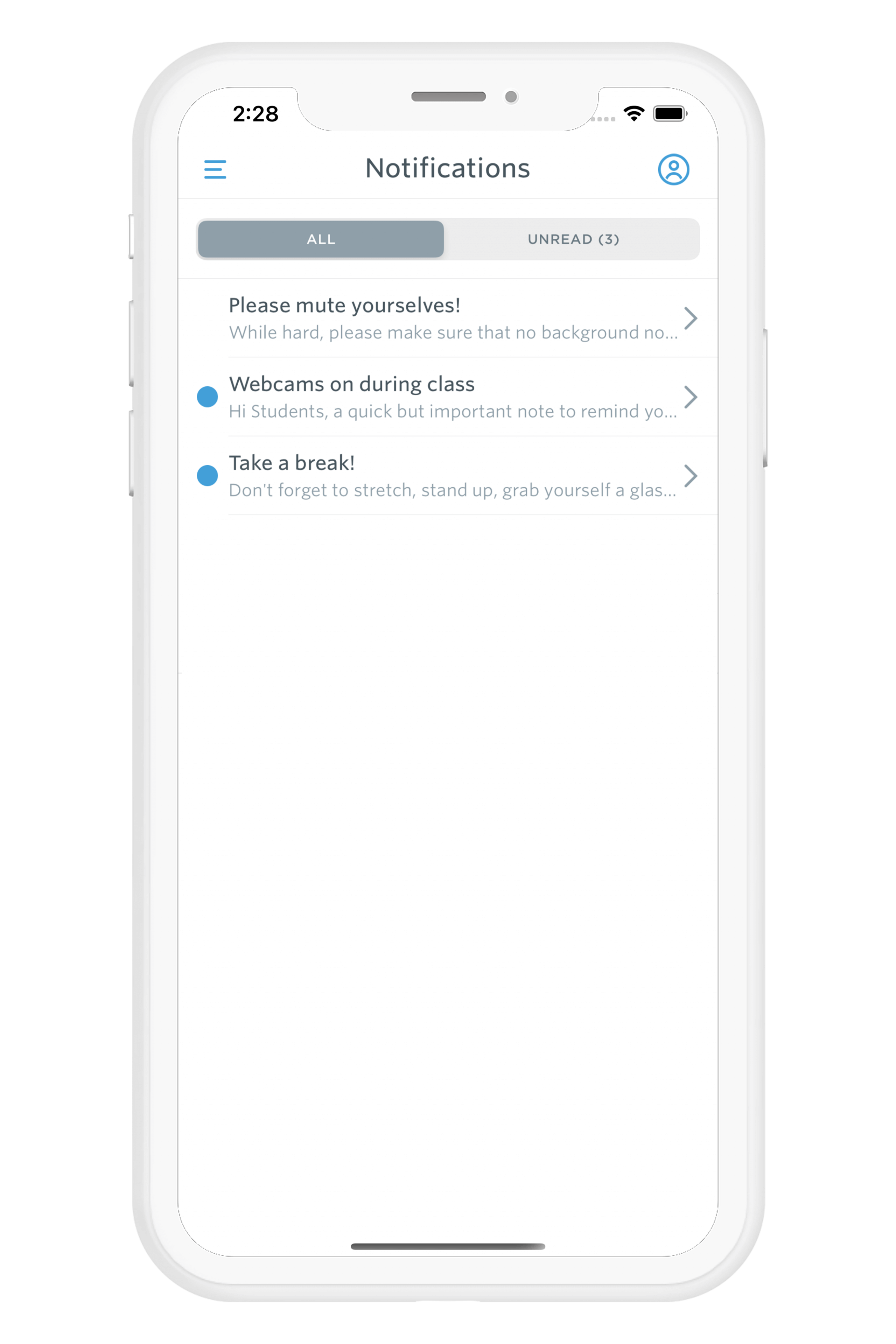 You may choose to use Guidebook's Notification feature to send (you guessed it) notifications out. Think campus alerts, proactive preventative measures, or anything else that may be time-sensitive and you know folks should see. But, you don't set those notifications here. Instead, you’ll need to do this in your Guide Dashboard. Load up and schedule any notifications you'd like to deliver to your staff and students.
Resources
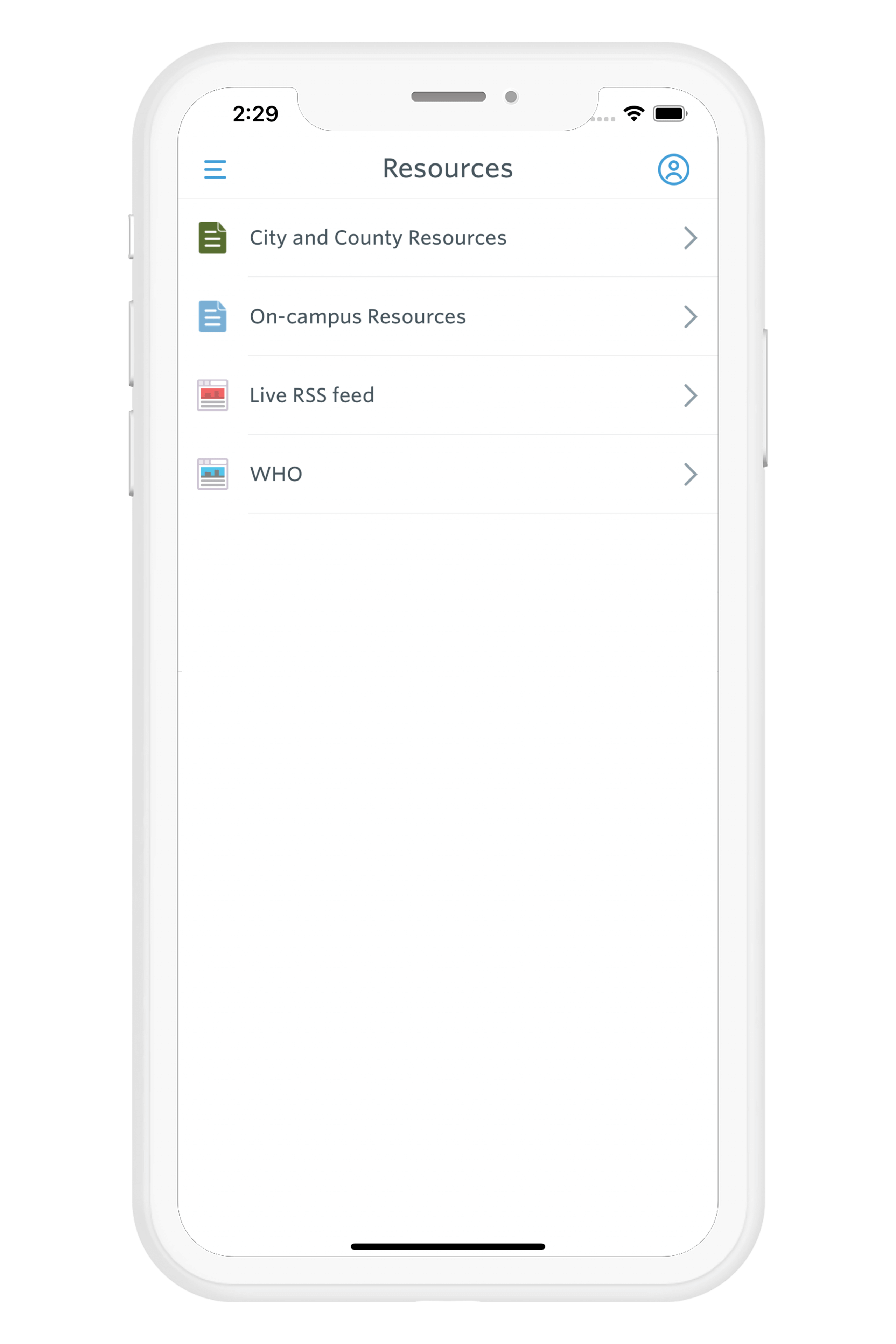 We have a few different things going on here. First off, the Resources tab you see here is actually a folder containing several different items. ‘On-campus resources’ and ‘City and County resources’ are both custom lists. The former might contain items like contact information for Emergency, Public Safety, Counseling Centers. The latter, ‘On-campus resources’, might contain contacts for Police and Fire departments in case of emergency. Live RSS feed uses the RSS Feed feature to automatically pull in new content from a source(s) of your choice. Say, the CDC's website. WHO, NHS, and CIDRAP are all Web Views of their respective organizations. Tapping on one of these simply opens up their site, straight within the Guidebook app. There's a lot of misinformation out there around coronavirus particularly, so ensuring your students are consuming information from objective, trustworthy sources like the World Health Organization (WHO) is key at times like these. Think a guide like this would benefit your university? Schedule time to speak to an EDU app specialist!
Get the Mobile App Playbook
A short guide to running the whole student journey in one app. No fluff, just what works.
for higher ed
Campus
Playbook
A practical guide to building a connected campus experience.
Free playbook
The Mobile App Playbook for Universities
Students decide if they belong long before they set foot on campus. This playbook shows how to win them over from the first visit through graduation.
- Grow enrollment and boost recruitment
- Increase belonging and retention
- Run every event from one branded app
By submitting, you agree to our Privacy Policy.
You're in.
.png)

%20(1).avif)