
Campus apps by department
Admissions, orientation, student life, and more — one campus app that works across departments.

Campus apps by department
Admissions, orientation, student life, and more — one campus app that works across departments.
Build unlimited event apps on one license
One partnership for unlimited campus events — orientation, tours, student life, and everything in between.
Build unlimited event apps on one license
One partnership for unlimited campus events — orientation, tours, student life, and everything in between.
Compare event app platforms
See how Guidebook stacks up against other event app and registration platforms.
Compare event app platforms
See how Guidebook stacks up against other event app and registration platforms.
Event apps for nonprofit and community programs
Give members, volunteers, and donors one branded app for conferences, fundraisers, and year-round community.
Event apps for nonprofit and community programs
Give members, volunteers, and donors one branded app for conferences, fundraisers, and year-round community.
Campus integrations and an open API
Connect Guidebook with the campus systems, APIs, and tools your team already uses.
Campus integrations and an open API
Connect Guidebook with the campus systems, APIs, and tools your team already uses.
Event apps for corporate and enterprise teams
Internal meetings, offsites, and large-scale corporate events — with the branding and control enterprise teams need.
Event apps for corporate and enterprise teams
Internal meetings, offsites, and large-scale corporate events — with the branding and control enterprise teams need.
Create a branded event app with no coding
Put schedules, maps, resources, and updates in every attendee's pocket — built for campus events and programs.
Create a branded event app with no coding
Put schedules, maps, resources, and updates in every attendee's pocket — built for campus events and programs.
Launch a branded, white-label event app
A white-label event app with your branding, your content, and your attendee experience — no coding required.
Launch a branded, white-label event app
A white-label event app with your branding, your content, and your attendee experience — no coding required.
Everything in the Guidebook platform
Explore the features event teams use to engage attendees before, during, and after the event.
Everything in the Guidebook platform
Explore the features event teams use to engage attendees before, during, and after the event.
One app for in-person and virtual attendees
The same schedule, networking, and updates whether people are in the room or joining remotely.
One app for in-person and virtual attendees
The same schedule, networking, and updates whether people are in the room or joining remotely.
Event apps built for associations
Annual meetings, chapter events, and member engagement — without rebuilding a new app every year.
Event apps built for associations
Annual meetings, chapter events, and member engagement — without rebuilding a new app every year.
A branded event website that matches the app
Promote the event, collect interest, and keep branding consistent from the first click to check-in.
A branded event website that matches the app
Promote the event, collect interest, and keep branding consistent from the first click to check-in.
Plan, run, and measure events on one platform
App, registration, badges, and websites in one workflow — so planning isn't a pile of disconnected tools.
Plan, run, and measure events on one platform
App, registration, badges, and websites in one workflow — so planning isn't a pile of disconnected tools.
Keep members engaged between events
One branded app for the conference and everything that happens the other 51 weeks of the year.
Keep members engaged between events
One branded app for the conference and everything that happens the other 51 weeks of the year.
The conference app attendees actually use
Schedules, maps, networking, and live updates for annual meetings, summits, and multi-day conferences.
The conference app attendees actually use
Schedules, maps, networking, and live updates for annual meetings, summits, and multi-day conferences.
Registration that feeds your app and badges
Collect registrations, payments, and attendee data in the same platform as your event app.
Registration that feeds your app and badges
Collect registrations, payments, and attendee data in the same platform as your event app.
Design and print event badges in one place
Custom badges, QR check-in, and on-site printing — without a separate badge vendor.
Design and print event badges in one place
Custom badges, QR check-in, and on-site printing — without a separate badge vendor.
A Smaller School?
Deliver a polished, branded event experience without a large team or a big budget.

A Smaller School?
Deliver a polished, branded event experience without a large team or a big budget.
Running Family Programs?
Give families everything they need, from schedules and maps to real-time updates, all in one place.

Running Family Programs?
Give families everything they need, from schedules and maps to real-time updates, all in one place.
Coordinating Move-In Day?
Share updates, manage events, and keep students informed from move-in through the academic year.

Coordinating Move-In Day?
Share updates, manage events, and keep students informed from move-in through the academic year.
Offering Campus Tours?
Deliver branded, self-guided tour experiences with interactive maps and rich media, available 24/7.

Offering Campus Tours?
Deliver branded, self-guided tour experiences with interactive maps and rich media, available 24/7.
Organising a Career Fair?
Simplify logistics for students, employers, and Career Services staff with one easy-to-use app.

Organising a Career Fair?
Simplify logistics for students, employers, and Career Services staff with one easy-to-use app.
Managing Alumni Events?
Plan reunions, regional events, and fundraising campaigns with an app built for alumni engagement.

Managing Alumni Events?
Plan reunions, regional events, and fundraising campaigns with an app built for alumni engagement.
Boost Student Engagement
One hub for schedules, resources, and events that keeps students connected throughout the academic year.

Boost Student Engagement
One hub for schedules, resources, and events that keeps students connected throughout the academic year.
Planning Orientation?
Help new students feel prepared from day one with schedules, campus resources, and real-time updates in one app.

Planning Orientation?
Help new students feel prepared from day one with schedules, campus resources, and real-time updates in one app.
Running Admissions Events?
Manage open houses, tours, and yield events with a branded app that saves time and engages prospective students.

Running Admissions Events?
Manage open houses, tours, and yield events with a branded app that saves time and engages prospective students.
Get a custom Sponsorship Package Template
Stop starting from scratch. Grab free templates that helWe'll build a tailored sponsorship package with suggested pricing, tiers, and benefits..for your specific event.p you build professional sponsorship packages and close deals faster.

Get a custom Sponsorship Package Template
Stop starting from scratch. Grab free templates that helWe'll build a tailored sponsorship package with suggested pricing, tiers, and benefits..for your specific event.p you build professional sponsorship packages and close deals faster.
Plan Your Next Event Without Missing a Beat.
From venue selection to post-event wrap-up, this free checklist walks you through every step (so nothing falls through the cracks).
.avif)
Plan Your Next Event Without Missing a Beat.
From venue selection to post-event wrap-up, this free checklist walks you through every step (so nothing falls through the cracks).
Real Results From Real Events
100,000+ organizations trust Guidebook. See exactly how universities, associations, enterprises, and more put it to work.

Real Results From Real Events
100,000+ organizations trust Guidebook. See exactly how universities, associations, enterprises, and more put it to work.
Flexible pricing for every event size
Find the perfect plan for your needs, from intimate gatherings to large-scale conferences.

Flexible pricing for every event size
Find the perfect plan for your needs, from intimate gatherings to large-scale conferences.
Join our event experts
Watch on-demand webinars and join live sessions with industry leaders sharing best practices for event success.
.avif)
Join our event experts
Watch on-demand webinars and join live sessions with industry leaders sharing best practices for event success.
Guidebook in Action
Book a personalized walkthrough and discover how we help event teams create better attendee experiences.
Guidebook in Action
Book a personalized walkthrough and discover how we help event teams create better attendee experiences.
What is a Virtual Tour?
Virtual tours offer immersive, interactive experiences of locations online. Learn what virtual tours are, their benefits, key features, and how to create engaging digital walkthroughs.
A Virtual Tour is the immersive digital experience that lets people explore physical spaces remotely through interactive 360-degree imagery, video, or 3D technology. These tours range from simple photo slideshows to fully interactive experiences with clickable hotspots and embedded information. They’ve transformed how organizations showcase venues, campuses, and event spaces to audiences worldwide.
Here’s the thing: for higher education admissions teams, the virtual campus tour isn’t a nice-to-have feature — it’s a primary tool in the yield and access strategy. A prospective student in rural Montana who will never visit campus before May 1 uses a virtual tour to decide whether to apply. An international student in Seoul uses it to decide whether to accept an offer. A first-generation student who can’t afford to fly to multiple campuses uses it to narrow a list of ten schools to three. When a virtual campus tour is done well — not just pretty drone shots and building facades, but real answers to real questions — it drives applications, deposits, and enrollment from populations that in-person events can never reach. Viewers control their own journey, spending time on what matters most to them. That control creates genuine engagement.
Key Characteristics of Virtual Tours
- 360-Degree Viewing: Panoramic imagery lets viewers look in any direction, creating a genuine sense of being present in the space.
- Self-Guided Navigation: Viewers choose their own path, moving between areas in any order they prefer rather than following a fixed sequence.
- Interactive Hotspots: Clickable elements provide additional information, videos, photos, or links when viewers explore specific features.
- Multi-Device Compatibility: Tours work on desktops, tablets, smartphones, and VR headsets without requiring special software.
- Embeddable Format: Tours integrate directly into websites, landing pages, and email campaigns without sending users to external platforms.
- Analytics Capabilities: Track which areas viewers spend time in, where they click, and how long they stay engaged.
- Always-On Availability: Unlike scheduled tours or open houses, virtual tours are accessible 24/7 from anywhere in the world.
Virtual Tour vs. Related Digital Experiences
Static Photo Gallery
- Scope: Fixed images selected by the creator
- Focus: Showing highlights at specific angles
- Interaction: None—passive viewing only
- Feel: Marketing brochure
Video Walkthrough
- Scope: Guided tour following a fixed path
- Focus: Telling the creator’s story in a set sequence
- Interaction: Play, pause, rewind only
- Feel: Television commercial
Virtual Tour
- Scope: Complete space accessible from any starting point
- Focus: What matters most to each individual viewer
- Interaction: Full navigation, hotspots, and embedded content
- Feel: Being there
The distinction matters because virtual tours serve decision-making in a way that passive content can’t. Admitted students exploring your campus aren’t watching a pitch — they’re making a choice. Give them the experience that supports that decision.
Types of Virtual Tours for Events
360-Degree Photo Tours
Stitched panoramic photos create seamless views of each location. Hotspots allow navigation between spaces. This format works well for campus overviews and building introductions. It’s cost-effective to produce and works on virtually any device.
3D Walkthrough Tours
Full 3D models let viewers navigate spaces as if physically walking through them. They can look up, down, and in any direction. These tours create the strongest sense of presence. They’re particularly effective for residence halls, dining commons, and student union spaces where the layout and atmosphere matter for enrollment decisions.
Video-Based Virtual Tours
High-quality video with strategic narration showcases spaces in the best possible light. Drone footage is particularly effective for campus-wide overviews. Ideal for prospective students who want a guided narrative of the campus story before exploring more deeply.
VR-Ready Immersive Tours
Compatible with VR headsets for the most immersive experience. Increasingly relevant as VR hardware becomes more accessible. Exceptional for international students and geographically distant prospects for whom physical campus visits aren’t realistic.
How Virtual Tours Work in Event Marketing
Attract Prospects Early
Embed virtual tours on your admissions website to capture interest from prospective students in early research phases. Students exploring multiple institutions will spend significantly more time on a site with an interactive tour than one with static photos. That time-on-site signals genuine interest and improves the likelihood of an application.
Qualify Leads Faster
Virtual tour analytics reveal which campus areas prospects spend the most time exploring. A prospective student who lingers on the engineering building and the research labs is telling you something about their priorities. That behavioral data informs your follow-up strategy before the first conversation.
Support Decision-Making
Admitted students making enrollment decisions need to answer one primary question: “Can I see myself there?” A virtual tour that shows authentic campus life — not just polished marketing spaces — helps them answer it. Residence hall walkthroughs, dining experiences, student organization spaces, and outdoor common areas all contribute to the belonging signal that drives deposit decisions.
Extend Event Reach
Pair virtual tours with virtual open houses to create comprehensive digital admission experiences. Students who can’t attend an in-person event can explore the campus independently and then join a live virtual session for questions. The combination replicates the full in-person visit experience for students who can’t get there physically.
Why Virtual Tours Matter
For Event Success:
- 24/7 Accessibility: Prospects explore on their own schedule, from anywhere. No travel required, no appointment needed.
- Reduced Pressure: Self-guided exploration lets viewers move at their own pace. There’s no tour guide rushing them past the residence hall they’re most interested in.
- Consistent Quality: Every viewer gets the same high-quality experience, regardless of which staff member would have led their tour.
- Behavioral Data: Analytics show what’s most important to your audience, informing both tour design and admissions messaging.
For Enrollment and Yield Outcomes:
- Application Conversion: Prospective students who engage with a virtual campus tour are more likely to complete an application. The tour answers the most common pre-application anxiety — “Can I see myself there?” — in a way that a brochure or static website never can. Institutions with compelling virtual tours see measurable lifts in application rates from out-of-state and international prospects.
- Yield and Deposit Rate Impact: Admitted students who take a virtual tour — especially one that includes residence hall walkthroughs, dining, and authentic campus life — convert at higher rates than those who only receive marketing emails. The tour replaces the in-person campus visit for admitted students who can’t travel and would otherwise decide without it.
- Geographic and Demographic Reach: The virtual campus tour is the equity tool of modern admissions. It extends the campus visit experience to students who face geographic, financial, or physical barriers to in-person visits. Institutions that invest in high-quality virtual tours enroll more diverse classes and reach markets that competitors relying solely on in-person recruitment miss entirely.
- SEO and Always-On Discovery: A virtual campus tour embedded on your admissions website generates organic search traffic year-round. Prospective students searching for your institution at 11pm on a Tuesday find an immersive experience, not just a PDF brochure. That always-on availability compounds admissions marketing impact without adding staff time.
Guidebook helps higher education teams deliver immersive virtual campus experiences that support the full admissions and yield funnel. From virtual open houses to on-demand virtual campus tours, the platform gives prospective and admitted students the experience they need to make confident enrollment decisions. See how Guidebook supports virtual campus tours.
Virtual Tour Best Practices
- Show What Students Actually Care About: Residence halls, dining options, student organization spaces, fitness facilities, and outdoor gathering areas matter more for enrollment decisions than administrative buildings and formal meeting rooms. Design your tour around what admitted students are actually deciding about.
- Use Authentic Representation: Students can tell when a tour shows an idealized version of campus that doesn’t match reality. Authenticity builds the trust that drives deposits. Show real spaces, real students, and real campus life.
- Add Context to Spaces: Hotspots that explain what happens in each space — “This is where first-year students gather for late-night study sessions” — create emotional connection that raw imagery alone can’t.
- Optimize for Mobile: Many prospective students explore virtual tours on phones. Ensure navigation, hotspots, and content work smoothly on mobile screens.
- Update Regularly: A tour showing the old dining hall after a renovation has been completed damages institutional credibility. Keep tours current.
- Integrate with Your Admissions Funnel: Place virtual tours at the right moments in the admissions journey — on your visit page, in admitted student emails, and in post-deposit yield communications.
- Measure Engagement: Use analytics to understand which spaces get the most attention. That data informs both tour improvements and admissions messaging priorities.
Common Virtual Tour Mistakes
Focusing Only on Formal Spaces: Tours that show only academic buildings and official event spaces miss what admitted students actually want to see. The residence hall common room, the student union coffee shop, and the quad on a sunny afternoon are the spaces that drive belonging decisions.
Ignoring Accessibility: Tours that only work well on desktop devices or require fast internet connections exclude the students who most need the virtual visit option. Optimize for accessibility across device types and connection speeds.
Treating It as a One-Time Project: Campus spaces change. Tours become outdated. Build regular review and update cycles into your virtual tour maintenance plan.
Missing the Mobile Experience: Many admitted students explore on phones late at night. A tour that’s impressive on desktop and frustrating on mobile loses the audience you most need to reach.
Virtual Campus Tours in Higher Education
The virtual campus tour has become one of the most consequential admissions tools in higher education — not because campuses want to reduce in-person visits, but because the students who most need to see your campus are often the ones who can’t get there. Getting this right is an equity imperative and an enrollment strategy simultaneously.
Prospective Student Tours for Pre-Application Research
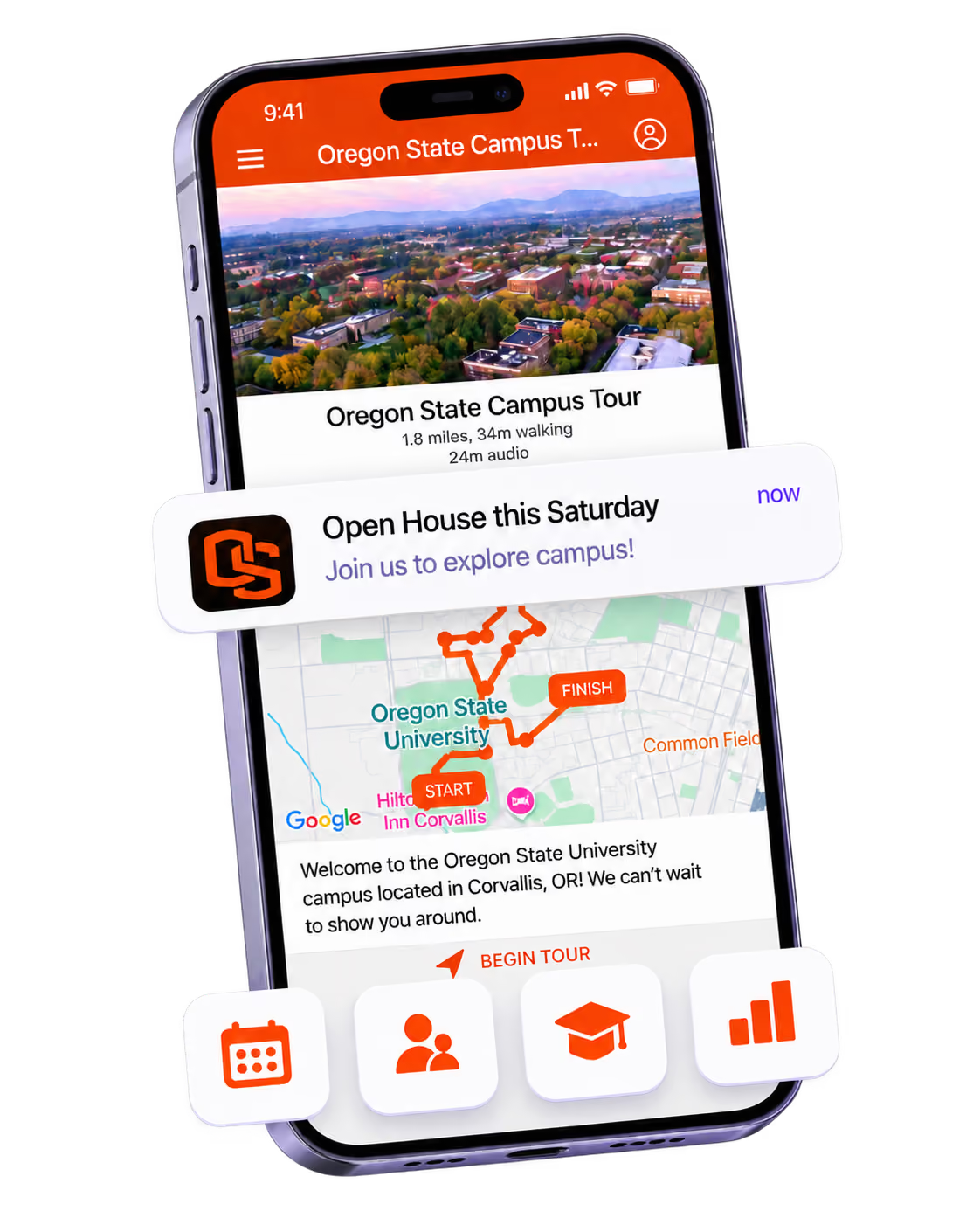
Prospective students use virtual campus tours to decide whether to apply. At this stage, they’re not asking “should I enroll?” — they’re asking “should I even bother applying?” A virtual tour that shows them authentic campus life, academic spaces that match their intended field of study, and the social environment of the campus can convert a “maybe” into a completed application. For first-generation students especially, the virtual tour may be the first thing that makes college feel real and accessible. Make it count. Admissions event and tour strategy with Guidebook.
Admitted Student Virtual Campus Experiences
Admitted students who can’t travel to campus — or who are comparing you against several institutions they also can’t afford to visit — use virtual tours to make deposit decisions. An admitted student virtual tour is fundamentally different from a general prospective tour: it should focus on residence halls, dining, the specific departments they’re interested in, and the social and cultural communities that make your institution feel like home. The emotional goal isn’t information delivery. It’s belonging. Every element should answer the question: “Can I see myself here?” The answer that comes back from that tour drives the deposit decision.
International and Out-of-State Student Recruitment
International students often make enrollment decisions without ever setting foot on campus. Out-of-state students frequently apply to and choose institutions they’ve never visited. For these populations, the virtual campus tour isn’t a supplement to the in-person visit — it is the visit. Institutions that invest in multilingual virtual tour content, detailed residence and dining experiences, and authentic student-life representation in their virtual tours see measurable enrollment gains from international and geographically distant markets. See how Guidebook supports virtual campus tours for admissions.
Post-Deposit Orientation Previews
Virtual tours don’t end at the deposit. Summer melt prevention requires keeping deposited students connected to campus between May 1 and move-in. A post-deposit virtual tour series — residence hall walk-throughs, dining hall previews, campus resource introductions — keeps deposited students excited about their decision and engaged with the institution. Engaged students don’t melt. They show up in August ready to belong. New student program support with Guidebook.
Final Thoughts
Virtual tours have evolved from nice-to-have novelties into essential admissions tools. They meet modern expectations for instant, self-service information. They save time for both prospects and your team. And they create emotional connections that static content simply can’t match.
The technology keeps getting better and more accessible. What once required expensive equipment and specialized skills now fits within most admissions marketing budgets. Even institutions with limited resources can create compelling virtual campus experiences.
For admissions teams, the virtual campus tour is a yield tool, an equity tool, and an access tool simultaneously. The institutions that invest in it reach applicants and admitted students that campus visit programs alone never will. See how Guidebook supports virtual campus experiences, or book a demo to see how it works for your admissions and orientation programs. Your campus deserves to be seen — by every student who might belong there, wherever they are.
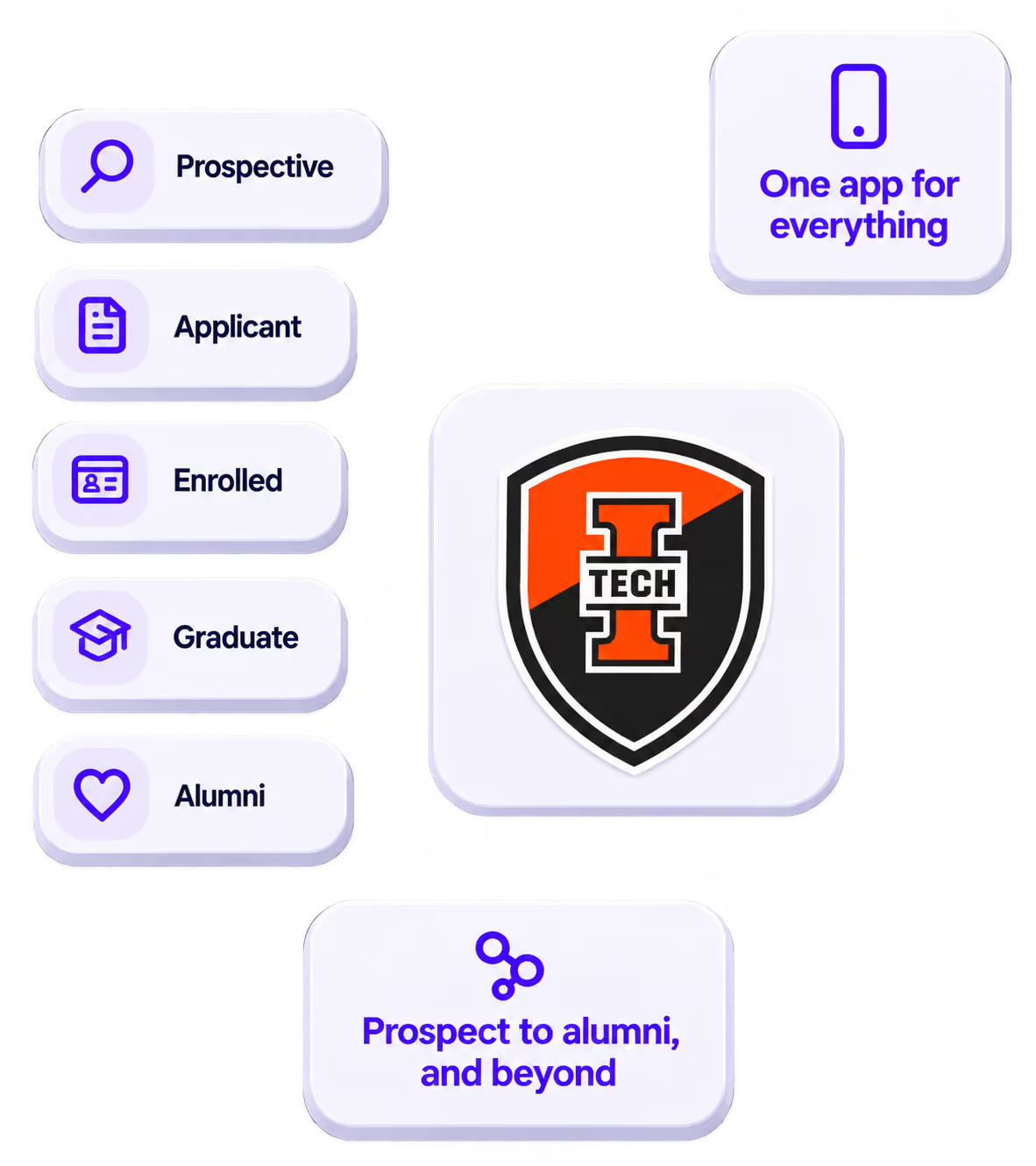
The power of your brand in your app, from first visit to alumni.
Build trust
Attendees download your app, not ours. Your name, colors, and crest in the stores.
.avif)
One place for the whole event
Schedules, maps, registration, and updates in one branded hub - not five tools.
Stand out
A branded app is what people keep on their phone after the printed program is in the recycling.

Get the Mobile App Playbook
A short guide to running the whole student journey in one app. No fluff, just what works.
for higher ed
Campus
Playbook
A practical guide to building a connected campus experience.
Free playbook
The Mobile App Playbook for Universities
Students decide if they belong long before they set foot on campus. This playbook shows how to win them over from the first visit through graduation.
- Grow enrollment and boost recruitment
- Increase belonging and retention
- Run every event from one branded app
By submitting, you agree to our Privacy Policy.
You're in.
.png)