
Campus apps by department
Admissions, orientation, student life, and more — one campus app that works across departments.

Campus apps by department
Admissions, orientation, student life, and more — one campus app that works across departments.
Build unlimited event apps on one license
One partnership for unlimited campus events — orientation, tours, student life, and everything in between.
Build unlimited event apps on one license
One partnership for unlimited campus events — orientation, tours, student life, and everything in between.
Compare event app platforms
See how Guidebook stacks up against other event app and registration platforms.
Compare event app platforms
See how Guidebook stacks up against other event app and registration platforms.
Event apps for nonprofit and community programs
Give members, volunteers, and donors one branded app for conferences, fundraisers, and year-round community.
Event apps for nonprofit and community programs
Give members, volunteers, and donors one branded app for conferences, fundraisers, and year-round community.
Campus integrations and an open API
Connect Guidebook with the campus systems, APIs, and tools your team already uses.
Campus integrations and an open API
Connect Guidebook with the campus systems, APIs, and tools your team already uses.
Event apps for corporate and enterprise teams
Internal meetings, offsites, and large-scale corporate events — with the branding and control enterprise teams need.
Event apps for corporate and enterprise teams
Internal meetings, offsites, and large-scale corporate events — with the branding and control enterprise teams need.
Create a branded event app with no coding
Put schedules, maps, resources, and updates in every attendee's pocket — built for campus events and programs.
Create a branded event app with no coding
Put schedules, maps, resources, and updates in every attendee's pocket — built for campus events and programs.
Launch a branded, white-label event app
A white-label event app with your branding, your content, and your attendee experience — no coding required.
Launch a branded, white-label event app
A white-label event app with your branding, your content, and your attendee experience — no coding required.
Everything in the Guidebook platform
Explore the features event teams use to engage attendees before, during, and after the event.
Everything in the Guidebook platform
Explore the features event teams use to engage attendees before, during, and after the event.
One app for in-person and virtual attendees
The same schedule, networking, and updates whether people are in the room or joining remotely.
One app for in-person and virtual attendees
The same schedule, networking, and updates whether people are in the room or joining remotely.
Event apps built for associations
Annual meetings, chapter events, and member engagement — without rebuilding a new app every year.
Event apps built for associations
Annual meetings, chapter events, and member engagement — without rebuilding a new app every year.
A branded event website that matches the app
Promote the event, collect interest, and keep branding consistent from the first click to check-in.
A branded event website that matches the app
Promote the event, collect interest, and keep branding consistent from the first click to check-in.
Plan, run, and measure events on one platform
App, registration, badges, and websites in one workflow — so planning isn't a pile of disconnected tools.
Plan, run, and measure events on one platform
App, registration, badges, and websites in one workflow — so planning isn't a pile of disconnected tools.
Keep members engaged between events
One branded app for the conference and everything that happens the other 51 weeks of the year.
Keep members engaged between events
One branded app for the conference and everything that happens the other 51 weeks of the year.
The conference app attendees actually use
Schedules, maps, networking, and live updates for annual meetings, summits, and multi-day conferences.
The conference app attendees actually use
Schedules, maps, networking, and live updates for annual meetings, summits, and multi-day conferences.
Registration that feeds your app and badges
Collect registrations, payments, and attendee data in the same platform as your event app.
Registration that feeds your app and badges
Collect registrations, payments, and attendee data in the same platform as your event app.
Design and print event badges in one place
Custom badges, QR check-in, and on-site printing — without a separate badge vendor.
Design and print event badges in one place
Custom badges, QR check-in, and on-site printing — without a separate badge vendor.
A Smaller School?
Deliver a polished, branded event experience without a large team or a big budget.

A Smaller School?
Deliver a polished, branded event experience without a large team or a big budget.
Running Family Programs?
Give families everything they need, from schedules and maps to real-time updates, all in one place.

Running Family Programs?
Give families everything they need, from schedules and maps to real-time updates, all in one place.
Coordinating Move-In Day?
Share updates, manage events, and keep students informed from move-in through the academic year.

Coordinating Move-In Day?
Share updates, manage events, and keep students informed from move-in through the academic year.
Offering Campus Tours?
Deliver branded, self-guided tour experiences with interactive maps and rich media, available 24/7.

Offering Campus Tours?
Deliver branded, self-guided tour experiences with interactive maps and rich media, available 24/7.
Organising a Career Fair?
Simplify logistics for students, employers, and Career Services staff with one easy-to-use app.

Organising a Career Fair?
Simplify logistics for students, employers, and Career Services staff with one easy-to-use app.
Managing Alumni Events?
Plan reunions, regional events, and fundraising campaigns with an app built for alumni engagement.

Managing Alumni Events?
Plan reunions, regional events, and fundraising campaigns with an app built for alumni engagement.
Boost Student Engagement
One hub for schedules, resources, and events that keeps students connected throughout the academic year.

Boost Student Engagement
One hub for schedules, resources, and events that keeps students connected throughout the academic year.
Planning Orientation?
Help new students feel prepared from day one with schedules, campus resources, and real-time updates in one app.

Planning Orientation?
Help new students feel prepared from day one with schedules, campus resources, and real-time updates in one app.
Running Admissions Events?
Manage open houses, tours, and yield events with a branded app that saves time and engages prospective students.

Running Admissions Events?
Manage open houses, tours, and yield events with a branded app that saves time and engages prospective students.
Get a custom Sponsorship Package Template
Stop starting from scratch. Grab free templates that helWe'll build a tailored sponsorship package with suggested pricing, tiers, and benefits..for your specific event.p you build professional sponsorship packages and close deals faster.

Get a custom Sponsorship Package Template
Stop starting from scratch. Grab free templates that helWe'll build a tailored sponsorship package with suggested pricing, tiers, and benefits..for your specific event.p you build professional sponsorship packages and close deals faster.
Plan Your Next Event Without Missing a Beat.
From venue selection to post-event wrap-up, this free checklist walks you through every step (so nothing falls through the cracks).
.avif)
Plan Your Next Event Without Missing a Beat.
From venue selection to post-event wrap-up, this free checklist walks you through every step (so nothing falls through the cracks).
Real Results From Real Events
100,000+ organizations trust Guidebook. See exactly how universities, associations, enterprises, and more put it to work.

Real Results From Real Events
100,000+ organizations trust Guidebook. See exactly how universities, associations, enterprises, and more put it to work.
Flexible pricing for every event size
Find the perfect plan for your needs, from intimate gatherings to large-scale conferences.

Flexible pricing for every event size
Find the perfect plan for your needs, from intimate gatherings to large-scale conferences.
Join our event experts
Watch on-demand webinars and join live sessions with industry leaders sharing best practices for event success.
.avif)
Join our event experts
Watch on-demand webinars and join live sessions with industry leaders sharing best practices for event success.
Guidebook in Action
Book a personalized walkthrough and discover how we help event teams create better attendee experiences.
Guidebook in Action
Book a personalized walkthrough and discover how we help event teams create better attendee experiences.

What is a Webinar?
Webinars are online seminars that connect audiences through live or recorded presentations. Learn webinar benefits, hosting tips, engagement strategies, and best practices.

A webinar is a live or recorded online presentation that lets you share knowledge, connect with audiences, and drive engagement—all without anyone leaving their desk. Webinars combine video, audio, slides, and interactive features like polls and Q&A. They've become essential for businesses, educators, and event planners who want to reach global audiences affordably.
Here's the thing: webinars aren't just video calls with more people. They're structured events with clear goals, defined roles, and built-in engagement tools. A video call is a conversation. A webinar is a performance. That distinction matters when you're planning your event digital marketing strategy.
Key Characteristics of Webinars
- Real-Time Interaction: Attendees can ask questions, participate in polls, and chat with hosts during live sessions. This two-way communication sets webinars apart from passive video content.
- Scalable Reach: Host 50 people or 5,000—webinars grow with your audience. Geographic barriers disappear when attendance only requires an internet connection.
- Structured Format: Most webinars follow a predictable flow: introduction, presentation, Q&A, and call-to-action. This structure keeps audiences engaged and delivers clear value.
- On-Demand Availability: Record once, share forever. Webinar recordings extend your content's lifespan and reach people who couldn't attend live.
- Lead Generation Power: Registration forms capture attendee information before the event starts. This makes webinars a goldmine for sales and marketing teams.
- Cost Efficiency: No venue rental, catering, or travel expenses. Webinars deliver high-impact events at a fraction of in-person costs.
- Data-Rich Insights: Track attendance, engagement, poll responses, and drop-off points. This data helps you improve future events and measure event ROI.
Webinar vs. Related Virtual Event Formats
Virtual Event
- Scope: Broad term covering any online gathering, from small meetings to multi-day conferences
- Focus: Varies widely—networking, education, entertainment, or hybrid experiences
- Timeline: Can span hours, days, or even weeks
- Channels: Multiple platforms, apps, and touchpoints working together
- Goal: Create immersive experiences that replicate or enhance in-person events
Online Meeting
- Scope: Small group discussions, typically under 25 participants
- Focus: Collaboration, decision-making, and team communication
- Timeline: Usually 30-60 minutes
- Channels: Video conferencing platforms with screen sharing
- Goal: Facilitate conversation and reach consensus among participants
Live Stream
- Scope: One-to-many broadcast with limited interaction
- Focus: Entertainment, announcements, or passive viewing experiences
- Timeline: Variable—from minutes to hours
- Channels: Social media platforms, YouTube, or dedicated streaming services
- Goal: Reach maximum viewers with minimal barrier to entry
Webinars sit in the sweet spot between meetings and live streams. They offer more structure than a casual video call but more interaction than a one-way broadcast. When planning your virtual event strategy, choose the format that matches your goals and audience expectations.
Essential Webinar Components
Choose the Right Platform
Consider your audience size. Some platforms cap attendance at 100 people. Others handle thousands. Test your platform before going live—technical glitches kill credibility fast.
Create Compelling Content
Great webinars solve problems. Start by identifying your audience's biggest pain points. Then build content that delivers real solutions.
- Keep slides visual—less text, more images
- Include stories and examples to illustrate key points
- Break content into digestible chunks (10-15 minute segments work well)
- Add interactive elements every 5-7 minutes to maintain attention
Build Your Promotion Strategy
Even the best webinar fails without attendees. Start promoting 2-3 weeks before your event. Use email, social media, and your website to spread the word.
Your event advertising should highlight specific benefits. "Learn webinar best practices" is weak. "Get 5 proven tactics to double your webinar attendance" is strong.
Prepare Your Speakers
Rehearsal separates professional webinars from amateur hour. Run through the entire presentation at least once. Test audio, video, and screen sharing.
Brief speakers on timing, transitions, and how to handle Q&A. Create a backup plan for technical issues. Have someone ready to take over if the main presenter loses connection.
Set Up Registration
Your event registration process should be simple. Ask for essential information only—name, email, and maybe company. Every extra field reduces sign-ups.
Send confirmation emails immediately. Include calendar invites, joining instructions, and what attendees will learn. Reminder emails 24 hours and 1 hour before the event boost attendance rates.
The Webinar Process Timeline
Two Weeks Before: Planning Phase
Lock in your topic, speakers, and date. Create your presentation outline. Set up your registration page and start promoting.
This is also when you should plan your event planning process. Who handles tech? Who monitors chat? Who introduces speakers? Assign roles early.
One Week Before: Content Finalization
Finish your slides and any supporting materials. Schedule a full rehearsal with all speakers. Test every piece of technology you'll use.
- Finalize poll questions and Q&A prompts
- Prepare your post-webinar follow-up emails
- Create social media content for live promotion
- Brief your team on their responsibilities
Day Of: Execution
Log in 30 minutes early. Test everything again. Have water nearby and silence your phone.
During the webinar, stay focused on delivery. Let your team handle chat moderation and technical issues. Stick to your timeline but stay flexible for great Q&A moments.
After the Event: Follow-Up
Send thank-you emails within 24 hours. Include the recording link, slides, and any promised resources. This is prime time for event marketing—nurture those leads.
Why Webinars Matter
For Event Success:
- Global Accessibility: Reach attendees across time zones without travel barriers. Your audience grows exponentially when location doesn't matter.
- Engagement Tracking: See exactly who attended, how long they stayed, and what content resonated. This data is gold for future event planning.
- Content Repurposing: One webinar becomes blog posts, social clips, podcast episodes, and email content. Maximize your content investment.
- Lower Risk: Test new topics or speakers without committing to expensive in-person events. Webinars let you experiment affordably.
- Hybrid Integration: Combine webinars with in-person events to extend reach. Attendees who can't travel still participate fully.
For Business Objectives:
- Lead Generation: Capture qualified prospects through registration. Webinar attendees are warm leads who've already shown interest.
- Thought Leadership: Position your brand as an industry expert. Regular webinars build authority and trust over time.
- Customer Education: Train users on your product or service at scale. Reduce support tickets while increasing satisfaction.
- Sales Acceleration: Move prospects through your funnel faster. Webinars address objections and demonstrate value efficiently.
- Community Building: Create regular touchpoints with your audience. Consistent webinars foster loyalty and connection.
Platforms like Guidebook's event management platform help you extend webinar engagement through mobile apps, keeping attendees connected before, during, and after your event.
Webinar Best Practices
- Start with a Hook: Grab attention in the first 30 seconds. Share a surprising stat, ask a provocative question, or promise specific value. Don't waste time on lengthy introductions.
- Keep It Interactive: Launch a poll within the first 5 minutes. Ask questions throughout. People who participate are more likely to stay engaged and remember your content.
- Respect Time Limits: If you promise 45 minutes, deliver 45 minutes. Running long frustrates attendees and damages trust. Build in buffer time for Q&A.
- Use Professional Audio: Bad audio kills webinars faster than bad video. Invest in a decent microphone. Test your setup in the actual room you'll present from.
- Design Slides for Screens: Use large fonts (24pt minimum). Limit text to 6 lines per slide. Remember that attendees might watch on phones or tablets.
- Have a Backup Plan: Internet dies. Software crashes. Speakers get sick. Plan for every scenario. Have a co-host ready to take over if needed.
- Follow Up Fast: Send your recording and resources within 24 hours. Strike while interest is high. Include a clear next step or call-to-action.
- Promote the Recording: Only 40-50% of registrants attend live. The recording reaches everyone else. Promote it like a new piece of content.
- Analyze and Iterate: Review attendance rates, engagement metrics, and feedback after every webinar. Small improvements compound into major results over time.
- Build a Series: One-off webinars work. Regular series build audiences. Consider monthly or quarterly webinars on related topics to create anticipation.
Common Webinar Mistakes
Skipping the Rehearsal: "We'll figure it out live" is a recipe for disaster. Technical issues, awkward transitions, and timing problems all surface during rehearsal. Skip it, and they'll surface during your actual event instead.
Overloading Slides with Text: Your slides support your presentation—they don't replace it. When attendees read slides, they stop listening to you. Use visuals and let your voice carry the content.
Ignoring the Chat: Attendees who ask questions in chat expect responses. Ignoring them feels dismissive. Assign someone to monitor and respond to chat throughout the webinar.
Starting Late: Waiting for "a few more people to join" punishes attendees who showed up on time. Start exactly when you promised. Latecomers can catch the recording.
Forgetting the Call-to-Action: Every webinar needs a clear next step. What should attendees do after watching? Book a demo? Download a resource? Join your community? Tell them explicitly.
Poor Audio Quality: Echoing rooms, barking dogs, and muffled microphones destroy credibility. Find a quiet space. Use a real microphone. Test your audio before every single webinar.
Making It All About You: Attendees don't care about your company history or product features. They care about solving their problems. Focus on value delivery, not self-promotion.
Final Thoughts
Webinars have evolved from "nice to have" to "must have" in modern event strategies. They bridge the gap between scalable reach and personal connection. When done well, they generate leads, build authority, and create lasting relationships with your audience.
The event trends are clear: virtual and hybrid formats aren't going away. Organizations that master webinars now will have a significant advantage as audience expectations continue to shift toward digital-first experiences.
Don't let the technology intimidate you. Start simple. Focus on delivering genuine value. Improve with each event. The best webinar hosts weren't born that way—they practiced, learned from mistakes, and kept showing up.
Ready to level up your virtual events? Explore virtual event planning strategies, check out our webinar on mobile apps for virtual events, or book a demo to see how Guidebook can help you create engaging experiences that extend far beyond the webinar itself. Your next great webinar is just one click away.
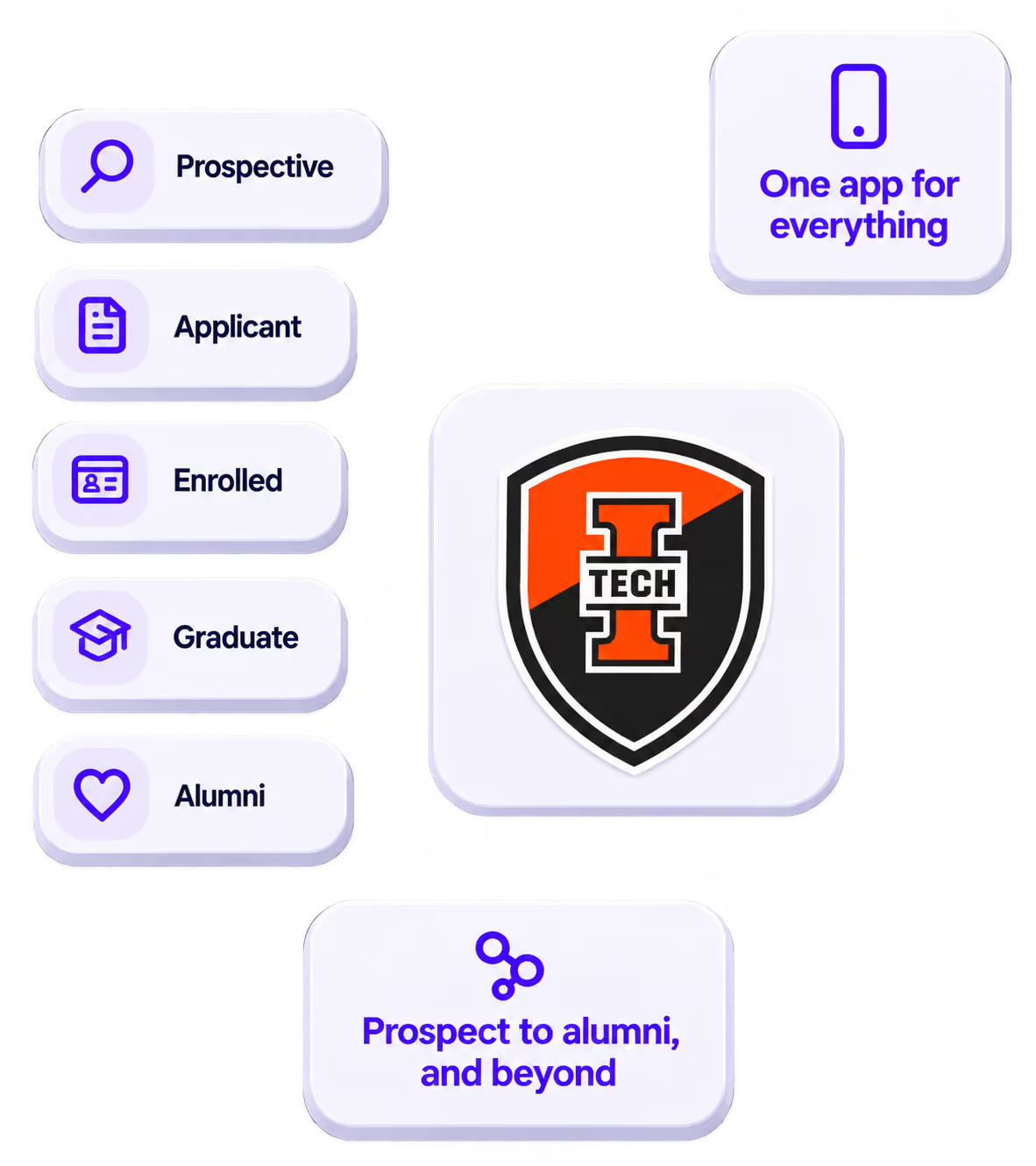
The power of your brand in your app, from first visit to alumni.
Build trust
Attendees download your app, not ours. Your name, colors, and crest in the stores.
.avif)
One place for the whole event
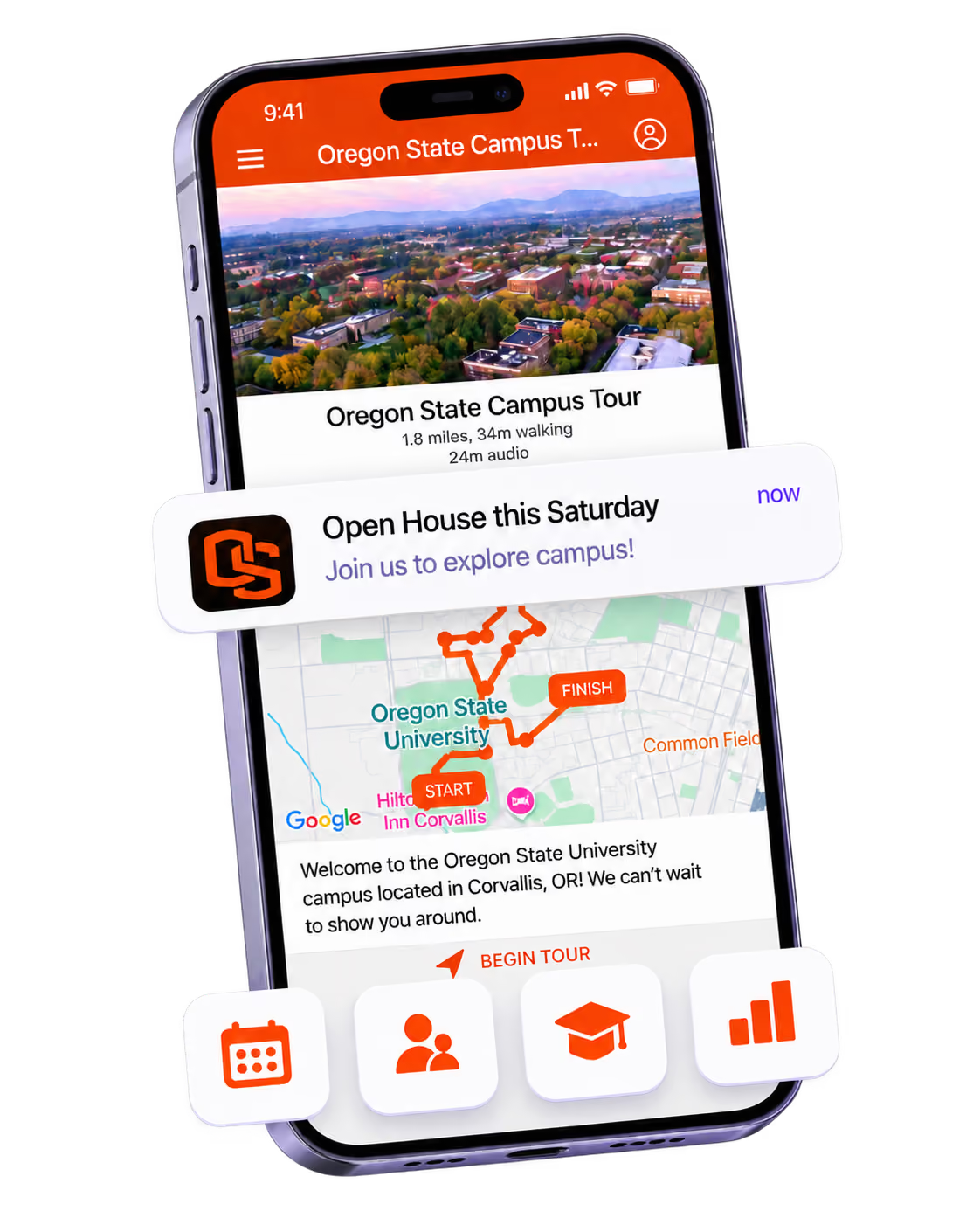
Schedules, maps, registration, and updates in one branded hub - not five tools.
Stand out
A branded app is what people keep on their phone after the printed program is in the recycling.

Get the Mobile App Playbook
A short guide to running the whole student journey in one app. No fluff, just what works.
for higher ed
Campus
Playbook
A practical guide to building a connected campus experience.
Free playbook
The Mobile App Playbook for Universities
Students decide if they belong long before they set foot on campus. This playbook shows how to win them over from the first visit through graduation.
- Grow enrollment and boost recruitment
- Increase belonging and retention
- Run every event from one branded app
By submitting, you agree to our Privacy Policy.
You're in.
.png)