
Campus apps by department
Admissions, orientation, student life, and more — one campus app that works across departments.

Campus apps by department
Admissions, orientation, student life, and more — one campus app that works across departments.
Build unlimited event apps on one license
One partnership for unlimited campus events — orientation, tours, student life, and everything in between.
Build unlimited event apps on one license
One partnership for unlimited campus events — orientation, tours, student life, and everything in between.
Compare event app platforms
See how Guidebook stacks up against other event app and registration platforms.
Compare event app platforms
See how Guidebook stacks up against other event app and registration platforms.
Event apps for nonprofit and community programs
Give members, volunteers, and donors one branded app for conferences, fundraisers, and year-round community.
Event apps for nonprofit and community programs
Give members, volunteers, and donors one branded app for conferences, fundraisers, and year-round community.
Campus integrations and an open API
Connect Guidebook with the campus systems, APIs, and tools your team already uses.
Campus integrations and an open API
Connect Guidebook with the campus systems, APIs, and tools your team already uses.
Event apps for corporate and enterprise teams
Internal meetings, offsites, and large-scale corporate events — with the branding and control enterprise teams need.
Event apps for corporate and enterprise teams
Internal meetings, offsites, and large-scale corporate events — with the branding and control enterprise teams need.
Create a branded event app with no coding
Put schedules, maps, resources, and updates in every attendee's pocket — built for campus events and programs.
Create a branded event app with no coding
Put schedules, maps, resources, and updates in every attendee's pocket — built for campus events and programs.
Launch a branded, white-label event app
A white-label event app with your branding, your content, and your attendee experience — no coding required.
Launch a branded, white-label event app
A white-label event app with your branding, your content, and your attendee experience — no coding required.
Everything in the Guidebook platform
Explore the features event teams use to engage attendees before, during, and after the event.
Everything in the Guidebook platform
Explore the features event teams use to engage attendees before, during, and after the event.
One app for in-person and virtual attendees
The same schedule, networking, and updates whether people are in the room or joining remotely.
One app for in-person and virtual attendees
The same schedule, networking, and updates whether people are in the room or joining remotely.
Event apps built for associations
Annual meetings, chapter events, and member engagement — without rebuilding a new app every year.
Event apps built for associations
Annual meetings, chapter events, and member engagement — without rebuilding a new app every year.
A branded event website that matches the app
Promote the event, collect interest, and keep branding consistent from the first click to check-in.
A branded event website that matches the app
Promote the event, collect interest, and keep branding consistent from the first click to check-in.
Plan, run, and measure events on one platform
App, registration, badges, and websites in one workflow — so planning isn't a pile of disconnected tools.
Plan, run, and measure events on one platform
App, registration, badges, and websites in one workflow — so planning isn't a pile of disconnected tools.
Keep members engaged between events
One branded app for the conference and everything that happens the other 51 weeks of the year.
Keep members engaged between events
One branded app for the conference and everything that happens the other 51 weeks of the year.
The conference app attendees actually use
Schedules, maps, networking, and live updates for annual meetings, summits, and multi-day conferences.
The conference app attendees actually use
Schedules, maps, networking, and live updates for annual meetings, summits, and multi-day conferences.
Registration that feeds your app and badges
Collect registrations, payments, and attendee data in the same platform as your event app.
Registration that feeds your app and badges
Collect registrations, payments, and attendee data in the same platform as your event app.
Design and print event badges in one place
Custom badges, QR check-in, and on-site printing — without a separate badge vendor.
Design and print event badges in one place
Custom badges, QR check-in, and on-site printing — without a separate badge vendor.
A Smaller School?
Deliver a polished, branded event experience without a large team or a big budget.

A Smaller School?
Deliver a polished, branded event experience without a large team or a big budget.
Running Family Programs?
Give families everything they need, from schedules and maps to real-time updates, all in one place.

Running Family Programs?
Give families everything they need, from schedules and maps to real-time updates, all in one place.
Coordinating Move-In Day?
Share updates, manage events, and keep students informed from move-in through the academic year.

Coordinating Move-In Day?
Share updates, manage events, and keep students informed from move-in through the academic year.
Offering Campus Tours?
Deliver branded, self-guided tour experiences with interactive maps and rich media, available 24/7.

Offering Campus Tours?
Deliver branded, self-guided tour experiences with interactive maps and rich media, available 24/7.
Organising a Career Fair?
Simplify logistics for students, employers, and Career Services staff with one easy-to-use app.

Organising a Career Fair?
Simplify logistics for students, employers, and Career Services staff with one easy-to-use app.
Managing Alumni Events?
Plan reunions, regional events, and fundraising campaigns with an app built for alumni engagement.

Managing Alumni Events?
Plan reunions, regional events, and fundraising campaigns with an app built for alumni engagement.
Boost Student Engagement
One hub for schedules, resources, and events that keeps students connected throughout the academic year.

Boost Student Engagement
One hub for schedules, resources, and events that keeps students connected throughout the academic year.
Planning Orientation?
Help new students feel prepared from day one with schedules, campus resources, and real-time updates in one app.

Planning Orientation?
Help new students feel prepared from day one with schedules, campus resources, and real-time updates in one app.
Running Admissions Events?
Manage open houses, tours, and yield events with a branded app that saves time and engages prospective students.

Running Admissions Events?
Manage open houses, tours, and yield events with a branded app that saves time and engages prospective students.
Get a custom Sponsorship Package Template
Stop starting from scratch. Grab free templates that helWe'll build a tailored sponsorship package with suggested pricing, tiers, and benefits..for your specific event.p you build professional sponsorship packages and close deals faster.

Get a custom Sponsorship Package Template
Stop starting from scratch. Grab free templates that helWe'll build a tailored sponsorship package with suggested pricing, tiers, and benefits..for your specific event.p you build professional sponsorship packages and close deals faster.
Plan Your Next Event Without Missing a Beat.
From venue selection to post-event wrap-up, this free checklist walks you through every step (so nothing falls through the cracks).
.avif)
Plan Your Next Event Without Missing a Beat.
From venue selection to post-event wrap-up, this free checklist walks you through every step (so nothing falls through the cracks).
Real Results From Real Events
100,000+ organizations trust Guidebook. See exactly how universities, associations, enterprises, and more put it to work.

Real Results From Real Events
100,000+ organizations trust Guidebook. See exactly how universities, associations, enterprises, and more put it to work.
Flexible pricing for every event size
Find the perfect plan for your needs, from intimate gatherings to large-scale conferences.

Flexible pricing for every event size
Find the perfect plan for your needs, from intimate gatherings to large-scale conferences.
Join our event experts
Watch on-demand webinars and join live sessions with industry leaders sharing best practices for event success.
.avif)
Join our event experts
Watch on-demand webinars and join live sessions with industry leaders sharing best practices for event success.
Guidebook in Action
Book a personalized walkthrough and discover how we help event teams create better attendee experiences.
Guidebook in Action
Book a personalized walkthrough and discover how we help event teams create better attendee experiences.
What is a Run of Show?
A Run of Show outlines the event’s schedule, detailing every segment and cue. Learn what it is, why it matters, and get templates for seamless event execution.
Run of Show is the minute-by-minute master document that keeps every person, cue, and element perfectly synchronized during your event. It covers everything from speaker introductions to lighting changes to video playback. Without it, even the best-planned events fall apart.
Here’s the thing: in higher education, the run of show is the document that makes or breaks the events that matter most. Your Open House run of show tells 47 different staff members where to be and when. Your Orientation run of show coordinates sessions, meals, move-in logistics, and parent programming across three days and a dozen venues simultaneously. Your Admitted Student Day run of show has to be flawless — because every minute an admitted student spends confused or waiting is a yield risk. While your event planning covers the big picture, your run of show zooms into the exact second each thing happens. Think of it as the difference between knowing you’re flying to Paris and having your boarding pass in hand.
Key Characteristics of Run of Show
- Time-Stamped Precision: Every element gets an exact start and end time, often down to the minute or second for broadcast events.
- Role-Based Assignments: Each task links to a specific person or team, so there’s zero confusion about who does what.
- Cue Integration: Audio, visual, and technical cues appear alongside content elements for seamless coordination.
- Sequential Flow: Items appear in chronological order, creating a clear timeline everyone can follow.
- Contingency Notes: Smart run of shows include backup plans and buffer time for when things go sideways.
- Living Document Status: It evolves through rehearsals and updates right up until showtime.
- Cross-Functional Visibility: Everyone from the stage manager to the caterer can see how their piece fits the puzzle.
Run of Show vs. Related Event Documents
Event Agenda
- Scope: High-level overview for attendees
- Focus: What’s happening and when
- Timeline: General time blocks (9:00 AM – 10:00 AM)
- Audience: Attendees and your team
- Goal: Inform and guide the audience experience
Production Schedule
- Scope: Full event lifecycle including setup and teardown
- Focus: Logistics and crew movements
- Timeline: Days or hours before and after the event
- Audience: Production team and vendors
- Goal: Coordinate all operational elements
Run of Show
- Scope: Live event execution only
- Focus: Moment-by-moment cues and transitions
- Timeline: Minutes and seconds during the event
- Audience: Stage managers, AV teams, and speakers
- Goal: Execute flawless live production
These documents work together like layers of a cake. Your event planning process creates the agenda. Your production schedule handles logistics. Your run of show makes the magic happen in real time.
Essential Run of Show Components
Header Information and Event Details
Start with the basics at the top of your document. Include the event name, date, venue, and version number. Add contact info for key decision-makers. This section prevents confusion when multiple versions float around.
Time Column Structure
Your time column is the backbone of everything. Most planners use two time formats:
- Clock time: The actual time (2:15 PM)
- Running time: Minutes from start (T+45:00)
Include both when possible. Running time helps you adjust if you start late. Clock time keeps everyone synced to reality.
Activity and Content Descriptions
Each row needs a clear description of what’s happening. Be specific but brief. “CEO keynote begins” beats “John talks about stuff.” Include speaker names, presentation titles, and any special notes.
Technical Cue Integration
Your run of show should include:
- Audio cues (music starts, mic goes live)
- Lighting changes (house lights down, spot on speaker)
- Video playback (roll intro video, switch to camera 2)
- Graphics (lower thirds, presentation slides)
Responsibility Assignments
Every action needs an owner. Use initials or role titles consistently. “SM” for stage manager, “AV1” for audio tech—whatever works for your team. When something goes wrong (and something always does), clear assignments mean faster fixes.
Building Your Run of Show Step by Step
Start with Your Event Agenda
Pull your high-level agenda and break each block into smaller pieces. A “30-minute keynote” becomes:
- Speaker introduction (2 min)
- Walk to stage (30 sec)
- Presentation (25 min)
- Q&A (2 min)
- Exit and transition (30 sec)
This granular approach reveals hidden time needs. Most planners underestimate transitions by 50% or more.
Add Technical Requirements
Work with your AV team to layer in technical cues. They’ll know what’s possible and what needs extra time.
Build in Buffer Time
Add 10–15% buffer time throughout your run of show. Speakers run long. Tech glitches happen. Place buffers strategically after Q&A sessions, before VIP segments, and at meal transitions.
Conduct Table Reads and Rehearsals
Walk through your run of show with all key players before the event. Read it aloud, minute by minute. You’ll catch conflicts and confusion immediately. For complex events, do a full technical rehearsal.
Why Run of Show Matters
For Event Success:
- Eliminates Confusion: Everyone knows exactly what happens when, reducing on-site chaos and stress.
- Enables Smooth Transitions: Seamless flow between segments keeps audiences engaged and energy high.
- Supports Quick Problem-Solving: When issues arise, teams can quickly see what’s affected and adjust.
- Creates Professional Polish: Tight execution makes your event look and feel world-class.
- Reduces Day-Of Stress: Your team operates from confidence, not panic, because the plan is clear.
For Enrollment and Campus Outcomes:
- Yield Event Execution: Admitted Student Days and Open Houses run on tight run-of-show documents. When an admitted student’s first impression is a smooth, clearly orchestrated event — not a staff member looking confused at a clipboard — that’s a yield moment. The run of show is what makes it look effortless.
- Orientation Success: Orientation programs coordinate more moving parts than almost any event in higher education. A run of show isn’t optional here — it’s safety-critical. It ensures every student is accounted for, every session starts on time, and every staff member knows exactly what’s happening next. That coordination directly affects how students feel entering their first year.
- Staff Confidence and Retention: Admissions and orientation staff who work with well-structured run-of-show documents feel empowered, not overwhelmed. Clear expectations reduce the stress that burns out the experienced coordinators institutions can’t afford to lose.
- Alumni and Donor Event Precision: Homecoming, reunions, scholarship ceremonies — these events involve high-value donors and prominent alumni. A tight run of show signals institutional quality at every moment. Donors notice when events feel professionally run. That impression lives in the giving conversation.
Guidebook helps admissions and orientation teams build, share, and update schedules in real time — so every staff member has the current version on their phone, not a printed sheet from last Tuesday. See how Guidebook powers orientation programs.
Run of Show Best Practices
- Use a Consistent Template: Create a standard format your team uses for every event. Familiarity speeds up both creation and execution.
- Version Control Religiously: Date and number every version. Destroy old copies.
- Include Contact Information: Add phone numbers for key personnel directly on the document.
- Color-Code by Department: Use colors to help teams quickly find their cues.
- Write for Scanning, Not Reading: People glance at run of shows under pressure. Use short phrases and clear formatting.
- Plan Your Contingencies: Add notes for common problems. “If speaker runs long, cut video intro” gives your team instant guidance.
- Distribute Strategically: Create role-specific versions that show only relevant information.
- Update in Real Time: Assign someone to track actual times during the event. This data improves your next run of show.
- Hold a Pre-Event Briefing: Walk through the run of show with all teams 30 minutes before doors open.
- Archive for Future Reference: Save your final run of show with notes. It’s gold for planning similar events.
Common Run of Show Mistakes
Underestimating Transition Time: New planners often forget that people need time to move. These gaps add up fast and throw off your entire timeline.
Creating It Too Late: Waiting until the week before your event to build your run of show is a recipe for disaster. Start early so you can rehearse, refine, and distribute with time to spare.
Ignoring Technical Realities: Always validate technical assumptions with your AV team before finalizing timing.
Skipping the Rehearsal: Technical rehearsals reveal timing issues, cue conflicts, and communication gaps that look fine on paper but fail in practice.
Over-Complicating the Format: A run of show crammed with every possible detail becomes unusable under pressure. Keep it clean and scannable.
Not Assigning a Caller: Someone needs to “call the show”—announcing cues to the team in real time.
Run of Show in Higher Education
Every high-stakes campus event runs on a run of show. The institutions that execute yield events, orientation programs, and alumni gatherings most effectively are the ones with the most disciplined documentation culture. That culture starts with the run of show.
Open House and Preview Day Run of Show
Your Open House run of show coordinates parking staff, check-in volunteers, tour guides, faculty presenters, dining staff, and student ambassadors — all simultaneously, across multiple campus locations. Every admitted student and family member is experiencing a moment that will influence their deposit decision. The run of show is what makes that experience feel seamless rather than chaotic. Map every minute from arrival to departure, assign every role, and build in enough buffer time for the real world. See how Guidebook supports admissions event planning.
Orientation and Welcome Week Run of Show
Orientation is the most complex run-of-show challenge in higher education. You’re coordinating multiple tracks (students, parents, transfer students, international students), dozens of sessions, residence hall move-in logistics, dining, and emergency protocols — often across three to seven days. A comprehensive run of show keeps every staff member aligned. More importantly, it keeps students moving through an experience that’s designed to build belonging — not confusion. The moments where students feel lost or unsupported during orientation are retention risks. Your run of show prevents them. See how Guidebook supports orientation programs.
Commencement and Ceremony Run of Show
Few institutional events carry more emotional weight than commencement. The run of show for a commencement ceremony — processional timing, speaker cues, diploma distribution coordination, photography logistics, live stream synchronization — must be impeccable. Graduates and families have waited years for this moment. The run of show is what makes it worthy of that wait.
Alumni and Donor Event Run of Show
Scholarship ceremonies, reunion dinners, and donor recognition events require run-of-show documents that account for honoree coordination, speaker cues, AV timing, and the graceful management of high-profile guests. Alumni and donors notice when events feel professionally orchestrated. Learn how Guidebook supports alumni event planning.
Final Thoughts
A solid run of show transforms event execution from stressful improvisation into confident performance. It’s the document that turns your months of planning into minutes of flawless delivery.
The best event professionals treat their run of show as a living tool, not a static document. They refine it through rehearsals, update it in real time, and archive it for future learning. Each event makes the next one better.
In higher education, the run of show is what separates the Open Houses that yield students from the ones that don’t, and the orientations that retain students from the ones that lose them. Build the documentation culture. Your events, your staff, and your enrollment numbers will show it. Book a demo to see how Guidebook helps admissions and orientation teams run the events that move enrollment outcomes.
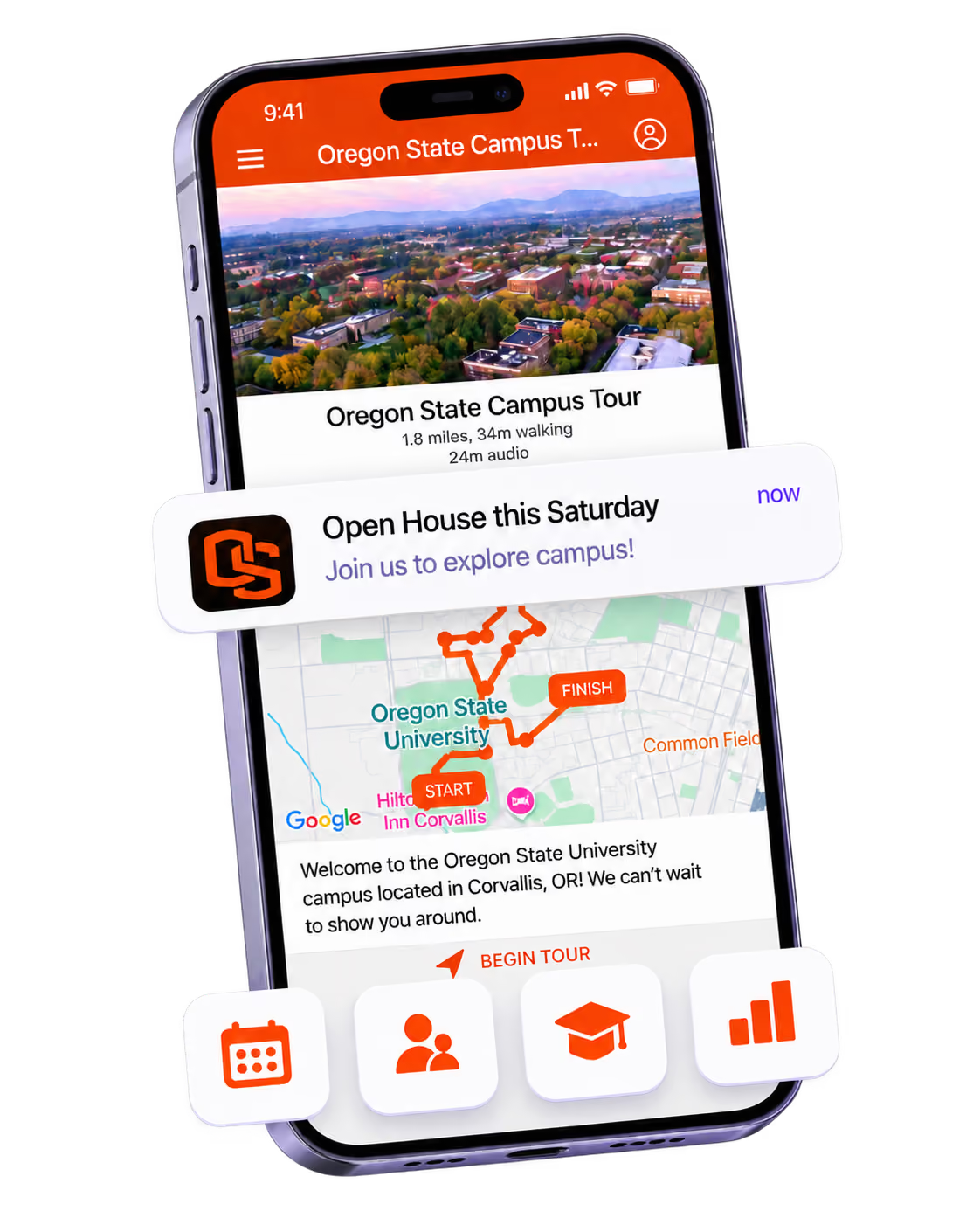
The power of your brand in your app, from first visit to alumni.
Build trust
Attendees download your app, not ours. Your name, colors, and crest in the stores.
.avif)
One place for the whole event
Schedules, maps, registration, and updates in one branded hub - not five tools.
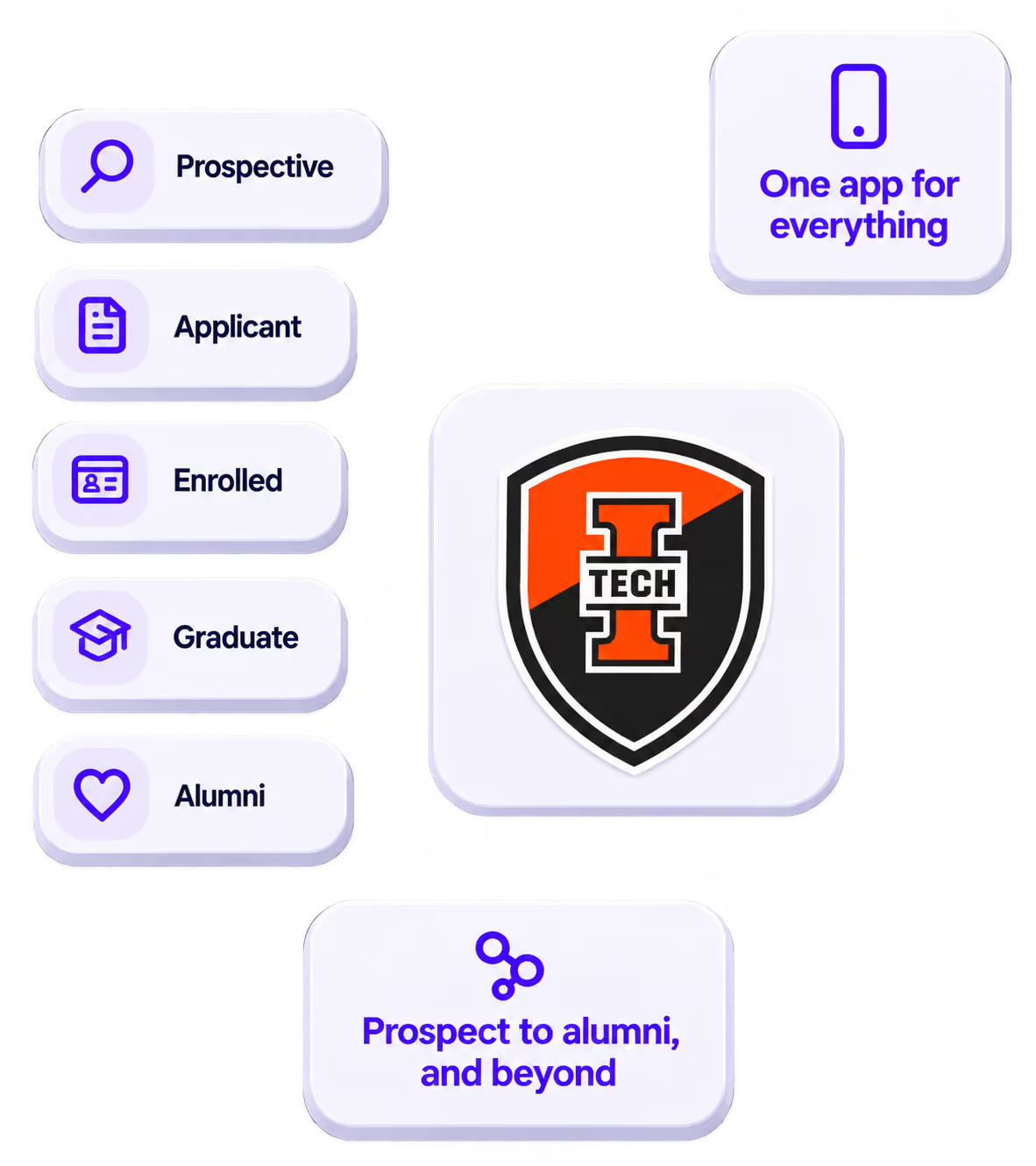
Stand out
A branded app is what people keep on their phone after the printed program is in the recycling.

Get the Mobile App Playbook
A short guide to running the whole student journey in one app. No fluff, just what works.
for higher ed
Campus
Playbook
A practical guide to building a connected campus experience.
Free playbook
The Mobile App Playbook for Universities
Students decide if they belong long before they set foot on campus. This playbook shows how to win them over from the first visit through graduation.
- Grow enrollment and boost recruitment
- Increase belonging and retention
- Run every event from one branded app
By submitting, you agree to our Privacy Policy.
You're in.
.png)