
Campus apps by department
Admissions, orientation, student life, and more — one campus app that works across departments.

Campus apps by department
Admissions, orientation, student life, and more — one campus app that works across departments.
Build unlimited event apps on one license
One partnership for unlimited campus events — orientation, tours, student life, and everything in between.
Build unlimited event apps on one license
One partnership for unlimited campus events — orientation, tours, student life, and everything in between.
Compare event app platforms
See how Guidebook stacks up against other event app and registration platforms.
Compare event app platforms
See how Guidebook stacks up against other event app and registration platforms.
Event apps for nonprofit and community programs
Give members, volunteers, and donors one branded app for conferences, fundraisers, and year-round community.
Event apps for nonprofit and community programs
Give members, volunteers, and donors one branded app for conferences, fundraisers, and year-round community.
Campus integrations and an open API
Connect Guidebook with the campus systems, APIs, and tools your team already uses.
Campus integrations and an open API
Connect Guidebook with the campus systems, APIs, and tools your team already uses.
Event apps for corporate and enterprise teams
Internal meetings, offsites, and large-scale corporate events — with the branding and control enterprise teams need.
Event apps for corporate and enterprise teams
Internal meetings, offsites, and large-scale corporate events — with the branding and control enterprise teams need.
Create a branded event app with no coding
Put schedules, maps, resources, and updates in every attendee's pocket — built for campus events and programs.
Create a branded event app with no coding
Put schedules, maps, resources, and updates in every attendee's pocket — built for campus events and programs.
Launch a branded, white-label event app
A white-label event app with your branding, your content, and your attendee experience — no coding required.
Launch a branded, white-label event app
A white-label event app with your branding, your content, and your attendee experience — no coding required.
Everything in the Guidebook platform
Explore the features event teams use to engage attendees before, during, and after the event.
Everything in the Guidebook platform
Explore the features event teams use to engage attendees before, during, and after the event.
One app for in-person and virtual attendees
The same schedule, networking, and updates whether people are in the room or joining remotely.
One app for in-person and virtual attendees
The same schedule, networking, and updates whether people are in the room or joining remotely.
Event apps built for associations
Annual meetings, chapter events, and member engagement — without rebuilding a new app every year.
Event apps built for associations
Annual meetings, chapter events, and member engagement — without rebuilding a new app every year.
A branded event website that matches the app
Promote the event, collect interest, and keep branding consistent from the first click to check-in.
A branded event website that matches the app
Promote the event, collect interest, and keep branding consistent from the first click to check-in.
Plan, run, and measure events on one platform
App, registration, badges, and websites in one workflow — so planning isn't a pile of disconnected tools.
Plan, run, and measure events on one platform
App, registration, badges, and websites in one workflow — so planning isn't a pile of disconnected tools.
Keep members engaged between events
One branded app for the conference and everything that happens the other 51 weeks of the year.
Keep members engaged between events
One branded app for the conference and everything that happens the other 51 weeks of the year.
The conference app attendees actually use
Schedules, maps, networking, and live updates for annual meetings, summits, and multi-day conferences.
The conference app attendees actually use
Schedules, maps, networking, and live updates for annual meetings, summits, and multi-day conferences.
Registration that feeds your app and badges
Collect registrations, payments, and attendee data in the same platform as your event app.
Registration that feeds your app and badges
Collect registrations, payments, and attendee data in the same platform as your event app.
Design and print event badges in one place
Custom badges, QR check-in, and on-site printing — without a separate badge vendor.
Design and print event badges in one place
Custom badges, QR check-in, and on-site printing — without a separate badge vendor.
A Smaller School?
Deliver a polished, branded event experience without a large team or a big budget.

A Smaller School?
Deliver a polished, branded event experience without a large team or a big budget.
Running Family Programs?
Give families everything they need, from schedules and maps to real-time updates, all in one place.

Running Family Programs?
Give families everything they need, from schedules and maps to real-time updates, all in one place.
Coordinating Move-In Day?
Share updates, manage events, and keep students informed from move-in through the academic year.

Coordinating Move-In Day?
Share updates, manage events, and keep students informed from move-in through the academic year.
Offering Campus Tours?
Deliver branded, self-guided tour experiences with interactive maps and rich media, available 24/7.

Offering Campus Tours?
Deliver branded, self-guided tour experiences with interactive maps and rich media, available 24/7.
Organising a Career Fair?
Simplify logistics for students, employers, and Career Services staff with one easy-to-use app.

Organising a Career Fair?
Simplify logistics for students, employers, and Career Services staff with one easy-to-use app.
Managing Alumni Events?
Plan reunions, regional events, and fundraising campaigns with an app built for alumni engagement.

Managing Alumni Events?
Plan reunions, regional events, and fundraising campaigns with an app built for alumni engagement.
Boost Student Engagement
One hub for schedules, resources, and events that keeps students connected throughout the academic year.

Boost Student Engagement
One hub for schedules, resources, and events that keeps students connected throughout the academic year.
Planning Orientation?
Help new students feel prepared from day one with schedules, campus resources, and real-time updates in one app.

Planning Orientation?
Help new students feel prepared from day one with schedules, campus resources, and real-time updates in one app.
Running Admissions Events?
Manage open houses, tours, and yield events with a branded app that saves time and engages prospective students.

Running Admissions Events?
Manage open houses, tours, and yield events with a branded app that saves time and engages prospective students.
Get a custom Sponsorship Package Template
Stop starting from scratch. Grab free templates that helWe'll build a tailored sponsorship package with suggested pricing, tiers, and benefits..for your specific event.p you build professional sponsorship packages and close deals faster.

Get a custom Sponsorship Package Template
Stop starting from scratch. Grab free templates that helWe'll build a tailored sponsorship package with suggested pricing, tiers, and benefits..for your specific event.p you build professional sponsorship packages and close deals faster.
Plan Your Next Event Without Missing a Beat.
From venue selection to post-event wrap-up, this free checklist walks you through every step (so nothing falls through the cracks).
.avif)
Plan Your Next Event Without Missing a Beat.
From venue selection to post-event wrap-up, this free checklist walks you through every step (so nothing falls through the cracks).
Real Results From Real Events
100,000+ organizations trust Guidebook. See exactly how universities, associations, enterprises, and more put it to work.

Real Results From Real Events
100,000+ organizations trust Guidebook. See exactly how universities, associations, enterprises, and more put it to work.
Flexible pricing for every event size
Find the perfect plan for your needs, from intimate gatherings to large-scale conferences.

Flexible pricing for every event size
Find the perfect plan for your needs, from intimate gatherings to large-scale conferences.
Join our event experts
Watch on-demand webinars and join live sessions with industry leaders sharing best practices for event success.
.avif)
Join our event experts
Watch on-demand webinars and join live sessions with industry leaders sharing best practices for event success.
Guidebook in Action
Book a personalized walkthrough and discover how we help event teams create better attendee experiences.
Guidebook in Action
Book a personalized walkthrough and discover how we help event teams create better attendee experiences.

What is a student onboarding app vs an event app?
Discover the key differences between student onboarding apps and event apps. Learn how each supports engagement, streamlines processes, and enhances user experience for students and event attendees.

Student onboarding app vs event app is the essential comparison that helps schools and organizations choose the right mobile tool for welcoming new students or managing events. Both platforms share similar features but serve different purposes. Understanding the distinction saves time, money, and frustration.
Here's the thing: A student onboarding app focuses on the entire journey from admission to campus integration. An event app handles single occasions like conferences or orientations. Picking the wrong one means you'll either have too many features you don't need or miss critical tools your students expect.
Key Characteristics of Student Onboarding Apps vs Event Apps
- Primary Purpose: Student onboarding apps guide newcomers through weeks or months of campus integration. Event apps manage single-day or multi-day gatherings with specific start and end times.
- Timeline Scope: Onboarding apps support extended journeys—from admitted student days through the first semester. Event apps focus on concentrated timeframes, often just hours or days.
- Content Lifespan: Student apps need evergreen content that stays relevant for months. Event apps feature time-sensitive schedules, speaker bios, and session details.
- User Journey: Onboarding apps track progress through milestones like housing selection, course registration, and orientation completion. Event apps help attendees navigate venues and build personal schedules.
- Engagement Style: Student apps build long-term community connections and campus familiarity. Event apps create intense, short-burst engagement around specific programming.
- Integration Needs: Onboarding apps often connect with student information systems and learning management platforms. Event apps typically integrate with event registration and check-in tools.
- Success Metrics: Student apps measure retention, belonging, and milestone completion. Event apps track attendance, session ratings, and networking connections.
Student Onboarding App vs Event App: Direct Comparison
Student Onboarding App
- Scope: Covers the full student transition from acceptance through first-year integration
- Focus: Building campus familiarity, community connections, and institutional belonging
- Timeline: Weeks to months of sustained engagement
- Channels: Push notifications, resource libraries, interactive maps, checklists, and community forums
- Goal: Increase student retention and create confident, connected campus members
Event App
- Scope: Single event or conference with defined boundaries
- Focus: Logistics, scheduling, networking, and real-time updates
- Timeline: Hours to days of intensive use
- Channels: Personal agendas, speaker profiles, venue maps, live polling, and event check-in software
- Goal: Maximize attendee experience and event ROI
The good news? Many platforms—including Guidebook's new student programs solution—bridge both worlds. You can run orientation events within a broader onboarding experience. This gives students one app for everything instead of downloading multiple tools.
When to Choose a Student Onboarding App
Supporting the Full Admission Journey
Student onboarding apps shine when you need to guide prospects from acceptance through their first weeks on campus. They're perfect for admissions and enrollment teams managing yield campaigns.
These apps let you drip content over time. Send housing info in March, roommate matching in May, and move-in details in August—all through one platform.
Building Long-Term Campus Connections
Unlike event apps that disappear after a conference, onboarding apps stick around. Students reference them for:
- Campus maps and building locations
- Dining hall hours and menus
- Campus resources like tutoring and counseling
- Club and organization directories
- Academic calendar reminders
Tracking Student Progress
Onboarding apps help you see who's completing required tasks. Did they submit their health forms? Register for orientation? Complete the alcohol education module?
This visibility lets you intervene early with students who fall behind. A quick nudge can prevent summer melt or first-semester struggles.
Creating Personalized Experiences
Good onboarding apps segment content by student type. Engineering majors see different resources than nursing students. Transfer students get different checklists than freshmen.
This personalization makes students feel seen. They're not just another number—they're getting information that actually matters to them.
When to Choose an Event App
Managing Conference Logistics
Event apps excel at handling complex schedules with multiple tracks. Attendees build personal agendas, get room change alerts, and navigate large venues without getting lost.
For event planning teams, these apps replace printed programs. Updates happen instantly. No more reprinting schedules when a speaker cancels.
Facilitating Networking
Event apps connect attendees through:
- Attendee directories with search filters
- In-app messaging
- Meeting scheduling tools
- Interest-based matchmaking
- Social media integration
These features turn passive audiences into active communities—even if just for a few days.
Gathering Real-Time Feedback
Live polling, session ratings, and Q&A features give you instant insights. You'll know which speakers bombed and which topics resonated before the event ends.
This data shapes future programming. It also helps you demonstrate event ROI to stakeholders and sponsors.
Supporting Sponsor Visibility
Event apps offer prime real estate for sponsorship packages. Banner ads, sponsored sessions, and exhibitor directories help partners reach your audience.
This visibility can offset app costs—or even generate revenue.
Why This Comparison Matters
For Event Success:
- Right Tool, Right Job: Matching your app to your actual needs prevents feature bloat and user confusion
- Better User Adoption: Students and attendees engage more when the app fits their expectations
- Streamlined Communication: One clear channel beats multiple competing platforms
- Reduced Training Time: Staff learn one system well instead of juggling several poorly
- Cleaner Data: Unified platforms give you complete pictures instead of fragmented insights
For Business Objectives:
- Cost Efficiency: Avoid paying for features you won't use or missing ones you need
- Scalability: Choose platforms that grow with your programs
- Integration Potential: Pick apps that connect with your existing tech stack
- Measurable Outcomes: Track metrics that actually matter to your goals
- Vendor Relationships: Build partnerships with companies that understand your specific challenges
Guidebook's event management platform handles both use cases. Schools like Indiana Tech use it for admitted student days. Associations use it for annual conferences. The flexibility means you're not locked into one approach.
Student Onboarding App vs Event App Best Practices
- Audit Your Actual Needs First: List every feature you'll realistically use. Don't get seduced by bells and whistles that sound cool but won't serve your students.
- Consider Your Timeline: If engagement needs to last beyond a single event, lean toward onboarding-style apps with persistent content.
- Map the User Journey: Walk through your student or attendee experience step by step. Where do they need information? When do they need it?
- Evaluate Integration Requirements: Check whether the app connects with your SIS, CRM, or registration systems. Manual data entry kills efficiency.
- Test with Real Users: Get student ambassadors or staff to try the app before launch. Their feedback catches problems you'll miss.
- Plan Your Content Strategy: Apps are only as good as what's inside them. Budget time for creating, updating, and maintaining content.
- Set Clear Success Metrics: Define what "working" looks like before you launch. Downloads? Session views? Task completion rates?
- Build Promotion into Your Plan: The best app fails if nobody downloads it. Follow proven strategies to increase app downloads.
- Train Your Team Thoroughly: Everyone who touches the app should know how to use it, update it, and troubleshoot common issues.
- Gather Feedback and Iterate: Your first version won't be perfect. Build in time to improve based on user input.
Common Student Onboarding App vs Event App Mistakes
Choosing Based on Price Alone: The cheapest option often costs more in the long run. Hidden fees, limited support, and missing features add up. Evaluate total value, not just sticker price.
Overcomplicating the Experience: Cramming every possible feature into your app overwhelms users. Students want simple, clear paths to information—not a maze of menus.
Ignoring Mobile-First Design: Students live on their phones. Apps that feel like shrunken websites frustrate users and tank engagement.
Launching Without a Content Plan: Empty apps get deleted. Have your content ready before you ask anyone to download. This includes schedules, maps, resources, and contact information.
Forgetting About Accessibility: Not all students experience apps the same way. Screen reader compatibility, color contrast, and text sizing matter for inclusive design.
Skipping the Soft Launch: Testing with a small group catches bugs and confusion before they affect thousands of users. Never skip this step.
Treating the App as "Set and Forget": Apps need ongoing attention. Outdated information erodes trust faster than no app at all.
Final Thoughts
Choosing between a student onboarding app and an event app isn't about picking the "better" option. It's about matching the tool to your specific goals. Get this right, and you'll create experiences that feel seamless and supportive.
The higher education landscape keeps evolving. Students expect digital-first experiences that meet them where they are—on their phones, on their schedules, on their terms. Schools that deliver win the competition for enrollment and retention.
Don't let technology decisions paralyze you. Start with your students' needs, work backward to features, and choose a platform that grows with you. Whether you're running a single team building event or managing year-round parent and family programs, the right app makes everything easier.
Ready to see how Guidebook handles both student onboarding and event management? Book a demo with our team. We'll show you exactly how schools like American University create connected campus communities—one app at a time.
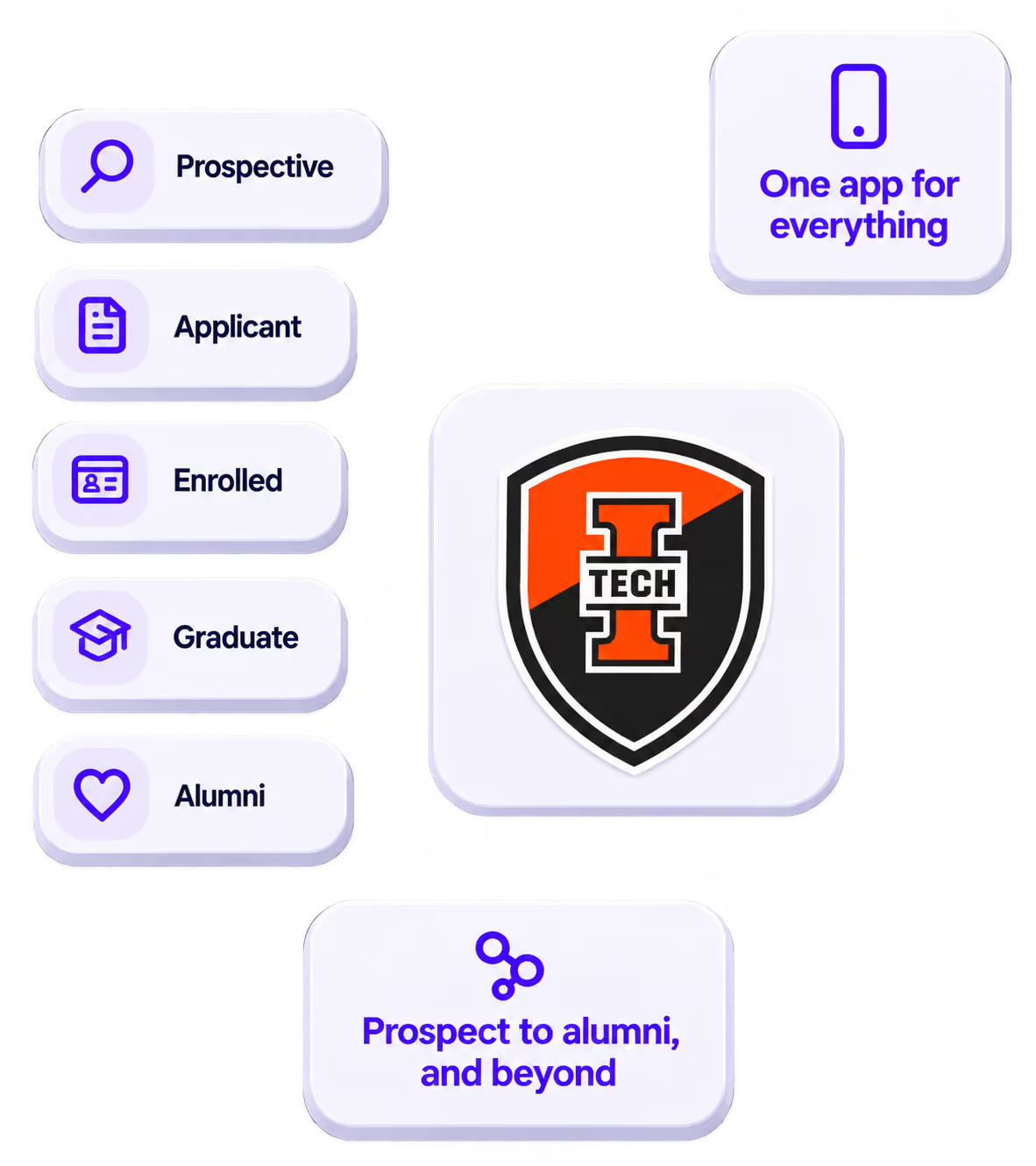
The power of your brand in your app, from first visit to alumni.
Build trust
Attendees download your app, not ours. Your name, colors, and crest in the stores.
.avif)
One place for the whole event
Schedules, maps, registration, and updates in one branded hub - not five tools.
Stand out
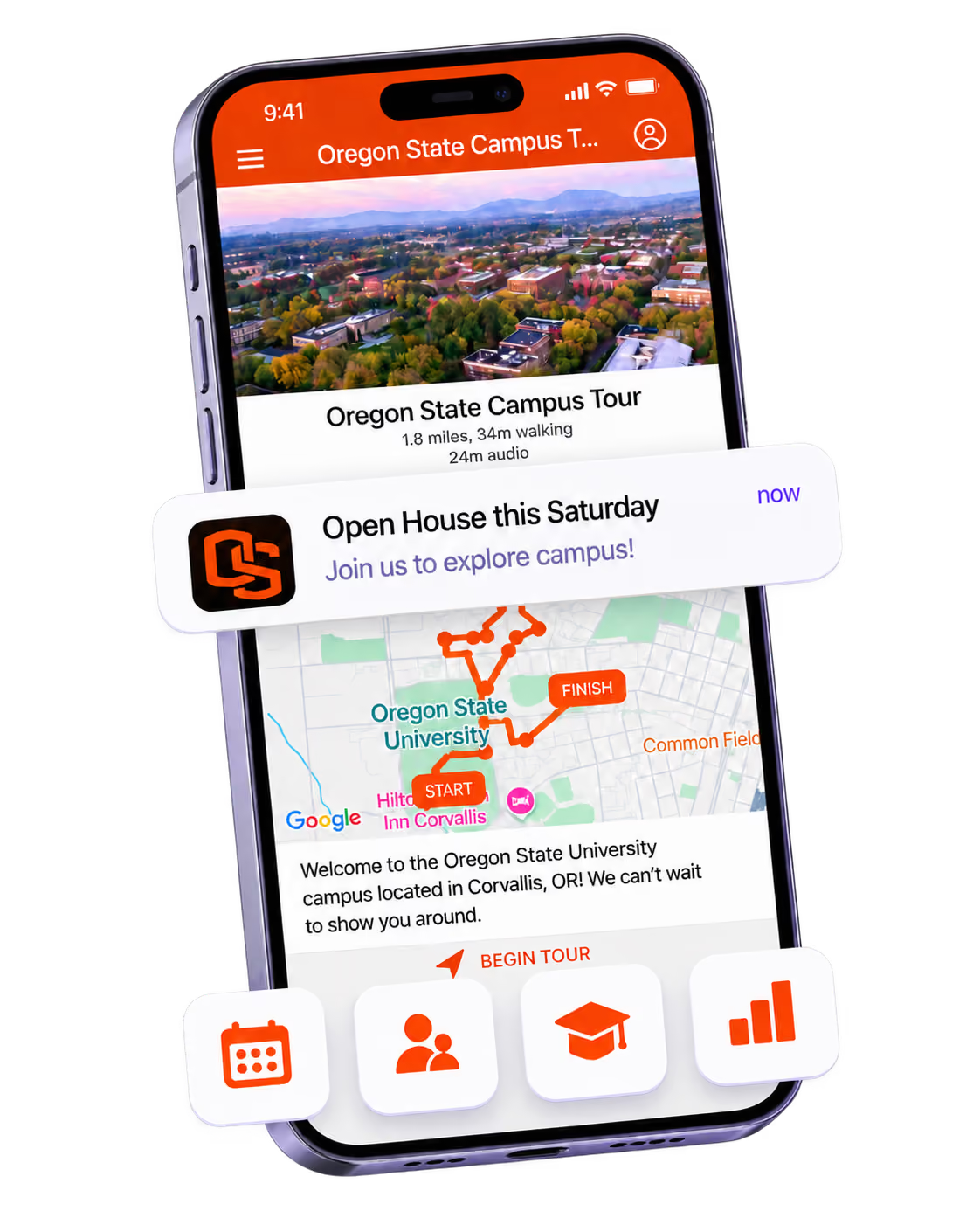
A branded app is what people keep on their phone after the printed program is in the recycling.

Get the Mobile App Playbook
A short guide to running the whole student journey in one app. No fluff, just what works.
for higher ed
Campus
Playbook
A practical guide to building a connected campus experience.
Free playbook
The Mobile App Playbook for Universities
Students decide if they belong long before they set foot on campus. This playbook shows how to win them over from the first visit through graduation.
- Grow enrollment and boost recruitment
- Increase belonging and retention
- Run every event from one branded app
By submitting, you agree to our Privacy Policy.
You're in.
.png)