
Campus apps by department
Admissions, orientation, student life, and more — one campus app that works across departments.

Campus apps by department
Admissions, orientation, student life, and more — one campus app that works across departments.
Build unlimited event apps on one license
One partnership for unlimited campus events — orientation, tours, student life, and everything in between.
Build unlimited event apps on one license
One partnership for unlimited campus events — orientation, tours, student life, and everything in between.
Compare event app platforms
See how Guidebook stacks up against other event app and registration platforms.
Compare event app platforms
See how Guidebook stacks up against other event app and registration platforms.
Event apps for nonprofit and community programs
Give members, volunteers, and donors one branded app for conferences, fundraisers, and year-round community.
Event apps for nonprofit and community programs
Give members, volunteers, and donors one branded app for conferences, fundraisers, and year-round community.
Campus integrations and an open API
Connect Guidebook with the campus systems, APIs, and tools your team already uses.
Campus integrations and an open API
Connect Guidebook with the campus systems, APIs, and tools your team already uses.
Event apps for corporate and enterprise teams
Internal meetings, offsites, and large-scale corporate events — with the branding and control enterprise teams need.
Event apps for corporate and enterprise teams
Internal meetings, offsites, and large-scale corporate events — with the branding and control enterprise teams need.
Create a branded event app with no coding
Put schedules, maps, resources, and updates in every attendee's pocket — built for campus events and programs.
Create a branded event app with no coding
Put schedules, maps, resources, and updates in every attendee's pocket — built for campus events and programs.
Launch a branded, white-label event app
A white-label event app with your branding, your content, and your attendee experience — no coding required.
Launch a branded, white-label event app
A white-label event app with your branding, your content, and your attendee experience — no coding required.
Everything in the Guidebook platform
Explore the features event teams use to engage attendees before, during, and after the event.
Everything in the Guidebook platform
Explore the features event teams use to engage attendees before, during, and after the event.
One app for in-person and virtual attendees
The same schedule, networking, and updates whether people are in the room or joining remotely.
One app for in-person and virtual attendees
The same schedule, networking, and updates whether people are in the room or joining remotely.
Event apps built for associations
Annual meetings, chapter events, and member engagement — without rebuilding a new app every year.
Event apps built for associations
Annual meetings, chapter events, and member engagement — without rebuilding a new app every year.
A branded event website that matches the app
Promote the event, collect interest, and keep branding consistent from the first click to check-in.
A branded event website that matches the app
Promote the event, collect interest, and keep branding consistent from the first click to check-in.
Plan, run, and measure events on one platform
App, registration, badges, and websites in one workflow — so planning isn't a pile of disconnected tools.
Plan, run, and measure events on one platform
App, registration, badges, and websites in one workflow — so planning isn't a pile of disconnected tools.
Keep members engaged between events
One branded app for the conference and everything that happens the other 51 weeks of the year.
Keep members engaged between events
One branded app for the conference and everything that happens the other 51 weeks of the year.
The conference app attendees actually use
Schedules, maps, networking, and live updates for annual meetings, summits, and multi-day conferences.
The conference app attendees actually use
Schedules, maps, networking, and live updates for annual meetings, summits, and multi-day conferences.
Registration that feeds your app and badges
Collect registrations, payments, and attendee data in the same platform as your event app.
Registration that feeds your app and badges
Collect registrations, payments, and attendee data in the same platform as your event app.
Design and print event badges in one place
Custom badges, QR check-in, and on-site printing — without a separate badge vendor.
Design and print event badges in one place
Custom badges, QR check-in, and on-site printing — without a separate badge vendor.
A Smaller School?
Deliver a polished, branded event experience without a large team or a big budget.

A Smaller School?
Deliver a polished, branded event experience without a large team or a big budget.
Running Family Programs?
Give families everything they need, from schedules and maps to real-time updates, all in one place.

Running Family Programs?
Give families everything they need, from schedules and maps to real-time updates, all in one place.
Coordinating Move-In Day?
Share updates, manage events, and keep students informed from move-in through the academic year.

Coordinating Move-In Day?
Share updates, manage events, and keep students informed from move-in through the academic year.
Offering Campus Tours?
Deliver branded, self-guided tour experiences with interactive maps and rich media, available 24/7.

Offering Campus Tours?
Deliver branded, self-guided tour experiences with interactive maps and rich media, available 24/7.
Organising a Career Fair?
Simplify logistics for students, employers, and Career Services staff with one easy-to-use app.

Organising a Career Fair?
Simplify logistics for students, employers, and Career Services staff with one easy-to-use app.
Managing Alumni Events?
Plan reunions, regional events, and fundraising campaigns with an app built for alumni engagement.

Managing Alumni Events?
Plan reunions, regional events, and fundraising campaigns with an app built for alumni engagement.
Boost Student Engagement
One hub for schedules, resources, and events that keeps students connected throughout the academic year.

Boost Student Engagement
One hub for schedules, resources, and events that keeps students connected throughout the academic year.
Planning Orientation?
Help new students feel prepared from day one with schedules, campus resources, and real-time updates in one app.

Planning Orientation?
Help new students feel prepared from day one with schedules, campus resources, and real-time updates in one app.
Running Admissions Events?
Manage open houses, tours, and yield events with a branded app that saves time and engages prospective students.

Running Admissions Events?
Manage open houses, tours, and yield events with a branded app that saves time and engages prospective students.
Get a custom Sponsorship Package Template
Stop starting from scratch. Grab free templates that helWe'll build a tailored sponsorship package with suggested pricing, tiers, and benefits..for your specific event.p you build professional sponsorship packages and close deals faster.

Get a custom Sponsorship Package Template
Stop starting from scratch. Grab free templates that helWe'll build a tailored sponsorship package with suggested pricing, tiers, and benefits..for your specific event.p you build professional sponsorship packages and close deals faster.
Plan Your Next Event Without Missing a Beat.
From venue selection to post-event wrap-up, this free checklist walks you through every step (so nothing falls through the cracks).
.avif)
Plan Your Next Event Without Missing a Beat.
From venue selection to post-event wrap-up, this free checklist walks you through every step (so nothing falls through the cracks).
Real Results From Real Events
100,000+ organizations trust Guidebook. See exactly how universities, associations, enterprises, and more put it to work.

Real Results From Real Events
100,000+ organizations trust Guidebook. See exactly how universities, associations, enterprises, and more put it to work.
Flexible pricing for every event size
Find the perfect plan for your needs, from intimate gatherings to large-scale conferences.

Flexible pricing for every event size
Find the perfect plan for your needs, from intimate gatherings to large-scale conferences.
Join our event experts
Watch on-demand webinars and join live sessions with industry leaders sharing best practices for event success.
.avif)
Join our event experts
Watch on-demand webinars and join live sessions with industry leaders sharing best practices for event success.
Guidebook in Action
Book a personalized walkthrough and discover how we help event teams create better attendee experiences.
Guidebook in Action
Book a personalized walkthrough and discover how we help event teams create better attendee experiences.

What is digital event check-in for admissions?
Digital event check-in for admissions streamlines guest entry using technology, improving efficiency and data accuracy. Learn about key features, benefits, and best practices for seamless admissions events.

Admissions event check-in is the streamlined process of verifying, welcoming, and tracking prospective or admitted students as they arrive at campus recruitment events. It covers everything from identity verification to badge printing to real-time attendance tracking. A smooth check-in sets the tone for the entire visit and directly impacts yield rates.
Here's the thing: admissions event check-in isn't just about marking names off a list. It's your first real-world impression on students who are deciding where to spend the next four years. A clunky, slow, or confusing check-in tells students your school can't handle the basics. A fast, friendly, tech-enabled process says "we've got our act together."
Key Characteristics of Admissions Event Check-In
- Speed-Focused Design: The best check-in systems get students through in under 60 seconds. Long lines kill excitement and create negative first impressions.
- Identity Verification: Check-in confirms that registered attendees match their reservations. This ensures accurate headcounts and prevents unauthorized access.
- Real-Time Data Capture: Modern check-in tracks exactly who showed up, when they arrived, and which sessions they attended. This data fuels follow-up strategies.
- Personalized Welcome: Great check-in systems pull student data to create custom name badges, schedules, or welcome messages that make visitors feel expected.
- Multi-Channel Flexibility: Students might check in via QR code, mobile app, kiosk, or staffed table. The system should handle all approaches seamlessly.
- Integration Ready: Check-in data should flow directly into your CRM or event registration system without manual exports.
- Accessibility Built-In: Check-in must accommodate students with disabilities, non-English speakers, and those without smartphones.
Admissions Event Check-In vs. Related Processes
Event Registration
- Scope: Captures student interest and collects information before the event
- Focus: Building attendee lists and gathering contact details
- Timeline: Days or weeks before the event
- Channels: Online forms, landing pages, email signups
- Goal: Maximize registrations and collect qualifying data
Admissions Event Check-In
- Scope: Verifies attendance and welcomes students on event day
- Focus: Speed, accuracy, and positive first impressions
- Timeline: Event day, typically 15-60 minutes before start
- Channels: Mobile apps, QR codes, kiosks, staffed tables
- Goal: Confirm attendance and create seamless arrival experience
Post-Event Follow-Up
- Scope: Nurtures relationships after students leave campus
- Focus: Personalized outreach based on attendance data
- Timeline: Hours to weeks after the event
- Channels: Email, phone calls, direct mail, social media
- Goal: Convert attendees into applicants or enrolled students
These three processes form a connected pipeline. Registration feeds check-in data. Check-in data powers follow-up. When all three work together, you can track a student's journey from first interest to enrollment decision.
Essential Components of Admissions Event Check-In
Pre-Event Setup and Testing
Don't wait until event morning to test your check-in system. Run a full rehearsal at least 48 hours before. Test every scenario: slow WiFi, dead phone batteries, walk-ins without reservations.
Create backup plans for tech failures. Print a master attendee list. Have manual badge supplies ready. Technology should make check-in faster, not create single points of failure.
Hardware and Equipment Needs
Your hardware setup depends on event size and venue. Here's what most admissions teams need:
- Tablets or laptops for staff-assisted check-in
- QR code scanners or smartphone cameras
- Badge printers with pre-loaded templates
- Portable WiFi hotspots as backup
- Power strips and charging stations
- Signage directing students to check-in areas
Staff Training and Roles
Even the best event check-in software fails without trained staff. Assign clear roles: greeters, tech troubleshooters, badge handlers, and line managers.
Train everyone on common problems. What happens when a student isn't on the list? How do you handle a parent who wants to attend but didn't register? Role-play these scenarios before event day.
Data Collection Strategy
Check-in is a data goldmine. Decide in advance what you'll capture:
- Arrival time stamps
- Companion information (parents, siblings)
- Session preferences or pre-selected tracks
- Dietary restrictions for catered events
- Accessibility needs
- How they heard about the event
Student Communication Touchpoints
Send check-in instructions 24-48 hours before the event. Include QR codes, parking directions, and what to expect on arrival. Students who know what's coming check in faster.
Use your admissions platform to segment communications. First-time visitors need more detail than returning students.
The Admissions Event Check-In Process
Step 1: Arrival and Wayfinding
Check-in starts before students reach your table. Clear signage should guide visitors from parking lots to the check-in area. Confused students wandering campus create bottlenecks and frustration.
Station greeters at key decision points. A friendly face saying "check-in is straight ahead" reduces anxiety and keeps traffic flowing.
Step 2: Identity Verification
Students confirm their identity through one of several methods:
- QR code from confirmation email
- Name lookup in your registration system
- Photo ID verification for high-security events
- Mobile app self-check-in
The fastest option? QR codes. Students scan, system verifies, done. No spelling names or searching databases.
Step 3: Badge and Materials Distribution
Once verified, students receive their materials. This might include:
- Name badges (ideally printed on-demand with personalized details)
- Event schedules or campus maps
- Swag bags or welcome gifts
- Meal tickets or vouchers
Consider going paperless with a mobile event app. Students already have their phones. Why hand them more stuff to carry?
Step 4: Orientation and Routing
Don't just check students in and abandon them. Direct them to their next destination. "Your first session is in Building A, second floor. Follow the blue signs."
For large events, assign students to groups or tracks at check-in. This prevents overcrowding and ensures balanced session attendance.
Step 5: Real-Time Monitoring
Track check-in progress throughout your arrival window. If lines grow too long, open additional stations. If certain time slots are empty, adjust staffing.
Good event planning means watching data in real-time and adapting quickly.
Why Admissions Event Check-In Matters
For Event Success:
- First Impression Impact: Students form opinions within seconds of arriving. A smooth check-in signals competence and care.
- Accurate Attendance Data: Know exactly who showed up, not just who registered. This data shapes future event planning.
- Reduced Wait Times: Fast check-in means more time for tours, sessions, and meaningful conversations.
- Better Session Management: Real-time headcounts help you adjust room assignments and avoid overcrowding.
- Enhanced Personalization: Check-in data enables customized experiences throughout the visit.
For Business Objectives:
- Higher Yield Rates: Positive campus visits convert more admitted students into enrolled students.
- Improved Event ROI: Accurate attendance tracking proves the value of your recruitment events.
- Stronger CRM Data: Check-in feeds your database with engagement signals that inform outreach strategies.
- Reduced No-Show Impact: Real-time data helps you identify patterns and reduce future no-shows.
- Competitive Differentiation: Tech-forward check-in shows students your school embraces innovation.
Platforms like Guidebook's event management platform help admissions teams deliver professional check-in experiences without enterprise-level budgets or technical expertise.
Admissions Event Check-In Best Practices
- Send Pre-Event Check-In Instructions: Email students 24-48 hours before with QR codes, parking info, and arrival expectations. Prepared students check in faster.
- Create Multiple Check-In Lanes: Separate lines for pre-registered students, walk-ins, and VIPs prevent bottlenecks and reduce wait times for everyone.
- Use Self-Service Options: QR code scanning and mobile app check-in let students bypass staffed tables entirely. This scales better than adding more staff.
- Train Staff on Edge Cases: What happens when someone isn't on the list? When a student brings unexpected guests? Prepare answers before event day.
- Print Badges On-Demand: Pre-printed badges for no-shows waste money. On-demand printing eliminates waste and enables last-minute personalization.
- Capture Parent and Guest Data: Parents influence college decisions. Track who accompanies students and include them in follow-up communications.
- Monitor Lines in Real-Time: Assign someone to watch check-in flow and call for backup before lines get too long.
- Integrate with Your CRM: Check-in data should flow automatically into your student database. Manual data entry creates errors and delays.
- Collect Feedback at Check-Out: Add a quick survey or rating when students leave. Fresh impressions are more accurate than follow-up emails.
- Review Data Within 24 Hours: Analyze attendance patterns while details are fresh. What worked? What caused problems? Document lessons learned.
Common Admissions Event Check-In Mistakes
Relying Solely on WiFi: Campus WiFi fails at the worst moments. Always have cellular backup or offline-capable check-in systems. One connectivity hiccup can create 30-minute delays.
Understaffing the Check-In Area: Long lines frustrate students and parents before they even see your campus. Staff for peak arrival times, not average attendance. It's better to have idle staff than angry visitors.
Skipping the Rehearsal: Testing check-in on event morning guarantees problems. Run a full rehearsal with real equipment at least two days before. Find the bugs when you have time to fix them.
Ignoring Walk-In Procedures: Some students will show up without registering. Have a clear process for adding them to your system. Turning away interested students damages your brand.
Collecting Data You Won't Use: Every check-in question adds friction. Only ask for information you'll actually use in follow-up. Students notice when you waste their time.
Forgetting Accessibility Needs: Check-in must work for students with disabilities. Ensure tables are wheelchair-accessible, staff can assist visually impaired visitors, and alternatives exist for those without smartphones.
Treating Check-In as Purely Transactional: Check-in staff are often the first humans students meet on campus. Train them to smile, make eye contact, and create genuine welcome moments. A warm greeting matters more than a fast scan.
Final Thoughts
Admissions event check-in might seem like a small operational detail. It's not. It's the opening scene of your campus story. Students remember how they felt walking through your doors long after they forget what your tour guide said.
The best admissions teams treat check-in as a strategic touchpoint, not a logistical hurdle. They invest in event management best practices that create seamless arrivals. They use technology to eliminate friction while keeping the human warmth that makes campus visits memorable.
Think about it from a student's perspective. They're nervous, excited, and evaluating everything. A smooth check-in says "we were expecting you, and we're glad you're here." That message echoes through every interaction that follows.
Ready to transform your admissions events? Explore how Guidebook's platform helps admissions teams create professional check-in experiences that impress students and capture the data you need. Check out our admissions webinar for real-world strategies from schools like yours. Because in admissions, every first impression counts.
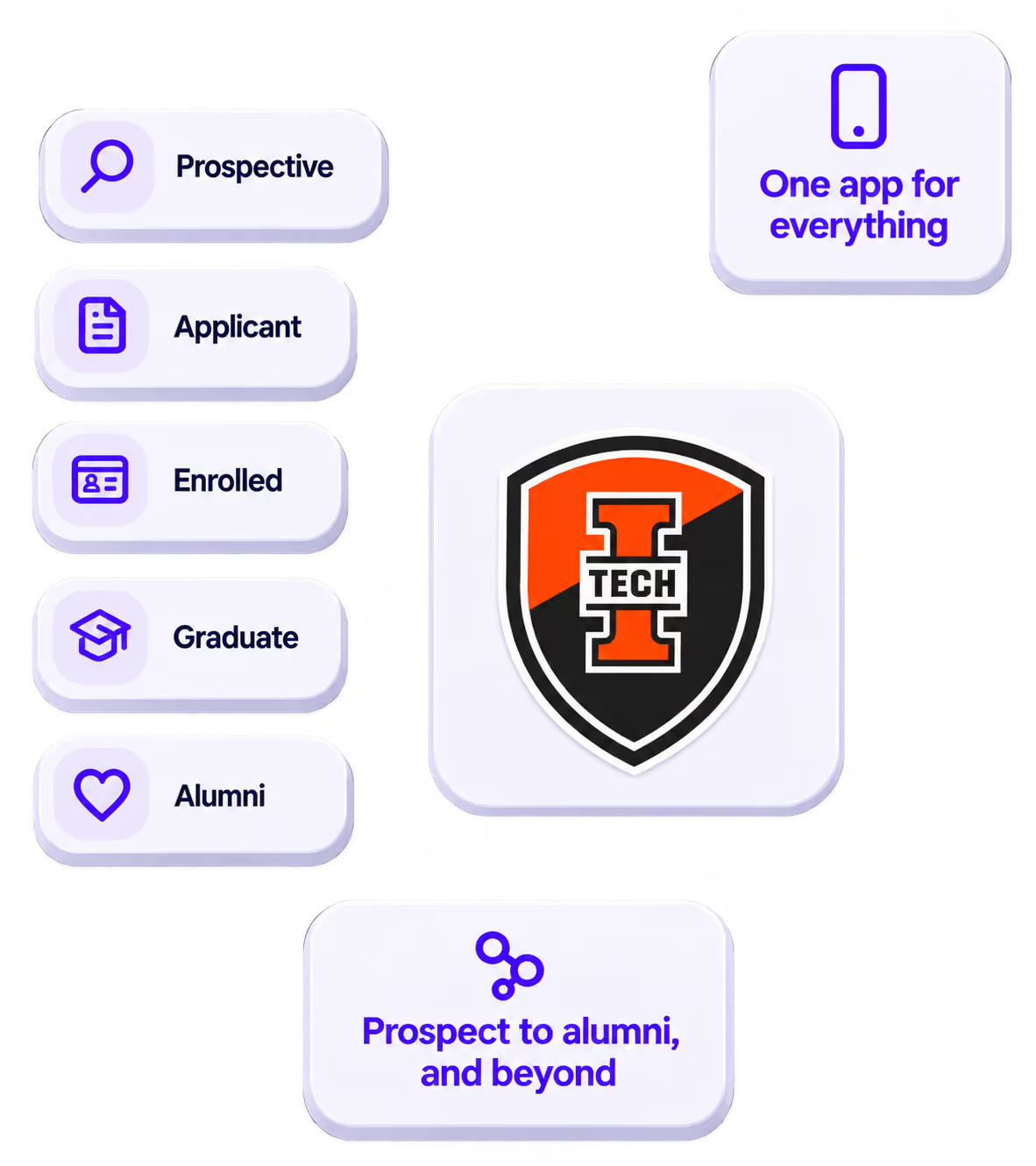
The power of your brand in your app, from first visit to alumni.
Build trust
Attendees download your app, not ours. Your name, colors, and crest in the stores.
.avif)
One place for the whole event
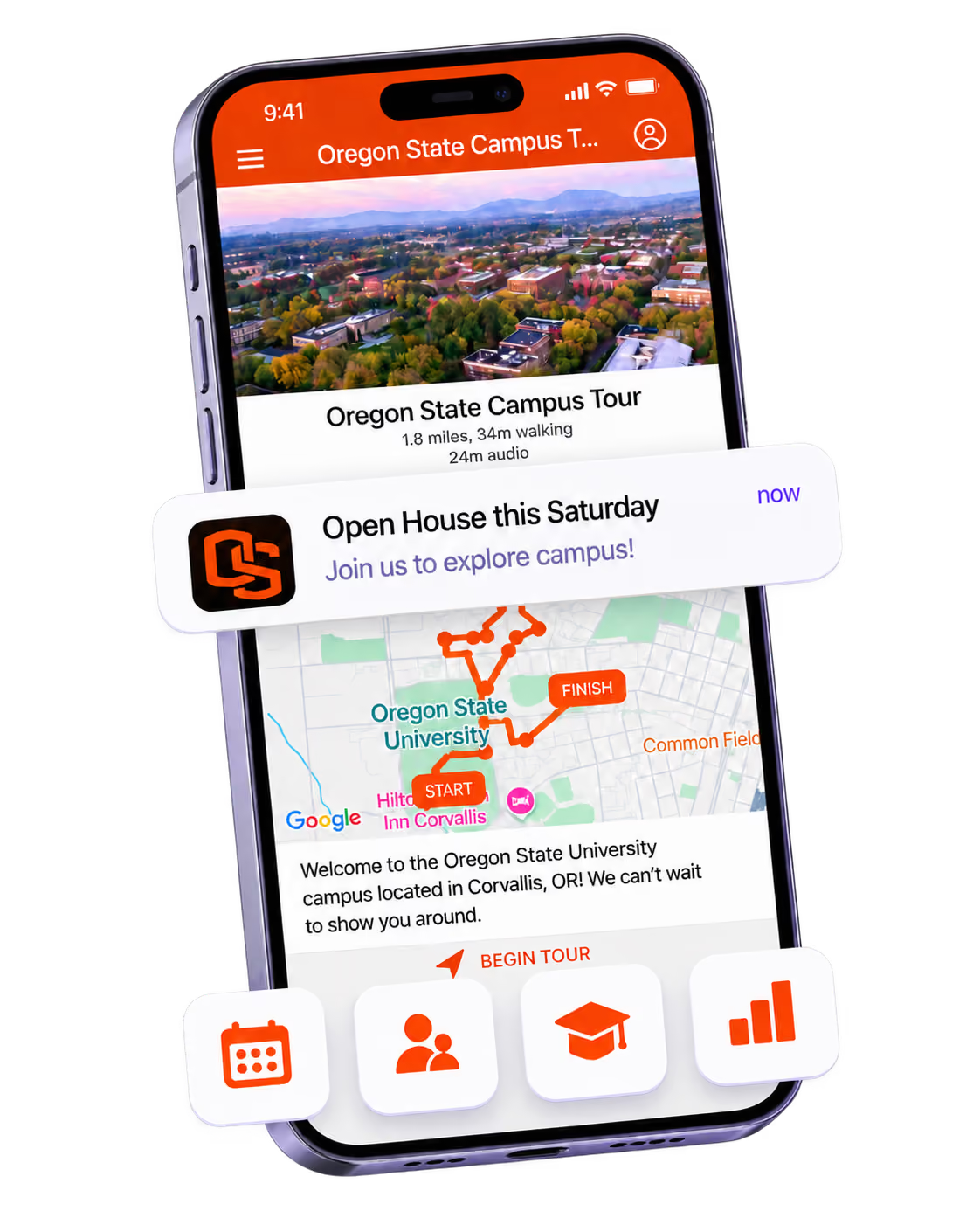
Schedules, maps, registration, and updates in one branded hub - not five tools.
Stand out
A branded app is what people keep on their phone after the printed program is in the recycling.

Get the Mobile App Playbook
A short guide to running the whole student journey in one app. No fluff, just what works.
for higher ed
Campus
Playbook
A practical guide to building a connected campus experience.
Free playbook
The Mobile App Playbook for Universities
Students decide if they belong long before they set foot on campus. This playbook shows how to win them over from the first visit through graduation.
- Grow enrollment and boost recruitment
- Increase belonging and retention
- Run every event from one branded app
By submitting, you agree to our Privacy Policy.
You're in.
.png)