
Campus apps by department
Admissions, orientation, student life, and more — one campus app that works across departments.

Campus apps by department
Admissions, orientation, student life, and more — one campus app that works across departments.
Build unlimited event apps on one license
One partnership for unlimited campus events — orientation, tours, student life, and everything in between.
Build unlimited event apps on one license
One partnership for unlimited campus events — orientation, tours, student life, and everything in between.
Compare event app platforms
See how Guidebook stacks up against other event app and registration platforms.
Compare event app platforms
See how Guidebook stacks up against other event app and registration platforms.
Event apps for nonprofit and community programs
Give members, volunteers, and donors one branded app for conferences, fundraisers, and year-round community.
Event apps for nonprofit and community programs
Give members, volunteers, and donors one branded app for conferences, fundraisers, and year-round community.
Campus integrations and an open API
Connect Guidebook with the campus systems, APIs, and tools your team already uses.
Campus integrations and an open API
Connect Guidebook with the campus systems, APIs, and tools your team already uses.
Event apps for corporate and enterprise teams
Internal meetings, offsites, and large-scale corporate events — with the branding and control enterprise teams need.
Event apps for corporate and enterprise teams
Internal meetings, offsites, and large-scale corporate events — with the branding and control enterprise teams need.
Create a branded event app with no coding
Put schedules, maps, resources, and updates in every attendee's pocket — built for campus events and programs.
Create a branded event app with no coding
Put schedules, maps, resources, and updates in every attendee's pocket — built for campus events and programs.
Launch a branded, white-label event app
A white-label event app with your branding, your content, and your attendee experience — no coding required.
Launch a branded, white-label event app
A white-label event app with your branding, your content, and your attendee experience — no coding required.
Everything in the Guidebook platform
Explore the features event teams use to engage attendees before, during, and after the event.
Everything in the Guidebook platform
Explore the features event teams use to engage attendees before, during, and after the event.
One app for in-person and virtual attendees
The same schedule, networking, and updates whether people are in the room or joining remotely.
One app for in-person and virtual attendees
The same schedule, networking, and updates whether people are in the room or joining remotely.
Event apps built for associations
Annual meetings, chapter events, and member engagement — without rebuilding a new app every year.
Event apps built for associations
Annual meetings, chapter events, and member engagement — without rebuilding a new app every year.
A branded event website that matches the app
Promote the event, collect interest, and keep branding consistent from the first click to check-in.
A branded event website that matches the app
Promote the event, collect interest, and keep branding consistent from the first click to check-in.
Plan, run, and measure events on one platform
App, registration, badges, and websites in one workflow — so planning isn't a pile of disconnected tools.
Plan, run, and measure events on one platform
App, registration, badges, and websites in one workflow — so planning isn't a pile of disconnected tools.
Keep members engaged between events
One branded app for the conference and everything that happens the other 51 weeks of the year.
Keep members engaged between events
One branded app for the conference and everything that happens the other 51 weeks of the year.
The conference app attendees actually use
Schedules, maps, networking, and live updates for annual meetings, summits, and multi-day conferences.
The conference app attendees actually use
Schedules, maps, networking, and live updates for annual meetings, summits, and multi-day conferences.
Registration that feeds your app and badges
Collect registrations, payments, and attendee data in the same platform as your event app.
Registration that feeds your app and badges
Collect registrations, payments, and attendee data in the same platform as your event app.
Design and print event badges in one place
Custom badges, QR check-in, and on-site printing — without a separate badge vendor.
Design and print event badges in one place
Custom badges, QR check-in, and on-site printing — without a separate badge vendor.
A Smaller School?
Deliver a polished, branded event experience without a large team or a big budget.

A Smaller School?
Deliver a polished, branded event experience without a large team or a big budget.
Running Family Programs?
Give families everything they need, from schedules and maps to real-time updates, all in one place.

Running Family Programs?
Give families everything they need, from schedules and maps to real-time updates, all in one place.
Coordinating Move-In Day?
Share updates, manage events, and keep students informed from move-in through the academic year.

Coordinating Move-In Day?
Share updates, manage events, and keep students informed from move-in through the academic year.
Offering Campus Tours?
Deliver branded, self-guided tour experiences with interactive maps and rich media, available 24/7.

Offering Campus Tours?
Deliver branded, self-guided tour experiences with interactive maps and rich media, available 24/7.
Organising a Career Fair?
Simplify logistics for students, employers, and Career Services staff with one easy-to-use app.

Organising a Career Fair?
Simplify logistics for students, employers, and Career Services staff with one easy-to-use app.
Managing Alumni Events?
Plan reunions, regional events, and fundraising campaigns with an app built for alumni engagement.

Managing Alumni Events?
Plan reunions, regional events, and fundraising campaigns with an app built for alumni engagement.
Boost Student Engagement
One hub for schedules, resources, and events that keeps students connected throughout the academic year.

Boost Student Engagement
One hub for schedules, resources, and events that keeps students connected throughout the academic year.
Planning Orientation?
Help new students feel prepared from day one with schedules, campus resources, and real-time updates in one app.

Planning Orientation?
Help new students feel prepared from day one with schedules, campus resources, and real-time updates in one app.
Running Admissions Events?
Manage open houses, tours, and yield events with a branded app that saves time and engages prospective students.

Running Admissions Events?
Manage open houses, tours, and yield events with a branded app that saves time and engages prospective students.
Get a custom Sponsorship Package Template
Stop starting from scratch. Grab free templates that helWe'll build a tailored sponsorship package with suggested pricing, tiers, and benefits..for your specific event.p you build professional sponsorship packages and close deals faster.

Get a custom Sponsorship Package Template
Stop starting from scratch. Grab free templates that helWe'll build a tailored sponsorship package with suggested pricing, tiers, and benefits..for your specific event.p you build professional sponsorship packages and close deals faster.
Plan Your Next Event Without Missing a Beat.
From venue selection to post-event wrap-up, this free checklist walks you through every step (so nothing falls through the cracks).
.avif)
Plan Your Next Event Without Missing a Beat.
From venue selection to post-event wrap-up, this free checklist walks you through every step (so nothing falls through the cracks).
Real Results From Real Events
100,000+ organizations trust Guidebook. See exactly how universities, associations, enterprises, and more put it to work.

Real Results From Real Events
100,000+ organizations trust Guidebook. See exactly how universities, associations, enterprises, and more put it to work.
Flexible pricing for every event size
Find the perfect plan for your needs, from intimate gatherings to large-scale conferences.

Flexible pricing for every event size
Find the perfect plan for your needs, from intimate gatherings to large-scale conferences.
Join our event experts
Watch on-demand webinars and join live sessions with industry leaders sharing best practices for event success.
.avif)
Join our event experts
Watch on-demand webinars and join live sessions with industry leaders sharing best practices for event success.
Guidebook in Action
Book a personalized walkthrough and discover how we help event teams create better attendee experiences.
Guidebook in Action
Book a personalized walkthrough and discover how we help event teams create better attendee experiences.

What features should a college orientation app have?
Discover essential features every college orientation app should have. Explore must-have tools, engagement strategies, and tips for a seamless student onboarding experience.

College orientation app features are the essential digital tools and functions built into mobile apps that help incoming students navigate campus life, connect with peers, and access critical information during their transition to college. These features transform chaotic orientation weeks into organized, engaging experiences. When done right, they boost student confidence and set the tone for academic success.
Here's the thing: a college orientation app isn't just a digital schedule. It's a student's lifeline during one of the most overwhelming weeks of their life. The best apps combine practical tools like maps and schedules with community-building features like chat and social feeds. This blend of function and connection makes all the difference.
Key Characteristics of College Orientation App Features
- Mobile-First Design: Features work seamlessly on smartphones since that's where students live. No clunky desktop interfaces or PDF downloads required.
- Real-Time Updates: Information syncs instantly when schedules change or events get moved. Students always see the latest details without refreshing.
- Personalization Capabilities: Content adapts based on student groups, majors, or housing assignments. Each student sees what's relevant to them.
- Offline Functionality: Core features work without WiFi since campus networks get overwhelmed during orientation. Maps and schedules stay accessible.
- Push Notification Support: Timely alerts keep students informed about upcoming sessions, location changes, or important announcements.
- Integration Ready: Features connect with existing campus systems like student information databases and learning management platforms.
- Accessibility Compliance: All features meet ADA standards so every student can participate fully regardless of ability.
Essential College Orientation App Features Every School Needs
Not all features carry equal weight. Some are must-haves while others are nice bonuses. Let's break down what matters most for new student programs.
Interactive Campus Maps
Getting lost on a new campus is stressful. Interactive maps solve this problem instantly. Students can search for buildings, get turn-by-turn directions, and find nearby amenities.
The best maps include:
- Indoor navigation for large buildings
- Accessibility routes highlighted
- Points of interest like dining halls and restrooms
- GPS-enabled "you are here" markers
Personalized Schedule Builders
Generic schedules don't cut it anymore. Students need to see their specific sessions based on their team, major, or interest area. Apps for new student orientations should let students build custom agendas.
This feature saves staff time too. No more printing dozens of schedule variations or answering "where should I be?" questions all day.
Social Networking and Chat Functions
Orientation is about making friends, not just finding buildings. Built-in social features help students connect before they even arrive on campus.
- Group chats for orientation teams
- Direct messaging between students
- Social feeds for sharing photos and updates
- Roommate matching tools
Resource Libraries and Document Storage
Students need access to forms, guides, and important documents. A central resource library keeps everything organized. Think housing contracts, meal plan info, and academic policies all in one spot.
This eliminates the dreaded "check your email" response. Everything lives in the app where students can actually find it.
Event Check-In and Attendance Tracking
Event check-in software built into orientation apps helps staff track participation. QR code scanning makes check-in fast and contactless. Plus, you get data on which sessions draw crowds and which fall flat.
Advanced College Orientation App Features for Enhanced Engagement
Once you've nailed the basics, these advanced features take your orientation to the next level. They're what separate good apps from great ones.
Gamification and Points Systems
Purdue University uses team-based competition during their Boiler Gold Rush orientation. Students earn points for attending events and completing challenges. This friendly rivalry drives engagement and builds team spirit.
Gamification elements include:
- Leaderboards showing top teams or individuals
- Badges for completing orientation milestones
- Scavenger hunts that encourage campus exploration
- Rewards for high participation
Live Polling and Q&A Tools
Large orientation sessions can feel impersonal. Live polling lets students participate even in crowds of hundreds. They can ask questions anonymously and vote on topics they want covered.
This real-time feedback helps presenters adjust on the fly. If students are confused about something, you'll know immediately.
Parent and Family Access Portals
Parent and family programs benefit from app access too. Separate portals let families view schedules and resources without cluttering the student experience. Parents feel informed without hovering.
Virtual Tour Integration
Not every student can attend in-person orientation. Virtual tour features let remote students explore campus digitally. This supports admissions and enrollment efforts for students who can't visit before committing.
College Orientation App Features vs. Related Digital Tools
Orientation apps often get confused with other campus technology. Here's how they differ from similar tools.
Learning Management Systems (LMS)
- Scope: Academic coursework and grades
- Focus: Classroom learning and assignments
- Timeline: Entire academic career
- Channels: Desktop-first, mobile secondary
- Goal: Academic achievement tracking
Campus Portal Apps
- Scope: All campus services and information
- Focus: Administrative tasks and general resources
- Timeline: Ongoing student life
- Channels: Web and mobile equally
- Goal: Centralized campus access
College Orientation Apps
- Scope: Orientation week activities and resources
- Focus: Transition support and community building
- Timeline: Pre-arrival through first weeks
- Channels: Mobile-first design
- Goal: Successful student onboarding
The key difference? Orientation apps are purpose-built for a specific, high-stakes moment. They're not trying to do everything. They're laser-focused on helping students thrive during their first campus experience.
Why College Orientation App Features Matter
For Event Success:
- Higher Attendance Rates: Push notifications and easy scheduling boost participation. Students don't miss sessions because they forgot or got lost.
- Reduced Staff Workload: Self-service features mean fewer repetitive questions. Staff can focus on meaningful interactions instead of giving directions.
- Better Communication: Real-time updates eliminate confusion when plans change. Everyone stays on the same page.
- Stronger Student Connections: Social features help students bond before classes start. These early friendships improve retention.
- Measurable Outcomes: Event ROI becomes trackable through app analytics. You can prove orientation's impact with data.
For Business Objectives:
- Improved Yield Rates: Engaging orientation experiences convince admitted students to enroll. The app becomes a recruitment tool.
- Cost Savings: Digital materials replace expensive printed packets. Purdue saves thousands of pages annually.
- Brand Consistency: Branded apps reinforce school identity from day one. Students feel connected to their new community.
- Data-Driven Decisions: Analytics reveal what works and what doesn't. Future orientations improve based on real insights.
- Scalability: Apps handle growth without proportional staff increases. Whether you welcome 500 or 8,000 students, the technology scales.
Platforms like Guidebook's event management platform make building these features accessible for schools of all sizes. You don't need a massive IT budget to deliver a polished orientation app.
College Orientation App Features Best Practices
- Start Promoting Early: Don't wait until orientation week to mention the app. Include download links in acceptance letters and pre-arrival emails. Proven strategies to increase downloads start months before students arrive.
- Keep Navigation Simple: Students are already overwhelmed. Limit main menu items to 5-7 options. Hide advanced features in logical submenus.
- Test on Real Devices: What looks great on your computer might break on older phones. Test across multiple devices and operating systems before launch.
- Train Your Staff Thoroughly: Orientation leaders should know the app inside and out. They're your front-line support when students have questions.
- Use QR Codes Everywhere: Place download codes on move-in materials, building signage, and even stadium screens. Make downloading effortless.
- Personalize the Experience: Generic content feels lazy. Use student data to show relevant schedules, resources, and connections.
- Plan for Offline Use: Campus WiFi will struggle during orientation. Ensure critical features work without internet access.
- Gather Feedback Continuously: Build in-app surveys to capture student opinions. Use this data to improve next year's experience.
- Integrate with Existing Systems: Connect your app to student databases for seamless data flow. Manual data entry creates errors and extra work.
- Update Content in Real Time: Assign someone to monitor and update the app throughout orientation. Stale information destroys trust quickly.
Common College Orientation App Features Mistakes
Overloading with Features: More isn't always better. Apps stuffed with every possible feature confuse students. Focus on what matters most and do it well. You can always add features later based on feedback.
Ignoring Accessibility: Students with disabilities deserve equal access. Skipping accessibility testing excludes part of your community and may violate legal requirements. Screen reader compatibility and color contrast matter.
Launching Too Late: Releasing the app the day before orientation doesn't give students time to download and explore. Aim for at least two weeks of pre-orientation access so students arrive prepared.
Forgetting Parent Communication: Parents influence student decisions, especially for first-generation college students. Excluding families from app access creates information gaps and anxious phone calls.
Neglecting Post-Orientation Value: Apps that go dark after orientation week waste potential. Extend usefulness into the first semester with campus resources and ongoing event information.
Skipping Analytics Review: Collecting data means nothing if you don't analyze it. Schedule a post-event debrief to review app metrics and identify improvements.
Underestimating Technical Support Needs: Students will have problems. Without clear support channels, frustration builds fast. Designate tech support contacts and make them easy to find in the app.
Final Thoughts
College orientation app features have transformed how schools welcome new students. What once required stacks of paper and constant announcements now fits in every student's pocket. The right features reduce stress, build community, and set students up for success.
The schools seeing the best results treat their orientation apps as strategic tools, not afterthoughts. They invest in thoughtful event planning and choose features that match their specific student needs. Whether you're a small school or a large university like Purdue, the principles remain the same.
Think about your own orientation experience. Remember the confusion, the missed sessions, the struggle to find your way? Today's students don't have to feel that way. With the right app features, you can turn orientation from survival mode into a genuinely exciting start to college life.
Ready to build an orientation app that actually works? Schedule a demo with Guidebook to see how schools across the country are creating memorable first impressions. Check out our webinar with Seattle University for real-world inspiration. Your incoming class deserves an orientation they'll remember for all the right reasons.
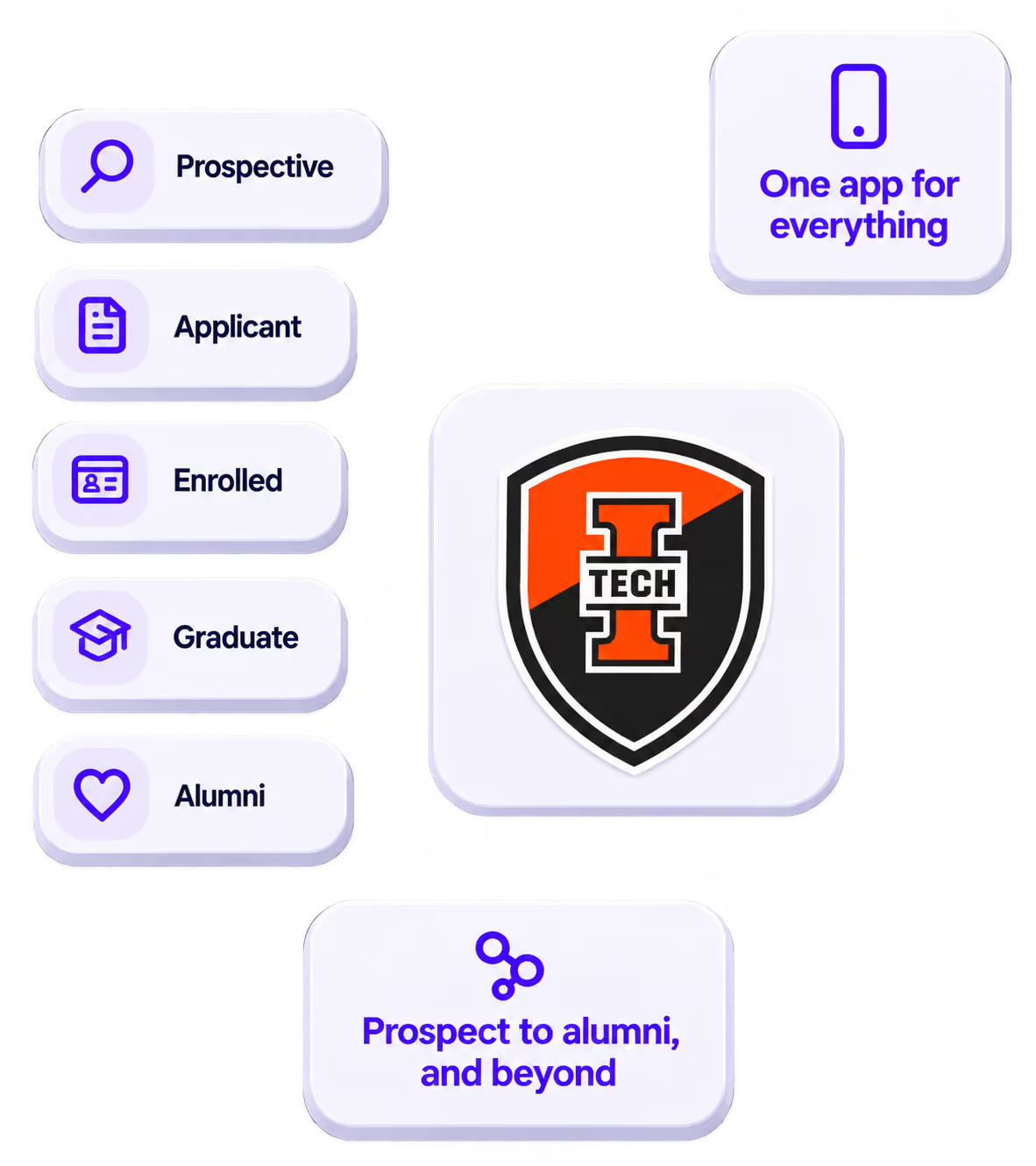
The power of your brand in your app, from first visit to alumni.
Build trust
Attendees download your app, not ours. Your name, colors, and crest in the stores.
.avif)
One place for the whole event
Schedules, maps, registration, and updates in one branded hub - not five tools.
Stand out
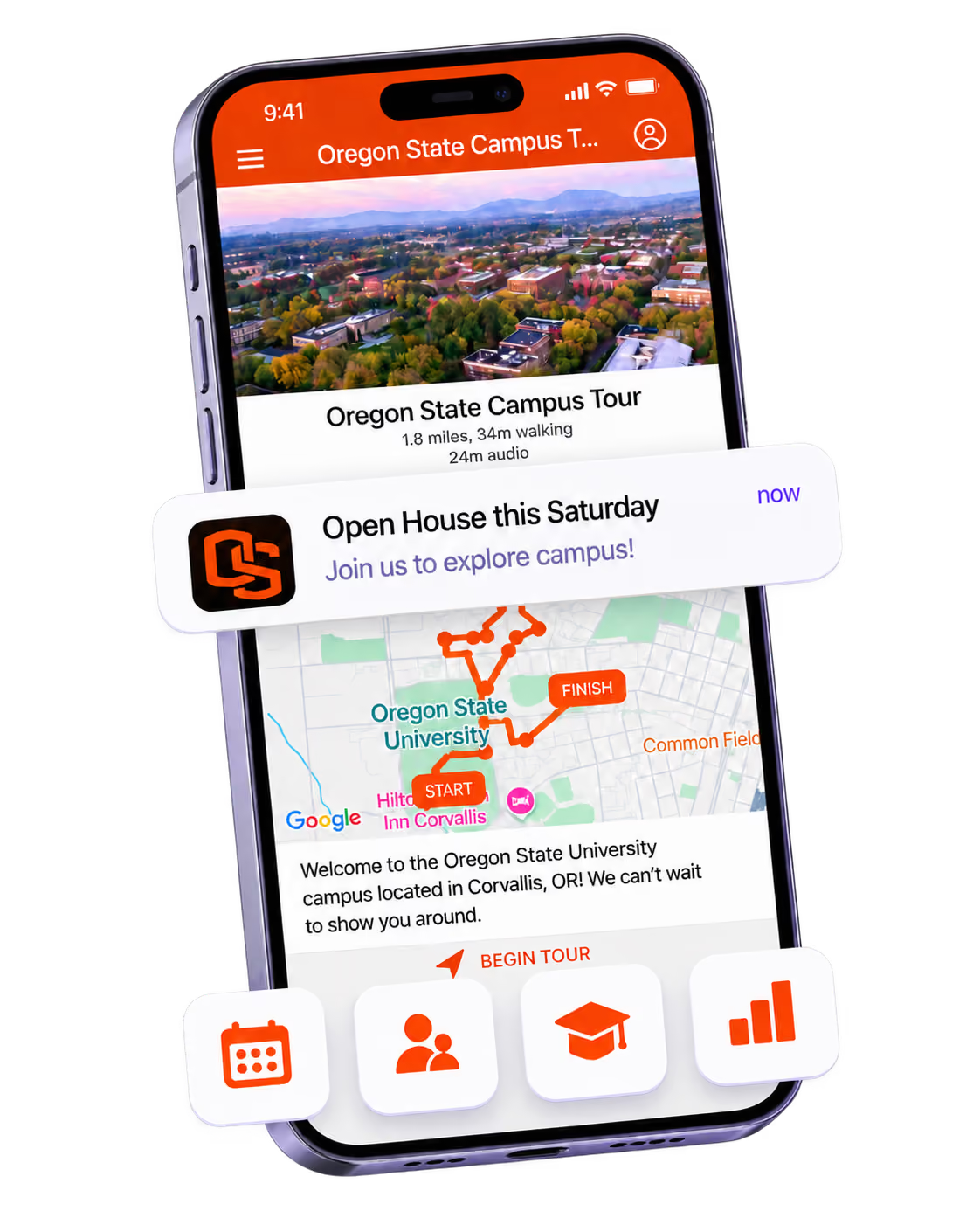
A branded app is what people keep on their phone after the printed program is in the recycling.

Get the Mobile App Playbook
A short guide to running the whole student journey in one app. No fluff, just what works.
for higher ed
Campus
Playbook
A practical guide to building a connected campus experience.
Free playbook
The Mobile App Playbook for Universities
Students decide if they belong long before they set foot on campus. This playbook shows how to win them over from the first visit through graduation.
- Grow enrollment and boost recruitment
- Increase belonging and retention
- Run every event from one branded app
By submitting, you agree to our Privacy Policy.
You're in.
.png)