
Campus apps by department
Admissions, orientation, student life, and more — one campus app that works across departments.

Campus apps by department
Admissions, orientation, student life, and more — one campus app that works across departments.
Build unlimited event apps on one license
One partnership for unlimited campus events — orientation, tours, student life, and everything in between.
Build unlimited event apps on one license
One partnership for unlimited campus events — orientation, tours, student life, and everything in between.
Compare event app platforms
See how Guidebook stacks up against other event app and registration platforms.
Compare event app platforms
See how Guidebook stacks up against other event app and registration platforms.
Event apps for nonprofit and community programs
Give members, volunteers, and donors one branded app for conferences, fundraisers, and year-round community.
Event apps for nonprofit and community programs
Give members, volunteers, and donors one branded app for conferences, fundraisers, and year-round community.
Campus integrations and an open API
Connect Guidebook with the campus systems, APIs, and tools your team already uses.
Campus integrations and an open API
Connect Guidebook with the campus systems, APIs, and tools your team already uses.
Event apps for corporate and enterprise teams
Internal meetings, offsites, and large-scale corporate events — with the branding and control enterprise teams need.
Event apps for corporate and enterprise teams
Internal meetings, offsites, and large-scale corporate events — with the branding and control enterprise teams need.
Create a branded event app with no coding
Put schedules, maps, resources, and updates in every attendee's pocket — built for campus events and programs.
Create a branded event app with no coding
Put schedules, maps, resources, and updates in every attendee's pocket — built for campus events and programs.
Launch a branded, white-label event app
A white-label event app with your branding, your content, and your attendee experience — no coding required.
Launch a branded, white-label event app
A white-label event app with your branding, your content, and your attendee experience — no coding required.
Everything in the Guidebook platform
Explore the features event teams use to engage attendees before, during, and after the event.
Everything in the Guidebook platform
Explore the features event teams use to engage attendees before, during, and after the event.
One app for in-person and virtual attendees
The same schedule, networking, and updates whether people are in the room or joining remotely.
One app for in-person and virtual attendees
The same schedule, networking, and updates whether people are in the room or joining remotely.
Event apps built for associations
Annual meetings, chapter events, and member engagement — without rebuilding a new app every year.
Event apps built for associations
Annual meetings, chapter events, and member engagement — without rebuilding a new app every year.
A branded event website that matches the app
Promote the event, collect interest, and keep branding consistent from the first click to check-in.
A branded event website that matches the app
Promote the event, collect interest, and keep branding consistent from the first click to check-in.
Plan, run, and measure events on one platform
App, registration, badges, and websites in one workflow — so planning isn't a pile of disconnected tools.
Plan, run, and measure events on one platform
App, registration, badges, and websites in one workflow — so planning isn't a pile of disconnected tools.
Keep members engaged between events
One branded app for the conference and everything that happens the other 51 weeks of the year.
Keep members engaged between events
One branded app for the conference and everything that happens the other 51 weeks of the year.
The conference app attendees actually use
Schedules, maps, networking, and live updates for annual meetings, summits, and multi-day conferences.
The conference app attendees actually use
Schedules, maps, networking, and live updates for annual meetings, summits, and multi-day conferences.
Registration that feeds your app and badges
Collect registrations, payments, and attendee data in the same platform as your event app.
Registration that feeds your app and badges
Collect registrations, payments, and attendee data in the same platform as your event app.
Design and print event badges in one place
Custom badges, QR check-in, and on-site printing — without a separate badge vendor.
Design and print event badges in one place
Custom badges, QR check-in, and on-site printing — without a separate badge vendor.
A Smaller School?
Deliver a polished, branded event experience without a large team or a big budget.

A Smaller School?
Deliver a polished, branded event experience without a large team or a big budget.
Running Family Programs?
Give families everything they need, from schedules and maps to real-time updates, all in one place.

Running Family Programs?
Give families everything they need, from schedules and maps to real-time updates, all in one place.
Coordinating Move-In Day?
Share updates, manage events, and keep students informed from move-in through the academic year.

Coordinating Move-In Day?
Share updates, manage events, and keep students informed from move-in through the academic year.
Offering Campus Tours?
Deliver branded, self-guided tour experiences with interactive maps and rich media, available 24/7.

Offering Campus Tours?
Deliver branded, self-guided tour experiences with interactive maps and rich media, available 24/7.
Organising a Career Fair?
Simplify logistics for students, employers, and Career Services staff with one easy-to-use app.

Organising a Career Fair?
Simplify logistics for students, employers, and Career Services staff with one easy-to-use app.
Managing Alumni Events?
Plan reunions, regional events, and fundraising campaigns with an app built for alumni engagement.

Managing Alumni Events?
Plan reunions, regional events, and fundraising campaigns with an app built for alumni engagement.
Boost Student Engagement
One hub for schedules, resources, and events that keeps students connected throughout the academic year.

Boost Student Engagement
One hub for schedules, resources, and events that keeps students connected throughout the academic year.
Planning Orientation?
Help new students feel prepared from day one with schedules, campus resources, and real-time updates in one app.

Planning Orientation?
Help new students feel prepared from day one with schedules, campus resources, and real-time updates in one app.
Running Admissions Events?
Manage open houses, tours, and yield events with a branded app that saves time and engages prospective students.

Running Admissions Events?
Manage open houses, tours, and yield events with a branded app that saves time and engages prospective students.
Get a custom Sponsorship Package Template
Stop starting from scratch. Grab free templates that helWe'll build a tailored sponsorship package with suggested pricing, tiers, and benefits..for your specific event.p you build professional sponsorship packages and close deals faster.

Get a custom Sponsorship Package Template
Stop starting from scratch. Grab free templates that helWe'll build a tailored sponsorship package with suggested pricing, tiers, and benefits..for your specific event.p you build professional sponsorship packages and close deals faster.
Plan Your Next Event Without Missing a Beat.
From venue selection to post-event wrap-up, this free checklist walks you through every step (so nothing falls through the cracks).
.avif)
Plan Your Next Event Without Missing a Beat.
From venue selection to post-event wrap-up, this free checklist walks you through every step (so nothing falls through the cracks).
Real Results From Real Events
100,000+ organizations trust Guidebook. See exactly how universities, associations, enterprises, and more put it to work.

Real Results From Real Events
100,000+ organizations trust Guidebook. See exactly how universities, associations, enterprises, and more put it to work.
Flexible pricing for every event size
Find the perfect plan for your needs, from intimate gatherings to large-scale conferences.

Flexible pricing for every event size
Find the perfect plan for your needs, from intimate gatherings to large-scale conferences.
Join our event experts
Watch on-demand webinars and join live sessions with industry leaders sharing best practices for event success.
.avif)
Join our event experts
Watch on-demand webinars and join live sessions with industry leaders sharing best practices for event success.
Guidebook in Action
Book a personalized walkthrough and discover how we help event teams create better attendee experiences.
Guidebook in Action
Book a personalized walkthrough and discover how we help event teams create better attendee experiences.

What is an Event Website Template?
Event website templates simplify event promotion with ready-made designs and features. Learn what they are, key benefits, and how to choose the best template for your event.

An Event Website Template is a pre-designed, customizable web page framework that helps event planners launch professional registration sites in hours instead of weeks. These templates handle the heavy lifting—layout, navigation, mobile responsiveness—so you can focus on your event's unique content. The right template can boost registrations by 30% or more.
Here's the thing: an event website template isn't just a shortcut. It's a strategic tool that combines proven design principles with conversion-focused elements. You get professional results without hiring a developer or learning to code. And because templates are built on best practices, they often outperform custom sites that lack UX expertise.
Key Characteristics of Event Website Templates
- Mobile-First Design: Over 60% of event registrations happen on phones. Quality templates automatically adjust to any screen size.
- Built-In Registration Forms: Pre-configured fields capture attendee information and integrate with payment processors.
- Drag-and-Drop Editing: No coding required. Move sections, swap images, and update text with simple clicks.
- SEO-Ready Structure: Templates include proper heading tags, meta descriptions, and fast load times that help event SEO efforts.
- Brand Customization Options: Change colors, fonts, and logos to match your organization's visual identity.
- Social Media Integration: Built-in sharing buttons and embed options make promotion effortless. : Most templates support Google Analytics and conversion tracking out of the box.
Event Website Template vs. Related Tools
Event Landing Page
- Scope: Single page focused on one action (usually registration)
- Focus: Conversion optimization and minimal distractions
- Timeline: Quick campaigns or single-day events
- Channels: Paid ads, email campaigns, social media
- Goal: Drive immediate sign-ups
Event Management Platform
- Scope: Full suite including registration, communication, and on-site tools
- Focus: End-to-end event operations
- Timeline: Entire event lifecycle from planning to post-event
- Channels: Website, mobile app, email, check-in systems
- Goal: Streamline all event processes
Event Mobile App
- Scope: Native or web app for attendee engagement
- Focus: On-site experience and real-time updates
- Timeline: During and immediately around the event
- Channels: iOS, Android, mobile web
- Goal: Enhance attendee experience and communication
These tools work best together. Your website template attracts and converts visitors. An event management platform handles operations. A branded mobile app delivers the on-site experience. Smart planners integrate all three.
Essential Event Website Template Components
Hero Section That Converts
Your hero section has three seconds to grab attention. Include your event name, date, location, and a clear call-to-action button.
Use a compelling image or video that shows the event experience. Skip generic stock photos—they kill credibility.
Event Details and Schedule
Visitors need the basics fast:
- Date and time (include time zone)
- Location with map integration
- Agenda or session schedule
- Ticket types and pricing
For multi-day conferences, consider linking to a detailed event planning process page with the full schedule.
Speaker and Presenter Profiles
Speakers sell tickets. Feature headshots, bios, and credentials prominently. Include social links so visitors can verify expertise.
For large events, organize speakers by track or session type. Make profiles searchable if you have more than 20 presenters.
Registration and Ticketing Module
This is where conversions happen. Your registration form should:
- Ask only essential questions (every extra field drops completion rates)
- Show pricing clearly with no hidden fees
- Offer multiple payment options
- Send instant confirmation emails
Learn more about optimizing this process in our event registration guide.
Social Proof Elements
Past attendee testimonials, sponsor logos, and attendance numbers build trust. If this is your first event, highlight speaker credentials or organizational reputation instead.
Types of Event Website Templates
Conference and Summit Templates
These templates handle complexity well. They include multi-track schedules, speaker directories, and sponsor tiers.
Look for templates with session filtering and personalized agenda builders. Attendees at large conferences need to find relevant content quickly.
Workshop and Training Templates
Simpler layouts work best here. Focus on learning outcomes, instructor credentials, and clear session descriptions.
Include FAQ sections addressing common questions about materials, prerequisites, and certifications. Check out event management tips for workshop-specific advice.
Festival and Entertainment Templates
Visual impact matters most for these events. Templates should support large images, video backgrounds, and artist lineups.
Mobile optimization is critical—festival-goers browse on phones. Read why you should build a festival app to complement your website.
Corporate Event Templates
Professional aesthetics and brand consistency define these templates. They often include:
- Employee registration portals
- Internal communication features
- Approval workflows
- Budget tracking integration
For team building events, look for templates with activity descriptions and team assignment features.
Virtual and Hybrid Event Templates
These templates integrate streaming platforms and virtual networking tools. Key features include:
- Embedded video players
- Live chat functionality
- Virtual booth spaces
- Time zone converters
Our virtual event planning guide covers platform selection in detail.
Why Event Website Templates Matter
For Event Success:
- Faster Launch Times: Go live in hours, not weeks. Templates eliminate the development bottleneck.
- Higher Conversion Rates: Proven layouts guide visitors toward registration. No guesswork required.
- Professional Credibility: Quality design signals a quality event. First impressions happen online.
- Mobile Accessibility: Reach attendees wherever they browse. Responsive templates adapt automatically.
- Consistent Branding: Maintain visual identity across all touchpoints. Templates ensure cohesion.
For Business Objectives:
- Reduced Costs: Skip expensive custom development. Templates cost a fraction of bespoke sites. event ROI measurement.
- Scalable Solutions: Use the same template framework for events of any size.
- Marketing Integration: Connect with email platforms, CRMs, and event digital marketing tools.
- Data Collection: Capture attendee information for future marketing and personalization.
Guidebook's template library offers event-specific designs that integrate with our full event management platform. You get a professional website plus mobile app, check-in tools, and attendee engagement features in one solution.
Event Website Template Best Practices
- Start With Your Goal: Define what success looks like before choosing a template. Registration numbers? Information delivery? Lead generation? Your goal shapes every design decision.
- Prioritize Mobile Experience: Test your template on multiple devices before launching. Buttons should be thumb-friendly. Text should be readable without zooming.
- Simplify Navigation: Limit main menu items to five or fewer. Every click between landing and registration loses potential attendees.
- Use High-Quality Images: Invest in professional photography from past events. Authentic visuals outperform stock photos every time.
- Write Scannable Content: Use headers, bullets, and short paragraphs. Visitors skim before they read. Make key information impossible to miss.
- Include Clear CTAs: Every page should have an obvious next step. "Register Now" beats "Learn More" for conversion-focused pages.
- Optimize Load Speed: Compress images and minimize plugins. Pages that load in under three seconds convert significantly better.
- Add Social Proof Early: Place testimonials and logos above the fold. Trust signals reduce hesitation and boost registrations.
- Test Before Launch: Complete the registration process yourself. Check every link, form field, and confirmation email.
- Plan for Updates: Choose templates that make editing easy. Event details change—your website should adapt quickly.
Common Event Website Template Mistakes
Choosing Style Over Function: A beautiful template that confuses visitors will tank your registrations. Prioritize clear navigation and obvious CTAs over trendy design elements. Test with real users before committing.
Ignoring Page Speed: Heavy templates with unoptimized images frustrate visitors. Every second of load time costs conversions. Use Google's PageSpeed Insights to identify problems.
Overloading the Homepage: Cramming every detail onto one page overwhelms visitors. Focus on essential information and link to secondary pages for details.
Skipping Mobile Testing: Desktop-first thinking kills mobile conversions. Always preview and test on actual phones—emulators miss real-world issues.
Neglecting SEO Basics: Templates need proper meta titles, descriptions, and heading structure. Without these, search engines can't find your event. Review event SEO fundamentals.
Using Generic Copy: Template placeholder text doesn't sell tickets. Invest time in compelling, specific content that speaks to your audience's needs and desires.
: Launching without tracking means flying blind. Configure Google Analytics and conversion goals before your first visitor arrives.Final Thoughts
Event website templates have transformed how planners approach online presence. What once required developers, designers, and weeks of work now takes hours. The playing field has leveled—small organizations can look just as professional as enterprise teams.
The event industry continues shifting toward digital-first experiences. Your website often serves as the first touchpoint with potential attendees. It shapes expectations, builds trust, and drives registrations. A strong template foundation makes all of this easier.
Don't let perfect be the enemy of good. The best template is one you'll actually use and update. Start with proven designs, customize for your brand, and iterate based on results. Every event teaches you something new about what works.
Ready to build your event website? Explore Guidebook's template options or book a demo to see how our platform combines website tools with mobile apps, check-in software, and attendee engagement features. Your next event deserves a website that works as hard as you do.
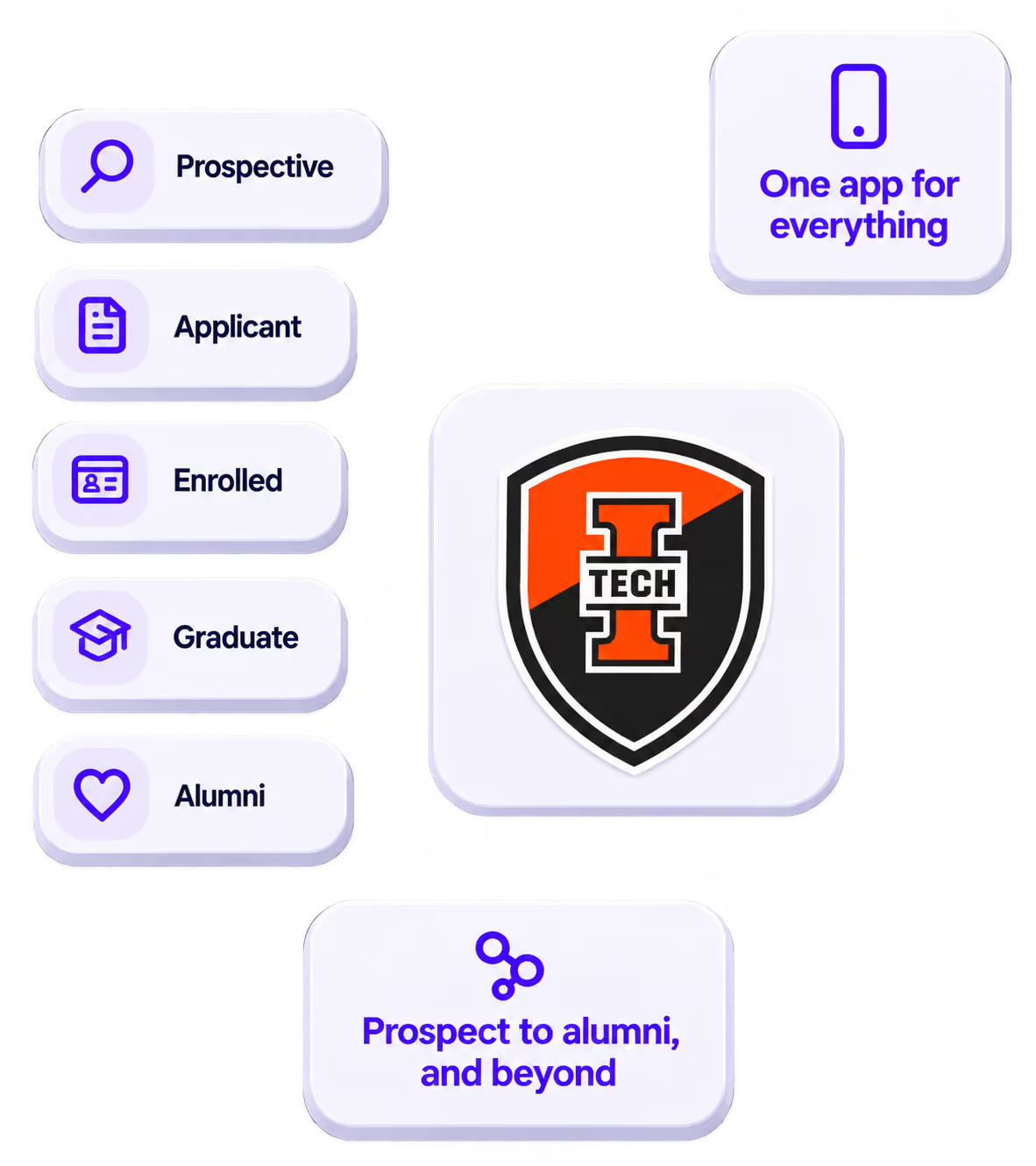
The power of your brand in your app, from first visit to alumni.
Build trust
Attendees download your app, not ours. Your name, colors, and crest in the stores.
.avif)
One place for the whole event
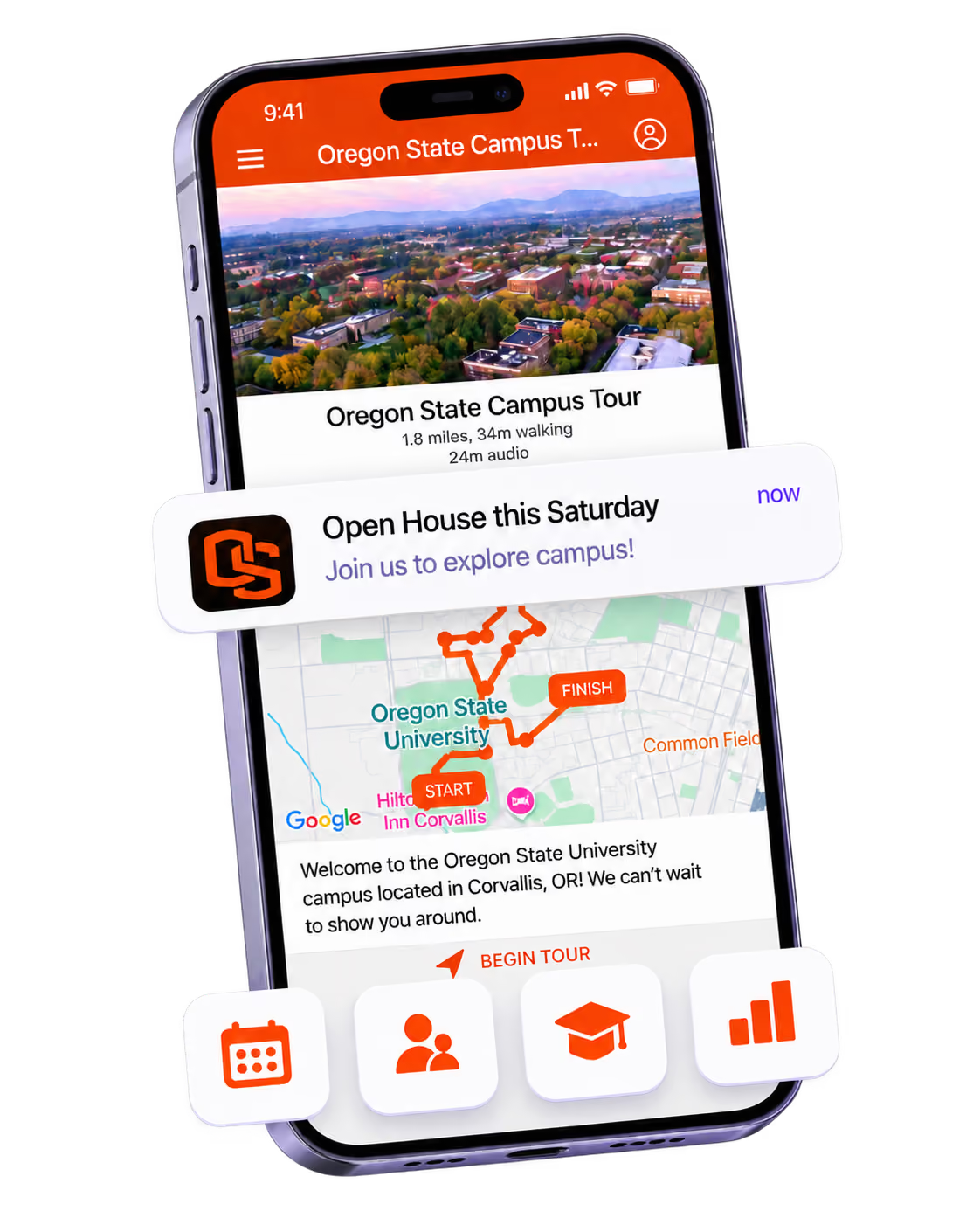
Schedules, maps, registration, and updates in one branded hub - not five tools.
Stand out
A branded app is what people keep on their phone after the printed program is in the recycling.

Get the Mobile App Playbook
A short guide to running the whole student journey in one app. No fluff, just what works.
for higher ed
Campus
Playbook
A practical guide to building a connected campus experience.
Free playbook
The Mobile App Playbook for Universities
Students decide if they belong long before they set foot on campus. This playbook shows how to win them over from the first visit through graduation.
- Grow enrollment and boost recruitment
- Increase belonging and retention
- Run every event from one branded app
By submitting, you agree to our Privacy Policy.
You're in.
.png)