
Campus apps by department
Admissions, orientation, student life, and more — one campus app that works across departments.

Campus apps by department
Admissions, orientation, student life, and more — one campus app that works across departments.
Build unlimited event apps on one license
One partnership for unlimited campus events — orientation, tours, student life, and everything in between.
Build unlimited event apps on one license
One partnership for unlimited campus events — orientation, tours, student life, and everything in between.
Compare event app platforms
See how Guidebook stacks up against other event app and registration platforms.
Compare event app platforms
See how Guidebook stacks up against other event app and registration platforms.
Event apps for nonprofit and community programs
Give members, volunteers, and donors one branded app for conferences, fundraisers, and year-round community.
Event apps for nonprofit and community programs
Give members, volunteers, and donors one branded app for conferences, fundraisers, and year-round community.
Campus integrations and an open API
Connect Guidebook with the campus systems, APIs, and tools your team already uses.
Campus integrations and an open API
Connect Guidebook with the campus systems, APIs, and tools your team already uses.
Event apps for corporate and enterprise teams
Internal meetings, offsites, and large-scale corporate events — with the branding and control enterprise teams need.
Event apps for corporate and enterprise teams
Internal meetings, offsites, and large-scale corporate events — with the branding and control enterprise teams need.
Create a branded event app with no coding
Put schedules, maps, resources, and updates in every attendee's pocket — built for campus events and programs.
Create a branded event app with no coding
Put schedules, maps, resources, and updates in every attendee's pocket — built for campus events and programs.
Launch a branded, white-label event app
A white-label event app with your branding, your content, and your attendee experience — no coding required.
Launch a branded, white-label event app
A white-label event app with your branding, your content, and your attendee experience — no coding required.
Everything in the Guidebook platform
Explore the features event teams use to engage attendees before, during, and after the event.
Everything in the Guidebook platform
Explore the features event teams use to engage attendees before, during, and after the event.
One app for in-person and virtual attendees
The same schedule, networking, and updates whether people are in the room or joining remotely.
One app for in-person and virtual attendees
The same schedule, networking, and updates whether people are in the room or joining remotely.
Event apps built for associations
Annual meetings, chapter events, and member engagement — without rebuilding a new app every year.
Event apps built for associations
Annual meetings, chapter events, and member engagement — without rebuilding a new app every year.
A branded event website that matches the app
Promote the event, collect interest, and keep branding consistent from the first click to check-in.
A branded event website that matches the app
Promote the event, collect interest, and keep branding consistent from the first click to check-in.
Plan, run, and measure events on one platform
App, registration, badges, and websites in one workflow — so planning isn't a pile of disconnected tools.
Plan, run, and measure events on one platform
App, registration, badges, and websites in one workflow — so planning isn't a pile of disconnected tools.
Keep members engaged between events
One branded app for the conference and everything that happens the other 51 weeks of the year.
Keep members engaged between events
One branded app for the conference and everything that happens the other 51 weeks of the year.
The conference app attendees actually use
Schedules, maps, networking, and live updates for annual meetings, summits, and multi-day conferences.
The conference app attendees actually use
Schedules, maps, networking, and live updates for annual meetings, summits, and multi-day conferences.
Registration that feeds your app and badges
Collect registrations, payments, and attendee data in the same platform as your event app.
Registration that feeds your app and badges
Collect registrations, payments, and attendee data in the same platform as your event app.
Design and print event badges in one place
Custom badges, QR check-in, and on-site printing — without a separate badge vendor.
Design and print event badges in one place
Custom badges, QR check-in, and on-site printing — without a separate badge vendor.
A Smaller School?
Deliver a polished, branded event experience without a large team or a big budget.

A Smaller School?
Deliver a polished, branded event experience without a large team or a big budget.
Running Family Programs?
Give families everything they need, from schedules and maps to real-time updates, all in one place.

Running Family Programs?
Give families everything they need, from schedules and maps to real-time updates, all in one place.
Coordinating Move-In Day?
Share updates, manage events, and keep students informed from move-in through the academic year.

Coordinating Move-In Day?
Share updates, manage events, and keep students informed from move-in through the academic year.
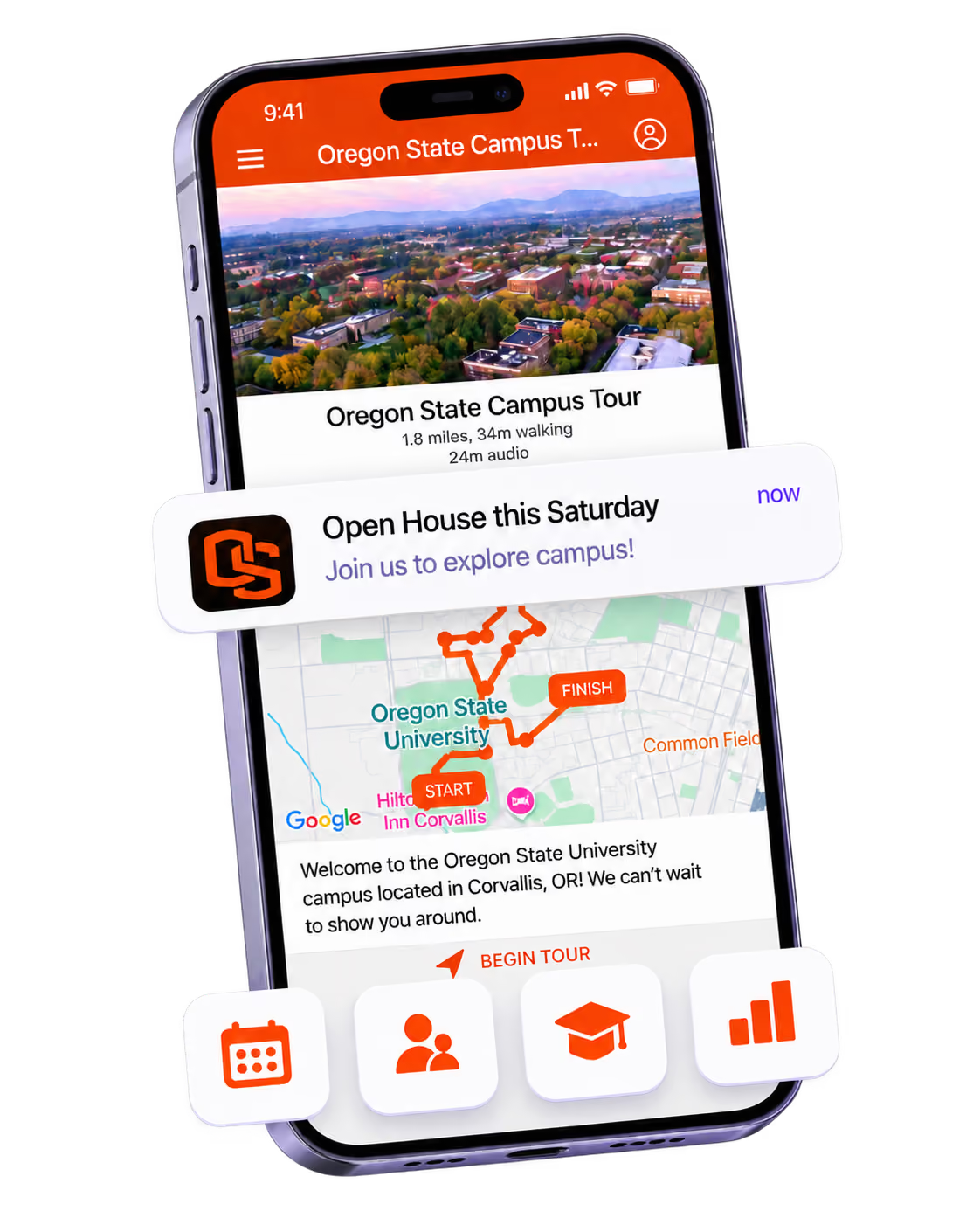
Offering Campus Tours?
Deliver branded, self-guided tour experiences with interactive maps and rich media, available 24/7.

Offering Campus Tours?
Deliver branded, self-guided tour experiences with interactive maps and rich media, available 24/7.
Organising a Career Fair?
Simplify logistics for students, employers, and Career Services staff with one easy-to-use app.

Organising a Career Fair?
Simplify logistics for students, employers, and Career Services staff with one easy-to-use app.
Managing Alumni Events?
Plan reunions, regional events, and fundraising campaigns with an app built for alumni engagement.

Managing Alumni Events?
Plan reunions, regional events, and fundraising campaigns with an app built for alumni engagement.
Boost Student Engagement
One hub for schedules, resources, and events that keeps students connected throughout the academic year.

Boost Student Engagement
One hub for schedules, resources, and events that keeps students connected throughout the academic year.
Planning Orientation?
Help new students feel prepared from day one with schedules, campus resources, and real-time updates in one app.

Planning Orientation?
Help new students feel prepared from day one with schedules, campus resources, and real-time updates in one app.
Running Admissions Events?
Manage open houses, tours, and yield events with a branded app that saves time and engages prospective students.

Running Admissions Events?
Manage open houses, tours, and yield events with a branded app that saves time and engages prospective students.
Get a custom Sponsorship Package Template
Stop starting from scratch. Grab free templates that helWe'll build a tailored sponsorship package with suggested pricing, tiers, and benefits..for your specific event.p you build professional sponsorship packages and close deals faster.

Get a custom Sponsorship Package Template
Stop starting from scratch. Grab free templates that helWe'll build a tailored sponsorship package with suggested pricing, tiers, and benefits..for your specific event.p you build professional sponsorship packages and close deals faster.
Plan Your Next Event Without Missing a Beat.
From venue selection to post-event wrap-up, this free checklist walks you through every step (so nothing falls through the cracks).
.avif)
Plan Your Next Event Without Missing a Beat.
From venue selection to post-event wrap-up, this free checklist walks you through every step (so nothing falls through the cracks).
Real Results From Real Events
100,000+ organizations trust Guidebook. See exactly how universities, associations, enterprises, and more put it to work.

Real Results From Real Events
100,000+ organizations trust Guidebook. See exactly how universities, associations, enterprises, and more put it to work.
Flexible pricing for every event size
Find the perfect plan for your needs, from intimate gatherings to large-scale conferences.

Flexible pricing for every event size
Find the perfect plan for your needs, from intimate gatherings to large-scale conferences.
Join our event experts
Watch on-demand webinars and join live sessions with industry leaders sharing best practices for event success.
.avif)
Join our event experts
Watch on-demand webinars and join live sessions with industry leaders sharing best practices for event success.
Guidebook in Action
Book a personalized walkthrough and discover how we help event teams create better attendee experiences.
Guidebook in Action
Book a personalized walkthrough and discover how we help event teams create better attendee experiences.

How do universities use mobile apps for students?
Universities use mobile apps to enhance student engagement, streamline campus services, and improve communication. Discover key features, benefits, and implementation strategies.

University mobile apps are custom digital platforms that transform how students, faculty, and visitors navigate campus life, access resources, and engage with institutional events. These apps serve as a central hub for everything from class schedules to orientation programs. When done right, they boost student success and streamline campus operations.
Here's the thing: university mobile apps aren't just digital brochures. They're interactive tools that meet students where they already are—on their phones. The best campus apps replace stacks of printed materials, reduce confusion during key events, and create a sense of belonging from day one. That's a big deal for retention and yield.
Key Characteristics of University Mobile Apps
- Personalized Content Delivery: Students receive schedules, notifications, and resources tailored to their major, housing, or orientation group. No more one-size-fits-all communication.
- Real-Time Updates: When a room changes or an event gets canceled, the app updates instantly. Students always have accurate information.
- Offline Accessibility: Many campus apps work without Wi-Fi. This helps students navigate during move-in or in buildings with spotty service.
- Interactive Maps: Turn-by-turn directions help new students find classrooms, dining halls, and event venues without getting lost.
- Push Notifications: Timely alerts keep students informed about deadlines, events, and emergencies without cluttering their email inbox.
- Multi-Audience Support: The best apps serve students, parents, faculty, and visitors—each with relevant content and access levels.
- Integration Capabilities: University mobile apps connect with existing systems like learning management platforms, calendars, and student information systems.
University Mobile Apps vs. Related Campus Technologies
Campus Websites
- Scope: Broad institutional information for all audiences
- Focus: Static content like admissions info, faculty bios, and news
- Timeline: Updated periodically, not in real-time
- Channels: Desktop and mobile browsers
- Goal: Inform and attract prospective students and stakeholders
Learning Management Systems (LMS)
- Scope: Course-specific content and assignments
- Focus: Academic materials, grades, and instructor communication
- Timeline: Semester-based updates
- Channels: Web platforms with limited mobile functionality
- Goal: Support classroom learning and academic progress
University Mobile Apps
- Scope: Campus-wide events, resources, and navigation
- Focus: Student experience, engagement, and real-time communication
- Timeline: Instant updates during events and throughout the year
- Channels: Native iOS and Android apps
- Goal: Create connection, simplify logistics, and boost engagement
These tools work best together. Your LMS handles coursework. Your website attracts prospects. Your university mobile app ties the campus experience together—especially during high-stakes moments like new student orientation and admitted student events.
Essential University Mobile App Features
Build Custom Schedules for Every Student
Generic schedules don't cut it anymore. Students expect personalized agendas based on their interests, major, or orientation group.
The best university mobile apps let students select their track or team. Then the app automatically populates their schedule with relevant sessions. This approach works great for large-scale events like orientation week.
Create Interactive Campus Maps
Getting lost on a 500-acre campus is stressful. Interactive maps solve this problem fast.
Look for apps that offer:
- Building-by-building navigation
- Points of interest (dining, parking, libraries)
- Accessibility routes
- Event venue locations with photos
Enable Two-Way Communication
Push notifications are great. But the best apps also let students ask questions, submit feedback, or connect with staff.
This two-way communication builds trust. It also helps your team spot issues before they become problems. Learn more about event digital marketing strategies that drive engagement.
Support Multiple Event Types
Your app should handle more than just orientation. Think about:
- Career fairs with employer directories
- Alumni events with networking features
- Campus tours with self-guided options
- Parent and family programs
- Athletic events and campus traditions
Track Engagement Analytics
You can't improve what you don't measure. University mobile apps should provide data on:
- Session attendance
- Feature usage
- Popular content
- User feedback
This data helps you prove event ROI and make smarter decisions for next year.
How University Mobile Apps Work
Start with Your Goals
Before building anything, define what success looks like. Are you trying to boost orientation attendance? Reduce printed materials? Improve wayfinding?
Clear goals shape every decision that follows. Check out these event management tips for more planning guidance.
Choose the Right Platform
You have two main options: build from scratch or use an event management platform like Guidebook.
Building custom apps takes months and costs a fortune. Platforms let you launch in days with no coding required. Most schools choose platforms for speed and flexibility.
Design Your Content Structure
Organize your app around how students think—not how your org chart looks. Group content by:
- Event type (orientation, career fair, homecoming)
- Audience (students, parents, faculty)
- Resource category (dining, housing, academics)
Promote Early and Often
The best app in the world fails if nobody downloads it. Start promoting weeks before your event.
Purdue University places QR codes on students' beds during move-in. They also use social media, email, and even the stadium scoreboard. Read our guide on 11 proven ways to increase event app downloads.
Gather Feedback and Iterate
After each event, review your analytics and collect student feedback. What worked? What confused people? Use these insights to improve.
The best university mobile apps evolve each semester based on real user data.
Why University Mobile Apps Matter
For Event Success:
- Higher Attendance Rates: Students who know where to go and what to expect actually show up. Personalized schedules remove friction.
- Reduced Confusion: Real-time updates mean no more students wandering to the wrong building because of outdated printed schedules.
- Better Engagement: Interactive features like polls, Q&A, and gamification keep students actively participating.
- Streamlined Communication: One app replaces dozens of emails, flyers, and announcements. Students get information where they already look.
- Stronger First Impressions: A polished app signals that your institution is modern, organized, and student-focused.
For Business Objectives:
- Improved Yield Rates: Admitted student events powered by mobile apps create emotional connections that drive enrollment decisions.
- Cost Savings: Eliminating printed materials saves thousands of dollars annually. Plus, you help the environment.
- Data-Driven Decisions: Analytics reveal which sessions resonate and which fall flat. This informs future event planning.
- Staff Efficiency: When students can self-serve information, your team spends less time answering basic questions.
- Competitive Advantage: Today's students expect digital-first experiences. Schools without mobile apps feel outdated.
Guidebook's platform for schools helps institutions of all sizes create branded apps that deliver these results. From small colleges to large research universities, the right technology makes a measurable difference.
University Mobile Apps Best Practices
- Start Planning Early: Give yourself at least 6-8 weeks before major events. Rushing leads to mistakes and missed opportunities.
- Keep Navigation Simple: Limit your main menu to 5-7 items. Students should find what they need in two taps or less.
- Use Clear, Action-Oriented Labels: "Find My Schedule" beats "Schedule Information." Tell users exactly what they'll get.
- Test on Multiple Devices: Your app should work flawlessly on old phones, new phones, iOS, and Android. Test everything.
- Train Your Staff: Everyone from orientation leaders to check-in volunteers should know how the app works. They're your front-line promoters.
- Create a Download Campaign: Use QR codes, social media, email, and in-person reminders. Make downloading easy and obvious.
- Send Strategic Push Notifications: Time your messages carefully. Too many notifications annoy users. Too few leave them uninformed.
- Include Offline Content: Campus Wi-Fi can be unreliable during big events. Ensure critical content works without internet.
- Gather Feedback in Real-Time: Add surveys and feedback forms directly in the app. Capture insights while the experience is fresh.
- Review Analytics After Every Event: Schedule a debrief meeting to analyze data and document lessons learned. Use our event debrief template to structure the conversation.
Common University Mobile Apps Mistakes
Overloading the App with Content: More isn't better. When you cram every campus resource into one app, students can't find anything. Focus on what matters most for each event or audience.
Launching Without Promotion: Building a great app means nothing if students don't download it. Many schools underestimate how much promotion is needed. Start early and use every channel available.
Ignoring Accessibility: Students with disabilities need apps that work with screen readers and offer high-contrast modes. Accessibility isn't optional—it's essential.
Forgetting About Parents: Parents influence enrollment decisions and attend campus events. Create content specifically for them, or you'll miss a key audience.
Setting and Forgetting: University mobile apps need ongoing attention. Outdated information frustrates users and damages trust. Assign someone to manage updates.
Skipping the Soft Launch: Test your app with a small group before the big event. Student ambassadors or orientation leaders make great beta testers. They'll catch problems you missed.
Not Measuring Success: Without clear metrics, you can't prove value or improve. Define KPIs before launch and track them consistently.
Final Thoughts
University mobile apps have become essential tools for modern campus life. They bridge the gap between institutional complexity and student expectations. When students can access schedules, maps, and resources from their phones, everyone wins.
The schools seeing the best results treat their apps as strategic investments—not afterthoughts. They plan early, promote aggressively, and iterate based on data. They understand that today's students grew up with smartphones and expect seamless digital experiences.
Think about your own campus events. How much time does your team spend answering basic questions? How many printed schedules end up in recycling bins? How many students miss sessions because they got lost? A well-designed university mobile app solves all of these problems.
Ready to transform your campus experience? Explore Guidebook's solutions for higher education, check out our case studies from schools like Purdue and American University, or request a demo to see the platform in action. Your students are already on their phones—meet them there.
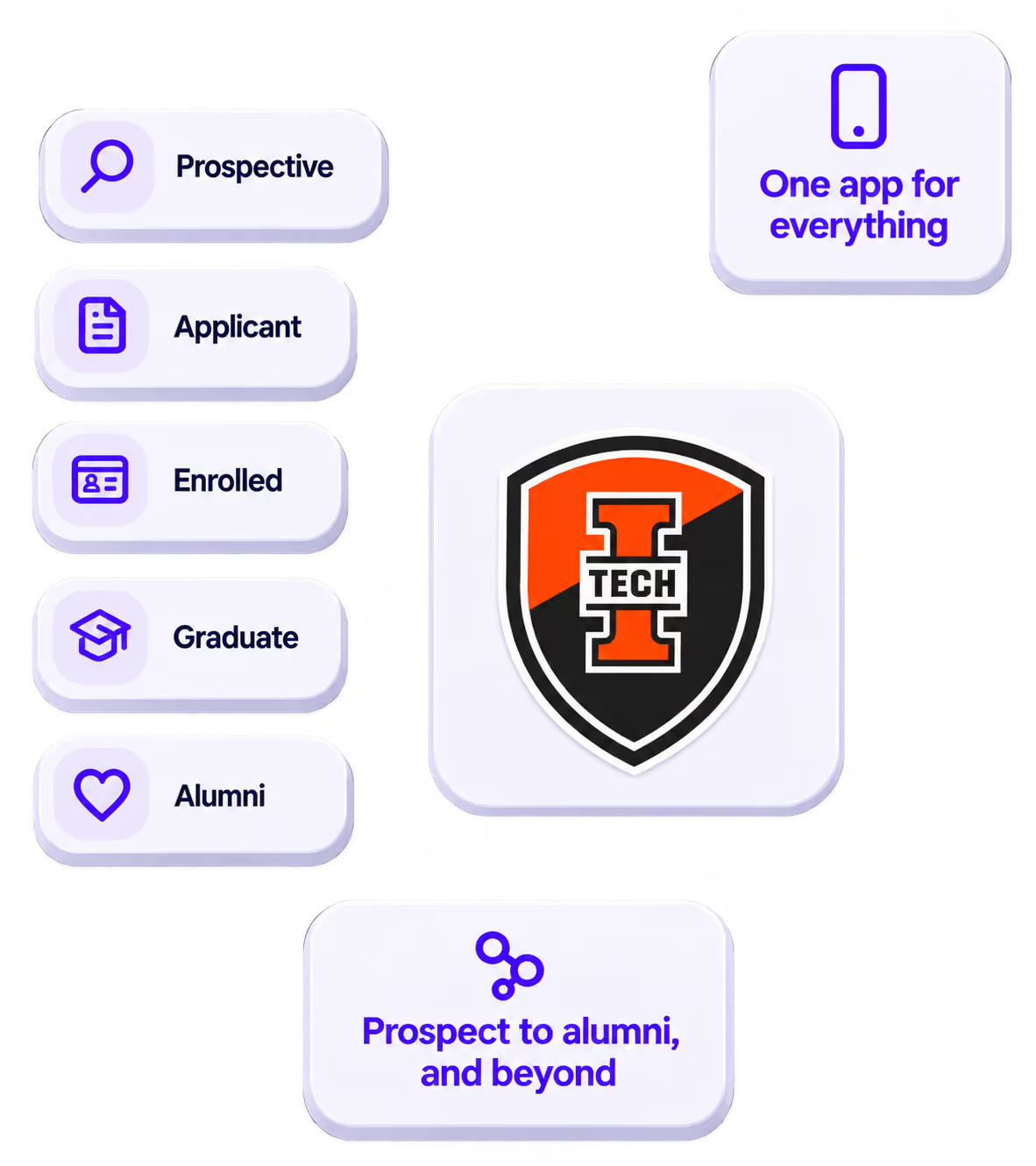
The power of your brand in your app, from first visit to alumni.
Build trust
Attendees download your app, not ours. Your name, colors, and crest in the stores.
.avif)
One place for the whole event
Schedules, maps, registration, and updates in one branded hub - not five tools.
Stand out
A branded app is what people keep on their phone after the printed program is in the recycling.

Get the Mobile App Playbook
A short guide to running the whole student journey in one app. No fluff, just what works.
for higher ed
Campus
Playbook
A practical guide to building a connected campus experience.
Free playbook
The Mobile App Playbook for Universities
Students decide if they belong long before they set foot on campus. This playbook shows how to win them over from the first visit through graduation.
- Grow enrollment and boost recruitment
- Increase belonging and retention
- Run every event from one branded app
By submitting, you agree to our Privacy Policy.
You're in.
.png)