
See who actually showed up, in Slate
When someone checks in at your event, Guidebook marks their Slate registration Attended, with the time they arrived.
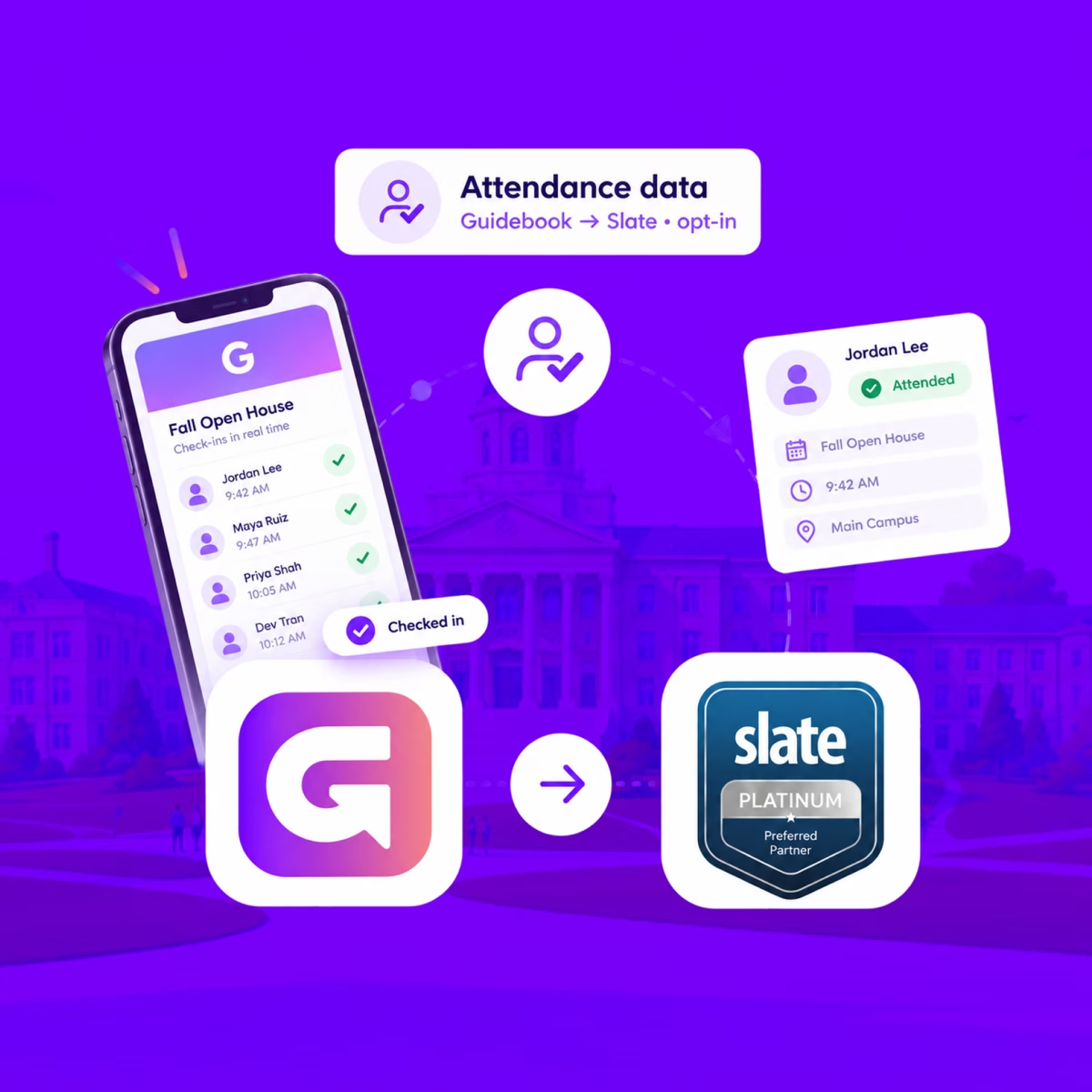
See who actually showed up, in Slate
When someone checks in at your event, Guidebook marks their Slate registration Attended, with the time they arrived.
Send app engagement back to Slate
For students who opt in, downloads, schedule adds, views, and form responses land on their event registration every hour.
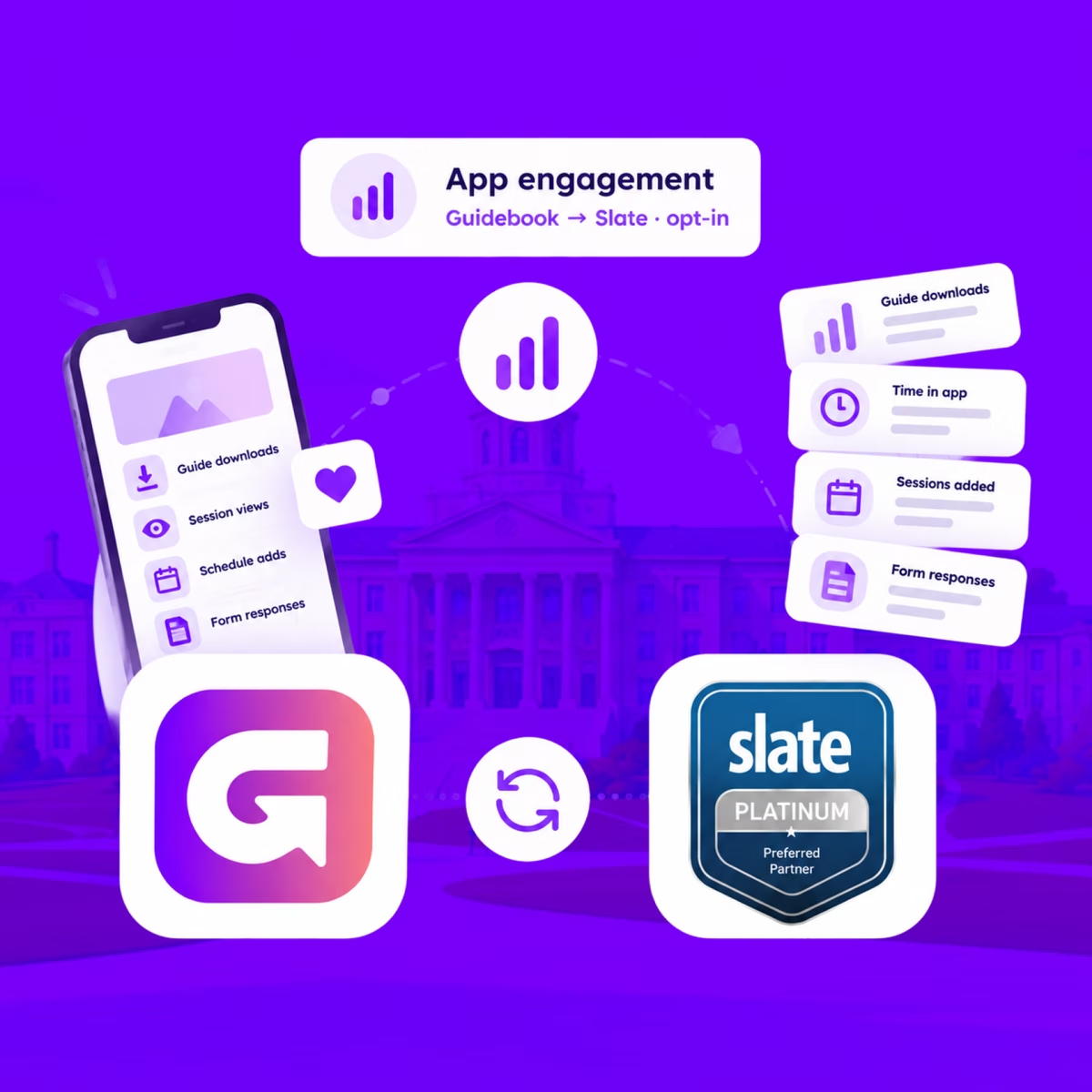
Send app engagement back to Slate
For students who opt in, downloads, schedule adds, views, and form responses land on their event registration every hour.
Build the campus event once in Slate
Link a Slate folder to a guide. Every event becomes a session, and registrants are added automatically.

Build the campus event once in Slate
Link a Slate folder to a guide. Every event becomes a session, and registrants are added automatically.
Slate profiles, in the campus app
Match each student's Slate record to their Guidebook account, so college, major, and orientation details stay current on every sync.
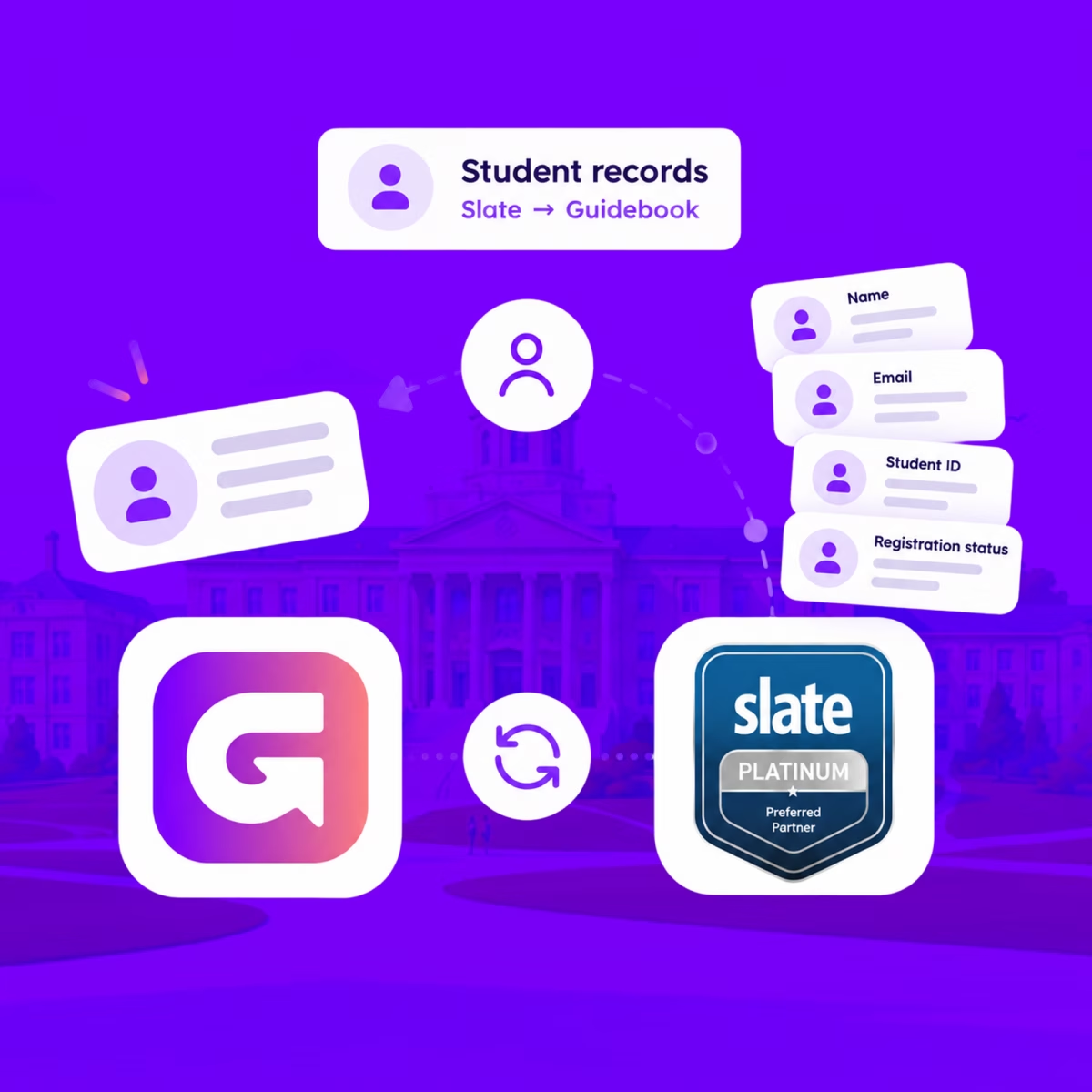
Slate profiles, in the campus app
Match each student's Slate record to their Guidebook account, so college, major, and orientation details stay current on every sync.
Campus apps by department
Admissions, orientation, student life, and more — one campus app that works across departments.

Campus apps by department
Admissions, orientation, student life, and more — one campus app that works across departments.
Build unlimited event apps on one license
One partnership for unlimited campus events — orientation, tours, student life, and everything in between.
Build unlimited event apps on one license
One partnership for unlimited campus events — orientation, tours, student life, and everything in between.
Compare event app platforms
See how Guidebook stacks up against other event app and registration platforms.
Compare event app platforms
See how Guidebook stacks up against other event app and registration platforms.
Event apps for nonprofit and community programs
Give members, volunteers, and donors one branded app for conferences, fundraisers, and year-round community.
Event apps for nonprofit and community programs
Give members, volunteers, and donors one branded app for conferences, fundraisers, and year-round community.
Campus integrations and an open API
Connect Guidebook with the campus systems, APIs, and tools your team already uses.
Campus integrations and an open API
Connect Guidebook with the campus systems, APIs, and tools your team already uses.
Event apps for corporate and enterprise teams
Internal meetings, offsites, and large-scale corporate events — with the branding and control enterprise teams need.
Event apps for corporate and enterprise teams
Internal meetings, offsites, and large-scale corporate events — with the branding and control enterprise teams need.
Create a branded event app with no coding
Put schedules, maps, resources, and updates in every attendee's pocket — built for campus events and programs.
Create a branded event app with no coding
Put schedules, maps, resources, and updates in every attendee's pocket — built for campus events and programs.
Launch a branded, white-label event app
A white-label event app with your branding, your content, and your attendee experience — no coding required.
Launch a branded, white-label event app
A white-label event app with your branding, your content, and your attendee experience — no coding required.
Everything in the Guidebook platform
Explore the features event teams use to engage attendees before, during, and after the event.
Everything in the Guidebook platform
Explore the features event teams use to engage attendees before, during, and after the event.
One app for in-person and virtual attendees
The same schedule, networking, and updates whether people are in the room or joining remotely.
One app for in-person and virtual attendees
The same schedule, networking, and updates whether people are in the room or joining remotely.
Event apps built for associations
Annual meetings, chapter events, and member engagement — without rebuilding a new app every year.
Event apps built for associations
Annual meetings, chapter events, and member engagement — without rebuilding a new app every year.
A branded event website that matches the app
Promote the event, collect interest, and keep branding consistent from the first click to check-in.
A branded event website that matches the app
Promote the event, collect interest, and keep branding consistent from the first click to check-in.
Plan, run, and measure events on one platform
App, registration, badges, and websites in one workflow — so planning isn't a pile of disconnected tools.
Plan, run, and measure events on one platform
App, registration, badges, and websites in one workflow — so planning isn't a pile of disconnected tools.
Keep members engaged between events
One branded app for the conference and everything that happens the other 51 weeks of the year.
Keep members engaged between events
One branded app for the conference and everything that happens the other 51 weeks of the year.
The conference app attendees actually use
Schedules, maps, networking, and live updates for annual meetings, summits, and multi-day conferences.
The conference app attendees actually use
Schedules, maps, networking, and live updates for annual meetings, summits, and multi-day conferences.
Registration that feeds your app and badges
Collect registrations, payments, and attendee data in the same platform as your event app.
Registration that feeds your app and badges
Collect registrations, payments, and attendee data in the same platform as your event app.
Design and print event badges in one place
Custom badges, QR check-in, and on-site printing — without a separate badge vendor.
Design and print event badges in one place
Custom badges, QR check-in, and on-site printing — without a separate badge vendor.
A Smaller School?
Deliver a polished, branded event experience without a large team or a big budget.
A Smaller School?
Deliver a polished, branded event experience without a large team or a big budget.
Running Family Programs?
Give families everything they need, from schedules and maps to real-time updates, all in one place.
Running Family Programs?
Give families everything they need, from schedules and maps to real-time updates, all in one place.
Coordinating Move-In Day?
Share updates, manage events, and keep students informed from move-in through the academic year.

Coordinating Move-In Day?
Share updates, manage events, and keep students informed from move-in through the academic year.
Offering Campus Tours?
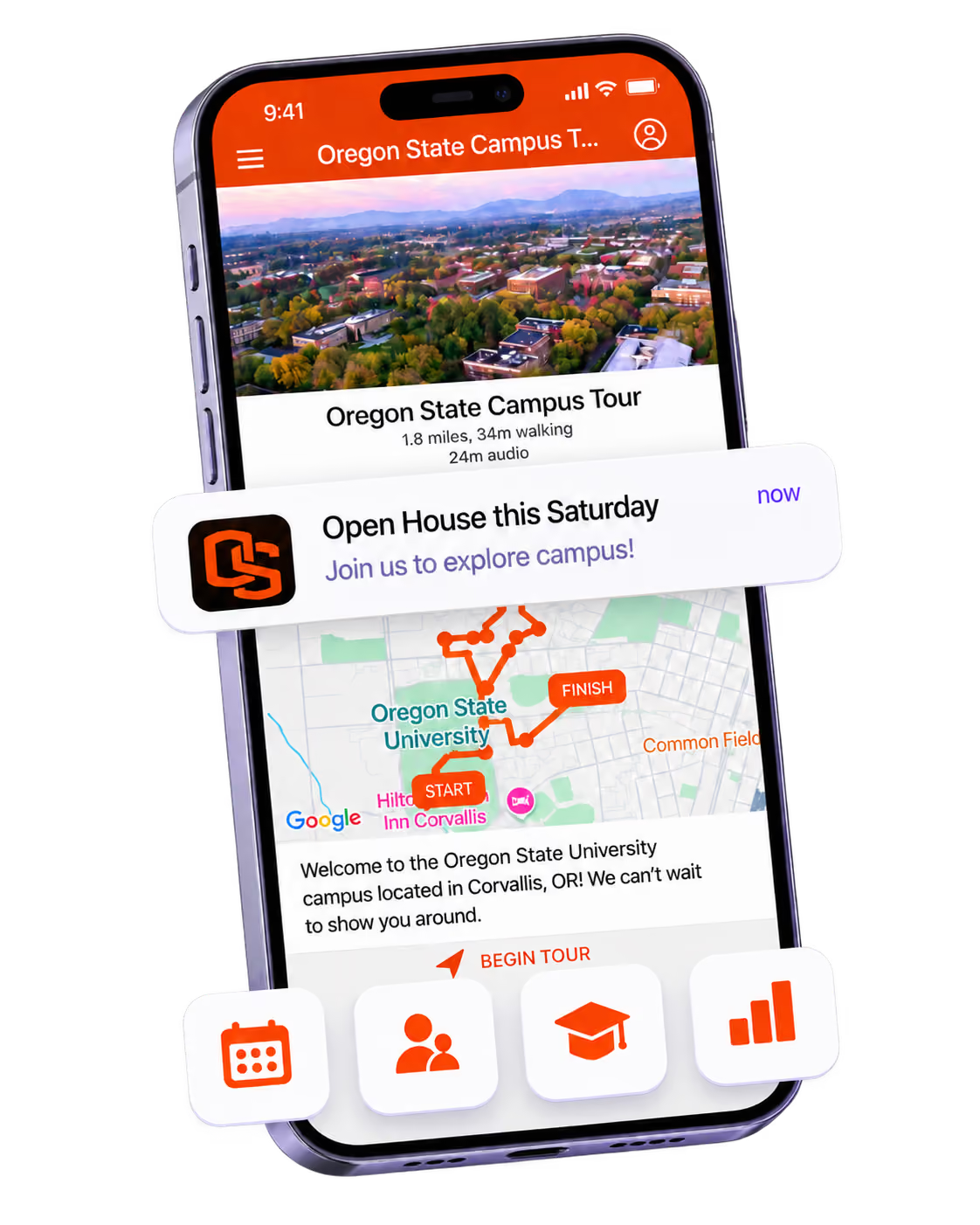
Deliver branded, self-guided tour experiences with interactive maps and rich media, available 24/7.
Offering Campus Tours?
Deliver branded, self-guided tour experiences with interactive maps and rich media, available 24/7.
Organising a Career Fair?
Simplify logistics for students, employers, and Career Services staff with one easy-to-use app.
Organising a Career Fair?
Simplify logistics for students, employers, and Career Services staff with one easy-to-use app.
Managing Alumni Events?
Plan reunions, regional events, and fundraising campaigns with an app built for alumni engagement.
Managing Alumni Events?
Plan reunions, regional events, and fundraising campaigns with an app built for alumni engagement.
Boost Student Engagement
One hub for schedules, resources, and events that keeps students connected throughout the academic year.
Boost Student Engagement
One hub for schedules, resources, and events that keeps students connected throughout the academic year.
Planning Orientation?
Help new students feel prepared from day one with schedules, campus resources, and real-time updates in one app.
Planning Orientation?
Help new students feel prepared from day one with schedules, campus resources, and real-time updates in one app.
Running Admissions Events?
Manage open houses, tours, and yield events with a branded app that saves time and engages prospective students.
Running Admissions Events?
Manage open houses, tours, and yield events with a branded app that saves time and engages prospective students.
Get a custom Sponsorship Package Template
Stop starting from scratch. Grab free templates that helWe'll build a tailored sponsorship package with suggested pricing, tiers, and benefits..for your specific event.p you build professional sponsorship packages and close deals faster.
Get a custom Sponsorship Package Template
Stop starting from scratch. Grab free templates that helWe'll build a tailored sponsorship package with suggested pricing, tiers, and benefits..for your specific event.p you build professional sponsorship packages and close deals faster.
Plan Your Next Event Without Missing a Beat.
From venue selection to post-event wrap-up, this free checklist walks you through every step (so nothing falls through the cracks).
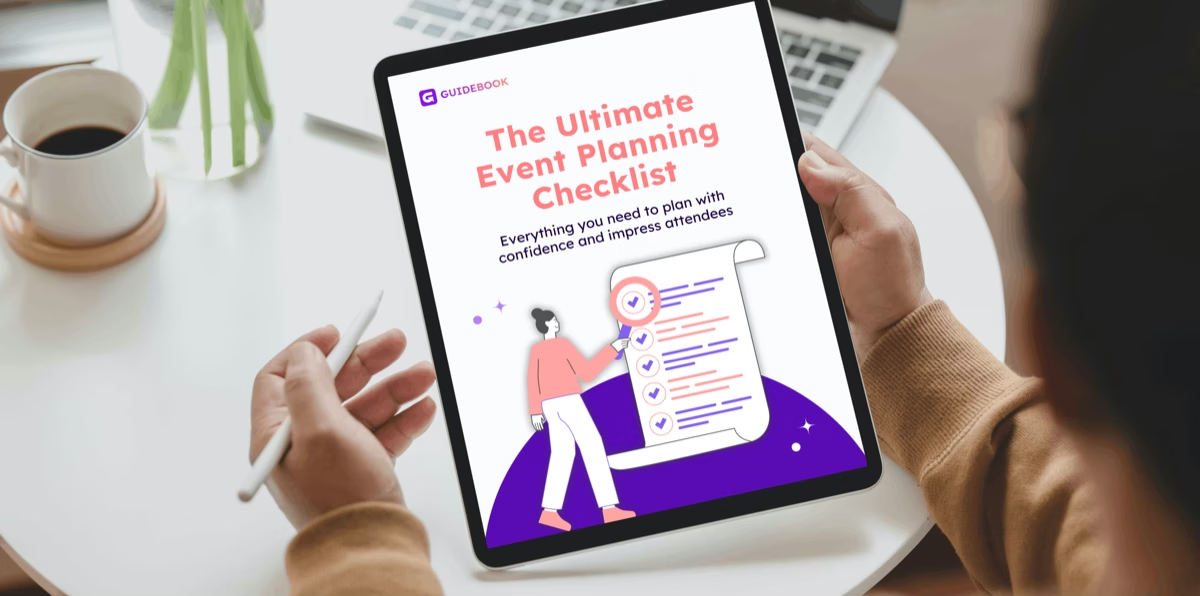
Plan Your Next Event Without Missing a Beat.
From venue selection to post-event wrap-up, this free checklist walks you through every step (so nothing falls through the cracks).
Real Results From Real Events
100,000+ organizations trust Guidebook. See exactly how universities, associations, enterprises, and more put it to work.

Real Results From Real Events
100,000+ organizations trust Guidebook. See exactly how universities, associations, enterprises, and more put it to work.
Flexible pricing for every event size
Find the perfect plan for your needs, from intimate gatherings to large-scale conferences.
Flexible pricing for every event size
Find the perfect plan for your needs, from intimate gatherings to large-scale conferences.
Join our event experts
Watch on-demand webinars and join live sessions with industry leaders sharing best practices for event success.

Join our event experts
Watch on-demand webinars and join live sessions with industry leaders sharing best practices for event success.
Guidebook in Action
Book a personalized walkthrough and discover how we help event teams create better attendee experiences.
Guidebook in Action
Book a personalized walkthrough and discover how we help event teams create better attendee experiences.

What is Zero-Party Data?
Zero-party data is information people intentionally share with you. Learn how it differs from first-party data and how campus teams use it to personalize events.

Zero-party data is information a person intentionally and proactively shares with an organization. They tell you their intended major, their dietary needs, which sessions they want, what they're worried about. It's distinct from first-party data, which you observe from their behavior, and from third-party data, which you buy from someone else.
Here's the thing: admissions teams have been collecting zero-party data for decades without calling it that. Every "what are you interested in studying?" field on a visit registration form is zero-party data. What's changed is that privacy regulation and the end of third-party cookies have made it the most reliable personalization input you have, and most campus teams are sitting on far more of it than they use.
Key Characteristics of Zero-Party Data
- Deliberately Given: The person chose to share it, knowing they were sharing it. No inference, no tracking.
- High Accuracy: People tell you their actual interests. Behavioral inference frequently gets this wrong in ways nobody catches.
- Consent Is Built In: Because it's volunteered in context, the privacy position is far simpler than with observed or purchased data.
- Context-Specific: It's collected for a stated purpose. Using it well means using it for roughly that purpose.
- Perishable: A student's intended major in October may not be their major in April. Zero-party data needs refreshing.
- Requires a Fair Exchange: People share when they get something back, usually a better experience. Forms that take without giving see sharp drop-off.
- Immediately Actionable: Unlike behavioral data that needs analysis, a stated preference can drive personalization the moment it's given.
Zero-Party Data vs. Related Data Types
Zero-Party Data
- Scope: Preferences, intentions, and attributes people state outright
- Focus: What someone says they want
- Timeline: Captured at the moment of sharing
- Channels: Registration forms, app preference settings, polls, surveys
- Goal: Personalize based on declared intent
First-Party Data
- Scope: Behavior observed on your own properties
- Focus: What someone actually did
- Timeline: Collected continuously as they interact
- Channels: Website analytics, app usage, email opens, check-in scans
- Goal: Understand real behavior and engagement
Third-Party Data
- Scope: Information purchased from external providers
- Focus: Broad demographic or market segmentation
- Timeline: Licensed periodically, often stale
- Channels: Data brokers, list vendors
- Goal: Reach audiences you don't already know
Zero-party and first-party data work best together. A student tells you they're interested in nursing, then skips every nursing session and attends three business sessions. Both facts matter, and the gap between them is often the most interesting thing in your data. See event analytics for how that behavioral side works.
Collecting Zero-Party Data at Campus Events
Ask at Registration, But Ask Less
Registration is your highest-response moment, and also where over-asking kills completion. Three or four well-chosen questions beat twelve.
Ask what you'll actually use. If nobody will ever act on "how did you hear about us?", cut it.
Explain the Exchange
Say why you're asking and what they get. "Tell us your intended major and we'll build your day around it" converts far better than an unexplained dropdown.
This is the whole mechanism. People share when sharing visibly improves their experience.
Let Preferences Live in the App
A one-time form is a snapshot. Preferences that students can update in your event app stay current, and updating them is itself a useful engagement signal.
Use Polls and Questions During the Event
In-session polls and submitted questions are zero-party data. What families ask at an Open House is a direct statement of their concerns. See Q&A sessions for how to capture that systematically.
Ask Again at the Right Moments
Intent changes between inquiry, admission, deposit, and orientation. Re-ask at each stage rather than treating the first answer as permanent.
Close the Loop Visibly
When a student says they're interested in engineering and their schedule, their emails, and their campus tour all reflect that, they learn their input mattered. That's what earns you the next answer.
Why Zero-Party Data Matters
For Event Success:
- Personalized Agendas: Stated interests let you build an individual schedule rather than handing everyone the same printed program.
- Accurate Planning: Declared session interest predicts room sizing and catering better than last year's numbers.
- Relevant Communication: Pre-event messaging keyed to stated interest sees dramatically better open and action rates.
- Fewer Accessibility Surprises: Needs stated at registration are needs you can design for in advance.
- Sharper Follow-Up: Post-event outreach referencing what someone told you lands differently from a generic thank-you.
For Enrollment and Institutional Outcomes:
- Yield Lift: Admitted students who experience a visit built around their stated interests deposit at higher rates. Personalization is a yield tactic, not a nicety.
- Melt Signals: A deposited student who tells you they're worried about affording textbooks is handing you a melt risk and a chance to act on it.
- Privacy Durability: As tracking-based approaches get harder to defend, volunteered data is the input that keeps working.
- Belonging: Being asked what you care about, and then seeing it reflected, is one of the earliest signals a student gets that an institution sees them individually.
- Cleaner CRM: Student-stated data is more accurate than inferred data, which compounds across the whole enrollment cycle.
Guidebook collects preferences in the same branded app students use for schedules and check-in, then uses them to build personalized agendas automatically. See how campus teams personalize events with Guidebook.
Zero-Party Data Best Practices
- Ask Only What You'll Use: Every unused field costs you completion rate and trust.
- State the Benefit Next to the Question: One short line explaining what the answer unlocks.
- Make It Editable: Preferences students can update stay accurate and give you a fresh signal each time they change.
- Re-Ask at Each Funnel Stage: Inquiry, admission, deposit, orientation. Intent shifts at every one.
- Act Visibly and Quickly: Personalization the student can see is what earns the next piece of data.
- Keep Sensitive Fields Optional: Accessibility and dietary questions should never be required to register.
- Be Explicit About Use: Say plainly how the information will be used and who sees it. Campus IT and families will both ask.
- Combine With Behavioral Data: Compare what students said with what they did. The mismatches are where the insight is.
- Review Annually: Audit which fields drove a decision this year and cut the ones that didn't.
Common Zero-Party Data Mistakes
Collecting and Never Using It: The most common failure by far. Teams gather detailed interest data at registration, then send everyone the same email and the same printed schedule.
Asking Too Much Too Early: A fifteen-field registration form at the inquiry stage tanks completion. Earn the right to ask more later.
Treating It as Permanent: A student's October interest is not their April interest. Stale preference data produces personalization that feels wrong, which is worse than none.
Requiring Sensitive Answers: Mandatory accessibility or dietary fields push people to leave them blank or inaccurate.
Hiding the Purpose: Unexplained questions read as data harvesting. One sentence of context changes the response rate.
Siloing It: Preference data stuck in the event platform and never reaching the CRM gets re-collected at every stage, which annoys students and wastes the signal.
Over-Personalizing: Referencing something a student mentioned months ago in an unrelated context feels surveillant, not attentive. Stay close to the original purpose.
Final Thoughts
Zero-party data is the rare area where the privacy-respecting approach is also the more effective one. Asking people what they want, and then doing something with the answer, works better than inferring it from behavior and is far easier to defend to your IT office and to families.
Most campus teams already collect plenty of it. The gap is almost never collection. It's that the interest field on the visit form never reaches the person building the day's schedule.
Closing that gap is usually a workflow problem rather than a technology one, and it's worth solving. A student who tells you they want to study marine biology and then spends a day built around marine biology has had a different experience from one who got the standard tour, and they make their deposit decision accordingly.
Guidebook connects stated preferences to personalized agendas inside the app students already have. Request a demo to see how it turns registration answers into an individual experience.
The power of your brand in your app, from first visit to alumni.
Build trust
Attendees download your app, not ours. Your name, colors, and crest in the stores.
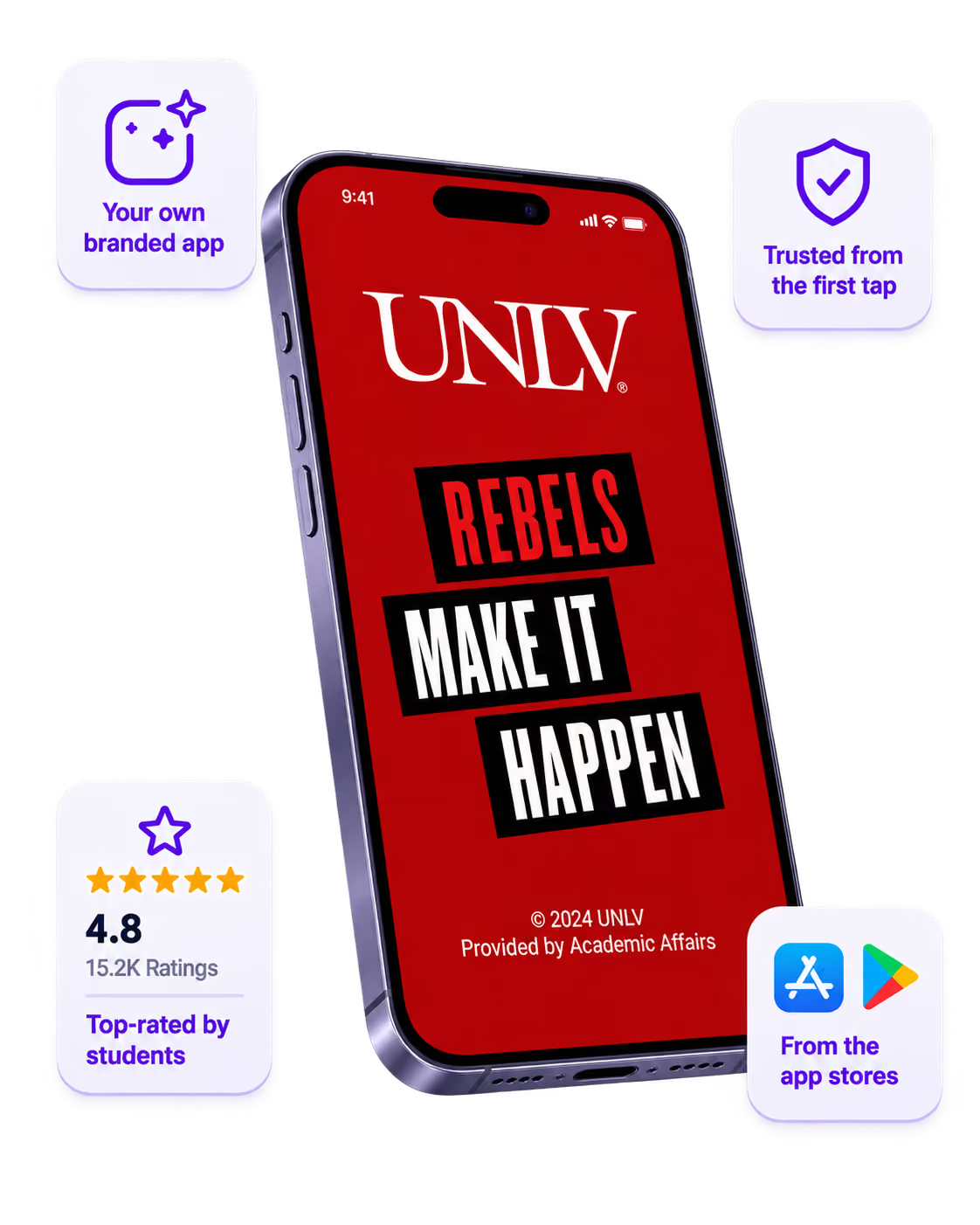
One place for the whole event
Schedules, maps, registration, and updates in one branded hub - not five tools.
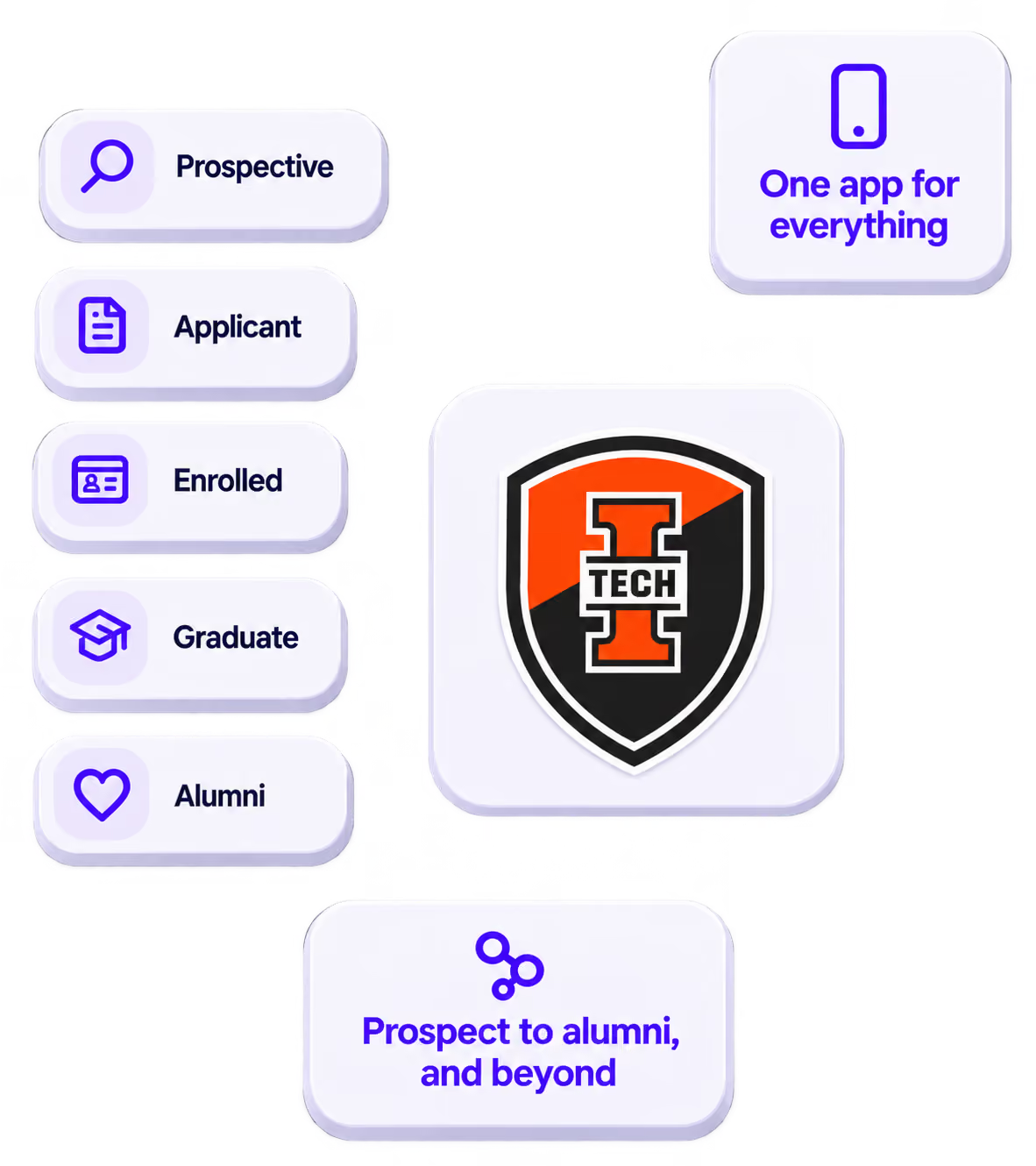
Stand out
A branded app is what people keep on their phone after the printed program is in the recycling.

Get the Mobile App Playbook
A short guide to running the whole student journey in one app. No fluff, just what works.
for higher ed
Campus
Playbook
A practical guide to building a connected campus experience.
Free playbook
The Mobile App Playbook for Universities
Students decide if they belong long before they set foot on campus. This playbook shows how to win them over from the first visit through graduation.
- Grow enrollment and boost recruitment
- Increase belonging and retention
- Run every event from one branded app
By submitting, you agree to our Privacy Policy.
You're in.
