
Campus apps by department
Admissions, orientation, student life, and more — one campus app that works across departments.

Campus apps by department
Admissions, orientation, student life, and more — one campus app that works across departments.
Build unlimited event apps on one license
One partnership for unlimited campus events — orientation, tours, student life, and everything in between.
Build unlimited event apps on one license
One partnership for unlimited campus events — orientation, tours, student life, and everything in between.
Compare event app platforms
See how Guidebook stacks up against other event app and registration platforms.
Compare event app platforms
See how Guidebook stacks up against other event app and registration platforms.
Event apps for nonprofit and community programs
Give members, volunteers, and donors one branded app for conferences, fundraisers, and year-round community.
Event apps for nonprofit and community programs
Give members, volunteers, and donors one branded app for conferences, fundraisers, and year-round community.
Campus integrations and an open API
Connect Guidebook with the campus systems, APIs, and tools your team already uses.
Campus integrations and an open API
Connect Guidebook with the campus systems, APIs, and tools your team already uses.
Event apps for corporate and enterprise teams
Internal meetings, offsites, and large-scale corporate events — with the branding and control enterprise teams need.
Event apps for corporate and enterprise teams
Internal meetings, offsites, and large-scale corporate events — with the branding and control enterprise teams need.
Create a branded event app with no coding
Put schedules, maps, resources, and updates in every attendee's pocket — built for campus events and programs.
Create a branded event app with no coding
Put schedules, maps, resources, and updates in every attendee's pocket — built for campus events and programs.
Launch a branded, white-label event app
A white-label event app with your branding, your content, and your attendee experience — no coding required.
Launch a branded, white-label event app
A white-label event app with your branding, your content, and your attendee experience — no coding required.
Everything in the Guidebook platform
Explore the features event teams use to engage attendees before, during, and after the event.
Everything in the Guidebook platform
Explore the features event teams use to engage attendees before, during, and after the event.
One app for in-person and virtual attendees
The same schedule, networking, and updates whether people are in the room or joining remotely.
One app for in-person and virtual attendees
The same schedule, networking, and updates whether people are in the room or joining remotely.
Event apps built for associations
Annual meetings, chapter events, and member engagement — without rebuilding a new app every year.
Event apps built for associations
Annual meetings, chapter events, and member engagement — without rebuilding a new app every year.
A branded event website that matches the app
Promote the event, collect interest, and keep branding consistent from the first click to check-in.
A branded event website that matches the app
Promote the event, collect interest, and keep branding consistent from the first click to check-in.
Plan, run, and measure events on one platform
App, registration, badges, and websites in one workflow — so planning isn't a pile of disconnected tools.
Plan, run, and measure events on one platform
App, registration, badges, and websites in one workflow — so planning isn't a pile of disconnected tools.
Keep members engaged between events
One branded app for the conference and everything that happens the other 51 weeks of the year.
Keep members engaged between events
One branded app for the conference and everything that happens the other 51 weeks of the year.
The conference app attendees actually use
Schedules, maps, networking, and live updates for annual meetings, summits, and multi-day conferences.
The conference app attendees actually use
Schedules, maps, networking, and live updates for annual meetings, summits, and multi-day conferences.
Registration that feeds your app and badges
Collect registrations, payments, and attendee data in the same platform as your event app.
Registration that feeds your app and badges
Collect registrations, payments, and attendee data in the same platform as your event app.
Design and print event badges in one place
Custom badges, QR check-in, and on-site printing — without a separate badge vendor.
Design and print event badges in one place
Custom badges, QR check-in, and on-site printing — without a separate badge vendor.
A Smaller School?
Deliver a polished, branded event experience without a large team or a big budget.

A Smaller School?
Deliver a polished, branded event experience without a large team or a big budget.
Running Family Programs?
Give families everything they need, from schedules and maps to real-time updates, all in one place.

Running Family Programs?
Give families everything they need, from schedules and maps to real-time updates, all in one place.
Coordinating Move-In Day?
Share updates, manage events, and keep students informed from move-in through the academic year.

Coordinating Move-In Day?
Share updates, manage events, and keep students informed from move-in through the academic year.
Offering Campus Tours?
Deliver branded, self-guided tour experiences with interactive maps and rich media, available 24/7.

Offering Campus Tours?
Deliver branded, self-guided tour experiences with interactive maps and rich media, available 24/7.
Organising a Career Fair?
Simplify logistics for students, employers, and Career Services staff with one easy-to-use app.

Organising a Career Fair?
Simplify logistics for students, employers, and Career Services staff with one easy-to-use app.
Managing Alumni Events?
Plan reunions, regional events, and fundraising campaigns with an app built for alumni engagement.

Managing Alumni Events?
Plan reunions, regional events, and fundraising campaigns with an app built for alumni engagement.
Boost Student Engagement
One hub for schedules, resources, and events that keeps students connected throughout the academic year.

Boost Student Engagement
One hub for schedules, resources, and events that keeps students connected throughout the academic year.
Planning Orientation?
Help new students feel prepared from day one with schedules, campus resources, and real-time updates in one app.

Planning Orientation?
Help new students feel prepared from day one with schedules, campus resources, and real-time updates in one app.
Running Admissions Events?
Manage open houses, tours, and yield events with a branded app that saves time and engages prospective students.

Running Admissions Events?
Manage open houses, tours, and yield events with a branded app that saves time and engages prospective students.
Get a custom Sponsorship Package Template
Stop starting from scratch. Grab free templates that helWe'll build a tailored sponsorship package with suggested pricing, tiers, and benefits..for your specific event.p you build professional sponsorship packages and close deals faster.

Get a custom Sponsorship Package Template
Stop starting from scratch. Grab free templates that helWe'll build a tailored sponsorship package with suggested pricing, tiers, and benefits..for your specific event.p you build professional sponsorship packages and close deals faster.
Plan Your Next Event Without Missing a Beat.
From venue selection to post-event wrap-up, this free checklist walks you through every step (so nothing falls through the cracks).
.avif)
Plan Your Next Event Without Missing a Beat.
From venue selection to post-event wrap-up, this free checklist walks you through every step (so nothing falls through the cracks).
Real Results From Real Events
100,000+ organizations trust Guidebook. See exactly how universities, associations, enterprises, and more put it to work.

Real Results From Real Events
100,000+ organizations trust Guidebook. See exactly how universities, associations, enterprises, and more put it to work.
Flexible pricing for every event size
Find the perfect plan for your needs, from intimate gatherings to large-scale conferences.

Flexible pricing for every event size
Find the perfect plan for your needs, from intimate gatherings to large-scale conferences.
Join our event experts
Watch on-demand webinars and join live sessions with industry leaders sharing best practices for event success.
.avif)
Join our event experts
Watch on-demand webinars and join live sessions with industry leaders sharing best practices for event success.
Guidebook in Action
Book a personalized walkthrough and discover how we help event teams create better attendee experiences.
Guidebook in Action
Book a personalized walkthrough and discover how we help event teams create better attendee experiences.

What is Event Management Software?
Event management software streamlines planning, coordination, and execution of events. Discover key features, benefits, and top tools for seamless event success.

Event Management Software is the digital backbone that helps planners organize, execute, and measure every aspect of an event from a single platform. It replaces scattered spreadsheets, endless email chains, and manual processes with streamlined automation. The right software can transform a chaotic planning process into a smooth, professional operation.
For higher education teams, event management software isn’t a luxury — it’s the infrastructure that makes enrollment and campus programming possible at scale. Admissions offices run dozens of Open Houses, Preview Days, and Admitted Student Days each cycle. Orientation teams coordinate multi-day programs for thousands of incoming students. Student affairs manages career fairs, alumni events, and leadership conferences simultaneously. Without dedicated software, these programs collapse into a chaos of spreadsheets, missed logistics, and burned-out staff. The right event management software is what lets small teams run large, complex programs with the kind of seamless execution that reflects well on the institution — and moves enrollment outcomes.
Key Characteristics of Event Management Software
- Centralized Dashboard: All your event data lives in one place. No more hunting through folders or asking teammates for updates.
- Registration and Attendee Management: Handle sign-ups, payments, and attendee data collection from one interface.
- Schedule Building: Create, update, and share event schedules that stay current even when plans change.
- Communication Tools: Send targeted messages, reminders, and updates to specific attendee groups.
- Check-In Systems: Digital badge scanning and attendee verification at the door, without paper lists.
- Analytics and Reporting: Track attendance, engagement, and outcomes to measure event success and inform future decisions.
- Mobile App Integration: Give attendees a branded app experience with schedules, maps, and real-time updates.
Event Management Software vs. Related Tools
Spreadsheets and Email
- Scope: General data management and communication
- Focus: Flexible but unstructured
- Limitations: No real-time updates, version control issues, manual data entry
- Best For: Very small, simple events only
General Project Management Tools
- Scope: Task and team coordination
- Focus: Workflow and deadline management
- Limitations: Not built for attendee-facing event needs
- Best For: Internal planning coordination alongside dedicated event tools
Event Management Software
- Scope: End-to-end event operations
- Focus: Attendee experience and event execution
- Capabilities: Registration, scheduling, communication, check-in, analytics
- Best For: Any event where attendee experience and operational efficiency matter
The right event technology platform connects all these functions so your team operates from one source of truth, not a dozen disconnected tools.
Essential Event Management Software Features
Registration and Ticketing Tools
Your registration system is the first touchpoint with attendees. Look for forms that are mobile-optimized, support conditional logic, and integrate with your CRM or enrollment systems. For admissions events, fields for intended major, student status, and family contact information make registration data immediately actionable for your yield team.
Payment processing should be built in, not bolted on. Look for support for multiple payment methods and the ability to create fee waivers for accessibility. For student-facing events, remove financial barriers wherever possible.
Agenda and Schedule Builders
Schedule builders need to handle the complexity of real campus events — multiple tracks, session conflicts, room changes, and last-minute speaker swaps. The platforms that handle this well push updates to every attendee’s mobile device instantly, eliminating the paper schedule problem that creates confusion at every event.
For orientation programs that span three to seven days with dozens of simultaneous sessions, a schedule builder that supports parent and student tracks separately — with appropriate sessions appearing for each — is the difference between orientation that works and orientation that creates anxiety.
Communication and Notification Systems
Push notifications, targeted email campaigns, and in-app announcements serve different communication needs at different moments. Pre-event reminders reduce no-shows. Day-of notifications keep attendees oriented. Real-time alerts handle the unexpected — room changes, schedule shifts, emergency information.
For yield events, communication tools that let you send a personalized follow-up to admitted students who attended a specific session are worth their weight in enrollment outcomes.
Check-In and Badge Printing
Digital check-in eliminates the paper list problem, generates accurate attendance records for every session, and creates the data trail that matters for CE credit tracking, accreditation evidence, and enrollment analytics. QR code scanning at session entrances captures the granular attendance data that tells you which admitted students engaged most deeply with your Open House.
For orientation check-in at scale — hundreds or thousands of students arriving over hours — the difference between a digital check-in system and a paper list is the difference between a smooth arrival experience and a 45-minute line that sets the wrong tone for a student’s first day.
How Event Management Software Works
Set Up Your Event Framework
Start by configuring your event’s basic structure: dates, locations, tracks, and capacity limits. For higher education events, this means defining whether you’re running a single-session Open House, a multi-day orientation, or a multi-track conference — and choosing the template or configuration that matches.
Build Your Registration Flow
Design your registration form with your audience in mind. For admitted students, collect information that your yield team will actually use — intended major, decision timeline, financial aid status. For orientation, collect track preferences, accessibility needs, and family contact information simultaneously. Test the form on mobile before you publish it.
Create Your Content and Schedule
Build your event schedule, upload session descriptions, add speakers and panelists, and attach supporting resources. For Guidebook users, this content becomes the digital event app that attendees access on their phones. Updates you make in the platform push to every attendee’s device instantly.
Launch and Promote
Use your registration and communication tools to reach your audience. For admissions events, connect your event promotion to your enrollment CRM so admitted students hear about your Open House through a coordinated outreach strategy, not a one-off email blast.
Manage the Live Event
Monitor check-in, send real-time announcements, adjust schedules as needed, and capture attendance data throughout. After the event, use your analytics to evaluate what worked, identify which admitted students engaged most, and inform your follow-up outreach strategy.
Why Event Management Software Matters
For Event Success:
- Time Savings: Automation handles tasks that used to require hours of manual work, freeing your team for the high-value work that requires human judgment.
- Error Reduction: Centralized data eliminates the version control problems that cause embarrassing mistakes at the worst possible moment.
- Attendee Experience: Digital schedules, real-time updates, and mobile-first design create the polished experience attendees expect from well-run institutions.
- Data-Driven Improvement: Post-event analytics tell you what worked and what didn’t, so each event gets measurably better.
For Enrollment and Campus Outcomes:
- Yield Rate Impact: Admitted Student Days and Open Houses that run smoothly — no check-in bottlenecks, timely session reminders, clean digital wayfinding — create the institutional impression that moves deposit decisions. Event management software is what makes those events feel effortless to admitted students and their families.
- Orientation and Retention Outcomes: Orientation programs are retention investments. The software that runs them determines how students experience those first critical days. Clean schedules, push notifications that actually help students navigate the week, and real-time updates when sessions change — these details shape first impressions that drive belonging and persistence.
- Staff Capacity and Sustainability: Admissions and orientation teams are notoriously understaffed relative to the events they’re expected to run. Event management software is a force multiplier. It lets a team of five run programs that would require a team of fifteen without it. That capacity directly affects what’s possible in the enrollment calendar.
- Data for Enrollment Strategy: Which admitted students attended Open House? Which orientation sessions had the highest engagement? Which career fair employers attracted the most interest? Event management software generates the behavioral data that informs enrollment strategy, retention programming, and alumni engagement planning.
Guidebook’s event management platform is built for the specific demands of higher education programming — from admission yield events to orientation to alumni reunions. Custom-branded mobile apps, real-time schedule updates, push notifications, and digital check-in replace the paper logistics that make events feel outdated. See how higher education teams use Guidebook.
Event Management Software Best Practices
- Involve Your Team Early: The people who will use the software day-to-day should be part of the selection process. Buy-in from staff is what determines whether a platform actually gets used well.
- Prioritize Mobile Experience: Your attendees, especially students, are on phones. Any platform that isn’t mobile-first for both attendees and staff is fighting against how people actually work.
- Integrate with Your Existing Systems: Event management software that talks to your enrollment CRM, student information system, or alumni database is exponentially more valuable than one that operates in isolation.
- Train Thoroughly Before Go-Live: Every staff member who touches the platform on event day should have practiced with it. Day-of is not the time to learn new software.
- Use Your Analytics: The data your platform generates is only valuable if someone looks at it and acts on it. Build post-event review into your process.
- Start Simple, Then Expand: Deploy the core features first, run a few events, and then add complexity as your team builds confidence. Trying to use every feature at once leads to underutilization.
Common Event Management Software Mistakes
Choosing by Price Alone: The cheapest option often becomes the most expensive one when you factor in staff time spent working around its limitations. Evaluate total cost of ownership, including the time your team spends managing workarounds.
Underestimating Training Needs: New software requires real training investment. Teams that assume they’ll “figure it out” end up using 20% of the platform’s capability and wondering why they’re not seeing results.
Ignoring Attendee-Facing Features: Platforms that are powerful on the backend but clunky for attendees create friction at the moment that matters most — when admitted students are forming impressions of your institution.
Treating Events as One-Offs: Each event generates data that should inform the next one. Teams that don’t review post-event analytics lose the institutional learning that makes event programs improve over time.
Event Management Software for Higher Education
Higher education events have requirements that general event management software often can’t meet: custom-branded experiences that reflect institutional identity, programming complexity that spans days and multiple simultaneous tracks, audiences that range from admitted 17-year-olds to 70-year-old alumni donors, and compliance requirements that demand accurate records. Choosing the right software matters for operational reasons — and for enrollment reasons.
Admissions and Yield Event Software
Open House and Admitted Student Day software needs to do several things simultaneously: collect registration data that feeds your yield funnel, deliver a branded digital experience that reflects your institution, support real-time schedule updates when things inevitably change, and generate the attendance data that informs your follow-up outreach strategy. The institutions that run these events on purpose-built software yield better than those that don’t. Learn how Guidebook supports admissions event programming.
Orientation Management Software
Orientation programs are the most operationally complex events most higher education teams run. Multi-day, multi-track, multi-venue, multi-audience (students and parents simultaneously) — the software that manages this needs to handle complexity gracefully and present it simply to incoming students who are already overwhelmed. Schedule builders, push notification systems, and digital wayfinding tools are the features that matter most here. See how Guidebook powers new student orientation programs.
Student Affairs and Campus Events
Career fairs, leadership conferences, cultural programming, and student organization events all benefit from dedicated event management software — especially when those events are expected to generate attendance data for institutional reporting. Student affairs teams that can demonstrate event attendance, engagement, and outcomes have a stronger case for budget and staffing. Good event management software makes that case automatically. See how Guidebook supports campus engagement programming.
Alumni and Development Events
Reunion weekends, scholarship ceremonies, and donor cultivation events require event management software that can handle high-value guest lists, custom branded experiences, and the kind of seamless day-of execution that alumni and donors expect from institutions asking for their continued investment. Learn how Guidebook supports alumni event planning.
Final Thoughts
Event management software has become essential for modern event professionals. It’s not about replacing human creativity and connection. It’s about freeing up time and energy to focus on what matters most—creating memorable experiences.
The industry continues to evolve rapidly. Current event trends point toward more personalization, better data integration, and seamless hybrid experiences. The right software positions you to adapt as expectations change.
Great events don’t happen by accident. They’re built on solid planning, clear communication, and smart use of technology. Event management software is the tool that ties it all together.
For higher education teams, the right event management software is the difference between enrollment programming that runs and enrollment programming that runs well. It’s the difference between an Open House that leaves admitted students impressed and one that leaves them uncertain. It’s the difference between orientation that builds belonging and orientation that overwhelms. Book a demo to see how Guidebook supports the full higher education event calendar — from admissions yield events to orientation to alumni reunions. See how higher education teams use Guidebook.
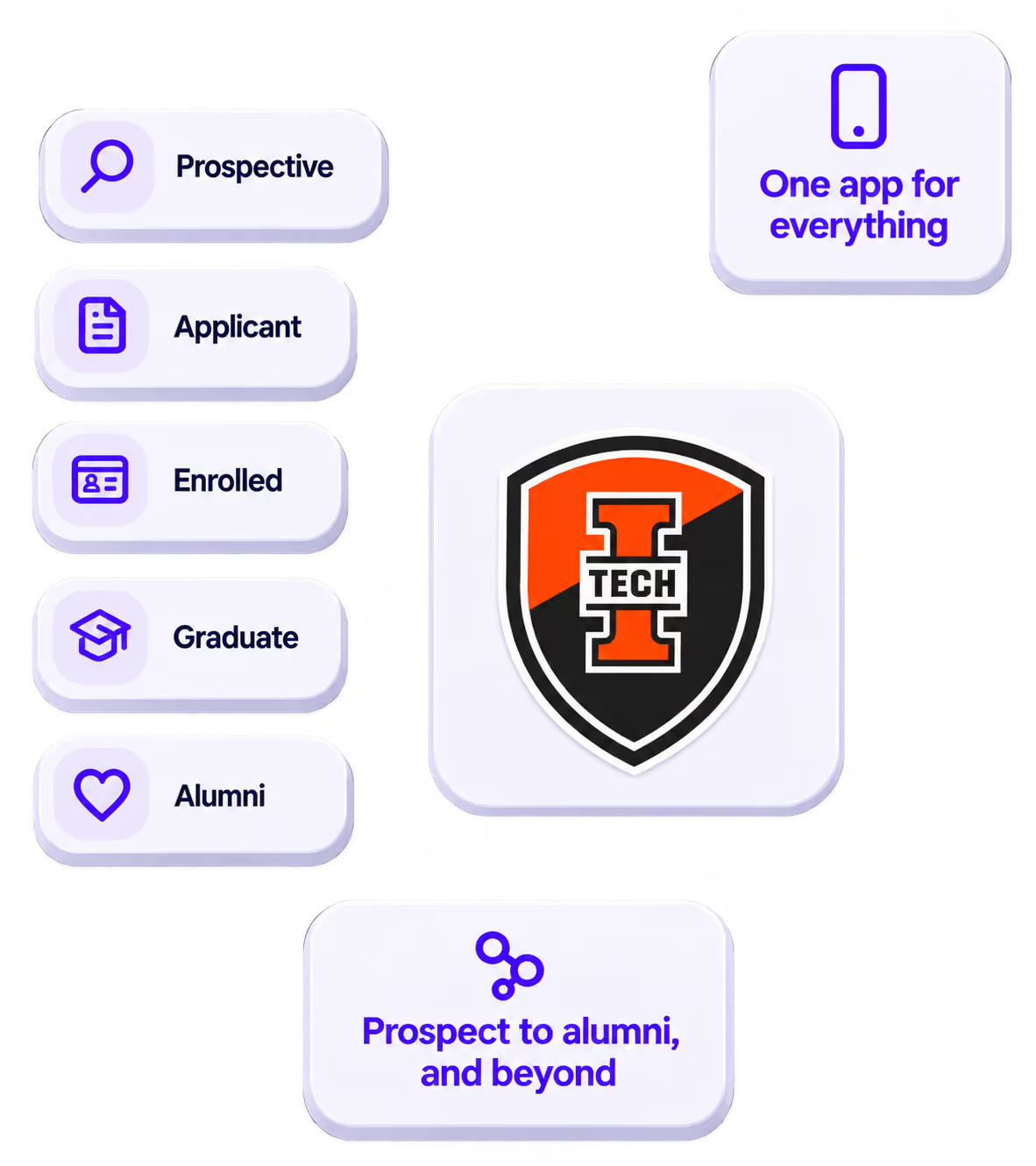
The power of your brand in your app, from first visit to alumni.
Build trust
Attendees download your app, not ours. Your name, colors, and crest in the stores.
.avif)
One place for the whole event
Schedules, maps, registration, and updates in one branded hub - not five tools.
Stand out
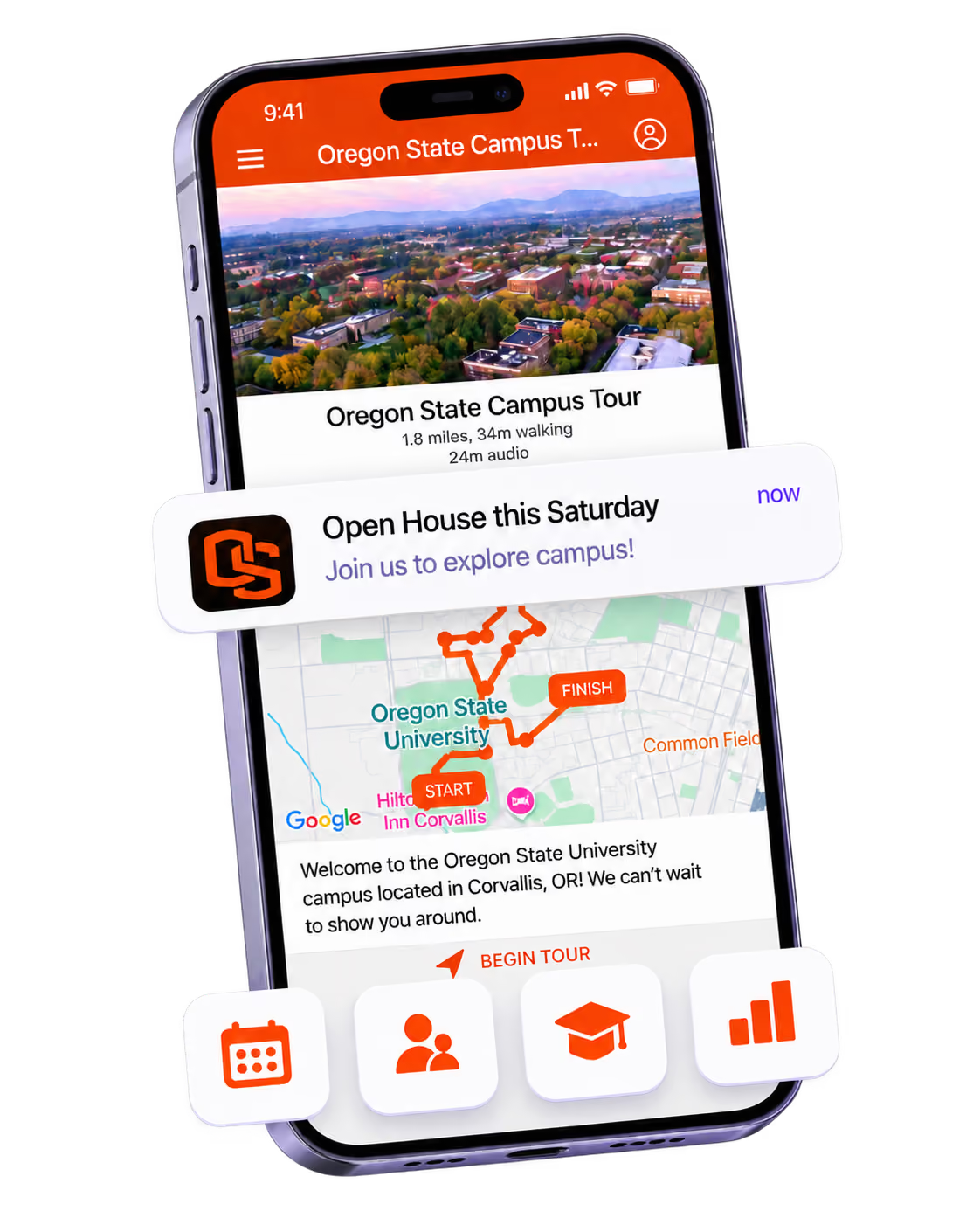
A branded app is what people keep on their phone after the printed program is in the recycling.

Get the Mobile App Playbook
A short guide to running the whole student journey in one app. No fluff, just what works.
for higher ed
Campus
Playbook
A practical guide to building a connected campus experience.
Free playbook
The Mobile App Playbook for Universities
Students decide if they belong long before they set foot on campus. This playbook shows how to win them over from the first visit through graduation.
- Grow enrollment and boost recruitment
- Increase belonging and retention
- Run every event from one branded app
By submitting, you agree to our Privacy Policy.
You're in.
.png)