
Campus apps by department
Admissions, orientation, student life, and more — one campus app that works across departments.

Campus apps by department
Admissions, orientation, student life, and more — one campus app that works across departments.
Build unlimited event apps on one license
One partnership for unlimited campus events — orientation, tours, student life, and everything in between.
Build unlimited event apps on one license
One partnership for unlimited campus events — orientation, tours, student life, and everything in between.
Compare event app platforms
See how Guidebook stacks up against other event app and registration platforms.
Compare event app platforms
See how Guidebook stacks up against other event app and registration platforms.
Event apps for nonprofit and community programs
Give members, volunteers, and donors one branded app for conferences, fundraisers, and year-round community.
Event apps for nonprofit and community programs
Give members, volunteers, and donors one branded app for conferences, fundraisers, and year-round community.
Campus integrations and an open API
Connect Guidebook with the campus systems, APIs, and tools your team already uses.
Campus integrations and an open API
Connect Guidebook with the campus systems, APIs, and tools your team already uses.
Event apps for corporate and enterprise teams
Internal meetings, offsites, and large-scale corporate events — with the branding and control enterprise teams need.
Event apps for corporate and enterprise teams
Internal meetings, offsites, and large-scale corporate events — with the branding and control enterprise teams need.
Create a branded event app with no coding
Put schedules, maps, resources, and updates in every attendee's pocket — built for campus events and programs.
Create a branded event app with no coding
Put schedules, maps, resources, and updates in every attendee's pocket — built for campus events and programs.
Launch a branded, white-label event app
A white-label event app with your branding, your content, and your attendee experience — no coding required.
Launch a branded, white-label event app
A white-label event app with your branding, your content, and your attendee experience — no coding required.
Everything in the Guidebook platform
Explore the features event teams use to engage attendees before, during, and after the event.
Everything in the Guidebook platform
Explore the features event teams use to engage attendees before, during, and after the event.
One app for in-person and virtual attendees
The same schedule, networking, and updates whether people are in the room or joining remotely.
One app for in-person and virtual attendees
The same schedule, networking, and updates whether people are in the room or joining remotely.
Event apps built for associations
Annual meetings, chapter events, and member engagement — without rebuilding a new app every year.
Event apps built for associations
Annual meetings, chapter events, and member engagement — without rebuilding a new app every year.
A branded event website that matches the app
Promote the event, collect interest, and keep branding consistent from the first click to check-in.
A branded event website that matches the app
Promote the event, collect interest, and keep branding consistent from the first click to check-in.
Plan, run, and measure events on one platform
App, registration, badges, and websites in one workflow — so planning isn't a pile of disconnected tools.
Plan, run, and measure events on one platform
App, registration, badges, and websites in one workflow — so planning isn't a pile of disconnected tools.
Keep members engaged between events
One branded app for the conference and everything that happens the other 51 weeks of the year.
Keep members engaged between events
One branded app for the conference and everything that happens the other 51 weeks of the year.
The conference app attendees actually use
Schedules, maps, networking, and live updates for annual meetings, summits, and multi-day conferences.
The conference app attendees actually use
Schedules, maps, networking, and live updates for annual meetings, summits, and multi-day conferences.
Registration that feeds your app and badges
Collect registrations, payments, and attendee data in the same platform as your event app.
Registration that feeds your app and badges
Collect registrations, payments, and attendee data in the same platform as your event app.
Design and print event badges in one place
Custom badges, QR check-in, and on-site printing — without a separate badge vendor.
Design and print event badges in one place
Custom badges, QR check-in, and on-site printing — without a separate badge vendor.
A Smaller School?
Deliver a polished, branded event experience without a large team or a big budget.

A Smaller School?
Deliver a polished, branded event experience without a large team or a big budget.
Running Family Programs?
Give families everything they need, from schedules and maps to real-time updates, all in one place.

Running Family Programs?
Give families everything they need, from schedules and maps to real-time updates, all in one place.
Coordinating Move-In Day?
Share updates, manage events, and keep students informed from move-in through the academic year.

Coordinating Move-In Day?
Share updates, manage events, and keep students informed from move-in through the academic year.
Offering Campus Tours?
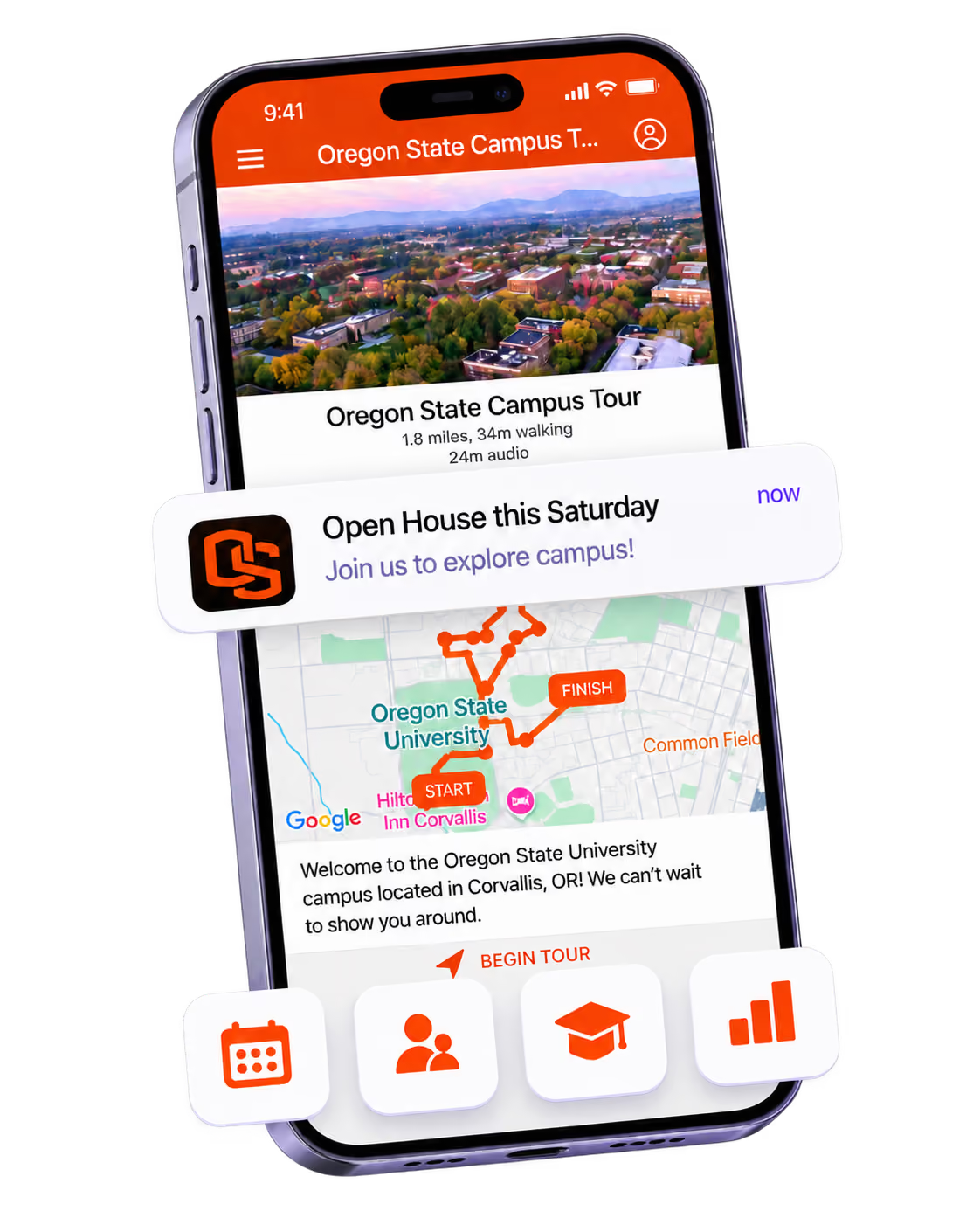
Deliver branded, self-guided tour experiences with interactive maps and rich media, available 24/7.

Offering Campus Tours?
Deliver branded, self-guided tour experiences with interactive maps and rich media, available 24/7.
Organising a Career Fair?
Simplify logistics for students, employers, and Career Services staff with one easy-to-use app.

Organising a Career Fair?
Simplify logistics for students, employers, and Career Services staff with one easy-to-use app.
Managing Alumni Events?
Plan reunions, regional events, and fundraising campaigns with an app built for alumni engagement.

Managing Alumni Events?
Plan reunions, regional events, and fundraising campaigns with an app built for alumni engagement.
Boost Student Engagement
One hub for schedules, resources, and events that keeps students connected throughout the academic year.

Boost Student Engagement
One hub for schedules, resources, and events that keeps students connected throughout the academic year.
Planning Orientation?
Help new students feel prepared from day one with schedules, campus resources, and real-time updates in one app.

Planning Orientation?
Help new students feel prepared from day one with schedules, campus resources, and real-time updates in one app.
Running Admissions Events?
Manage open houses, tours, and yield events with a branded app that saves time and engages prospective students.

Running Admissions Events?
Manage open houses, tours, and yield events with a branded app that saves time and engages prospective students.
Get a custom Sponsorship Package Template
Stop starting from scratch. Grab free templates that helWe'll build a tailored sponsorship package with suggested pricing, tiers, and benefits..for your specific event.p you build professional sponsorship packages and close deals faster.

Get a custom Sponsorship Package Template
Stop starting from scratch. Grab free templates that helWe'll build a tailored sponsorship package with suggested pricing, tiers, and benefits..for your specific event.p you build professional sponsorship packages and close deals faster.
Plan Your Next Event Without Missing a Beat.
From venue selection to post-event wrap-up, this free checklist walks you through every step (so nothing falls through the cracks).
.avif)
Plan Your Next Event Without Missing a Beat.
From venue selection to post-event wrap-up, this free checklist walks you through every step (so nothing falls through the cracks).
Real Results From Real Events
100,000+ organizations trust Guidebook. See exactly how universities, associations, enterprises, and more put it to work.

Real Results From Real Events
100,000+ organizations trust Guidebook. See exactly how universities, associations, enterprises, and more put it to work.
Flexible pricing for every event size
Find the perfect plan for your needs, from intimate gatherings to large-scale conferences.

Flexible pricing for every event size
Find the perfect plan for your needs, from intimate gatherings to large-scale conferences.
Join our event experts
Watch on-demand webinars and join live sessions with industry leaders sharing best practices for event success.
.avif)
Join our event experts
Watch on-demand webinars and join live sessions with industry leaders sharing best practices for event success.
Guidebook in Action
Book a personalized walkthrough and discover how we help event teams create better attendee experiences.
Guidebook in Action
Book a personalized walkthrough and discover how we help event teams create better attendee experiences.

Can one campus app serve multiple departments?
Discover if a single campus app can effectively serve multiple departments. Explore integration strategies, user benefits, and best practices for cross-departmental campus solutions.

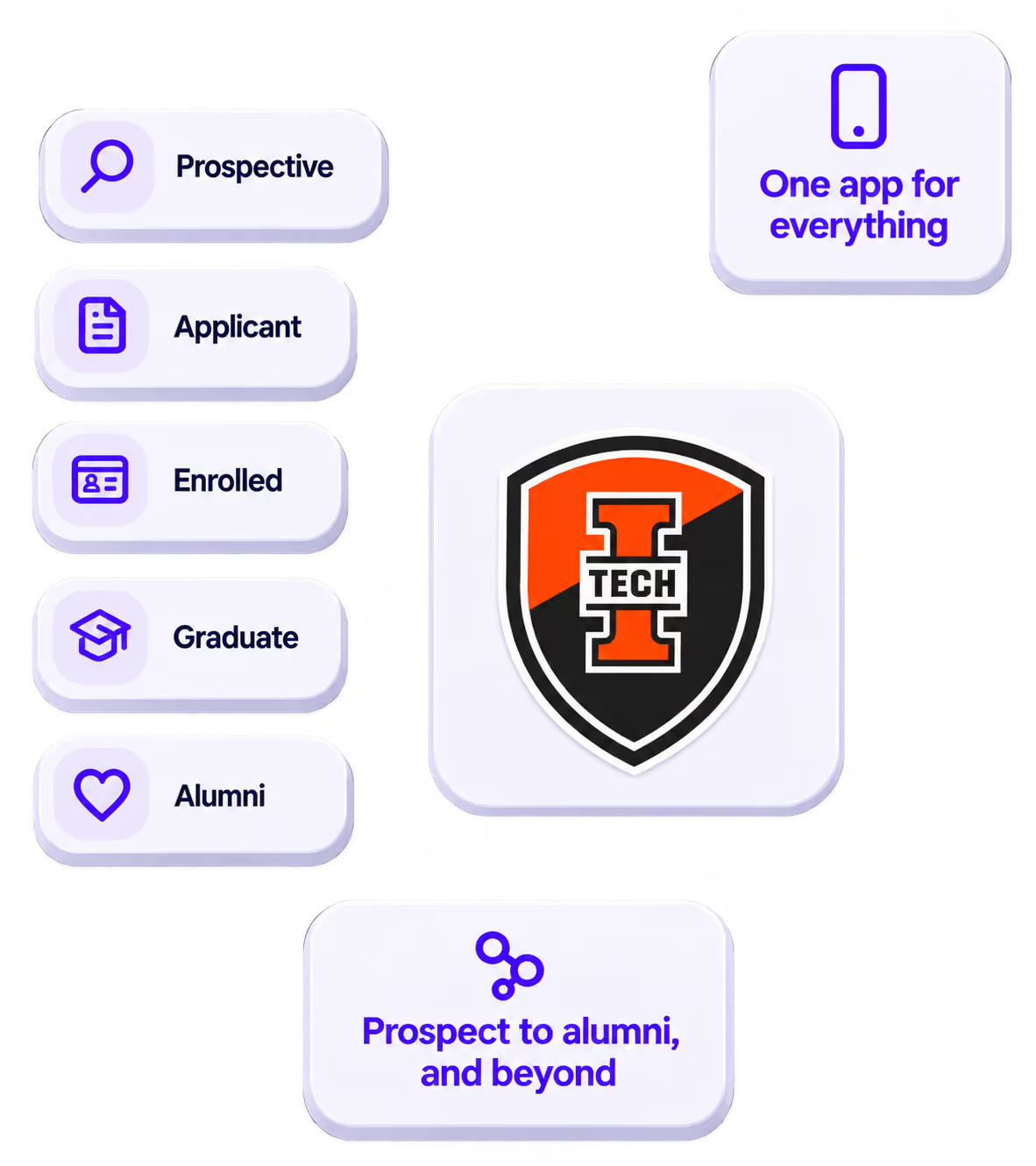
Campus app multiple departments is the unified mobile platform that connects every campus unit—from admissions to athletics—into one seamless student experience. It brings together schedules, resources, and communications across your entire institution. When done right, it transforms fragmented campus life into a cohesive digital ecosystem.
Here's the thing: most universities run dozens of separate systems. Admissions has one tool. Housing uses another. Student life sends emails nobody reads. A campus app for multiple departments changes everything. It creates one place where students find what they need—no matter which office provides it.
Key Characteristics of Campus App Multiple Departments
- Centralized Information Hub: All departments share one platform instead of maintaining separate websites, apps, or communication channels. Students get a single source of truth.
- Department-Specific Sections: Each unit maintains its own branded space within the app. This preserves departmental identity while keeping everything accessible.
- Role-Based Content Delivery: Students see relevant information based on their status, major, housing assignment, or interests. A freshman sees orientation details. A senior sees career fair info.
- Real-Time Updates: Any department can push notifications instantly. No more waiting for weekly newsletters or hoping students check their email.
- Cross-Department Integration: Events, deadlines, and resources from different offices appear in unified calendars and feeds. Students don't miss important dates.
- Analytics Across Units: Administrators see engagement data for the entire campus. They can identify which departments connect well with students—and which need help.
- Scalable Architecture: New departments can join without rebuilding the system. The app grows with your institution's needs.
Campus App Multiple Departments vs. Related Solutions
Single-Department Apps
- Scope: One office or function only
- Focus: Narrow, specialized features
- Timeline: Quick to launch but creates silos
- Channels: Limited to that department's communications
- Goal: Solve one team's immediate needs
Campus Portal Websites
- Scope: Institution-wide but web-only
- Focus: Administrative tasks and document access
- Timeline: Often legacy systems with slow updates
- Channels: Desktop-first, mobile as afterthought
- Goal: Provide access to records and forms
Multi-Department Campus Apps
- Scope: All campus units in one mobile platform
- Focus: Student engagement and daily campus life
- Timeline: Continuous updates from any department
- Channels: Mobile-first with push notifications
- Goal: Create unified, engaging student experience
The difference matters. Portals handle paperwork. Single apps solve narrow problems. A true multi-department campus app transforms how students interact with your entire institution every day.
Essential Components of a Multi-Department Campus App
Build a Shared Content Framework
Every department needs clear guidelines for adding content. Create templates for events, announcements, and resources. This keeps the app consistent without stifling creativity.
Your framework should define naming conventions, image sizes, and content categories. When housing and career services follow the same rules, students navigate easily.
Establish Department Permissions
Not everyone needs access to everything. Set up tiered permissions so each department manages its own content. Admins oversee the whole app. Department leads control their sections.
This structure prevents bottlenecks. The admissions team doesn't wait for IT to post event updates. They do it themselves—within guardrails you've set.
Create a Unified Event Calendar
Students shouldn't check five places for campus events. Pull every department's activities into one master calendar. Let students filter by interest, date, or hosting department.
- Academic deadlines from the registrar
- Social events from student life
- Career workshops from the career center
- Athletic games from sports departments
- Move-in schedules from residence life
Design Smart Notification Systems
Push notifications are powerful. They're also annoying when overused. Create rules about who can send what, and how often.
Consider notification categories students can customize. Some want every athletics update. Others only care about academic alerts. Give them control to prevent app fatigue.
Integrate Campus Resources
Beyond events, students need quick access to services. Include dining menus, library hours, shuttle schedules, and health center info. Make the app indispensable for daily campus life.
How Multi-Department Campus Apps Work
Start with Core Departments
Don't launch with everyone at once. Pick 3-5 high-impact departments for your pilot. New student programs, student life, and athletics often make great starting points.
These teams typically have strong student engagement already. They'll generate early downloads and prove the concept works.
Onboard Additional Units Gradually
Once your pilot succeeds, expand strategically. Add departments that complement existing content. If you have orientation covered, bring in parent and family programs next.
Each new department should receive:
- Training on content management
- Templates matching your brand standards
- Clear guidelines on notification frequency
- Access to engagement analytics
Maintain Ongoing Coordination
Multi-department apps need governance. Establish a committee with representatives from each participating unit. Meet monthly to review analytics, address conflicts, and plan improvements.
This prevents the app from becoming cluttered or inconsistent. It also surfaces great ideas from across campus.
Measure and Optimize Continuously
Track which departments drive the most engagement. Identify content types that resonate. Share wins across teams to inspire better contributions.
When one department's approach works well, help others replicate it. Your alumni team might learn from what works for current students.
Why Campus App Multiple Departments Matters
For Student Success
- Reduced Confusion: One app replaces dozens of bookmarks, emails, and flyers. Students find what they need faster.
- Increased Engagement: When campus resources are easy to access, students use them more. Participation in events and services rises.
- Better Belonging: Students feel connected to the whole institution, not just their major or dorm. This builds community.
- Improved Retention: Students who engage with campus life stay enrolled. Easy access to support services helps struggling students get help.
- Smoother Transitions: From campus tours to graduation, students have consistent digital support throughout their journey.
For Institutional Objectives
- Operational Efficiency: Departments share one platform instead of maintaining separate systems. IT supports one app, not twenty.
- Cost Savings: Consolidated technology reduces licensing fees, development costs, and staff time spent on redundant tools.
- Data-Driven Decisions: Campus-wide analytics reveal student behavior patterns. Leaders make informed choices about resource allocation.
- Consistent Branding: Every department communicates through a unified, professionally branded experience. Your institution looks polished.
- Competitive Advantage: Prospective students expect digital-first experiences. A sophisticated campus app impresses during recruitment.
Platforms like Guidebook for Schools make multi-department coordination achievable. The right event management platform handles the technical complexity so your teams focus on content.
Campus App Multiple Departments Best Practices
- Appoint a Campus App Champion: Someone needs to own the overall experience. This person coordinates departments, maintains standards, and drives adoption across campus.
- Create Department Onboarding Kits: Make it easy for new units to join. Provide templates, training videos, and best practice guides they can follow immediately.
- Set Notification Limits: Establish rules about push notification frequency. No department should send more than 2-3 per week unless it's urgent.
- Design for Mobile First: Students live on their phones. Every piece of content should look great on small screens. Test everything on actual devices.
- Promote Relentlessly: Put QR codes everywhere—dorm rooms, dining halls, event check-ins, stadium scoreboards. Make downloading unavoidable. Learn from proven strategies to boost app downloads.
- Gather Student Feedback: Ask students what they want. Run surveys. Check app store reviews. Let their input shape your roadmap.
- Celebrate Department Wins: When a unit drives strong engagement, share their success. Recognition motivates other departments to step up their content game.
- Plan for Peak Periods: Orientation, homecoming, and finals week generate heavy app traffic. Coordinate content calendars so departments don't compete for attention.
- Keep Content Fresh: Outdated information kills trust. Require departments to review their sections monthly. Archive old events promptly.
- Connect to Existing Systems: Integrate with your LMS, SIS, and other campus tools where possible. The more useful the app becomes, the more students rely on it.
Common Campus App Multiple Departments Mistakes
Launching Without Governance: Some schools let every department do whatever they want. The result? Inconsistent branding, notification overload, and confused students. Establish clear rules before you launch.
Ignoring Change Management: Technology alone doesn't create adoption. Staff need training and motivation. Students need reasons to download. Plan your rollout as carefully as your features.
Overcomplicating the Structure: Too many categories, subcategories, and navigation layers frustrate users. Keep your information architecture simple. If students can't find something in three taps, redesign it.
Treating It as a One-Time Project: Campus apps need ongoing attention. Content goes stale. Departments change priorities. Student expectations evolve. Budget for continuous improvement, not just initial launch.
Forgetting Accessibility: Not all students interact with apps the same way. Ensure your platform meets accessibility standards. Test with screen readers. Provide alternative formats when needed.
Siloing Analytics: When each department only sees its own data, nobody understands the full picture. Share campus-wide insights so everyone learns what works.
Neglecting Parent and Family Access: Students aren't your only audience. Parents want information too. Consider how family programs can use the same platform effectively.
Final Thoughts
A campus app serving multiple departments isn't just a technology project. It's a commitment to putting students first. When every office contributes to one unified experience, students feel supported from their first campus tour through graduation day.
Higher education faces real challenges. Budgets are tight. Staff are stretched thin. Students expect instant, personalized digital experiences. A well-executed multi-department app addresses all three. It saves money through consolidation, reduces staff workload through self-service, and delights students with convenience.
The institutions winning at student engagement share a common trait. They break down silos. They coordinate across departments. They invest in tools that make collaboration easy. Your campus app strategy reflects your institutional values—fragmented or unified, reactive or proactive.
Ready to bring your campus together? Explore how Guidebook's campus solutions help institutions like yours coordinate across departments. Check out success stories from other schools, browse ready-to-use templates, or request a demo to see the platform in action. Your students deserve a campus experience that feels seamless—and you deserve tools that make it possible.
The power of your brand in your app, from first visit to alumni.
Build trust
Attendees download your app, not ours. Your name, colors, and crest in the stores.
.avif)
One place for the whole event
Schedules, maps, registration, and updates in one branded hub - not five tools.
Stand out
A branded app is what people keep on their phone after the printed program is in the recycling.

Get the Mobile App Playbook
A short guide to running the whole student journey in one app. No fluff, just what works.
for higher ed
Campus
Playbook
A practical guide to building a connected campus experience.
Free playbook
The Mobile App Playbook for Universities
Students decide if they belong long before they set foot on campus. This playbook shows how to win them over from the first visit through graduation.
- Grow enrollment and boost recruitment
- Increase belonging and retention
- Run every event from one branded app
By submitting, you agree to our Privacy Policy.
You're in.
.png)