
Campus apps by department
Admissions, orientation, student life, and more — one campus app that works across departments.

Campus apps by department
Admissions, orientation, student life, and more — one campus app that works across departments.
Build unlimited event apps on one license
One partnership for unlimited campus events — orientation, tours, student life, and everything in between.
Build unlimited event apps on one license
One partnership for unlimited campus events — orientation, tours, student life, and everything in between.
Compare event app platforms
See how Guidebook stacks up against other event app and registration platforms.
Compare event app platforms
See how Guidebook stacks up against other event app and registration platforms.
Event apps for nonprofit and community programs
Give members, volunteers, and donors one branded app for conferences, fundraisers, and year-round community.
Event apps for nonprofit and community programs
Give members, volunteers, and donors one branded app for conferences, fundraisers, and year-round community.
Campus integrations and an open API
Connect Guidebook with the campus systems, APIs, and tools your team already uses.
Campus integrations and an open API
Connect Guidebook with the campus systems, APIs, and tools your team already uses.
Event apps for corporate and enterprise teams
Internal meetings, offsites, and large-scale corporate events — with the branding and control enterprise teams need.
Event apps for corporate and enterprise teams
Internal meetings, offsites, and large-scale corporate events — with the branding and control enterprise teams need.
Create a branded event app with no coding
Put schedules, maps, resources, and updates in every attendee's pocket — built for campus events and programs.
Create a branded event app with no coding
Put schedules, maps, resources, and updates in every attendee's pocket — built for campus events and programs.
Launch a branded, white-label event app
A white-label event app with your branding, your content, and your attendee experience — no coding required.
Launch a branded, white-label event app
A white-label event app with your branding, your content, and your attendee experience — no coding required.
Everything in the Guidebook platform
Explore the features event teams use to engage attendees before, during, and after the event.
Everything in the Guidebook platform
Explore the features event teams use to engage attendees before, during, and after the event.
One app for in-person and virtual attendees
The same schedule, networking, and updates whether people are in the room or joining remotely.
One app for in-person and virtual attendees
The same schedule, networking, and updates whether people are in the room or joining remotely.
Event apps built for associations
Annual meetings, chapter events, and member engagement — without rebuilding a new app every year.
Event apps built for associations
Annual meetings, chapter events, and member engagement — without rebuilding a new app every year.
A branded event website that matches the app
Promote the event, collect interest, and keep branding consistent from the first click to check-in.
A branded event website that matches the app
Promote the event, collect interest, and keep branding consistent from the first click to check-in.
Plan, run, and measure events on one platform
App, registration, badges, and websites in one workflow — so planning isn't a pile of disconnected tools.
Plan, run, and measure events on one platform
App, registration, badges, and websites in one workflow — so planning isn't a pile of disconnected tools.
Keep members engaged between events
One branded app for the conference and everything that happens the other 51 weeks of the year.
Keep members engaged between events
One branded app for the conference and everything that happens the other 51 weeks of the year.
The conference app attendees actually use
Schedules, maps, networking, and live updates for annual meetings, summits, and multi-day conferences.
The conference app attendees actually use
Schedules, maps, networking, and live updates for annual meetings, summits, and multi-day conferences.
Registration that feeds your app and badges
Collect registrations, payments, and attendee data in the same platform as your event app.
Registration that feeds your app and badges
Collect registrations, payments, and attendee data in the same platform as your event app.
Design and print event badges in one place
Custom badges, QR check-in, and on-site printing — without a separate badge vendor.
Design and print event badges in one place
Custom badges, QR check-in, and on-site printing — without a separate badge vendor.
A Smaller School?
Deliver a polished, branded event experience without a large team or a big budget.

A Smaller School?
Deliver a polished, branded event experience without a large team or a big budget.
Running Family Programs?
Give families everything they need, from schedules and maps to real-time updates, all in one place.

Running Family Programs?
Give families everything they need, from schedules and maps to real-time updates, all in one place.
Coordinating Move-In Day?
Share updates, manage events, and keep students informed from move-in through the academic year.

Coordinating Move-In Day?
Share updates, manage events, and keep students informed from move-in through the academic year.
Offering Campus Tours?
Deliver branded, self-guided tour experiences with interactive maps and rich media, available 24/7.

Offering Campus Tours?
Deliver branded, self-guided tour experiences with interactive maps and rich media, available 24/7.
Organising a Career Fair?
Simplify logistics for students, employers, and Career Services staff with one easy-to-use app.

Organising a Career Fair?
Simplify logistics for students, employers, and Career Services staff with one easy-to-use app.
Managing Alumni Events?
Plan reunions, regional events, and fundraising campaigns with an app built for alumni engagement.

Managing Alumni Events?
Plan reunions, regional events, and fundraising campaigns with an app built for alumni engagement.
Boost Student Engagement
One hub for schedules, resources, and events that keeps students connected throughout the academic year.

Boost Student Engagement
One hub for schedules, resources, and events that keeps students connected throughout the academic year.
Planning Orientation?
Help new students feel prepared from day one with schedules, campus resources, and real-time updates in one app.

Planning Orientation?
Help new students feel prepared from day one with schedules, campus resources, and real-time updates in one app.
Running Admissions Events?
Manage open houses, tours, and yield events with a branded app that saves time and engages prospective students.

Running Admissions Events?
Manage open houses, tours, and yield events with a branded app that saves time and engages prospective students.
Get a custom Sponsorship Package Template
Stop starting from scratch. Grab free templates that helWe'll build a tailored sponsorship package with suggested pricing, tiers, and benefits..for your specific event.p you build professional sponsorship packages and close deals faster.

Get a custom Sponsorship Package Template
Stop starting from scratch. Grab free templates that helWe'll build a tailored sponsorship package with suggested pricing, tiers, and benefits..for your specific event.p you build professional sponsorship packages and close deals faster.
Plan Your Next Event Without Missing a Beat.
From venue selection to post-event wrap-up, this free checklist walks you through every step (so nothing falls through the cracks).
.avif)
Plan Your Next Event Without Missing a Beat.
From venue selection to post-event wrap-up, this free checklist walks you through every step (so nothing falls through the cracks).
Real Results From Real Events
100,000+ organizations trust Guidebook. See exactly how universities, associations, enterprises, and more put it to work.

Real Results From Real Events
100,000+ organizations trust Guidebook. See exactly how universities, associations, enterprises, and more put it to work.
Flexible pricing for every event size
Find the perfect plan for your needs, from intimate gatherings to large-scale conferences.

Flexible pricing for every event size
Find the perfect plan for your needs, from intimate gatherings to large-scale conferences.
Join our event experts
Watch on-demand webinars and join live sessions with industry leaders sharing best practices for event success.
.avif)
Join our event experts
Watch on-demand webinars and join live sessions with industry leaders sharing best practices for event success.
Guidebook in Action
Book a personalized walkthrough and discover how we help event teams create better attendee experiences.
Guidebook in Action
Book a personalized walkthrough and discover how we help event teams create better attendee experiences.

How to Host a Virtual Event
Learn how to host a virtual event with step-by-step planning, top platform tips, engagement strategies, and proven methods to maximize online attendance and ROI.

The process of Hosting a Virtual Event involves planning, executing, and delivering an engaging online experience that connects attendees from anywhere in the world. It covers everything from choosing the right platform to keeping your audience engaged throughout. Done well, virtual events can match or exceed the impact of in-person gatherings.
Here's the thing: virtual events aren't just "in-person events on a screen." They require a different mindset. Your attendees face more distractions at home. They can leave with one click. But they also have zero travel costs and can join from anywhere. Understanding these trade-offs is the key to success.
Key Characteristics of Virtual Events
- Location Independence: Attendees join from anywhere with an internet connection. This expands your potential audience dramatically.
- Platform Dependency: Your event lives or dies by your technology choices. The right virtual event platform makes everything easier.
- Engagement Challenges: Screen fatigue is real. You need interactive elements to keep people focused and participating.
- Cost Efficiency: No venue rental, catering, or travel expenses. But don't skimp on production quality.
- Accessibility Options: Closed captions, recordings, and flexible timing make events more inclusive.
- Scalability: Adding 100 more attendees costs almost nothing. Try that with an in-person venue.
Virtual Events vs. Related Event Types
Webinars
- Scope: Single-session, focused presentation
- Focus: Education or lead generation
- Timeline: 30-90 minutes typically
- Channels: One-way broadcast with Q&A
- Goal: Share expertise or capture leads
Hybrid Events
- Scope: Combined in-person and virtual experience
- Focus: Maximum reach with personal connection
- Timeline: Hours to multiple days
- Channels: Physical venue plus streaming
- Goal: Serve both local and remote audiences
Virtual Conferences
- Scope: Multi-session, multi-day online events
- Focus: Networking, learning, and community
- Timeline: One to several days
- Channels: Multiple virtual rooms and stages
- Goal: Replicate full conference experience online
Understanding these differences helps you choose the right format. A webinar works great for a product demo. A full virtual conference suits annual gatherings. Match your format to your goals.
Essential Virtual Event Components
Choose the Right Platform
Your platform is your venue. It needs to handle your expected attendance without crashing. Look for features like breakout rooms, chat, and polling.
Consider your audience's tech comfort level. A complex platform might impress some but frustrate others. Simple often wins.
Build Your Content Strategy
Virtual audiences have shorter attention spans. Keep sessions to 20-30 minutes when possible. Mix formats between presentations, panels, and interactive workshops.
Pre-record some content as backup. Live streaming can fail. Having recordings ready saves the day when technology doesn't cooperate.
Create Engagement Opportunities
Passive watching leads to drop-offs. Build in interaction every 5-10 minutes:
- Live polls and surveys
- Q&A sessions
- Chat discussions
- Virtual networking rooms
- Gamification elements
Plan Your Technical Setup
Test everything twice. Then test again. Common technical needs include:
- Reliable internet (wired beats WiFi)
- Quality microphones for speakers
- Good lighting for video
- Backup devices ready
- Technical support on standby
Design the Attendee Journey
Map out every touchpoint from registration to follow-up. Your event registration process sets the tone. Make it smooth and simple.
Send clear instructions before the event. Include login details, schedules, and what to expect. Confused attendees become frustrated attendees.
The Virtual Event Planning Timeline
8-12 Weeks Before: Foundation
Start with your goals. What does success look like? Define your target audience and key messages. This shapes every decision that follows.
Select your platform and begin virtual event planning in earnest. Book speakers and start building your content calendar.
4-8 Weeks Before: Build and Promote
Create your registration page and launch promotion. Use event digital marketing tactics across email, social, and paid channels.
Develop your content and rehearse with speakers. Technical run-throughs prevent day-of disasters.
1-4 Weeks Before: Refine and Test
Send reminder emails to registrants. Conduct full technical rehearsals with all speakers and moderators.
Prepare your backup plans. What happens if a speaker's internet fails? Have answers ready.
Event Day: Execute
Start your tech check 60-90 minutes early. Have your team in position with clear roles. Monitor chat and engagement throughout.
Stay flexible. Something will go wrong. How you handle it matters more than preventing every issue.
Post-Event: Follow Through
Send recordings and resources within 24 hours. Gather feedback while the experience is fresh. Analyze your data to improve next time.
Why Hosting Virtual Events Matters
For Event Success:
- Expanded Reach: Geographic barriers disappear. Your event can attract global audiences.
- Lower Barriers: No travel costs or time away from work. More people can say yes.
- Rich Data: Track engagement in ways impossible at physical events. Know exactly what resonated.
- Content Longevity: Recordings extend your event's life. Attendees can rewatch. Non-attendees can catch up.
- Environmental Impact: Zero travel means a smaller carbon footprint. Sustainability matters to many attendees.
For Business Objectives:
- Cost Savings: Eliminate venue, catering, and travel expenses. Redirect budget to content quality.
- Lead Generation: Capture detailed attendee information and behavior data for follow-up.
- Brand Building: Showcase expertise to a wider audience. Position your organization as a thought leader.
- Community Growth: Connect members who couldn't attend in-person events. Build stronger networks.
- Revenue Opportunities: Offer tiered access, on-demand content, and sponsor packages.
Platforms like Guidebook's event management platform help you deliver professional virtual experiences. The right tools make complex events manageable.
How to Host a Virtual Event Best Practices
- Start with Clear Goals: Define what success looks like before planning anything else. Measure event ROI against these goals.
- Know Your Audience: Understand their tech comfort, time zones, and preferences. Design around their needs, not yours.
- Keep Sessions Short: Aim for 20-30 minute segments. Build in breaks every 60-90 minutes for longer events.
- Prioritize Audio Quality: Bad video is tolerable. Bad audio makes people leave. Invest in good microphones.
- Build in Interaction: Plan engagement touchpoints every 5-10 minutes. Passive audiences disengage quickly.
- Rehearse Everything: Run full technical rehearsals with all participants. Identify problems before they're live.
- Have Backup Plans: Prepare for speaker no-shows, tech failures, and low attendance. Flexibility saves events.
- Communicate Clearly: Send detailed instructions before the event. Remind attendees multiple times.
- Staff Appropriately: Have dedicated people for tech support, chat moderation, and speaker management.
- Follow Up Fast: Send recordings and resources within 24 hours. Strike while interest is high.
Common Virtual Event Mistakes
Ignoring Time Zones: Scheduling without considering your audience's locations excludes people unnecessarily. Offer multiple session times or on-demand access when possible.
Overloading the Agenda: Cramming too much content causes fatigue and drop-offs. Less is more. Quality beats quantity every time.
Skipping Rehearsals: Assuming everything will work leads to embarrassing technical failures. Always do full run-throughs with actual equipment and connections.
Neglecting Engagement: Treating virtual events like TV broadcasts bores audiences. Build interaction into every session. Make attendees participants, not viewers.
Poor Audio Setup: Relying on laptop microphones creates unprofessional sound. Invest in proper audio equipment for all speakers.
Weak Promotion: Building a great event means nothing if nobody knows about it. Start advertising your event early and often.
No Contingency Plans: Assuming everything will go perfectly sets you up for disaster. Plan for failures and have solutions ready.
Final Thoughts
Virtual events aren't going away. They've become a permanent part of how we connect, learn, and do business. Mastering them gives you a powerful tool for reaching audiences anywhere.
The best virtual events feel intentional, not like compromises. They leverage the unique advantages of digital delivery while addressing its challenges head-on. This takes planning, practice, and the right technology.
Don't let the technical aspects intimidate you. Start simple. Learn from each event. Build your skills over time. Even experienced event planners had to host their first virtual event at some point.
Ready to create your next virtual event? Explore event management tips for more guidance. Check out the event planning process to build your foundation. And when you're ready for a platform that makes virtual events easier, request a Guidebook demo to see what's possible. Your audience is waiting—go bring them together.
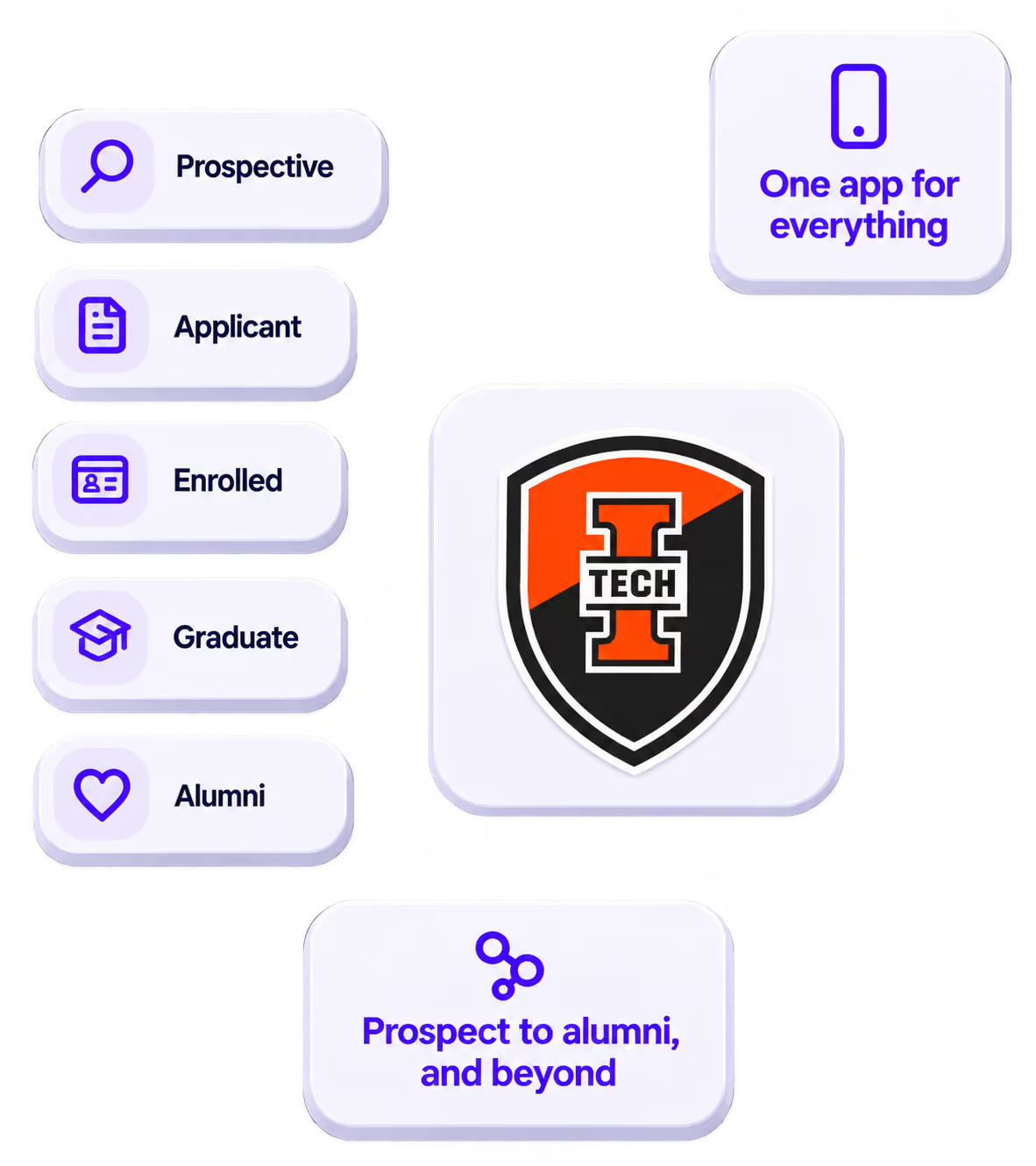
The power of your brand in your app, from first visit to alumni.
Build trust
Attendees download your app, not ours. Your name, colors, and crest in the stores.
.avif)
One place for the whole event
Schedules, maps, registration, and updates in one branded hub - not five tools.
Stand out
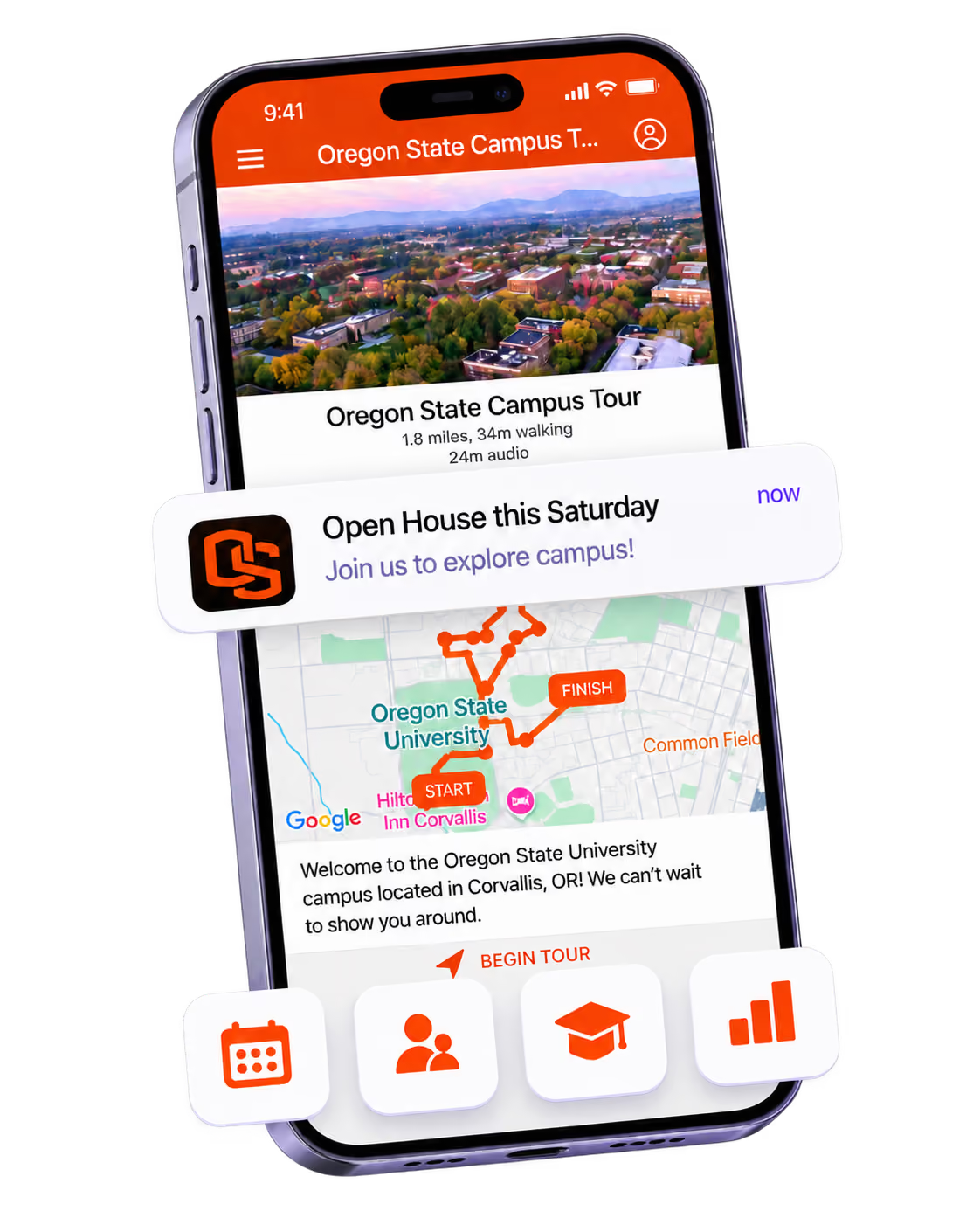
A branded app is what people keep on their phone after the printed program is in the recycling.

Get the Mobile App Playbook
A short guide to running the whole student journey in one app. No fluff, just what works.
for higher ed
Campus
Playbook
A practical guide to building a connected campus experience.
Free playbook
The Mobile App Playbook for Universities
Students decide if they belong long before they set foot on campus. This playbook shows how to win them over from the first visit through graduation.
- Grow enrollment and boost recruitment
- Increase belonging and retention
- Run every event from one branded app
By submitting, you agree to our Privacy Policy.
You're in.
.png)