
Campus apps by department
Admissions, orientation, student life, and more — one campus app that works across departments.

Campus apps by department
Admissions, orientation, student life, and more — one campus app that works across departments.
Build unlimited event apps on one license
One partnership for unlimited campus events — orientation, tours, student life, and everything in between.
Build unlimited event apps on one license
One partnership for unlimited campus events — orientation, tours, student life, and everything in between.
Compare event app platforms
See how Guidebook stacks up against other event app and registration platforms.
Compare event app platforms
See how Guidebook stacks up against other event app and registration platforms.
Event apps for nonprofit and community programs
Give members, volunteers, and donors one branded app for conferences, fundraisers, and year-round community.
Event apps for nonprofit and community programs
Give members, volunteers, and donors one branded app for conferences, fundraisers, and year-round community.
Campus integrations and an open API
Connect Guidebook with the campus systems, APIs, and tools your team already uses.
Campus integrations and an open API
Connect Guidebook with the campus systems, APIs, and tools your team already uses.
Event apps for corporate and enterprise teams
Internal meetings, offsites, and large-scale corporate events — with the branding and control enterprise teams need.
Event apps for corporate and enterprise teams
Internal meetings, offsites, and large-scale corporate events — with the branding and control enterprise teams need.
Create a branded event app with no coding
Put schedules, maps, resources, and updates in every attendee's pocket — built for campus events and programs.
Create a branded event app with no coding
Put schedules, maps, resources, and updates in every attendee's pocket — built for campus events and programs.
Launch a branded, white-label event app
A white-label event app with your branding, your content, and your attendee experience — no coding required.
Launch a branded, white-label event app
A white-label event app with your branding, your content, and your attendee experience — no coding required.
Everything in the Guidebook platform
Explore the features event teams use to engage attendees before, during, and after the event.
Everything in the Guidebook platform
Explore the features event teams use to engage attendees before, during, and after the event.
One app for in-person and virtual attendees
The same schedule, networking, and updates whether people are in the room or joining remotely.
One app for in-person and virtual attendees
The same schedule, networking, and updates whether people are in the room or joining remotely.
Event apps built for associations
Annual meetings, chapter events, and member engagement — without rebuilding a new app every year.
Event apps built for associations
Annual meetings, chapter events, and member engagement — without rebuilding a new app every year.
A branded event website that matches the app
Promote the event, collect interest, and keep branding consistent from the first click to check-in.
A branded event website that matches the app
Promote the event, collect interest, and keep branding consistent from the first click to check-in.
Plan, run, and measure events on one platform
App, registration, badges, and websites in one workflow — so planning isn't a pile of disconnected tools.
Plan, run, and measure events on one platform
App, registration, badges, and websites in one workflow — so planning isn't a pile of disconnected tools.
Keep members engaged between events
One branded app for the conference and everything that happens the other 51 weeks of the year.
Keep members engaged between events
One branded app for the conference and everything that happens the other 51 weeks of the year.
The conference app attendees actually use
Schedules, maps, networking, and live updates for annual meetings, summits, and multi-day conferences.
The conference app attendees actually use
Schedules, maps, networking, and live updates for annual meetings, summits, and multi-day conferences.
Registration that feeds your app and badges
Collect registrations, payments, and attendee data in the same platform as your event app.
Registration that feeds your app and badges
Collect registrations, payments, and attendee data in the same platform as your event app.
Design and print event badges in one place
Custom badges, QR check-in, and on-site printing — without a separate badge vendor.
Design and print event badges in one place
Custom badges, QR check-in, and on-site printing — without a separate badge vendor.
A Smaller School?
Deliver a polished, branded event experience without a large team or a big budget.

A Smaller School?
Deliver a polished, branded event experience without a large team or a big budget.
Running Family Programs?
Give families everything they need, from schedules and maps to real-time updates, all in one place.

Running Family Programs?
Give families everything they need, from schedules and maps to real-time updates, all in one place.
Coordinating Move-In Day?
Share updates, manage events, and keep students informed from move-in through the academic year.

Coordinating Move-In Day?
Share updates, manage events, and keep students informed from move-in through the academic year.
Offering Campus Tours?
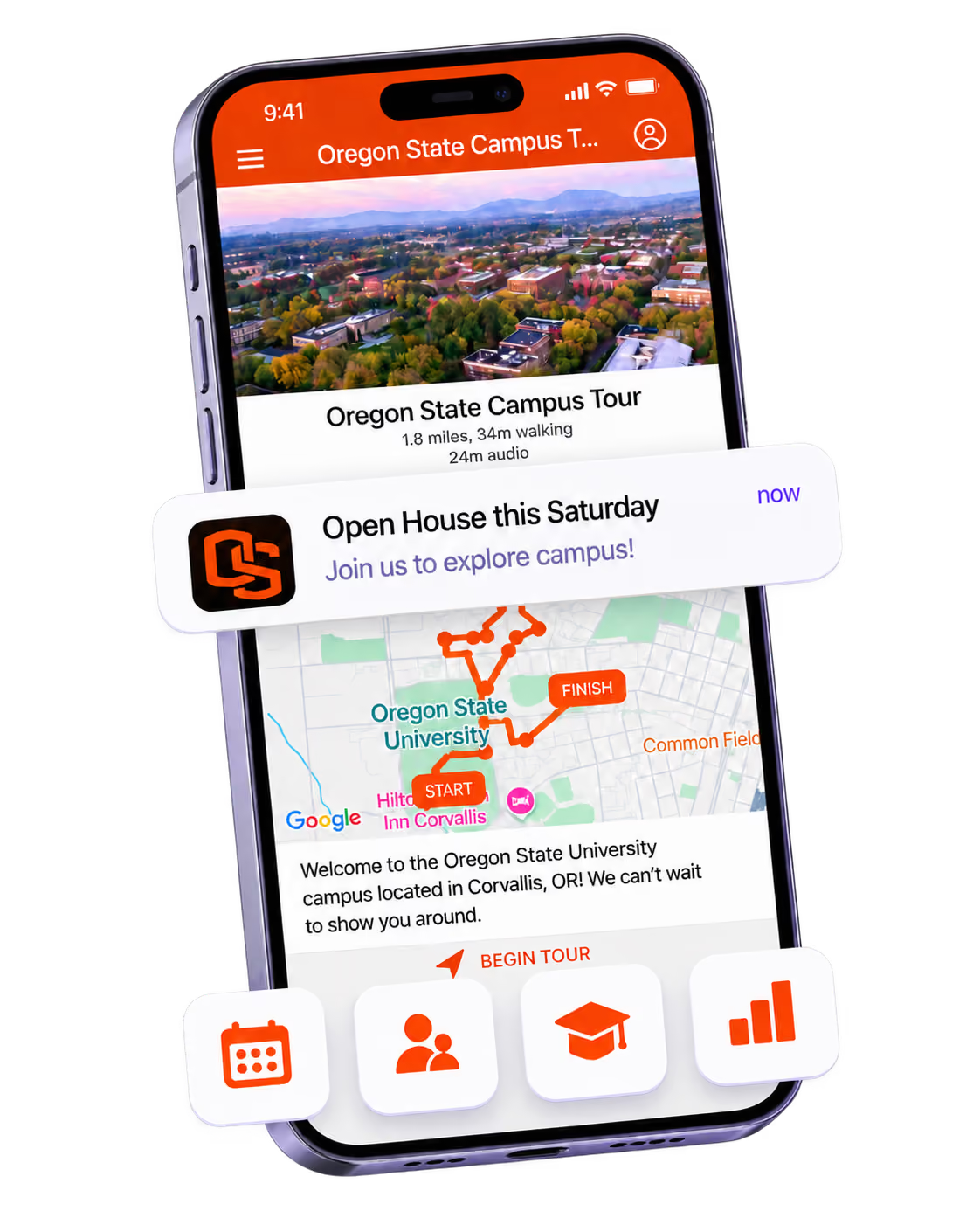
Deliver branded, self-guided tour experiences with interactive maps and rich media, available 24/7.

Offering Campus Tours?
Deliver branded, self-guided tour experiences with interactive maps and rich media, available 24/7.
Organising a Career Fair?
Simplify logistics for students, employers, and Career Services staff with one easy-to-use app.

Organising a Career Fair?
Simplify logistics for students, employers, and Career Services staff with one easy-to-use app.
Managing Alumni Events?
Plan reunions, regional events, and fundraising campaigns with an app built for alumni engagement.

Managing Alumni Events?
Plan reunions, regional events, and fundraising campaigns with an app built for alumni engagement.
Boost Student Engagement
One hub for schedules, resources, and events that keeps students connected throughout the academic year.

Boost Student Engagement
One hub for schedules, resources, and events that keeps students connected throughout the academic year.
Planning Orientation?
Help new students feel prepared from day one with schedules, campus resources, and real-time updates in one app.

Planning Orientation?
Help new students feel prepared from day one with schedules, campus resources, and real-time updates in one app.
Running Admissions Events?
Manage open houses, tours, and yield events with a branded app that saves time and engages prospective students.

Running Admissions Events?
Manage open houses, tours, and yield events with a branded app that saves time and engages prospective students.
Get a custom Sponsorship Package Template
Stop starting from scratch. Grab free templates that helWe'll build a tailored sponsorship package with suggested pricing, tiers, and benefits..for your specific event.p you build professional sponsorship packages and close deals faster.

Get a custom Sponsorship Package Template
Stop starting from scratch. Grab free templates that helWe'll build a tailored sponsorship package with suggested pricing, tiers, and benefits..for your specific event.p you build professional sponsorship packages and close deals faster.
Plan Your Next Event Without Missing a Beat.
From venue selection to post-event wrap-up, this free checklist walks you through every step (so nothing falls through the cracks).
.avif)
Plan Your Next Event Without Missing a Beat.
From venue selection to post-event wrap-up, this free checklist walks you through every step (so nothing falls through the cracks).
Real Results From Real Events
100,000+ organizations trust Guidebook. See exactly how universities, associations, enterprises, and more put it to work.

Real Results From Real Events
100,000+ organizations trust Guidebook. See exactly how universities, associations, enterprises, and more put it to work.
Flexible pricing for every event size
Find the perfect plan for your needs, from intimate gatherings to large-scale conferences.

Flexible pricing for every event size
Find the perfect plan for your needs, from intimate gatherings to large-scale conferences.
Join our event experts
Watch on-demand webinars and join live sessions with industry leaders sharing best practices for event success.
.avif)
Join our event experts
Watch on-demand webinars and join live sessions with industry leaders sharing best practices for event success.
Guidebook in Action
Book a personalized walkthrough and discover how we help event teams create better attendee experiences.
Guidebook in Action
Book a personalized walkthrough and discover how we help event teams create better attendee experiences.
When are push notifications most effective in event apps?
Discover when push notifications are most effective in event apps. Learn optimal timing, engagement strategies, and best practices to boost attendee interaction.
Push Notifications in Event Apps is the real-time messaging system that delivers instant updates, reminders, and personalized alerts directly to attendees' mobile devices during events. These bite-sized messages cut through the noise of crowded inboxes and busy schedules. When used well, they boost engagement by up to 88% compared to email alone.
Here's the thing: push notifications aren't just digital megaphones. They're precision tools. Unlike mass emails that sit unread, push notifications appear on lock screens within seconds. Attendees don't need to open an app or check their inbox. The message finds them. That immediacy transforms how event planners communicate schedule changes, session reminders, and networking opportunities.
Key Characteristics of Push Notifications in Event Apps
- Instant Delivery: Messages reach attendees within seconds of sending. No waiting for email opens or hoping someone checks the event website.
- Lock Screen Visibility: Notifications appear directly on device screens. Attendees see your message even without opening the app.
- Opt-In Permission: Users must grant permission to receive notifications. This creates an engaged audience who actually wants your updates.
- Segmentation Capability: Target specific groups based on session interests, attendee type, or location. Send relevant messages to the right people.
- Rich Media Support: Include images, buttons, and deep links. Guide attendees directly to schedules, maps, or registration pages. : Track open rates, click-throughs, and engagement patterns. Adjust your strategy based on actual data.
- Offline Queuing: Messages wait in queue when devices lack connectivity. They deliver automatically once attendees reconnect.
Push Notifications vs. Other Event Communication Channels
Email Marketing
- Scope: Long-form content, detailed information, pre-event communication
- Focus: Comprehensive updates, registration confirmations, post-event follow-ups
- Timeline: Hours to days for delivery and opens
- Channels: Email clients, webmail platforms
- Goal: Nurture relationships and share detailed content
SMS Text Messages
- Scope: Urgent alerts, time-sensitive updates
- Focus: Critical information requiring immediate attention
- Timeline: Instant delivery, high open rates
- Channels: Native phone messaging apps
- Goal: Emergency communication and last-minute changes
In-App Messages
- Scope: Contextual information while using the app
- Focus: Feature announcements, tips, and guided experiences
- Timeline: Appears only when app is open
- Channels: Within the event app interface
- Goal: Enhance app experience and drive feature adoption
Push notifications bridge the gap between these channels. They offer email's targeting power with SMS's immediacy. Unlike in-app messages, they reach attendees anywhere. Smart event planning uses all channels together, with push notifications handling time-sensitive, action-oriented communication.
Essential Types of Push Notifications for Events
Schedule and Session Reminders
These are your bread-and-butter notifications. Send them 15-30 minutes before sessions start. Include the session name, location, and a direct link to the schedule.
Pro tip: Let attendees customize reminder timing. Some prefer 10 minutes; others need 30. Personalization reduces notification fatigue.
Real-Time Updates and Changes
Room changes happen. Speakers run late. Weather affects outdoor events. Push notifications handle these curveballs instantly.
When a keynote moves from Hall A to Hall B, you need everyone to know now. Not in an hour when they check email. Push notifications make that possible.
Networking and Engagement Prompts
Drive attendee interaction with strategic nudges:
- Alert attendees when connections are nearby
- Announce networking session start times
- Promote live polls and Q&A opportunities
- Share gamification updates and leaderboards
Sponsor and Exhibitor Highlights
Help sponsors get visibility without being pushy. Notify attendees about booth demos, giveaways, or exclusive offers. This adds value for attendees while delivering event ROI for sponsors.
Emergency and Safety Alerts
Safety comes first. Push notifications provide instant emergency communication. Weather warnings, evacuation notices, or security updates reach everyone simultaneously. This capability alone justifies implementing push notifications.
How Push Notifications Work in Event Apps
The Technical Foundation
Push notifications rely on platform-specific services. Apple uses APNs (Apple Push Notification service). Android uses Firebase Cloud Messaging. Your event management platform connects to these services through APIs.
When you hit "send," your message travels to Apple or Google servers. Those servers route it to specific devices. The whole process takes seconds.
Permission and Opt-In Process
Users must grant permission before receiving notifications. This happens when they first open your event app. The permission prompt matters more than you think.
Best practice: Don't trigger the prompt immediately. Let attendees explore the app first. Then explain the value before asking permission. "Get real-time schedule updates and session reminders" beats a generic request.
Segmentation and Targeting
Not every message belongs to every attendee. Effective push notification systems let you segment audiences:
- By registration type (VIP, general, exhibitor)
- By session interests or tracks
- By geographic location at the venue
- By engagement level with the app
- By custom tags you define
A notification about the marketing track keynote shouldn't interrupt attendees focused on technology sessions. Segmentation respects attendee attention.
Scheduling and Automation
You don't need to manually send every notification. Set up automated triggers based on:
- Time (15 minutes before each session)
- Location (when attendees enter specific zones)
- Behavior (when someone adds a session to their schedule)
- Events (when a speaker uploads new materials)
Automation ensures consistent communication without constant manual effort. Your team can focus on handling exceptions rather than routine messages.
Why Push Notifications in Event Apps Matter
For Event Success:
- Higher Session Attendance: Reminders reduce no-shows by up to 30%. Attendees who planned to attend actually show up.
- Faster Crisis Response: Communicate changes instantly. No more hoping attendees check the information desk.
- Increased App Engagement: Each notification brings attendees back into the app. More engagement means more value from your event digital marketing investment.
- Better Attendee Experience: People feel informed, not lost. They spend less time figuring out logistics and more time networking.
- Real-Time Feedback Collection: Prompt attendees to rate sessions immediately after they end. Fresh feedback beats post-event surveys.
For Business Objectives:
- Sponsor Visibility: Deliver sponsor messages at optimal moments. Prove value with engagement metrics.
- Data Collection: Track which notifications drive action. Use insights for future event management decisions.
- Cost Reduction: Replace printed schedule updates and announcement boards. Save money while improving communication.
- Attendee Retention: Engaged attendees return next year. Push notifications keep them connected throughout the event.
- Measurable ROI: Unlike PA announcements, you can track notification performance. Show stakeholders exactly what worked.
Push Notifications in Event Apps Best Practices
- Time Your Messages Strategically: Send session reminders 15-30 minutes ahead. Avoid early morning or late night notifications. Respect time zones for virtual events.
- Keep Messages Short and Actionable: Aim for 50-100 characters. Include one clear action. "Keynote starts in 15 min – Hall A" beats a paragraph.
- Personalize When Possible: Use attendee names. Reference their selected sessions. Generic blasts feel like spam; personalized messages feel helpful.
- Limit Daily Frequency: Cap notifications at 3-5 per day maximum. More than that triggers opt-outs. Quality beats quantity every time.
- Segment Your Audience: Don't send exhibitor updates to general attendees. Target messages based on interests, roles, and behavior.
- Include Deep Links: Every notification should link somewhere useful. Take attendees directly to the relevant schedule, map, or content.
- Test Before Launch: Send test notifications to your team first. Check timing, links, and display across different devices.
- Create an Emergency Protocol: Define who can send urgent notifications. Establish approval processes for different message types.
- Analyze and Iterate: Review open rates and click-throughs daily during events. Adjust timing and messaging based on what works.
- Respect the Opt-Out: Make unsubscribing easy. Attendees who feel trapped become frustrated attendees.
Common Push Notifications in Event Apps Mistakes
Notification Overload: Sending 10+ notifications daily overwhelms attendees. They'll disable notifications entirely or delete your app. Stick to essential, high-value messages only.
Generic Mass Blasts: Treating all attendees identically wastes the technology's potential. A first-time attendee needs different information than a returning VIP. Use segmentation.
Poor Timing: Sending reminders 2 hours before sessions is too early. Sending them 2 minutes before is too late. Test different timing windows to find your sweet spot.
Missing Deep Links: Notifications that don't link anywhere frustrate users. They read "Session starting soon" but can't find the room. Always include actionable links.
: Sending notifications without reviewing performance means repeating mistakes. Track what works. Double down on successful approaches.Forgetting Time Zones: For virtual events with global audiences, a 9 AM notification hits differently across time zones. Schedule based on attendee locations, not your office hours.
No Emergency Plan: Scrambling to send urgent updates during a crisis causes delays and errors. Create templates and approval workflows before you need them.
Final Thoughts
Push notifications transform event communication from hopeful to reliable. They ensure your messages actually reach attendees when timing matters most. In an age of information overload, that direct line to attendees' lock screens is invaluable.
The events industry continues shifting toward mobile-first experiences. Attendees expect instant updates. They want personalized schedules. They need real-time guidance. Push notifications deliver all three. Events without this capability feel outdated, like conferences still using printed programs exclusively.
Think of push notifications as your event's nervous system. They connect every part of the experience, from event registration through post-event follow-up. They help attendees navigate complex schedules, discover networking opportunities, and stay informed about changes. That connectivity creates better experiences and stronger event ROI.
Ready to level up your event communication? Guidebook's platform makes push notifications simple to set up and powerful to use. Explore our templates to see how other event planners structure their notification strategies. Check out our case studies for real-world examples of push notification success. Your attendees' lock screens are waiting.
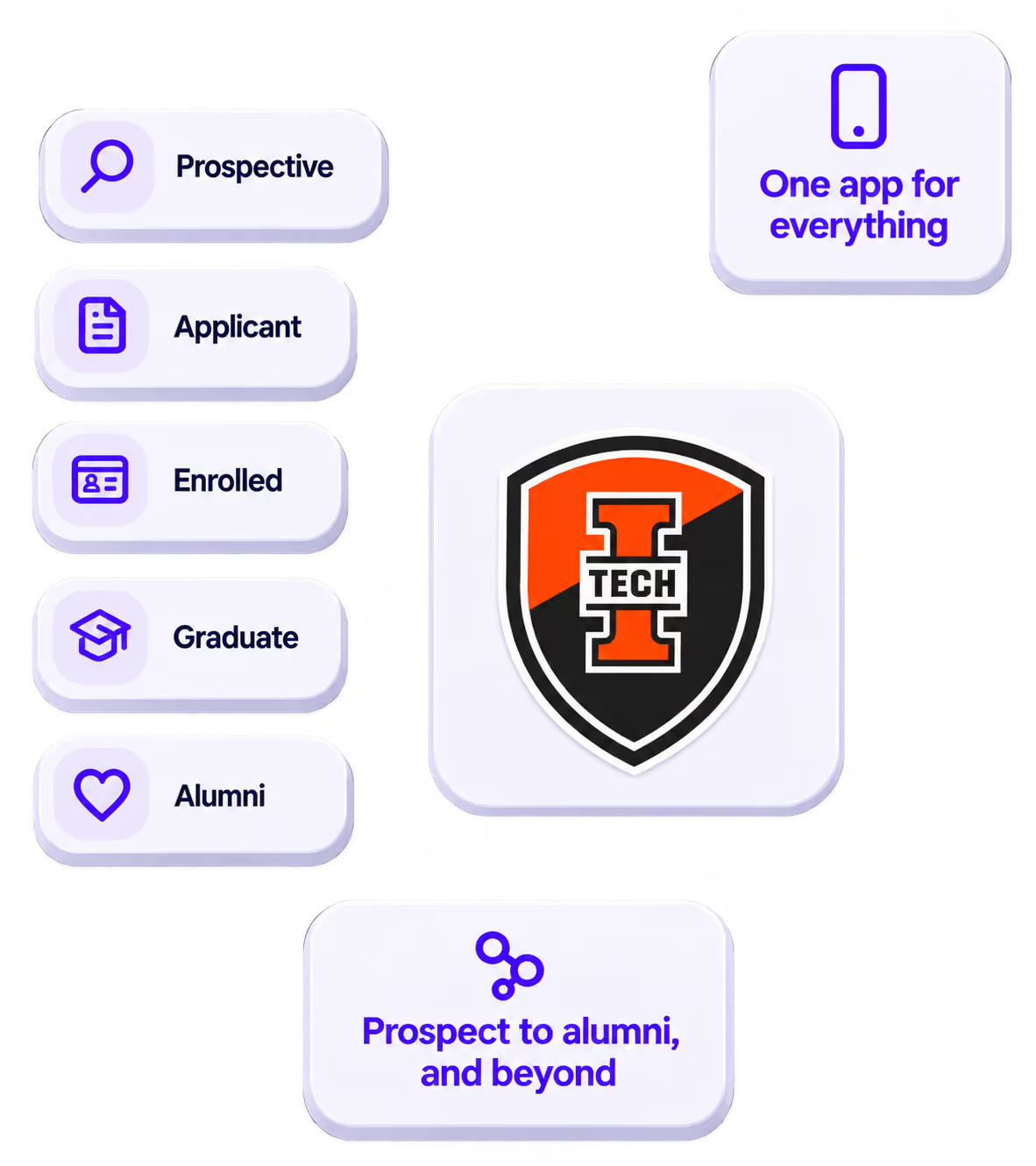
The power of your brand in your app, from first visit to alumni.
Build trust
Attendees download your app, not ours. Your name, colors, and crest in the stores.
.avif)
One place for the whole event
Schedules, maps, registration, and updates in one branded hub - not five tools.
Stand out
A branded app is what people keep on their phone after the printed program is in the recycling.

Get the Mobile App Playbook
A short guide to running the whole student journey in one app. No fluff, just what works.
for higher ed
Campus
Playbook
A practical guide to building a connected campus experience.
Free playbook
The Mobile App Playbook for Universities
Students decide if they belong long before they set foot on campus. This playbook shows how to win them over from the first visit through graduation.
- Grow enrollment and boost recruitment
- Increase belonging and retention
- Run every event from one branded app
By submitting, you agree to our Privacy Policy.
You're in.
.png)