
Q3 2026 Product Highlights
Slate and Guidebook working together, plus a searchable schedule, Builder dark mode, and a clearer Org Guides page.
Overview
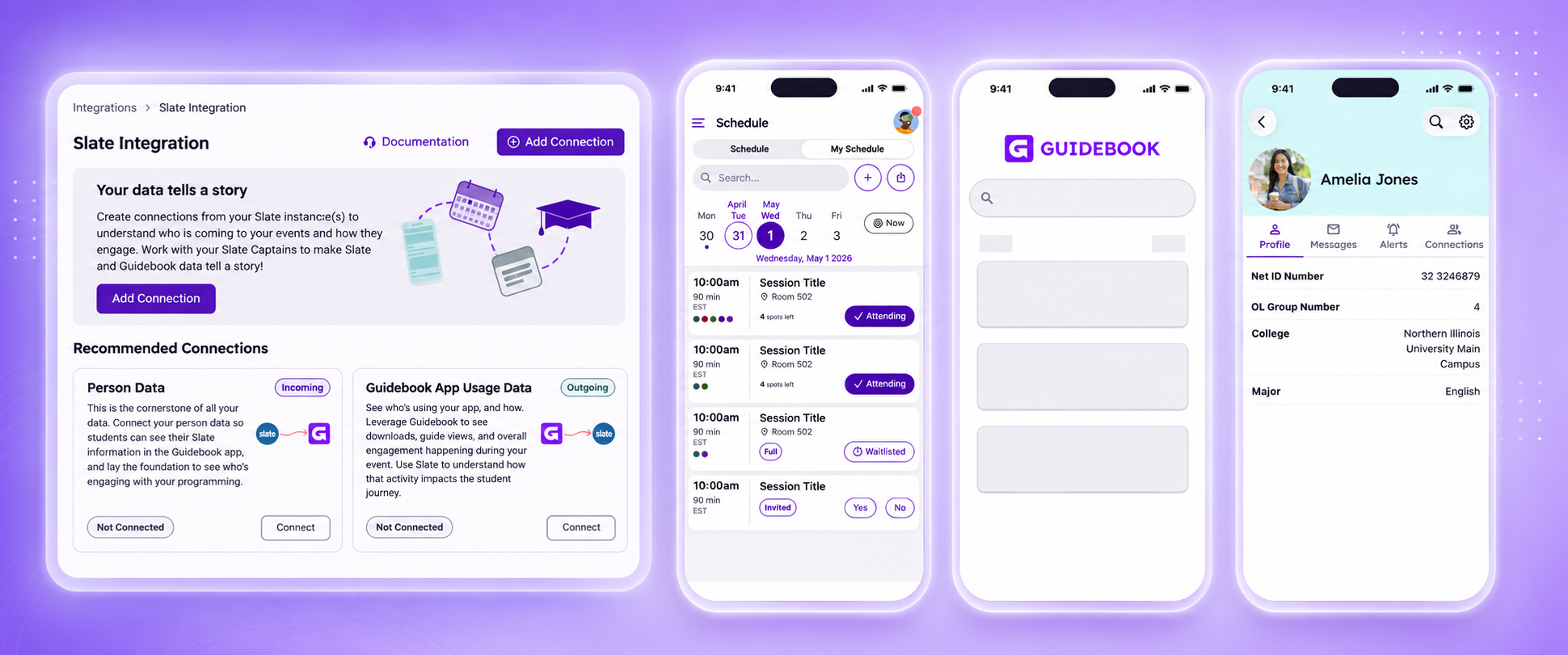
This quarter, we focused on the moments that slow teams down. We made it easier to find the right guide, kept your brand visible once attendees are inside a guide space, made big strides in Builder and mobile accessibility, and introduced our Slate integration.
A Smarter, Searchable Schedule
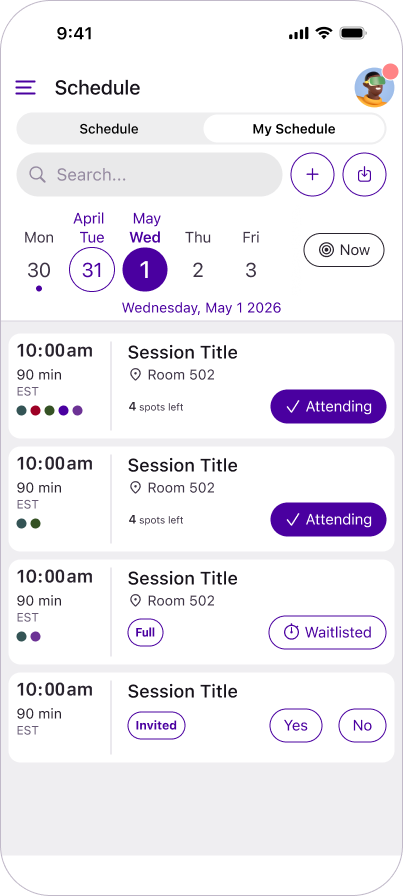
Attendees can now find the session they're looking for without leaving the schedule.
- Redesigned the Schedule, My Schedule, and Track views with an updated look, including system fonts and standardized icons for a more native, consistent experience.
- Added schedule search on iOS and Android, built right into the schedule instead of a separate search page.
Your Logo, Front and Center
Branded Spaces keep your identity visible from the moment attendees arrive.
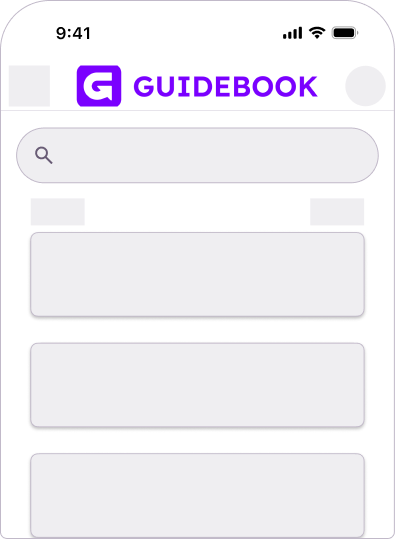
- Brought back the horizontal logo option for the header area of branded Spaces.
- Improved accessibility by adding alt text to images in the Details tab of Space management.
See Builder Your Way
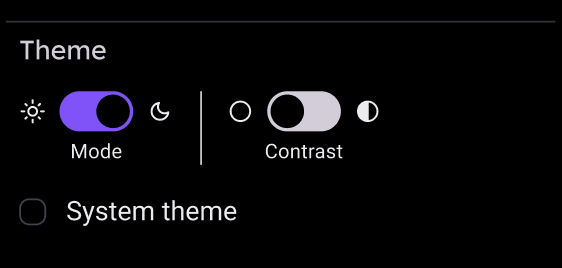
Builder now adapts to how you like to work, with light, dark, and high-contrast options.
- Added a new Appearance setting to Builder's side navigation: choose Light, Dark, or a high-contrast version of either.
- Set System Theme as the default, and saved your choice to your account so it carries over to every session and device.
A Clearer Org Guides Page
Finding the right guide in Builder takes fewer clicks.
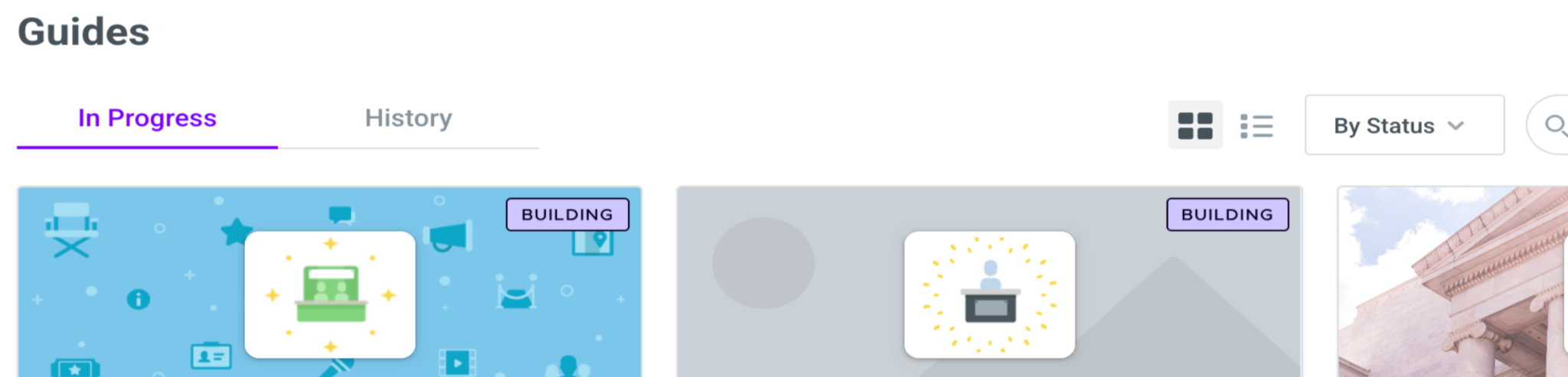
- Reorganized the Org Guides page into two tabs, In Progress and History.
- Added Status and Subscription Date sort options, a Build New Guide button right on the page, and a banner that flags guides with a past due invoice.
Student Profiles From Slate
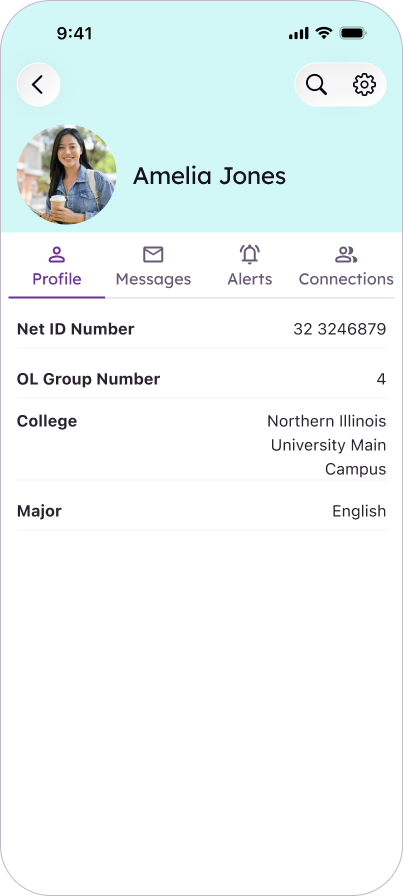
For institutions using Slate, students see their own details in the app as soon as they open your guide.
- Guide builders choose which student details (name, NetID, orientation group, college, and major) sync into a student's in-app profile.
- Added a new Profile tab in the app that shows a student's synced Slate details, and locked student profile fields (name, organization, role, and website) to Slate-managed data.
Note: Institutions on native (non-SSO) Builder login can now link accounts to their Slate record using the account's verified email.
Slate Connections
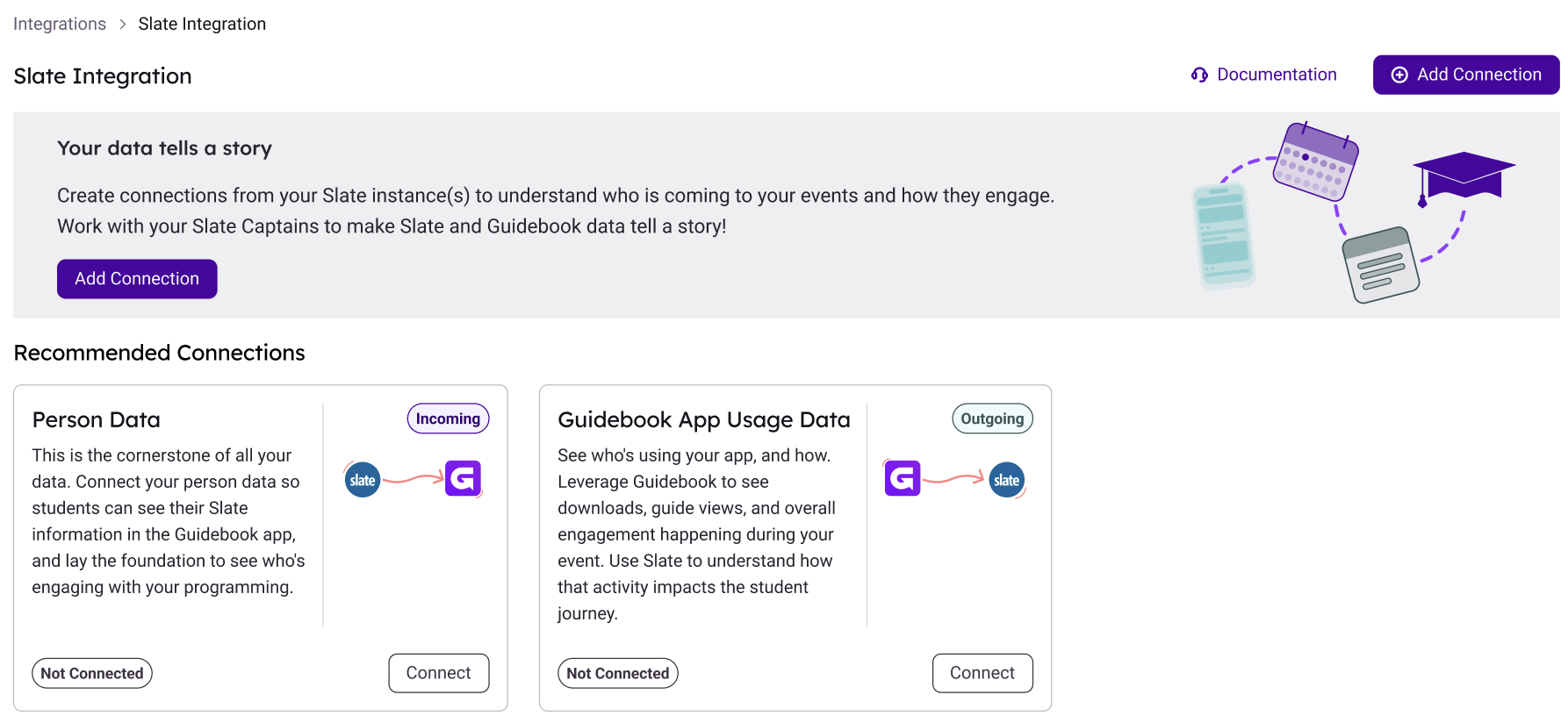
Slate and Guidebook now share more of the work, so your team isn't managing the same event in two places.
- Event & Session Data: Link a Slate event folder to a guide, and every event in that folder becomes a session in the guide's schedule.
- Guidebook App Usage Data: Send app engagement back to Slate every hour, tied to the right Slate event and student record.
- Registration sync: Students who register for a linked Slate event are added to the guide's Users list automatically, with no spreadsheet import.
- Multiple Slate instances: Manage them all from one Slate Integration page with a guided four-step setup.
What's Next
We'll keep building on Slate, accessibility, and the Builder experience.
- Slate integration enhancements: We'll continue to expand on what Slate and Guidebook can do together.
- Accessibility: We'll keep making updates to the app and Builder as part of our accessibility initiative. Modernization goes hand in hand with an easier, more accessible experience.
- Builder redesign: We want to make it easier than ever to build great guides. That starts with updated navigation and a Builder Assistant that understands what your guide needs to succeed.