Campus apps by department
Admissions, orientation, student life, and more — one campus app that works across departments.

Campus apps by department
Admissions, orientation, student life, and more — one campus app that works across departments.
Build unlimited event apps on one license
One partnership for unlimited campus events — orientation, tours, student life, and everything in between.
Build unlimited event apps on one license
One partnership for unlimited campus events — orientation, tours, student life, and everything in between.
Compare event app platforms
See how Guidebook stacks up against other event app and registration platforms.
Compare event app platforms
See how Guidebook stacks up against other event app and registration platforms.
Event apps for nonprofit and community programs
Give members, volunteers, and donors one branded app for conferences, fundraisers, and year-round community.
Event apps for nonprofit and community programs
Give members, volunteers, and donors one branded app for conferences, fundraisers, and year-round community.
Campus integrations and an open API
Connect Guidebook with the campus systems, APIs, and tools your team already uses.
Campus integrations and an open API
Connect Guidebook with the campus systems, APIs, and tools your team already uses.
Event apps for corporate and enterprise teams
Internal meetings, offsites, and large-scale corporate events — with the branding and control enterprise teams need.
Event apps for corporate and enterprise teams
Internal meetings, offsites, and large-scale corporate events — with the branding and control enterprise teams need.
Create a branded event app with no coding
Put schedules, maps, resources, and updates in every attendee's pocket — built for campus events and programs.
Create a branded event app with no coding
Put schedules, maps, resources, and updates in every attendee's pocket — built for campus events and programs.
Launch a branded, white-label event app
A white-label event app with your branding, your content, and your attendee experience — no coding required.
Launch a branded, white-label event app
A white-label event app with your branding, your content, and your attendee experience — no coding required.
Everything in the Guidebook platform
Explore the features event teams use to engage attendees before, during, and after the event.
Everything in the Guidebook platform
Explore the features event teams use to engage attendees before, during, and after the event.
One app for in-person and virtual attendees
The same schedule, networking, and updates whether people are in the room or joining remotely.
One app for in-person and virtual attendees
The same schedule, networking, and updates whether people are in the room or joining remotely.
Event apps built for associations
Annual meetings, chapter events, and member engagement — without rebuilding a new app every year.
Event apps built for associations
Annual meetings, chapter events, and member engagement — without rebuilding a new app every year.
A branded event website that matches the app
Promote the event, collect interest, and keep branding consistent from the first click to check-in.
A branded event website that matches the app
Promote the event, collect interest, and keep branding consistent from the first click to check-in.
Plan, run, and measure events on one platform
App, registration, badges, and websites in one workflow — so planning isn't a pile of disconnected tools.
Plan, run, and measure events on one platform
App, registration, badges, and websites in one workflow — so planning isn't a pile of disconnected tools.
Keep members engaged between events
One branded app for the conference and everything that happens the other 51 weeks of the year.
Keep members engaged between events
One branded app for the conference and everything that happens the other 51 weeks of the year.
The conference app attendees actually use
Schedules, maps, networking, and live updates for annual meetings, summits, and multi-day conferences.
The conference app attendees actually use
Schedules, maps, networking, and live updates for annual meetings, summits, and multi-day conferences.
Registration that feeds your app and badges
Collect registrations, payments, and attendee data in the same platform as your event app.
Registration that feeds your app and badges
Collect registrations, payments, and attendee data in the same platform as your event app.
Design and print event badges in one place
Custom badges, QR check-in, and on-site printing — without a separate badge vendor.
Design and print event badges in one place
Custom badges, QR check-in, and on-site printing — without a separate badge vendor.
A Smaller School?
Deliver a polished, branded event experience without a large team or a big budget.

A Smaller School?
Deliver a polished, branded event experience without a large team or a big budget.
Running Family Programs?
Give families everything they need, from schedules and maps to real-time updates, all in one place.

Running Family Programs?
Give families everything they need, from schedules and maps to real-time updates, all in one place.
Coordinating Move-In Day?
Share updates, manage events, and keep students informed from move-in through the academic year.

Coordinating Move-In Day?
Share updates, manage events, and keep students informed from move-in through the academic year.
Offering Campus Tours?
Deliver branded, self-guided tour experiences with interactive maps and rich media, available 24/7.

Offering Campus Tours?
Deliver branded, self-guided tour experiences with interactive maps and rich media, available 24/7.
Organising a Career Fair?
Simplify logistics for students, employers, and Career Services staff with one easy-to-use app.

Organising a Career Fair?
Simplify logistics for students, employers, and Career Services staff with one easy-to-use app.
Managing Alumni Events?
Plan reunions, regional events, and fundraising campaigns with an app built for alumni engagement.

Managing Alumni Events?
Plan reunions, regional events, and fundraising campaigns with an app built for alumni engagement.
Boost Student Engagement
One hub for schedules, resources, and events that keeps students connected throughout the academic year.

Boost Student Engagement
One hub for schedules, resources, and events that keeps students connected throughout the academic year.
Planning Orientation?
Help new students feel prepared from day one with schedules, campus resources, and real-time updates in one app.

Planning Orientation?
Help new students feel prepared from day one with schedules, campus resources, and real-time updates in one app.
Running Admissions Events?
Manage open houses, tours, and yield events with a branded app that saves time and engages prospective students.

Running Admissions Events?
Manage open houses, tours, and yield events with a branded app that saves time and engages prospective students.
Get a custom Sponsorship Package Template
Stop starting from scratch. Grab free templates that helWe'll build a tailored sponsorship package with suggested pricing, tiers, and benefits..for your specific event.p you build professional sponsorship packages and close deals faster.

Get a custom Sponsorship Package Template
Stop starting from scratch. Grab free templates that helWe'll build a tailored sponsorship package with suggested pricing, tiers, and benefits..for your specific event.p you build professional sponsorship packages and close deals faster.
Plan Your Next Event Without Missing a Beat.
From venue selection to post-event wrap-up, this free checklist walks you through every step (so nothing falls through the cracks).
.avif)
Plan Your Next Event Without Missing a Beat.
From venue selection to post-event wrap-up, this free checklist walks you through every step (so nothing falls through the cracks).
Real Results From Real Events
100,000+ organizations trust Guidebook. See exactly how universities, associations, enterprises, and more put it to work.

Real Results From Real Events
100,000+ organizations trust Guidebook. See exactly how universities, associations, enterprises, and more put it to work.
Flexible pricing for every event size
Find the perfect plan for your needs, from intimate gatherings to large-scale conferences.

Flexible pricing for every event size
Find the perfect plan for your needs, from intimate gatherings to large-scale conferences.
Join our event experts
Watch on-demand webinars and join live sessions with industry leaders sharing best practices for event success.
.avif)
Join our event experts
Watch on-demand webinars and join live sessions with industry leaders sharing best practices for event success.
Guidebook in Action
Book a personalized walkthrough and discover how we help event teams create better attendee experiences.
Guidebook in Action
Book a personalized walkthrough and discover how we help event teams create better attendee experiences.
20 Essential Event App Features You Can't Ignore





20 Essential Event App Features You Can't Ignore
Imagine having an app that doesn't just serve as a digital tool, but rather an immersive experience that keeps users engaged before, during, and even after an event.
We're talking about an app with features that not only streamline information but also foster connections, enhance engagement, and create lasting memories.
If you're ready to take your app from good to unforgettable, buckle up as we dive into the best features that can transform your app into a powerhouse of interaction, engagement, and fun.
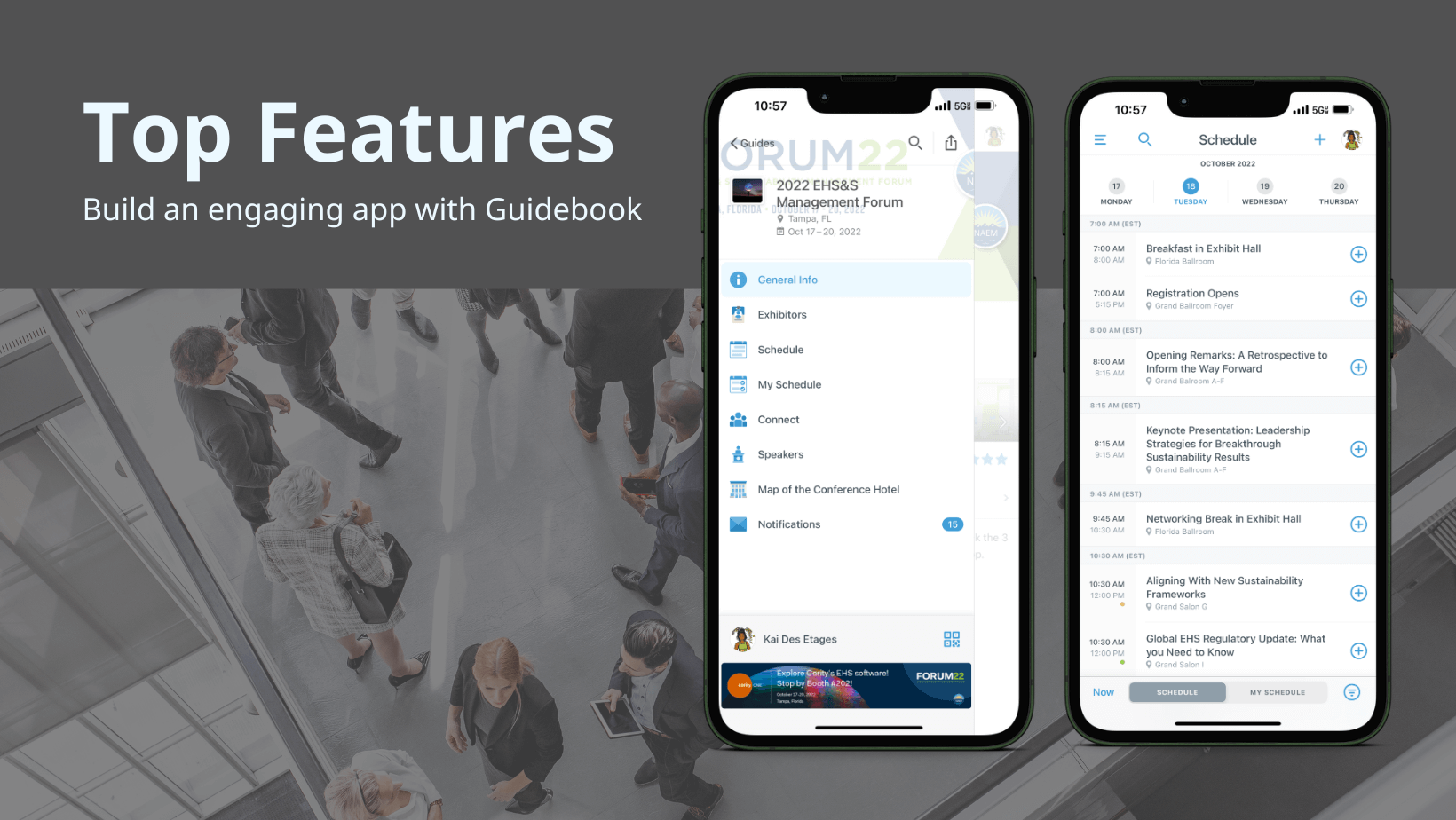
Features for Event Promotion
1. Event Marketing Website
Getting people to your event means you need a website or landing page that you can promote. Your website should highlight key event details (like date, location, speakers and ticket options), plus give visitors the option to pre-register (this is really helpful for boosting attendance).
Get more insight into Guidebook’s event marketing websites and how to start building your own.
Features for Registration and Check-In
2. Registration Landing Page
To simplify registration, you should create a dedicated registration page that includes a clear call-to-action, a breakdown of all ticket types and secure payment processing. To further enhance conversion rates, create a branded registration page that includes your brand colors and logo.
By using your brand colors, it signals to potential attendees that they are in the right place and makes them feel more comfortable about providing their payment information.
3. Self-Check-in with QR Code
Nothing kills the vibe at an event faster than long check-in lines. With QR code self-check-in attendees can confirm their attendance at the entire event or at an individual session. Not only does this contactless check-in solution speed up entry, but it also minimizes bottlenecks and reduces staffing needs at the venue.
Features for Attendee Engagement and Interaction
4. Gamification
Humans love rewards, so why not tap into this by creating challenges — such as a QR code scavenger hunt — and rewarding participants? Also, use a leaderboard to track results and encourage healthy competition between attendees.
By incentivizing attendees through prizes — e.g. social recognition, exclusive content, cash reward, or something else — they’re more likely to stay motivated and engaged throughout the event.
5. Push Notifications
Push notifications are like the friendly tap on the shoulder that ensures users don't miss a beat. These little messages can make a big impact by driving users back to your app and encouraging them to explore.
Whether it's a crucial update, a time-sensitive offer, or a spotlight on a sponsor, push notifications are your direct line to keeping users engaged.
6. Surveys (Forms) and Live Polls
Gather feedback and spark live interactions with forms and live polls. Attendees can share their thoughts on sessions, event organization, and the app itself. Live polls encourage real-time engagement during sessions, shaping discussions and involving the audience like never before.
Features for Attendee Networking and Connection Features
One of the main reasons why people attend events is because it gives them the opportunity to meet like-minded people that they wouldn’t necessarily encounter in their daily life. So, it’s important that your event app provides attendees with features that facilitate networking and connection.
7. AI-Powered Networking
Finding the right connections at events can be overwhelming. With AI-powered networking, attendees can select their top interests and receive recommendations for other attendees who would be a good match for them. This takes the guesswork out of networking and facilitates meaningful conversations.
8. Connect and Chat
Make it easy for attendees to make new friends and start conversations. This comes in handy for attendees who may have run into each other at an exhibitor booth or share similar interests.
9. Event-Specific Social Feed
Encourage conversations and interactions around your event by offering a dynamic feed that highlights upcoming sessions, announcements, comments, and photos from attendees. This is a great way to drive engagement beyond individual session rooms.
At Guidebook we offer a feature called Interact that allows you to create this social feed. In addition, you can also showcase sponsored posts on the feed and use it as part of your app’s revenue-generating strategy. Learn more about the Interact feature here.
10. Meeting Scheduling
Attendees’ schedules are often jam-packed during an event. Make it easy for them to book 1:1 or group meetings via your event app so that they can connect, learn and grow together. For more on how Guidebook supports this feature, read this article.
11. Private Messaging
Whether it’s to say a quick “hello” or gauge interest in a 1:1 meeting, this feature adds a layer of ease and efficiency to your app, allowing attendees to kickstart conversations when it’s convenient for them.
Learn more about Guidebook’s private messaging feature.
By the way, if you're planning an event, check out our most popular resource: The Ultimate Event Planning Checklist
Features for Content and Information Access
12. Interactive Maps
Interactive maps go beyond just showing locations – they provide a dynamic, immersive way to explore your event's layout. Users can quickly locate sessions, booths, or key points of interest, making navigation a breeze. Plus, if you’re building your app with Guidebook, then your maps will also work offline. This ensures that attendees can still find their way around even when there's no internet connection.
13. Multi-Track Schedules
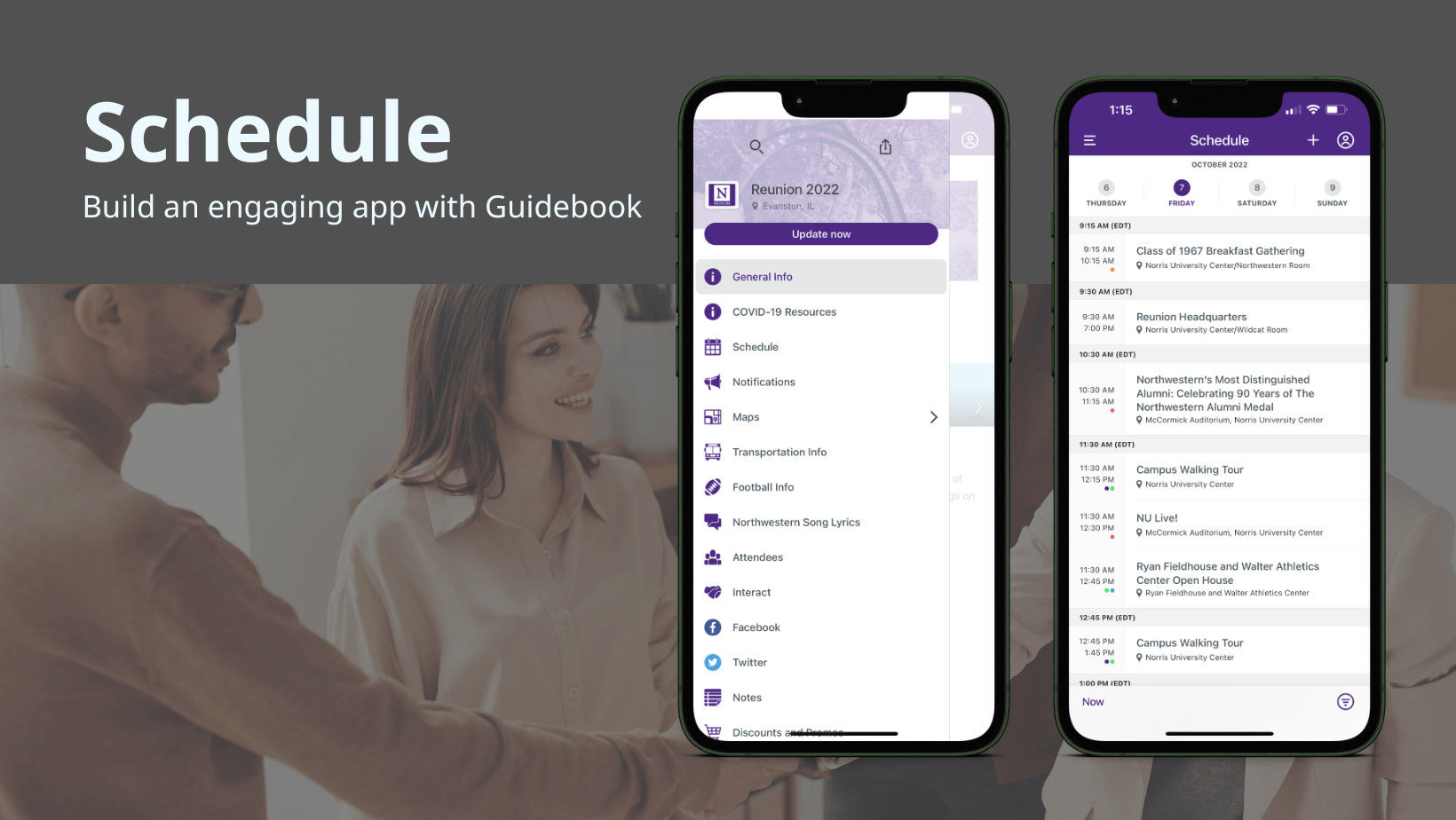
FOMO (fear of missing out) is very real for many event attendees. Help them navigate complex schedules by organizing sessions into predefined tracks that they can filter or sort through. It allows attendees to quickly find all sessions related to a specific topic or all sessions happening in a particular room/building, for example.
Learn more about managing schedule tracks within Guidebook’s event management platform.
14. Preset Schedules
Each attendee has their own preferences and preset schedules acknowledge this fact by offering tailored session recommendations. Users can choose from pre-made schedules based on their interests or customize their own, ensuring they get the most out of your event.
Features for Event Sponsorship and Monetization
15. Sponsor Listings
Showcase sponsors with eye-catching, high visibility listings that pique attendees’ interest and encourage engament. Rather than digging through paper to find sponsor information, attendees can quickly view a sponsor’s profile and learn what they offer.
16. Banner Ads and Sponsored Posts
Whether it’s a post in the social feed or a banner ad that displays throughout the event app, strategic ad placements are an effective way for planners to generate revenue (and for attendees to discover sponsors).
17. Appointment Scheduling
Help sponsors get more from their investment by making it easy for attendees to schedule 1:1 time with them directly from the event app. The more direct interactions sponsors have with attendees, the more leads they generate and the greater their chances of seeing a positive ROI from the event (which means they’re more likely to return as a sponsor).
Reporting and Analytics Features
18. Post-Event Surveys
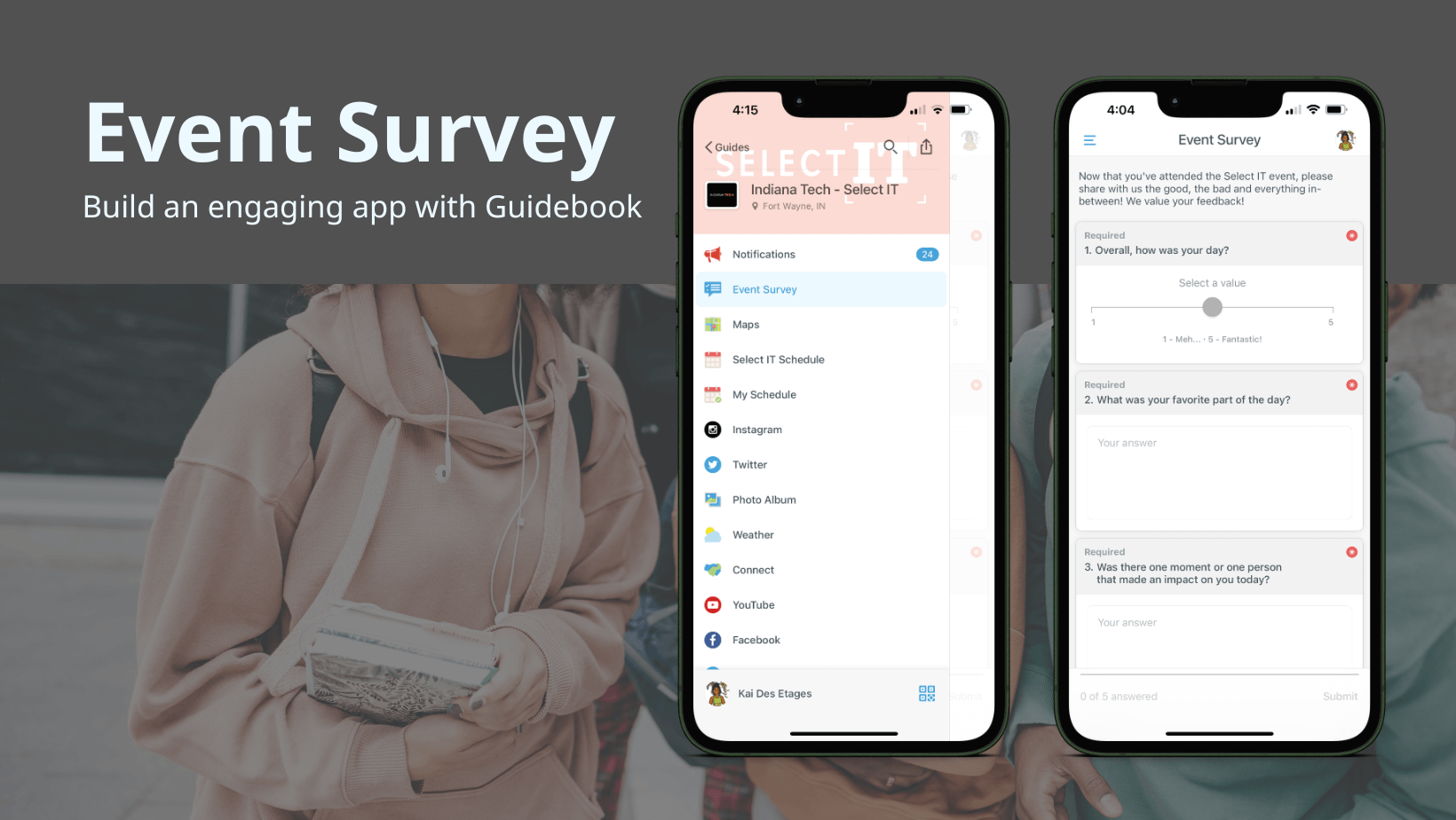
As a planner, you should never have to guess about what attendees want (that can be very costly in terms of time and money!). Therefore, your app should make it easy to send surveys and questionnaires to attendees, allowing you to gather accurate feedback to improve the event experience.
19. Real-Time Usage and Engagement Metrics
Just because you’ve built an event app, that doesn’t mean attendees will actually use it. To make sure that you’re putting your energy where it matters, your app should provide real-time usage metrics so that you can monitor adoption rates and see the features that attendees are engaging with the most. This will help you improve the app experience for future events.
20. Attendance Verification Tracking
It’s not enough to know who signed up for an event or for a specific session. You also need to know who actually showed up. Your event app should provide attendance data so that you can properly evaluate the success - or lack of success - of a particular session (and the event as a whole).
Final Thoughts: Choosing The Right Event App Features
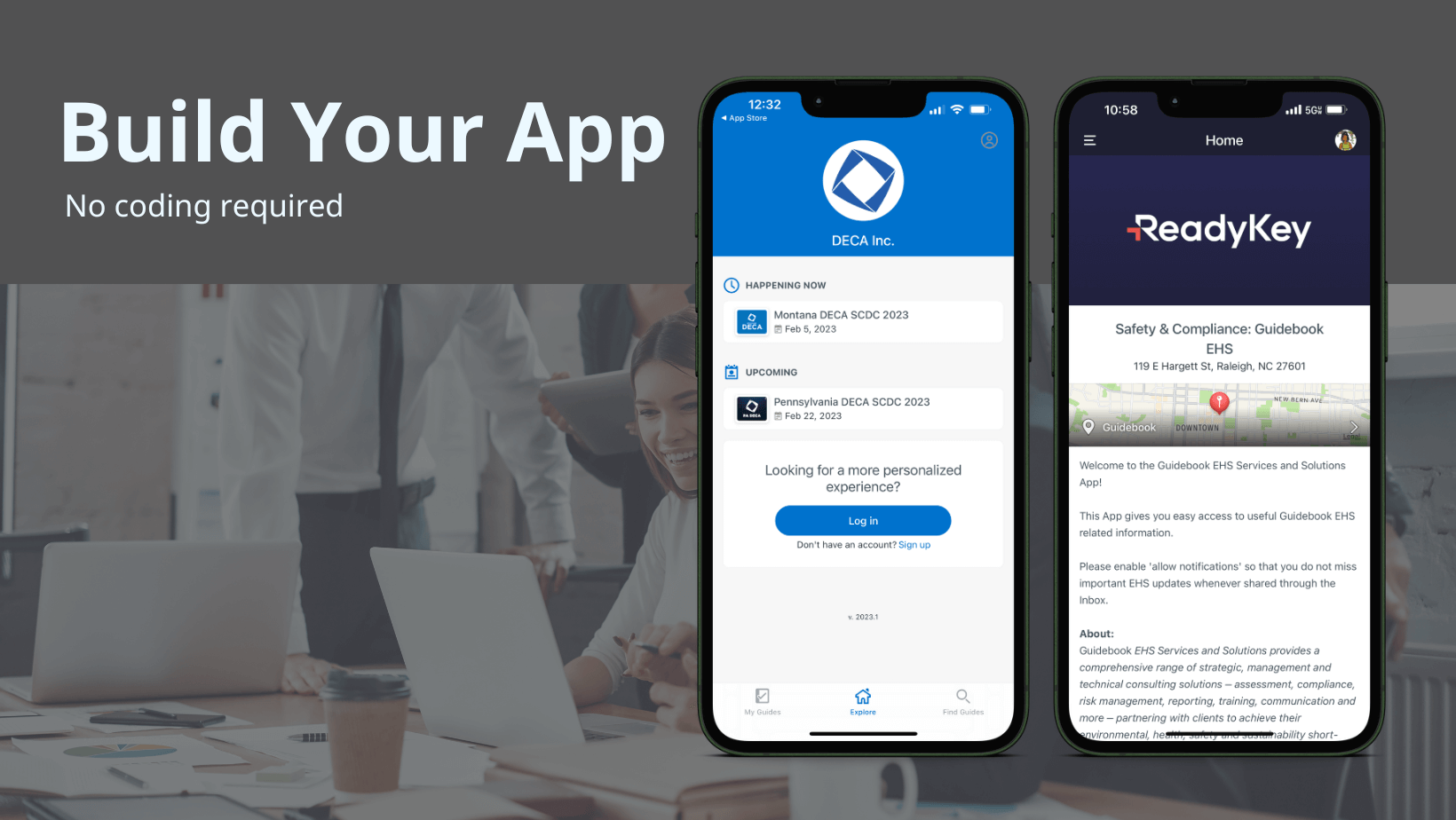
The best event apps are more than just reference tools for attendees to access schedules. They’re engagement and networking hubs.
No matter the type of event you’re hosting, the features we’ve covered will empower users to explore and create their own experience, while also making it easier for planners to manage the many moving pieces that come with hosting events.
And remember that there are a lot more features that you can take advantage of in your event app (check out the full list of Guidebook’s event app features here).
When you’re ready to provide your attendees with a unique experience, simply book a demo with one of our dedicated product experts or get started here.

Get the Mobile App Playbook
A short guide to running the whole student journey in one app. No fluff, just what works.
for higher ed
Campus
Playbook
A practical guide to building a connected campus experience.
Free playbook
The Mobile App Playbook for Universities
Students decide if they belong long before they set foot on campus. This playbook shows how to win them over from the first visit through graduation.
- Grow enrollment and boost recruitment
- Increase belonging and retention
- Run every event from one branded app
By submitting, you agree to our Privacy Policy.
You're in.
.png)

.avif)