Q2 2026 Product Highlights
Smarter tools, fresher guides — AI-powered Schedule Import in Builder, plus a redesigned navigation menu and General Info page on mobile.
Overview
This quarter we focused on saving people time and making the guide experience feel more polished. Manually reformatting spreadsheets just to get schedule data into a guide was slowing organizers down, so we taught Builder to handle that work instead. We also refreshed key parts of the mobile guide experience, making it easier for attendees to find their way around.
AI-Powered Schedule Import in Builder
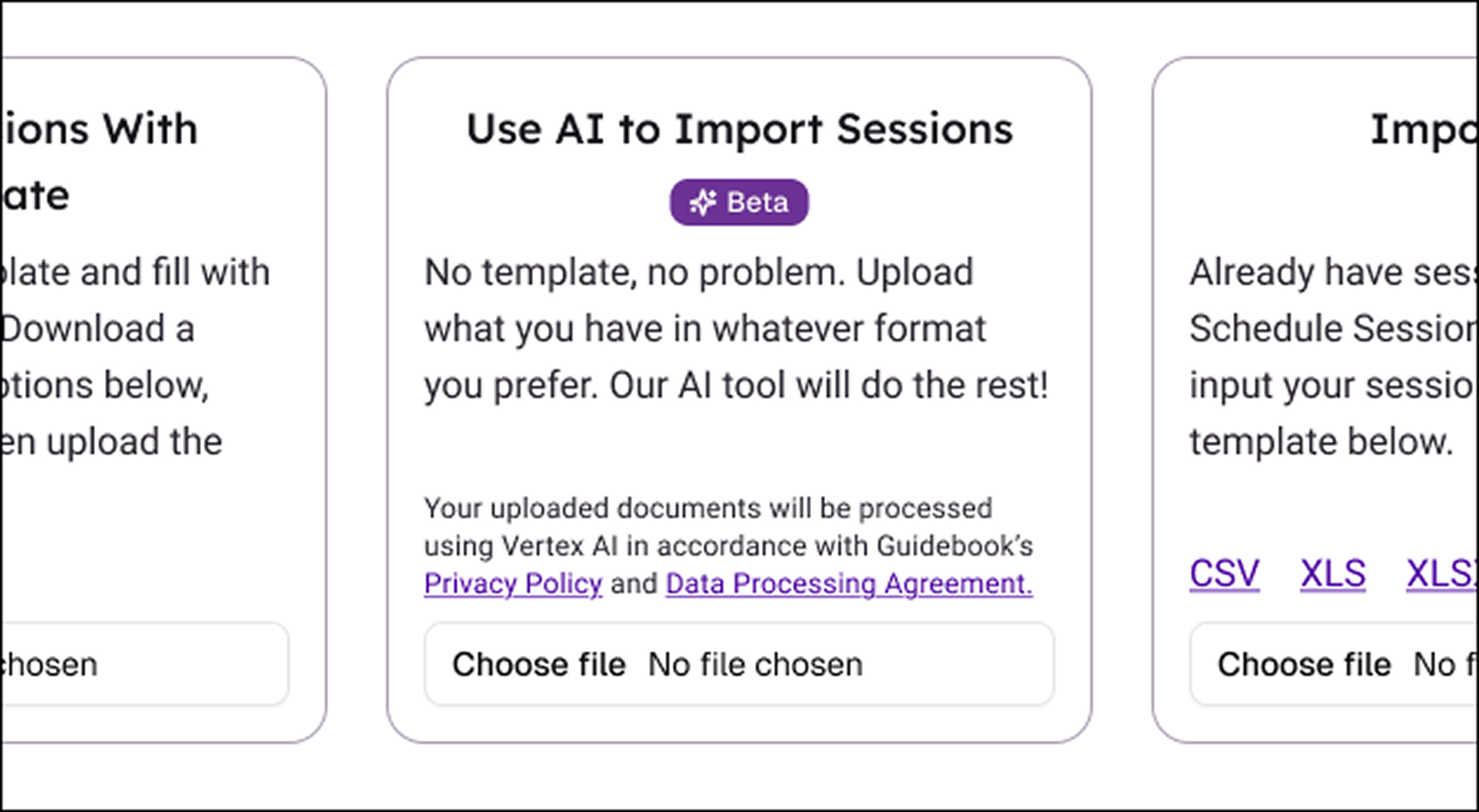
Organizers can now upload a spreadsheet or document directly into Builder. Builder reads the file, matches the sessions, and shows a full preview before anything is added to the guide — removing the manual reformatting and retyping that used to eat into setup time.
- Upload a spreadsheet or document with session details
- Builder automatically matches and structures the sessions
- Review a full preview before anything is added to the guide
Redesigned Guide Navigation (iOS & Android)
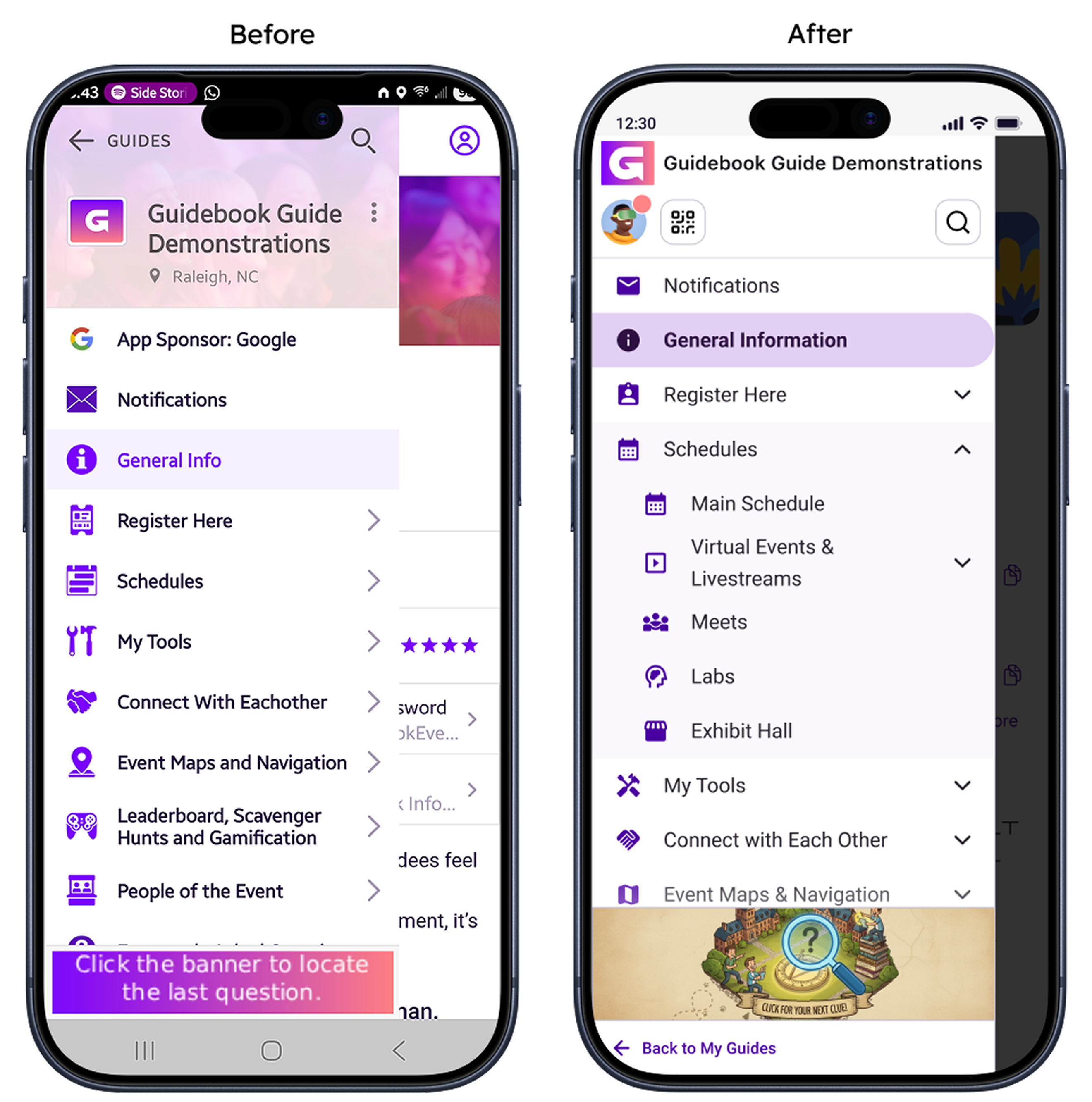
The guide navigation menu has been redesigned on both iOS and Android. Guide name and logo, QR code, profile, and search are now organized into a cleaner top section, making it easier for attendees to find their way around a guide.
- Guide name and logo, QR code, profile, and search grouped into one section
- Cleaner layout across both iOS and Android
Refreshed General Info Page (iOS & Android)
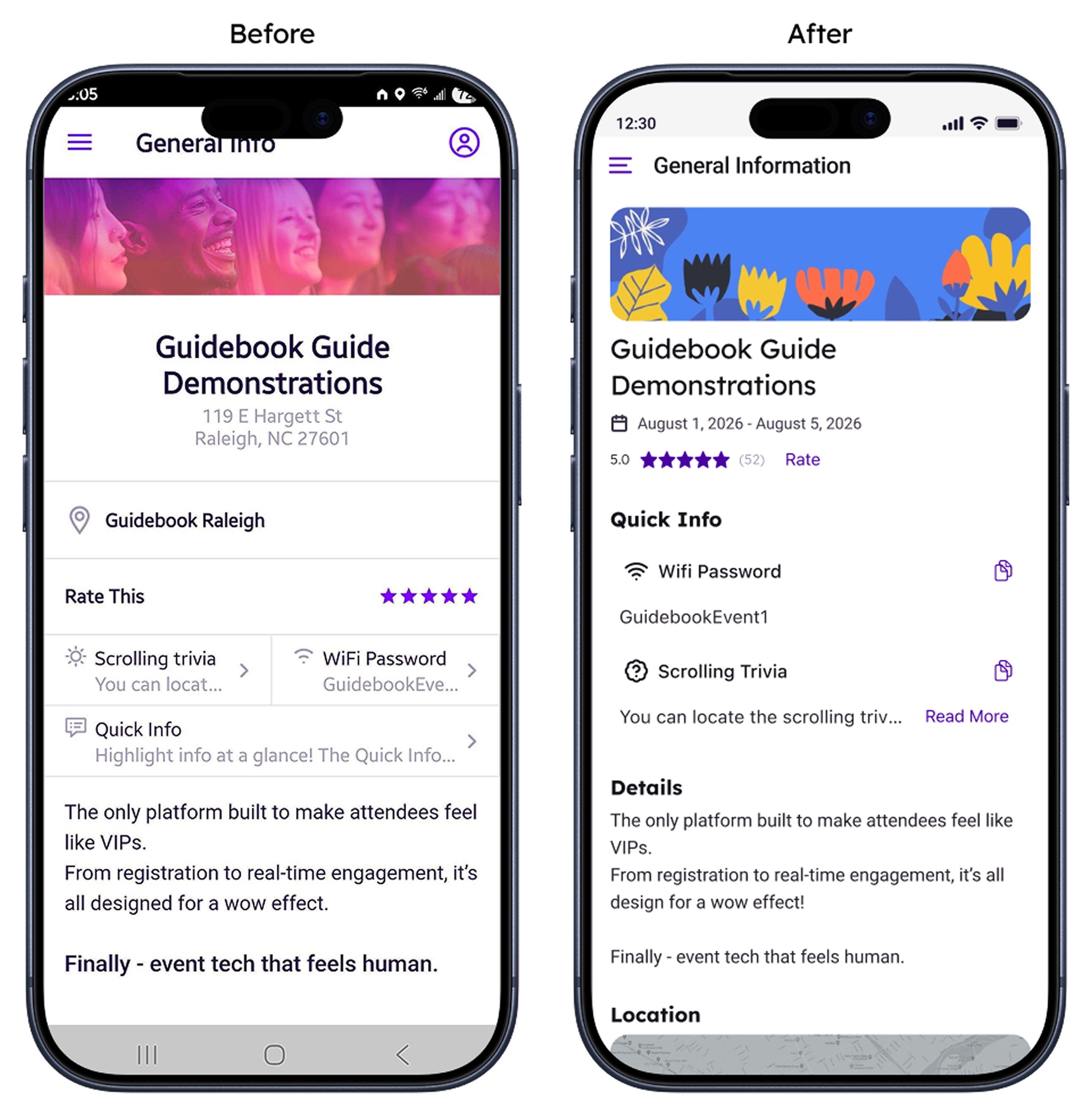
The General Info page has been refreshed on both platforms. Quick Info now supports Read More and Read Less for longer content, copying info takes one tap, and the page matches our latest design across both platforms.
- Read More / Read Less support for longer Quick Info content
- One-tap copying of info
- Updated design consistent across iOS and Android